
1. Introduction
Thank you for choosing the knoworld 66-inch Mid-Century Modern TV Stand. This entertainment center is designed to accommodate TVs up to 80 inches, featuring a rich walnut finish, curved edges, and practical storage solutions. This manual provides essential information for assembly, operation, maintenance, and safety to ensure optimal use and longevity of your product.

Image 1.1: The knoworld 66-inch Mid-Century Modern TV Stand in a living room environment, showcasing its design and capacity for decor.

Image 1.2: The TV stand supporting a television and various media components, highlighting its functional use.
2. Safety Information
Please read all safety warnings carefully before assembly and use.
- Always use caution when opening and closing the rolling doors to prevent pinching.
- Ensure the TV stand is properly assembled and stable before use to prevent tipping.
- Do not place heavy objects on the top shelf to avoid overloading. The maximum weight capacity for the top surface is 360 pounds (163 kg).
- Keep small parts and assembly hardware away from children to prevent choking hazards.
- Periodically check all connections and fasteners to ensure they remain tight.
3. Package Contents
Before beginning assembly, verify that all components listed below are present and undamaged. If any parts are missing or damaged, please contact customer support.
- TV Stand Components (panels, shelves, doors)
- Assembly Hardware (screws, dowels, cam locks, hinges)
- User Manual (this document)
- Assembly Tool (e.g., Allen wrench)
4. Setup and Assembly Instructions
Assembly typically requires two people and takes approximately one hour. Follow these steps carefully:
- Attach Legs: Secure the solid wood legs to the bottom panel of the TV stand using the provided screws. Tighten all screws firmly with the included tool.
- Connect Side and Back Panels: Join the side panels to the back panel using the dowels and cam locks. Ensure all connections are snug and aligned.
- Insert Shelves: Place the adjustable shelves into the pre-drilled holes within the compartments. You can customize the shelf height to suit your storage needs.
- Attach Doors: Install the sliding doors using the hinges and screws. Ensure the doors glide smoothly along their tracks.

Image 4.1: Detail of the cable management hole for organizing wires and the sturdy solid wood legs.

Image 4.2: Visual representation of the TV stand's overall dimensions (66"W x 15.8"D x 21.7"H) and internal compartment sizes, including weight capacities.
5. Operating Instructions
This TV stand is designed for ease of use and versatile storage.
- Sliding Doors: The two curved sliding doors allow you to conceal or reveal compartments as needed. Gently slide the doors along their tracks to access the interior storage. Avoid forcing the doors to prevent damage.
- Adjustable Shelves: The interior features six compartments with adjustable shelves. To change a shelf's height, carefully lift it out of its current position and reinsert it into a different set of pre-drilled holes. Ensure the shelf is level and securely seated before placing items on it.
- Cable Management: Utilize the integrated cable management hole at the back of the unit to route and organize power cords and media cables, maintaining a tidy appearance.
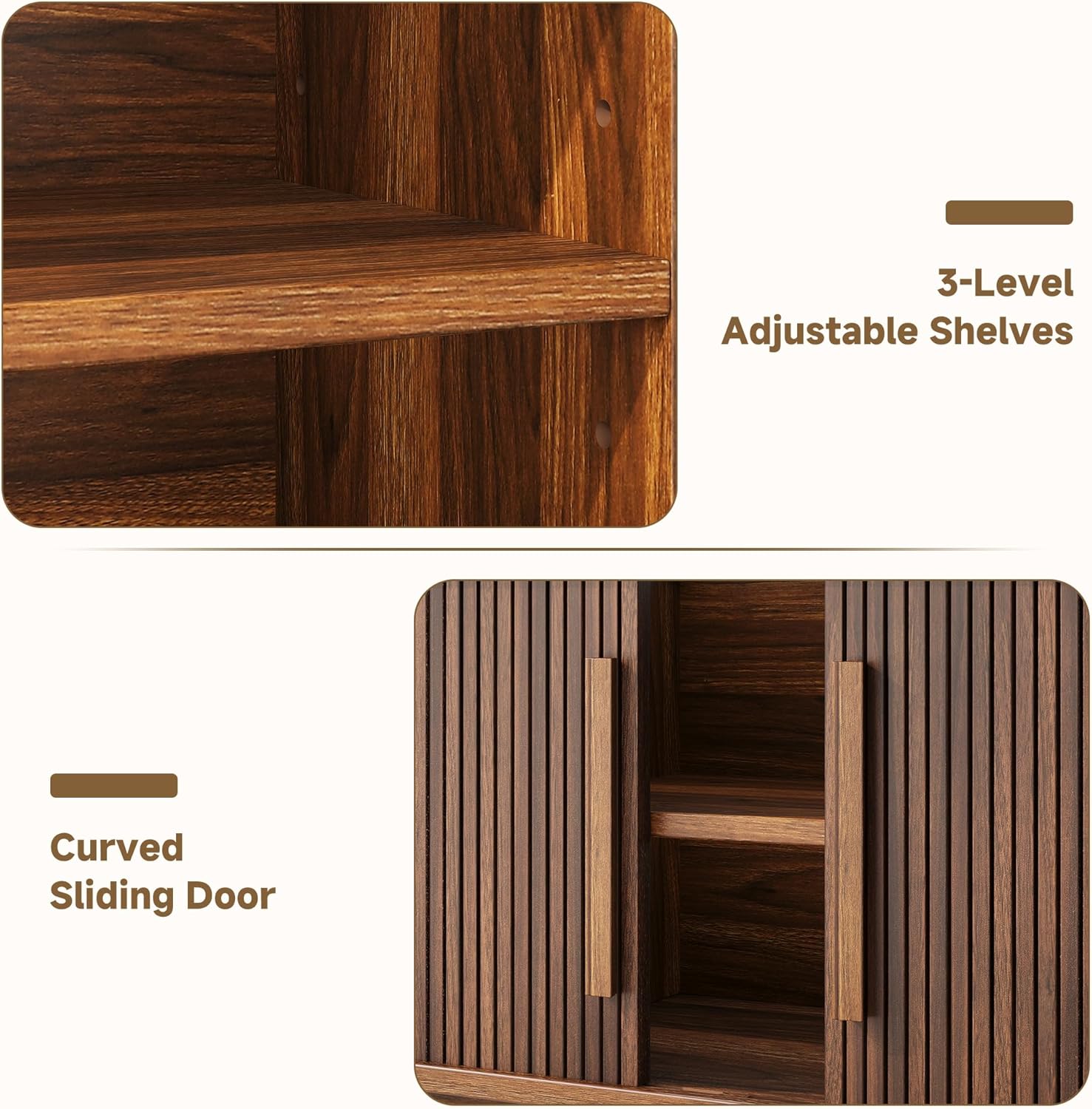
Image 5.1: Detailed view of the 3-level adjustable shelves and the curved sliding door mechanism.

Image 5.2: The TV stand's interior with various items, demonstrating its ample storage capacity and organizational potential.
6. Maintenance
To keep your knoworld TV stand in excellent condition:
- Cleaning: Wipe surfaces with a soft, damp cloth. Avoid harsh chemicals or abrasive cleaners, which can damage the finish.
- Dusting: Regularly dust with a dry, soft cloth to prevent buildup.
- Spills: Immediately blot any spills with a clean, dry cloth to prevent staining or water damage.
- Sunlight: Avoid prolonged exposure to direct sunlight, which can cause fading or discoloration of the wood finish.
- Hardware: Periodically check and tighten all screws and fasteners to ensure stability.
7. Troubleshooting
If you encounter any issues with your TV stand, refer to the following common solutions:
- Wobbly Stand: Ensure all screws and fasteners are securely tightened. Check that the stand is placed on a level surface.
- Doors Not Sliding Smoothly: Inspect the door tracks for any obstructions or debris. Clean the tracks if necessary. Ensure the doors are properly seated on their runners.
- Difficulty Assembling: Re-read the assembly instructions carefully. Ensure you are using the correct hardware for each step. Do not force parts together; if they don't fit, recheck alignment.
8. Specifications
| Feature | Specification |
|---|---|
| Brand | knoworld |
| Model Number | 2P7US-QY-I870101132A2 |
| Overall Dimensions (W x D x H) | 66" x 15.8" x 21.7" (167.6 cm x 40.1 cm x 55.1 cm) |
| Material | Engineered Wood |
| Color | Walnut |
| Weight Capacity (Top Surface) | 360 lbs (163 kg) |
| Number of Shelves | 6 (Adjustable) |
| Number of Doors | 2 (Sliding) |
| Mounting Type | Floor Mount (Freestanding) |
| Assembly Required | Yes |

Image 8.1: Illustration indicating the TV stand's compatibility with different television sizes, up to 70 inches.
9. Warranty and Support
Specific warranty information for the knoworld 66-inch Mid-Century Modern TV Stand is not provided within this manual. For details regarding warranty coverage, returns, or technical support, please refer to the product's purchase documentation or contact the retailer/manufacturer directly.
For customer service inquiries, please visit the knoworld official website or contact their support channels as listed on your purchase receipt.