
1. Product Overview
The Taegila Air-Conditioned Workwear Vest is designed to provide cooling comfort in hot environments. It features integrated fans powered by a high-capacity 46000mAh battery, offering adjustable airflow, UV protection, and water-repellent properties. This vest is suitable for various activities including construction, agriculture, fishing, sports, and general outdoor use.
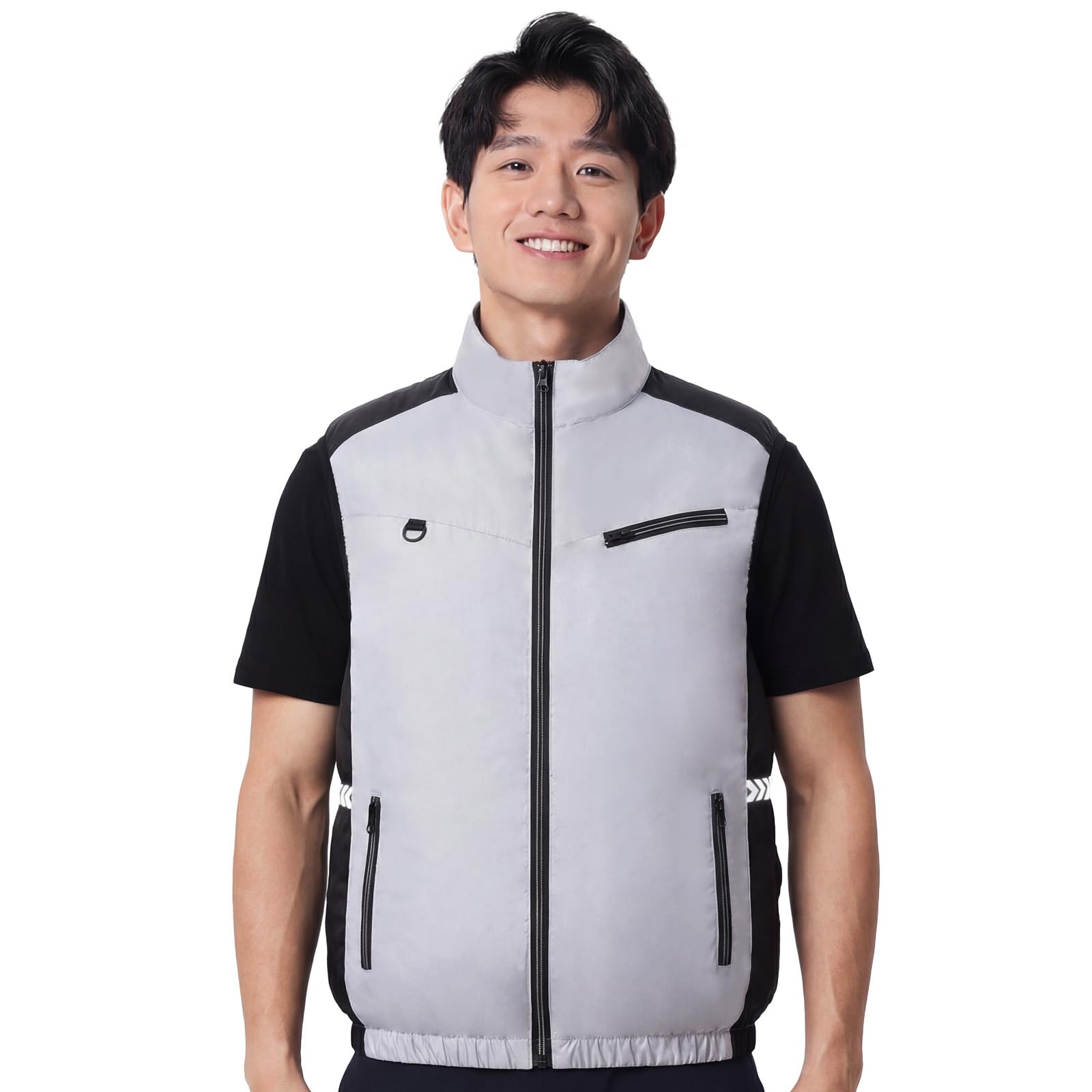
Image 1.1: Taegila Air-Conditioned Workwear Vest with fan and battery components.
2. Package Contents
Please check the package for the following items:
- 1 x Taegila Air-Conditioned Workwear Vest
- 1 x 46000mAh High-Capacity Battery
- 2 x Cooling Fans
- 1 x Fan Connection Cable
- 1 x Battery Charger
- 1 x Instruction Manual (this document)
3. Safety Information
Read all safety warnings and instructions before using this product to prevent electric shock, fire, or serious injury.
- Battery Safety: Use only the provided charger. Do not expose the battery to water, fire, or extreme temperatures. Do not puncture, drop, or disassemble the battery. If the battery shows signs of damage, discontinue use immediately.
- Fan Safety: Keep fingers, hair, and loose clothing away from the fan blades during operation. Do not insert objects into the fan grille.
- General Use: Do not use the vest in environments where it could interfere with sensitive electronic equipment or medical devices. Ensure the vest is dry before connecting the battery.
- Washing: Always remove the battery and fans before washing the vest.
4. Setup and Assembly
Follow these steps to assemble your air-conditioned vest:
- Charge the Battery: Before first use, fully charge the 46000mAh battery using the provided charger. Connect the charger to the battery and plug it into a standard wall outlet. The charging indicator on the battery will show its status.
- Install the Fans: Locate the fan attachment rings on the inside of the vest, typically at the lower back. Insert each fan from the outside of the vest through the ring, then twist to secure it in place. Ensure the fan blades face outwards (towards your body) for optimal airflow.
- Connect the Fans to the Battery: Place the charged battery into the designated battery pocket inside the vest. Connect the fan connection cable to the fans and then to the battery's output port. Ensure all connections are secure.

Image 4.1: Illustrative diagram of fan installation into the vest. (Note: This image is illustrative; actual product may vary slightly.)

Image 4.2: Illustrative diagram of battery and fan cable connection. (Note: This image is illustrative; actual product may vary slightly.)
5. Operating Instructions
Once assembled, operate your vest as follows:
- Wearing the Vest: Put on the vest and zip it up using the front fastener. Ensure the vest fits comfortably and the fans are not obstructed.
- Power On/Off: Press and hold the power button on the battery or the integrated control panel (if present) for 2-3 seconds to turn the fans on or off.
- Adjust Airflow: Short press the power button or the dedicated fan speed button to cycle through the 4 available airflow levels (Low, Medium, High, Turbo). The indicator lights on the battery or control panel will show the current speed setting.
- Battery Level Check: The battery typically has LED indicators to show the remaining charge. Refer to the battery's specific instructions for detailed information.

Image 5.1: Illustrative image of the fan speed control panel. (Note: This image is illustrative; actual product may vary slightly.)
6. Maintenance and Care
Proper care will extend the life of your Taegila Air-Conditioned Workwear Vest.
- Washing the Vest: Always remove the battery and fans before washing. The vest is made of 100% polyester and is machine washable. Use a gentle cycle with cold water. Do not bleach. Tumble dry low or hang to dry.
- Battery Care: Store the battery in a cool, dry place away from direct sunlight when not in use. For long-term storage, charge the battery to approximately 50-70% every 3-6 months to maintain its health.
- Fan Cleaning: Periodically inspect the fans for dust or debris. Use a soft brush or compressed air to gently clean the fan blades and grilles. Do not immerse fans in water.

Image 6.1: Illustrative image of the vest being prepared for machine washing after removing electronic components. (Note: This image is illustrative; actual product may vary slightly.)
7. Troubleshooting
If you encounter issues, refer to the following common problems and solutions:
| Problem | Possible Cause | Solution |
|---|---|---|
| Fans not turning on | Battery is not charged Battery not connected properly Fans not connected properly | Charge the battery fully. Ensure the battery is securely plugged into the fan cable. Check fan connections to the cable. |
| Weak airflow | Low battery charge Fans obstructed Fan speed set too low | Recharge the battery. Clear any obstructions around the fans. Increase the fan speed setting. |
| Battery not charging | Charger not connected Faulty charger or cable Battery issue | Ensure charger is properly connected to battery and power outlet. Try a different compatible charger/cable if available. Contact customer support if the issue persists. |
8. Specifications
- Product Name: Taegila Air-Conditioned Workwear Vest
- Model: Air-Conditioned Workwear Vest
- Material: 100% Polyester
- Battery Capacity: 46000mAh (High-Capacity Li-ion)
- Airflow Levels: 4 (Low, Medium, High, Turbo)
- Features: UV Cut, Water Repellent
- Closure Type: Fastener (Zipper)
- Pocket Type: Slant Pocket
- Care Instructions: Machine Wash (remove electronics first)
- ASIN: B0GWH94NQH
- UPC: 793876982838
9. Warranty and Support
Warranty information for this product was not provided in the available data. For specific warranty details, returns, or technical support, please contact the seller or refer to the official Taegila website. Keep your purchase receipt as proof of purchase.
For further assistance, please visit the Taegila Store on Amazon.