
1. Introduction
Thank you for choosing the AreShark Ergonomic Office Chair. This manual provides essential information for the safe assembly, proper operation, and effective maintenance of your new chair. Please read these instructions thoroughly before assembly and retain them for future reference.
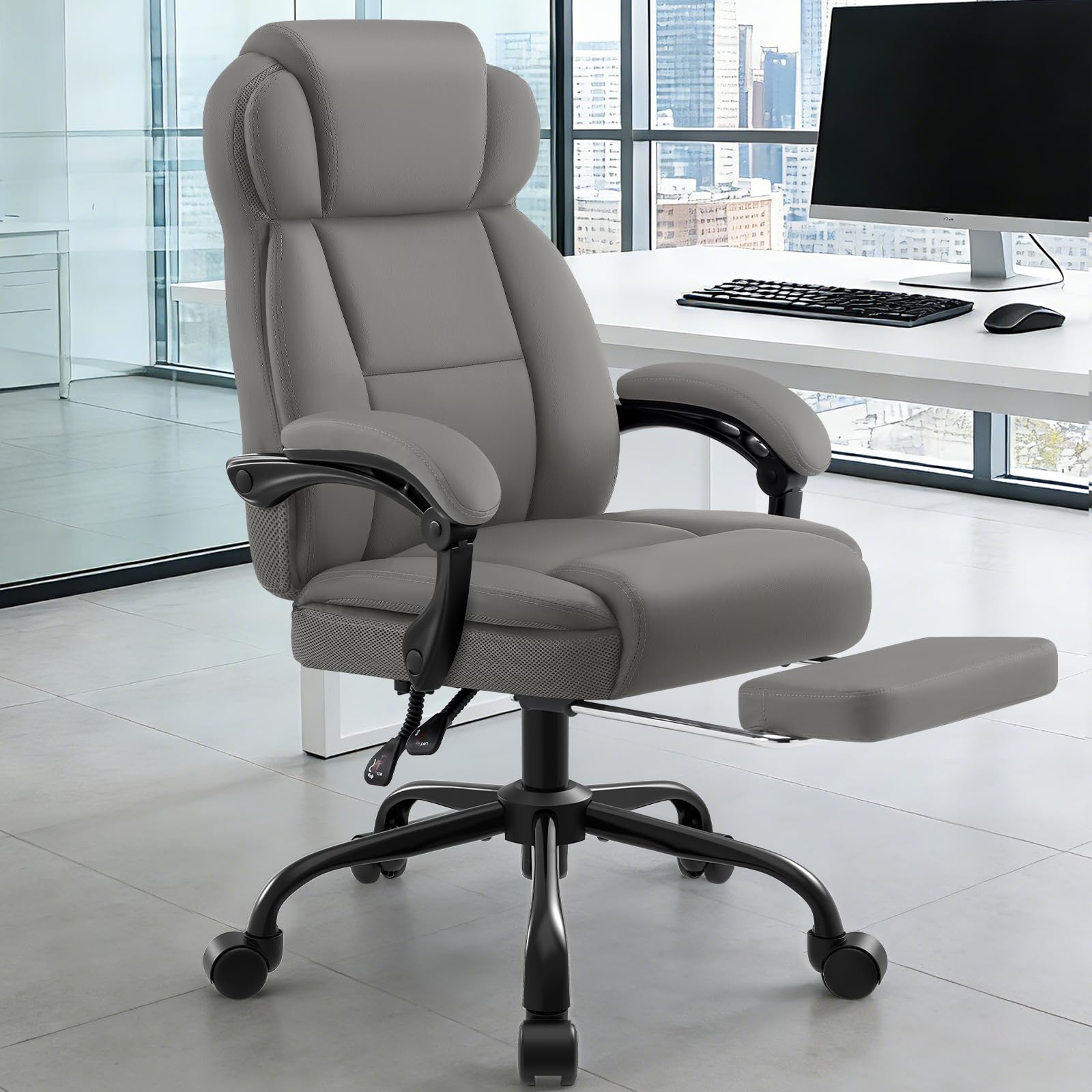
Figure 1: AreShark Ergonomic Office Chair with Footrest (Grey)
2. Safety Information
- Ensure all components are present and undamaged before assembly. Do not use if any parts are missing or broken.
- Assemble the chair on a soft, clean surface to prevent scratches.
- Tighten all screws and bolts firmly, but do not overtighten. Re-tighten periodically.
- Do not stand on the chair.
- Do not use the chair for purposes other than its intended use as an office chair.
- Keep children away from the assembly area. Small parts may be a choking hazard.
- The maximum weight capacity for this chair is 400 lbs (181 kg). Do not exceed this limit.
3. Package Contents
Verify that all the following components are included in your package:
- Seat cushion assembly
- Backrest assembly
- Armrests (2)
- Chair base
- Casters (5)
- Gas lift cylinder
- Mechanism plate
- Footrest assembly
- Hardware kit (screws, washers, Allen wrench)
- Instruction manual
4. Assembly Instructions
Assembly typically takes less than 20 minutes. All necessary tools are included. Follow the illustrated instructions provided in the hardware kit for detailed steps. A general overview is provided below:
- Insert the casters into the holes at the end of each leg of the chair base.
- Place the gas lift cylinder into the center hole of the chair base.
- Attach the mechanism plate to the underside of the seat cushion using the provided screws. Ensure the front of the mechanism faces the front of the seat.
- Attach the armrests to the seat cushion and backrest using the designated screws.
- Connect the backrest to the seat assembly.
- Carefully place the assembled seat and backrest onto the gas lift cylinder.
- Install the retractable footrest into its designated slots on the underside of the seat.
Ensure all connections are secure before using the chair.
5. Operating Instructions
Your AreShark office chair offers several adjustment features for personalized comfort:
5.1. Height Adjustment
To adjust the chair height, pull the lever located on the right side of the seat upwards. While seated, lift your weight off the seat to raise the chair. To lower the chair, remain seated and pull the lever upwards. Release the lever at the desired height.
5.2. Recline Function (90° - 135°)
The chair backrest can recline from 90 degrees (upright working position) to 135 degrees (relaxed position). Use the lever on the left side of the seat to adjust the recline angle. Pull the lever up, lean back to your desired angle, and then push the lever down to lock the position.

Figure 2: Recline and Height Adjustment Levers
5.3. Retractable Footrest
To use the footrest, pull it out from under the seat. To retract, push it back in until it is fully stored. The footrest is designed for leg support during recline.
5.4. Linkage Armrests
The armrests are designed to move automatically with the recline of the backrest, providing continuous arm support at various angles. These linkage armrests feature bearings for smooth movement and increased durability.
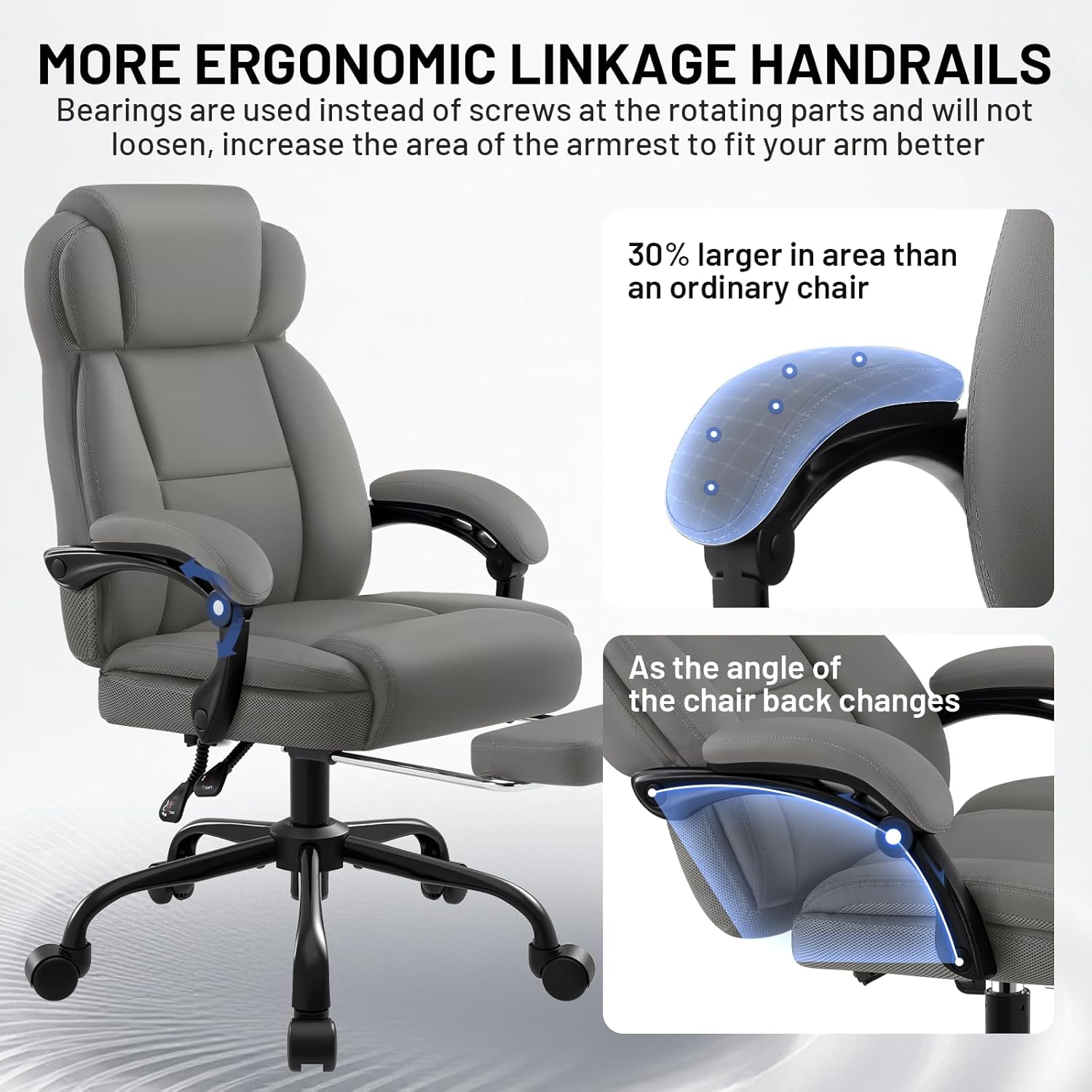
Figure 3: Linkage Armrest Mechanism
5.5. Lumbar Support
The chair features a built-in lumbar support system and an S-shaped ergonomic curve designed to provide reliable lower back support and promote proper spinal alignment.
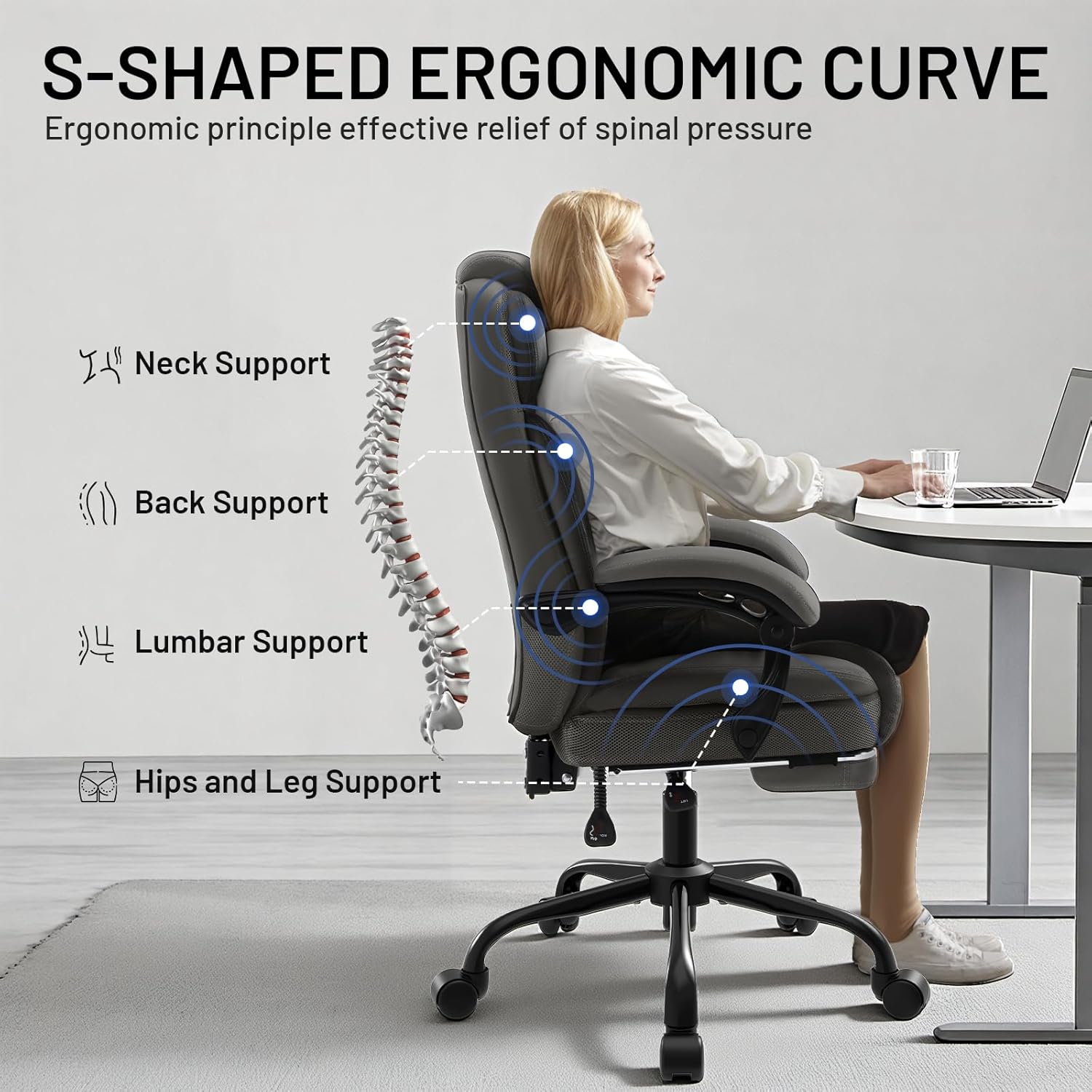
Figure 4: Ergonomic Support Zones
6. Care and Maintenance
- Cleaning: The chair is upholstered with PU leather, which is easy to clean. Wipe the surface with a soft, damp cloth. For tougher stains, use a mild soap solution and wipe dry immediately. Avoid harsh chemicals or abrasive cleaners.
- Inspection: Periodically check all bolts and screws to ensure they are tight. Re-tighten as necessary to maintain stability and safety.
- Avoid Direct Sunlight: Prolonged exposure to direct sunlight can cause the PU leather to fade or crack.
- Weight Limit: Do not exceed the maximum weight capacity of 400 lbs.

Figure 5: PU Leather Material and Cleaning Example
7. Troubleshooting
| Problem | Possible Cause | Solution |
|---|---|---|
| Chair wobbles or feels unstable | Loose screws or uneven assembly. | Check and tighten all screws and bolts. Ensure the chair is assembled on a flat surface. |
| Chair does not adjust height | Gas lift lever not engaged or gas lift cylinder malfunction. | Ensure the height adjustment lever is fully pulled. If the issue persists, the gas lift may need replacement. |
| Casters do not roll smoothly | Debris in casters or casters are damaged. | Clean any hair or debris from the caster wheels. If damaged, casters may need replacement. |
| Backrest does not recline or lock | Recline lever not engaged or mechanism issue. | Ensure the recline lever is fully engaged to lock or unlock. Check for any obstructions in the mechanism. |
8. Specifications
- Model: LC01-002
- Material: PU Leather, High-Density Foam, Independent Pocket Springs, Breathable Fabric
- Color: Grey
- Product Dimensions (D x W x H): 31.5" x 31.5" x 40" (79.5 cm x 79.5 cm x 101.6 cm)
- Seat Height: 19.3 inches (49 cm)
- Seat Depth: 20.5 inches (52 cm)
- Seat Length: 22 inches (56 cm)
- Chair Backrest Width: 21.7 inches (55 cm)
- Maximum Weight Capacity: 400 lbs (181 kg)
- Recline Angle: 90° to 135°
- Gas Lift: SGS-certified Class 4
- Casters: 360° Silent-Slide Casters

Figure 6: Chair Dimensions and Weight Capacity

Figure 7: Key Components: Gas Lift, Base, Casters
9. Warranty and Support
The AreShark Ergonomic Office Chair (Model LC01-002) comes with a 3-year manufacturer's warranty from the date of purchase. This warranty covers defects in materials and workmanship under normal use.
For warranty claims, technical support, or replacement parts, please contact AreShark customer service through the retailer where the product was purchased. Please have your purchase receipt and model number (LC01-002) available when contacting support.


