
Introduction
Thank you for choosing the Airzeen Q10 Pro Robot Vacuum and Mop. This device is designed to provide efficient and comprehensive cleaning for your home, combining powerful vacuuming with effective mopping. Featuring 5000Pa suction, advanced LiDAR navigation, and smart mapping, the Q10 Pro offers a hands-free cleaning experience. Please read this manual thoroughly before use to ensure proper operation and maintenance.
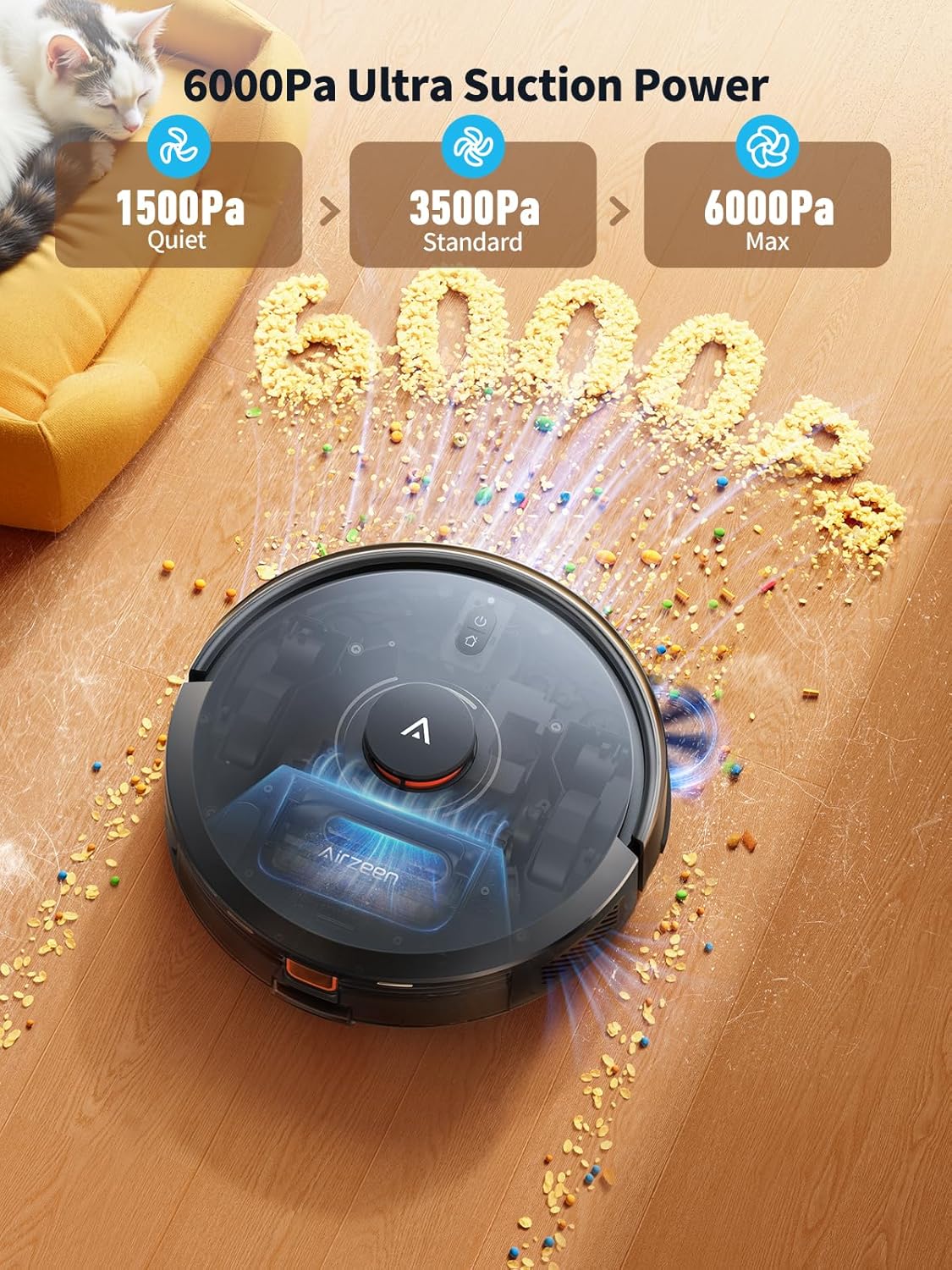
Image: The Airzeen Q10 Pro Robot Vacuum and Mop, showcasing its sleek design and powerful suction capabilities on a wooden floor.
Package Contents
Before setting up your Airzeen Q10 Pro, please verify that all components are present in the box:

Image: A visual representation of all items included in the Airzeen Q10 Pro package, clearly labeled.
- Robot Vacuum Cleaner x1
- Charging Base Station x1
- 2-in-1 Dustbin & Water Tank x1
- Roller Brush x1
- Mop Cloth x3
- Mop Holder x1
- Side Brush x2
- HEPA Filter x2
- Cleaning Brush x1
- Dust Bag x2
- User Manual x1
Setup
1. Unboxing and Initial Placement
Carefully remove all components from the packaging. Place the charging base station against a wall in an open area, ensuring there are no obstacles within 1 meter (3 feet) to the front and 0.5 meters (1.5 feet) to the sides. Connect the power adapter to the charging base station and plug it into a power outlet.
Video: Airzeen Q10 Pro Robot Vacuum and Mop Cleaner Unboxing Video. This video demonstrates the unboxing process and initial setup steps for the robot vacuum.
2. Charging the Robot
Place the robot onto the charging base station. Ensure the charging contacts on the robot align with those on the base. The robot will automatically begin charging. For first-time use, fully charge the robot before operation.
3. App Connection
Download the HomeAloT App from your device's app store. Follow the in-app instructions to connect your Airzeen Q10 Pro. The app allows for advanced control, scheduling, and monitoring.
Video: How to connect Q10 pro Robot Vacuum cleaner to APP. This video guides you through the process of connecting your robot vacuum to the mobile application.
Operating Instructions
1. Cleaning Modes
The Q10 Pro offers versatile cleaning with its 3-in-1 system: vacuuming, sweeping, and mopping. You can customize cleaning sessions with 3 suction levels and 3 water flow settings via the HomeAloT App.

Image: The Airzeen Q10 Pro demonstrating its 3-in-1 cleaning capability, showing the dustbin/water tank and mop pad.
2. LiDAR Navigation and Smart Mapping
Equipped with LiDAR and SLAM technology, the robot scans your home in 360° to create accurate maps. This enables efficient, systematic cleaning paths, avoiding obstacles and minimizing missed areas.

Image: The Airzeen Q10 Pro using LiDAR navigation to map a home, illustrating its intelligent path planning.
3. Smart Carpet Boost
The Q10 Pro automatically detects carpets and increases suction power by 15% for deeper cleaning. When mopping, remove the mop pad or set No-Go Zones in the app to prevent wetting carpets.
4. App and Voice Control
Control your robot vacuum using the HomeAloT App to schedule cleanings, adjust settings, define No-Go Zones, and monitor cleaning progress. The device is also compatible with Alexa and Google Assistant for convenient voice control.
Video: APP Function Display and Usage of Q10 pro Robot Vacuum. This video demonstrates the various features and controls available through the robot vacuum's mobile application.
5. Self-Emptying Station
The 3.3L self-emptying station automatically collects dust and debris from the robot's dustbin, providing up to 60 days of hands-free cleaning. This reduces the frequency of manual dustbin emptying.

Image: The Airzeen Q10 Pro robot vacuum docked at its self-emptying station, illustrating the automatic dust collection process.
Video: Airzeen Q10 pro Robot Vacuum and Mop with Self-Emptying. This video highlights the self-emptying feature of the robot vacuum and mop combo.
Maintenance
Regular maintenance ensures optimal performance and extends the lifespan of your Airzeen Q10 Pro.
1. Mop Pad and Mop Holder
After each mopping session, remove the mop pad from the mop holder. Wash the mop pad with water, using detergent if necessary, and let it air dry completely before reattaching. Periodically check the mop holder for debris.
Video: Q10 pro Mop Holder Installation and Maintenance. This video provides instructions on how to install and maintain the mop holder for the Q10 Pro.
2. Dustbin and Water Tank
The 2-in-1 dustbin and water tank should be emptied and rinsed regularly, especially if not using the self-emptying station. Ensure it is completely dry before reinstalling.

Image: Close-up of the Airzeen Q10 Pro's 2-in-1 water tank and dust box, showing its integrated design.
3. Brushes and Filters
Regularly inspect and clean the main roller brush and side brushes for tangled hair or debris. The HEPA filter should be cleaned periodically and replaced every 3-6 months, depending on usage.
 Roller Brush: Remove and clean hair and debris.
 HEPA Filter: Tap to remove dust; do not wash. Replace as needed.
 Accessory Kit: Includes replacement brushes and filters.
Troubleshooting
If you encounter issues with your Airzeen Q10 Pro, refer to the following common problems and solutions:
| Problem | Possible Cause | Solution |
|---|---|---|
| Robot does not charge or return to dock. | Charging contacts are dirty; dock is obstructed; robot is too far from dock. | Clean charging contacts on both robot and dock. Ensure dock area is clear. Manually place robot on dock to initiate charging. |
| Robot gets stuck frequently. | Small objects on floor; uneven surfaces; tight spaces. | Clear floor of cables, toys, and small items. Use No-Go Zones in the app for problematic areas. |
| Poor cleaning performance. | Dustbin full; brushes tangled; filter clogged; low suction setting. | Empty dustbin. Clean main and side brushes. Clean or replace HEPA filter. Increase suction power via the app. |
| App connection issues. | Incorrect Wi-Fi (only 2.4GHz supported); poor Wi-Fi signal; robot not in pairing mode. | Ensure your Wi-Fi is 2.4GHz. Move robot closer to router. Reset Wi-Fi on robot and re-attempt pairing. |
| Mop function is ineffective. | Mop pad dirty or dry; water tank empty; low water flow setting. | Clean or wet mop pad. Refill water tank. Increase water flow setting in the app. |
Specifications
| Feature | Detail |
|---|---|
| Brand | Airzeen |
| Model Name | Q10 Pro |
| Maximum Suction Power | 5000Pa |
| Navigation Technology | LiDAR, SLAM |
| Battery Life | Up to 150 minutes |
| Battery Type | Lithium Ion |
| Dustbin Capacity (Self-Emptying Station) | 3.3 liters (up to 60 days) |
| Control Method | App (HomeAloT), Voice (Alexa, Google Assistant) |
| Wi-Fi Compatibility | 2.4GHz only |
| Surface Recommendation | Hardwood, Tile, Carpet |
| Cleaning Modes | Vacuum, Sweep, Mop (3-in-1) |
| Suction Levels | 3 |
| Water Flow Settings | 3 |
Warranty and Support
Airzeen is committed to providing high-quality products and excellent customer service.
Warranty Information
- 30-Day Hassle-Free Return and Exchange: If you are not satisfied with your purchase, you may return or exchange the product within 30 days.
Customer Support
For technical assistance, troubleshooting, or any inquiries regarding your Airzeen Q10 Pro, please contact our dedicated customer support team:
- Email: support@airzeen.com (24-hour response)
- Technical Support: We offer lifetime technical support for our products.
- Service Network: A crew of 100+ after-sales professionals are available through our multi-country after-sales network.


