
Introduction
This manual provides essential information for the proper installation, maintenance, and understanding of your Xspeedonline Universal Microwave Oven Mica Sheet Plates. These mica sheets serve as a crucial protective barrier within your microwave oven, ensuring efficient and safe operation.
Safety Information
Always unplug the microwave oven from the power outlet before attempting any installation, repair, or maintenance. Failure to do so can result in electric shock or serious injury. If you are unsure about any step, consult a qualified technician.
Product Overview
The Xspeedonline Microwave Oven Mica Sheet is a waveguide cover designed to protect the magnetron and other internal components of your microwave from food splashes, grease, and moisture. It allows microwaves to pass through efficiently while preventing contaminants from reaching sensitive parts, thereby maintaining the oven's performance and lifespan.

Figure 1: Product Dimensions. The mica sheet measures approximately 107mm (4.2 inches) in length and 64mm (2.5 inches) in width, with specific cutouts for fitting.
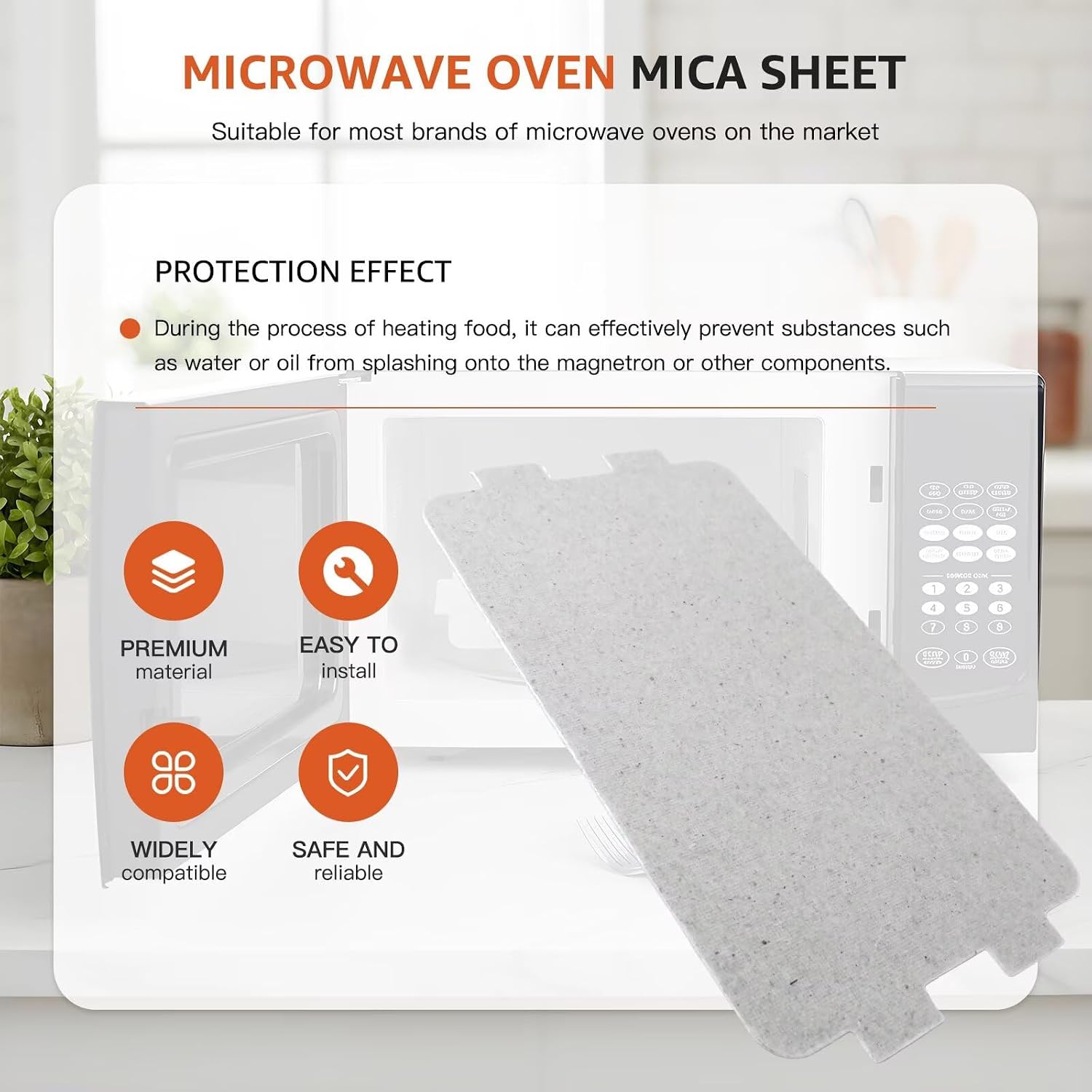
Figure 2: Protection Effect. The mica sheet acts as a barrier, protecting the magnetron from food and liquid splashes during heating.
Compatibility
These universal mica sheets are designed for wide compatibility with various microwave oven models. They are suitable for Midea microwave ovens, including models EM720CRM, EM820CKL, and EM820CKL-P00A. They can also be used in other household appliances requiring high-temperature insulation, such as hair dryers and toasters, provided the dimensions match.
Installation Instructions
- Power Disconnection: Before beginning, ensure the microwave oven is completely unplugged from the electrical outlet.
- Locate Old Mica Sheet: Open the microwave door and locate the existing mica sheet, typically found on the right-hand side wall inside the cooking cavity.
- Remove Old Mica Sheet: Carefully remove the old mica sheet. It may be held in place by small plastic clips, screws, or simply slotted into grooves. Note how it was installed for reference.
- Clean Area: Clean any grease, food debris, or carbon buildup from the area where the mica sheet was located. This ensures proper fit and prevents future issues.
- Compare and Trim (if necessary): Compare the new Xspeedonline mica sheet with the old one. If the new sheet is slightly larger, you may carefully trim it to match the exact dimensions and cutout shapes of the original using sharp scissors or a utility knife. Ensure the edges are smooth.
- Install New Mica Sheet: Insert the new mica sheet into the designated slot or secure it with the clips/screws, ensuring it sits flush against the wall.
- Test: Close the microwave door, plug the oven back into the power outlet, and perform a brief test (e.g., heating a cup of water) to ensure proper operation.

Figure 3: Issues Requiring Replacement. Replace the mica sheet if you observe signs of pollution, creasing, or burn-through to prevent damage to the magnetron or fire hazards.

Figure 4: Mica Sheet Function. The mica sheet protects internal components, withstands high temperatures, and helps distribute microwaves evenly.
Maintenance
Regularly inspect the mica sheet for any signs of damage, such as discoloration, burns, cracks, or food buildup. Clean the surface of the mica sheet with a damp cloth if it becomes soiled. Do not use abrasive cleaners or harsh chemicals. Replace the mica sheet immediately if any damage is observed to ensure continued safe and efficient operation of your microwave oven.
Troubleshooting
- Sparking or Arcing: If you observe sparking or arcing inside the microwave, especially near the mica sheet, it is a strong indication that the mica sheet is damaged and needs immediate replacement. Unplug the microwave and inspect the sheet.
- Uneven Heating: While not always directly related to the mica sheet, a severely damaged or improperly installed sheet can sometimes contribute to uneven heating. Ensure the sheet is clean and properly seated.
- Burning Smell: A burning smell during microwave operation can indicate a damaged or soiled mica sheet. Discontinue use, unplug the microwave, and inspect the sheet.
Always prioritize safety. If issues persist after replacing the mica sheet, consult a qualified appliance repair technician.
Specifications
| Feature | Detail |
|---|---|
| Material | Mica |
| Color | Silver (as per material) |
| Dimensions (L x W) | Approximately 10.7 cm x 6.4 cm (4.21 inches x 2.52 inches) |
| Thickness | Approximately 0.4 mm |
| Quantity | 5 pieces per pack |
| Model Number | Microwave Oven mica sheet 7720-6 |
Warranty and Support
For information regarding warranty coverage or technical support, please refer to the retailer or the Xspeedonline official website. Keep your purchase receipt as proof of purchase.