
kantaj K73
kantaj K73 Wireless Keyboard and Mouse Combo User Manual
Model: K73
1. Introduction
Thank you for choosing the kantaj K73 Wireless Keyboard and Mouse Combo. This product offers a full-size 104-key keyboard with a retro typewriter design and a matching wireless mouse, providing a comfortable and efficient user experience. This manual will guide you through the setup, operation, maintenance, and troubleshooting of your new device.
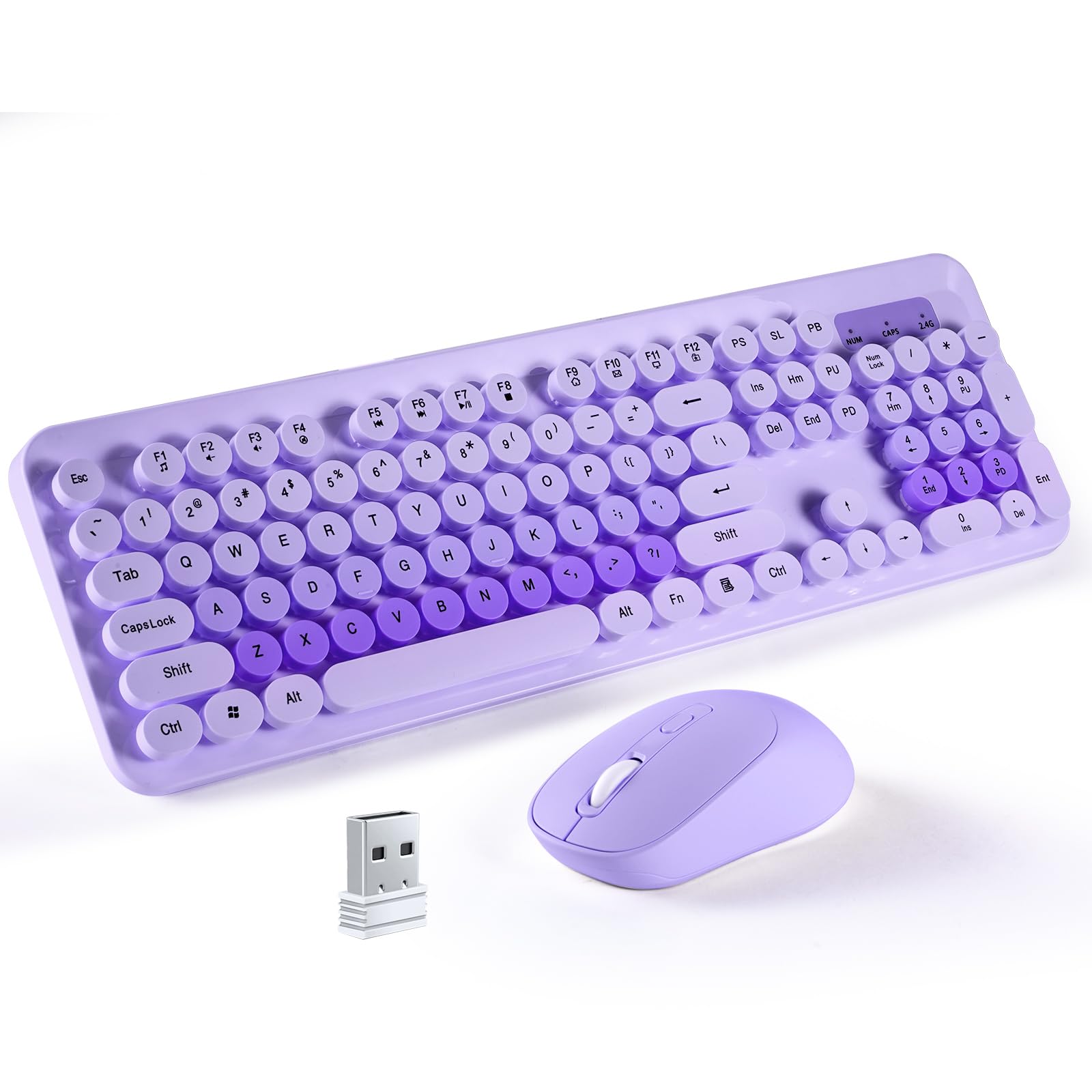
Image 1.1: The kantaj K73 Wireless Keyboard and Mouse Combo.
2. Package Contents
Please check the package carefully to ensure all items are present:
- 1 x kantaj K73 Wireless Keyboard
- 1 x kantaj K73 Wireless Mouse
- 1 x USB Nano Receiver (stored inside the mouse)
- 1 x User Manual

Image 2.1: Visual representation of package contents and product dimensions.
3. Setup Guide
3.1. Battery Installation
The keyboard and mouse require batteries (not included).
- For the Keyboard: Open the battery compartment on the underside of the keyboard. Insert two (2) AAA batteries, ensuring correct polarity (+/-). Close the compartment.
- For the Mouse: Open the battery compartment on the underside of the mouse. Insert one (1) AA battery, ensuring correct polarity (+/-). Close the compartment.
3.2. Locating the USB Receiver
The USB Nano Receiver is conveniently stored within the battery compartment of the mouse for safekeeping during transport.
- Open the battery compartment of the mouse.
- Carefully remove the small USB receiver.
3.3. Connecting to Your Computer (Plug and Play)
The kantaj K73 combo uses a single USB receiver for both the keyboard and mouse.
- Insert the USB Nano Receiver into an available USB port on your computer (PC, laptop, smart TV, etc.).
- Your operating system will automatically detect and install the necessary drivers. This may take a few moments.
- Once installed, the keyboard and mouse are ready for use.

Image 3.1: Rear view of the keyboard showing battery slots and an illustration of the USB receiver location within the mouse.

Image 3.2: Close-up of the USB receiver and details about the 2.4GHz wireless connection.
4. Operating Instructions
4.1. Keyboard Features
- Full-Size 104-Key Layout: Includes a dedicated numeric keypad and function keys.
- Retro Round Keycaps: Designed for a comfortable typing experience.
- Multimedia Hotkeys: Use the Fn key in combination with F1-F12 keys for quick access to media controls, email, browser, and more. For example:
- Fn + F1: Play/Pause
- Fn + F2: Volume Down
- Fn + F3: Volume Up
- Fn + F4: Mute
- Fn + F5: Previous Track
- Fn + F6: Next Track
- Fn + F7: Play/Pause
- Fn + F8: Stop
- Fn + F9: Home Page
- Fn + F10: Email
- Fn + F11: My Computer
- Fn + F12: Favorites
- Foldable Stands: Adjust the keyboard angle for ergonomic comfort.
- Anti-Skid Pads: Ensure stability during use.

Image 4.1: Keyboard showing the foldable stand and anti-skid rubber pads for ergonomic adjustment.
4.2. Mouse Features
- Adjustable DPI: The mouse features 3 adjustable DPI levels (800/1200/1600). Press the DPI button located on top of the mouse to cycle through the sensitivity settings.
- Click Sound: Please note that the mouse produces audible click sounds and is not silent.
4.3. Power Saving Mode
To conserve battery life, both the keyboard and mouse will automatically enter sleep mode after 3-5 minutes of inactivity. To wake them up, simply press any key on the keyboard or move the mouse.
4.4. Compatibility
The kantaj K73 Wireless Combo is compatible with a wide range of operating systems:
- Windows 2000 / XP / Vista / 7 / 8 / 10 / 11
- macOS (V10.2 and above)

Image 4.2: The keyboard and mouse combo demonstrating compatibility with PCs, laptops, tablets, and smart TVs.
4.5. Important Notes
- This keyboard features a US layout, not a UK layout.
- The mouse is not silent and produces crisp click sounds.
5. Maintenance
5.1. Cleaning the Keyboard
The round keycaps are easily detachable for cleaning:
- Gently pull up on the keycaps to remove them.
- Use a soft brush or compressed air to remove dust and debris from the keyboard base.
- Wipe the keycaps with a damp cloth (water only) and ensure they are completely dry before reattaching.
- Align the keycaps with their respective switches and press down firmly until they click into place.
The keyboard also features a splash-resistant design. In case of minor spills, quickly wipe off any liquid. Do not immerse the keyboard in water.
5.2. Cleaning the Mouse
Wipe the mouse with a soft, slightly damp cloth. Avoid using harsh chemicals or abrasive materials.
6. Troubleshooting
- No response from keyboard/mouse:
- Ensure batteries are correctly installed and not depleted. Replace if necessary.
- Check if the USB receiver is securely plugged into a working USB port. Try a different USB port.
- Move the keyboard/mouse closer to the USB receiver to rule out range issues (effective range up to 35 feet / 10.7 meters).
- Wake the devices from sleep mode by pressing a key or moving the mouse.
- Lag or intermittent connection:
- Ensure there are no large metal objects or other wireless devices (like Wi-Fi routers, cordless phones) operating too close to the receiver, which might cause interference.
- Try plugging the USB receiver into a different USB port, preferably one directly on the computer rather than a hub.
- Keys producing double letters:
- This can sometimes be caused by low battery power. Replace the keyboard batteries.
- Ensure the keycaps are properly seated and not obstructed.
- Cannot find the USB receiver:
- The USB receiver is stored in a dedicated slot within the battery compartment of the mouse, not the keyboard.
7. Specifications
| Component | Specification |
|---|---|
| Model | K73 |
| Connectivity | 2.4 GHz Wireless |
| Wireless Range | Up to 35 feet (10.7 meters) |
| Keyboard Layout | US QWERTY, 104 keys |
| Keyboard Dimensions | 44 x 14.5 x 3.5 cm (17.3 x 5.7 x 1.4 inches) |
| Keyboard Weight | 615 g (with batteries) |
| Keyboard Battery | 2 x AAA (not included) |
| Mouse Dimensions | 10 x 6 x 3.3 cm (3.9 x 2.4 x 1.3 inches) |
| Mouse Weight | 70 g (with battery) |
| Mouse DPI | 800 / 1200 / 1600 (adjustable) |
| Mouse Battery | 1 x AA (not included) |
| Compatibility | Windows 2000/XP/Vista/7/8/10/11, macOS V10.2+ |
8. Warranty and Support
For any questions, technical support, or warranty claims, please refer to the retailer's return policy or contact the manufacturer directly through their official support channels. Please retain your proof of purchase for warranty purposes.
Ask a question about this manual
Ask about setup, troubleshooting, compatibility, parts, safety, or missing instructions. Manuals+ will review the question and use this page’s manual context to help answer it.