
1. Introduction
The YINMIK YK-5 is a versatile 5-in-1 digital water quality tester designed for accurate measurement of pH, Total Dissolved Solids (TDS), Electrical Conductivity (EC), Salinity, and Temperature. This multi-parameter meter is suitable for a wide range of applications including pools, spas, aquariums, hydroponics, saltwater systems, drinking water, hot tubs, home brewing, and fish tanks.
This manual provides detailed instructions for the proper setup, operation, calibration, and maintenance of your YINMIK YK-5 tester to ensure optimal performance and longevity.
2. Safety Information
- Keep the device out of reach of children.
- Do not disassemble or modify the device.
- Avoid exposing the device to extreme temperatures or direct sunlight for prolonged periods.
- Ensure the battery compartment is sealed properly to prevent water ingress.
- Handle calibration solutions with care and follow their specific safety instructions.
- Always rinse the electrode with distilled or deionized water before and after each use.
3. Product Overview
The YINMIK YK-5 tester features a clear digital display and intuitive button controls for easy operation. It is designed for handheld use and includes a protective cap for the electrode.

Figure 1: YINMIK YK-5 tester shown with included pH and conductivity calibration solutions.
3.1. Components
- Electrode: Sensor for measuring water parameters.
- LCD Display: Shows measurement readings and units.
- ON/OFF Button: Powers the device on or off.
- HOLD/TEMP Button: Freezes the current reading or switches between Celsius and Fahrenheit.
- MODE/CAL Button: Switches between measurement modes (pH, EC, TDS, Salinity) and initiates calibration.
- Battery Compartment: Located at the top, for battery installation.
- Protective Cap: Covers the electrode when not in use.
4. Setup
4.1. Battery Installation
- Unscrew the battery compartment cap at the top of the meter.
- Insert the required batteries (typically button cells, refer to packaging for type) according to the polarity markings.
- Securely screw the battery compartment cap back on to ensure a watertight seal.
4.2. Initial Preparation
- Remove the protective cap from the electrode.
- Rinse the electrode with distilled or deionized water.
- Gently blot dry with a clean tissue. Do not rub.

Figure 2: YINMIK YK-5 tester with its protective cap removed, showing the electrode.
5. Calibration
Calibration is essential for accurate readings. It is recommended to calibrate the meter at least once a month, or more frequently depending on usage and measurement accuracy requirements.

Figure 3: pH 4.00, pH 7.00, and 12.88 mS/cm conductivity calibration solutions are included for precise calibration.
5.1. pH Calibration
- Turn on the meter by pressing the ON/OFF button.
- Press the MODE/CAL button repeatedly until the meter is in pH measurement mode.
- Prepare pH 7.00 and pH 4.00 (or pH 10.01 if needed) calibration solutions.
- Rinse the electrode with distilled water and immerse it into the pH 7.00 calibration solution. Stir gently and wait for the reading to stabilize.
- Press and hold the MODE/CAL button for approximately 3 seconds until "CAL" appears on the display. The meter will automatically recognize the solution and calibrate. Once calibrated, the display will show "END" and return to measurement mode.
- Rinse the electrode with distilled water.
- Immerse the electrode into the pH 4.00 calibration solution. Stir gently and wait for the reading to stabilize.
- Press and hold the MODE/CAL button for approximately 3 seconds. The meter will automatically calibrate. Once calibrated, the display will show "END" and return to measurement mode.
- Repeat for pH 10.01 solution if necessary.
- Rinse the electrode with distilled water after calibration.

Figure 4: Calibration ensures accurate and consistent results for all parameters. Always calibrate pH 7.00 first.
5.2. EC/TDS/Salinity Calibration
- Turn on the meter.
- Press the MODE/CAL button repeatedly to switch to EC, TDS, or Salinity mode. Calibration for one of these modes will automatically calibrate the others.
- Prepare the 12.88 mS/cm (12880 µS/cm) conductivity calibration solution.
- Rinse the electrode with distilled water and immerse it into the 12.88 mS/cm calibration solution. Stir gently and wait for the reading to stabilize.
- Press and hold the MODE/CAL button for approximately 3 seconds until "CAL" appears. The meter will automatically recognize the solution and calibrate. Once calibrated, the display will show "END" and return to measurement mode.
- Rinse the electrode with distilled water after calibration.
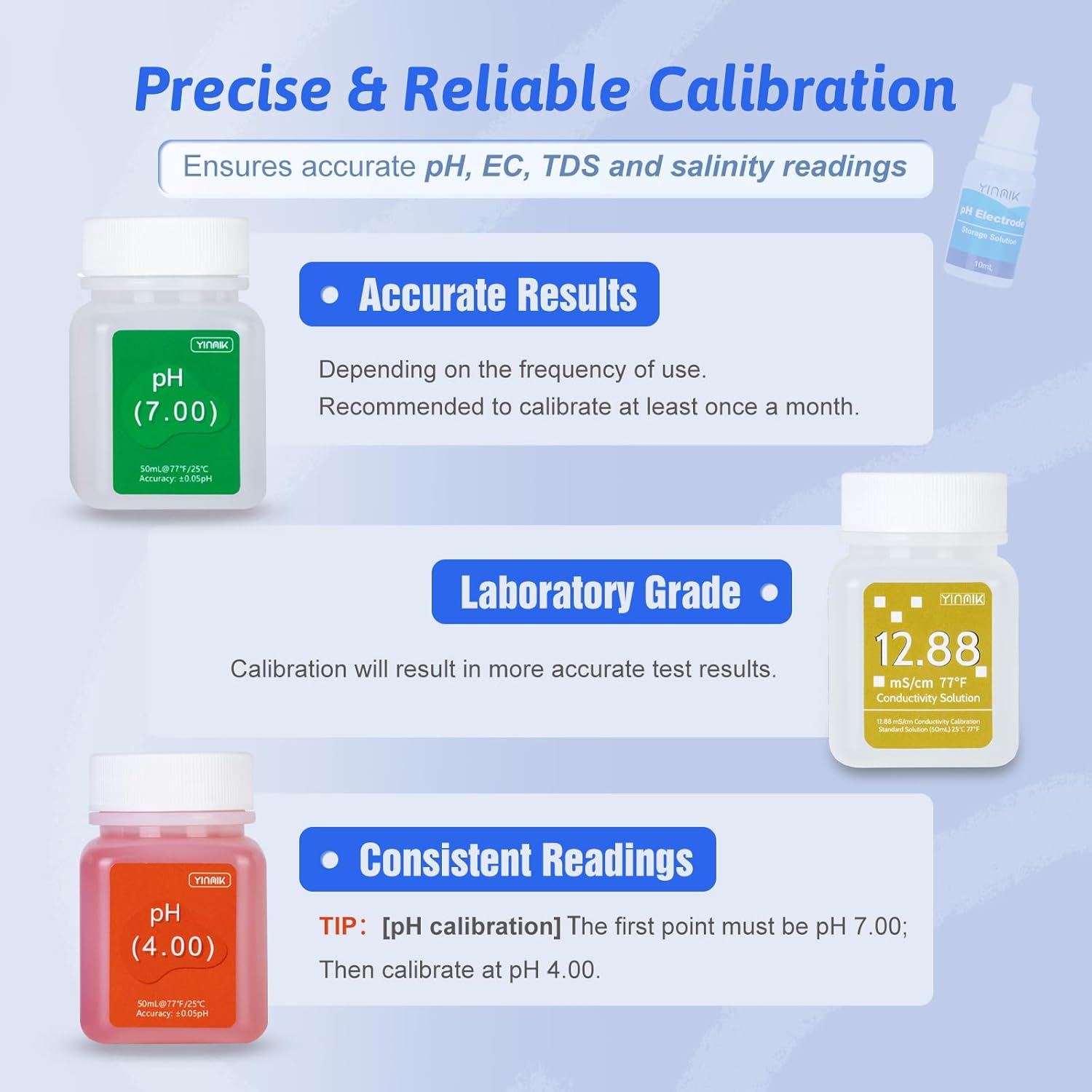
Figure 5: The calibration process is designed to be simple and user-friendly, requiring no mixing of solutions.
6. Operating Instructions
6.1. Taking a Measurement
- Turn on the meter by pressing the ON/OFF button.
- Press the MODE/CAL button to select the desired measurement mode (pH, EC, TDS, or Salinity).
- Rinse the electrode with distilled water and immerse it into the sample solution up to the immersion line. Stir gently.
- Wait for the reading to stabilize on the display. The temperature will also be displayed.
- To hold the reading, press the HOLD/TEMP button. Press it again to release.
- After measurement, rinse the electrode with distilled water and replace the protective cap.
6.2. Changing Temperature Units
While the meter is on, press and hold the HOLD/TEMP button for approximately 3 seconds to switch between Celsius (°C) and Fahrenheit (°F).
6.3. Application Examples

Figure 6: The YK-5 tester can be used to check pH and salinity levels in saltwater pools to maintain optimal water quality (pH: 7.2-7.8pH; Salt: 2700-3200ppm).

Figure 7: The YK-5 is ideal for monitoring water parameters in saltwater pools, marine aquariums, and reef tanks.
7. Maintenance
7.1. Electrode Cleaning
Regular cleaning of the electrode is crucial for accurate and stable readings. If the electrode appears dirty or readings become erratic, clean it as follows:
- Rinse the electrode thoroughly with distilled or deionized water.
- If stubborn contaminants are present, gently brush the electrode with a soft brush or soak it in a mild cleaning solution (e.g., a dilute detergent solution) for a few minutes.
- Rinse again with distilled water and recalibrate the meter before next use.
7.2. Electrode Storage
When not in use, always replace the protective cap. For long-term storage, ensure the electrode is kept moist. It is recommended to store the electrode in a pH electrode storage solution or a small amount of pH 7.00 buffer solution. Never store the electrode dry or in distilled water, as this can damage the sensor.
7.3. Battery Replacement
If the display becomes dim or the meter fails to power on, replace the batteries. Refer to section 4.1 for battery installation instructions. Ensure proper polarity and a secure seal after replacement.
8. Troubleshooting
| Problem | Possible Cause | Solution |
|---|---|---|
| Inaccurate readings | Uncalibrated meter, dirty electrode, expired calibration solutions. | Calibrate the meter (Section 5). Clean the electrode (Section 7.1). Use fresh calibration solutions. |
| Meter does not turn on | Dead batteries, incorrect battery installation. | Replace batteries (Section 7.3). Check battery polarity. |
| Slow or unstable readings | Dirty electrode, air bubbles on electrode, electrode dry. | Clean electrode (Section 7.1). Gently tap the meter to dislodge bubbles. Ensure electrode is properly hydrated (Section 7.2). |
| "Err" or "--- " on display | Measurement out of range, sensor malfunction. | Check if the sample is within the meter's measurement range. If problem persists after cleaning and calibration, contact support. |
9. Specifications
- Measurement Range:
- pH: 0.00 - 14.00 pH
- TDS: 0 - 9990 ppm (parts per million)
- EC: 0 - 9990 µS/cm (microsiemens per centimeter)
- Salinity: 0.00 - 25.00% (0-9990ppm for pool salt, 0.00-200.0ppt for seawater)
- Temperature: 0.1 - 60.0 °C / 32.0 - 140.0 °F
- Accuracy:
- pH: ±0.05 pH
- TDS/EC/Salinity: ±2% F.S.
- Temperature: ±0.5 °C
- Resolution:
- pH: 0.01 pH
- TDS: 1 ppm
- EC: 1 µS/cm
- Salinity: 0.01% / 0.1 ppt
- Temperature: 0.1 °C / 0.1 °F
- Automatic Temperature Compensation (ATC): 0 - 60 °C
- Power Supply: (Refer to device for specific battery type, typically button cells)
- Operating Temperature: 0 - 60 °C (32 - 140 °F)
10. Warranty and Support
For warranty information or technical support, please refer to the product packaging or contact YINMIK customer service directly. Keep your purchase receipt as proof of purchase.