
Product Overview
The HOOBRO BF200UXG01 Narrow Console Table is designed for placement behind sofas or in narrow spaces, offering both surface area and integrated power solutions. It features an adjustable height mechanism to accommodate various sofa heights and includes built-in charging stations for electronic devices.
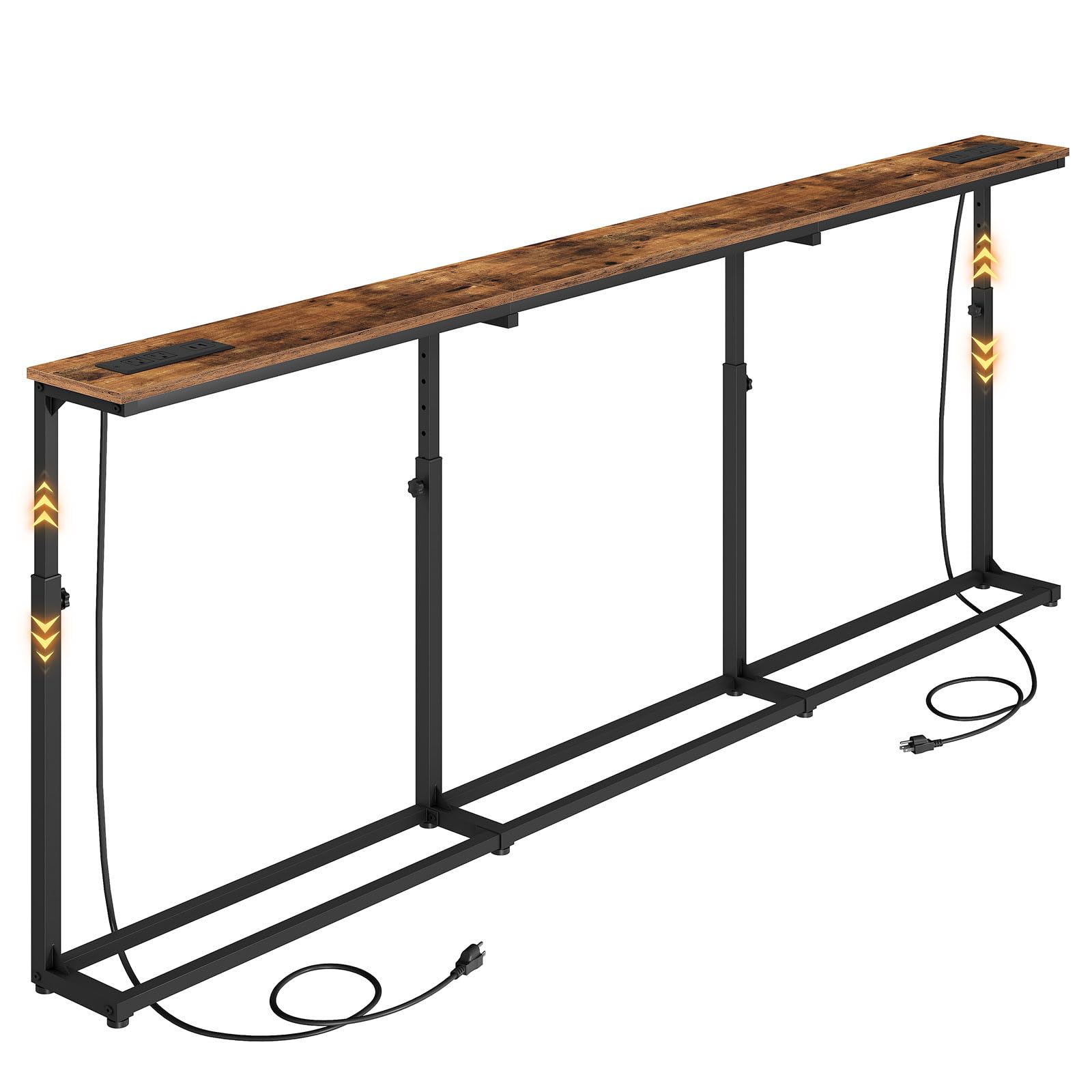
Image: The HOOBRO console table positioned behind a sofa, showcasing its narrow design and functional top surface with power outlets.
Setup and Assembly
This console table is designed for straightforward assembly. All necessary parts are clearly labeled, and an accessory kit with all required tools is included. Follow the provided assembly guide step-by-step.
- Unpack all components and verify against the parts list in the assembly guide.
- Ensure all parts are present and undamaged before beginning assembly.
- Assemble the frame components first, ensuring all connections are secure.
- Attach the tabletop sections, including the power outlets, as indicated in the instructions.
- Install the adjustable leveling feet and the anti-tip strap.

Image: An illustration highlighting key structural components and features for assembly, including leveling feet, anti-tip strap, metal frame, and height adjustment knob.
Note: While assembly is designed for one person, having assistance may be beneficial for handling longer components. An Allen key is the primary tool required, and it is supplied.

Image: Detailed product dimensions, including length, width, and the adjustable height range.
Operating Your Console Table
Height Adjustment
The console table features a 5-level height adjustment mechanism, allowing you to set the table height between 25.5 inches (65 cm) and 33.4 inches (85 cm). To adjust the height, locate the adjustment knobs on the legs. Turn the knob gently to loosen, slide the leg to the desired height, and then tighten the knob securely to lock it in place.

Image: A close-up view of the height adjustment knob, illustrating how to operate it.
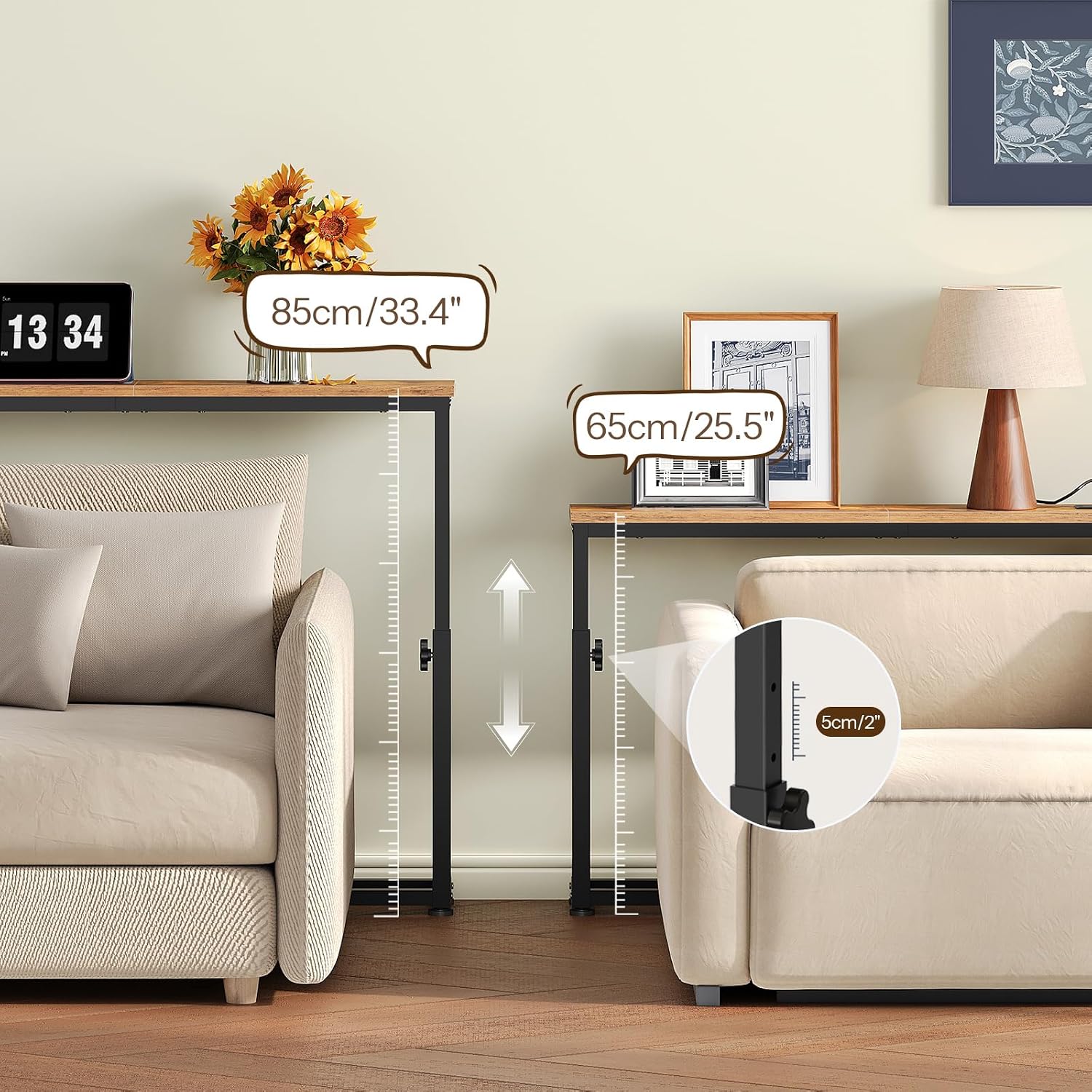
Image: Visual representation of the table's adjustable height range.
Charging Stations
The table includes two built-in charging stations. Each station is equipped with 2 AC outlets (120V/12A), 1 USB port (5V/2A), and 1 Type-C port (5V/2A). These charging stations can be positioned flexibly along the tabletop to suit your needs, whether on the left, right, or center.

Image: The console table with its charging stations, demonstrating their flexible placement and port types.
Care and Maintenance
To maintain the appearance and longevity of your console table, wipe it clean with a dry cloth. Avoid using harsh chemicals or abrasive cleaners, which can damage the finish. Regularly check all screws and connections to ensure they remain tight and secure.
Troubleshooting
- Table Wobbles: Ensure all assembly screws are tightened. Verify that the adjustable leveling feet are properly adjusted to compensate for uneven floors. If the table is not placed against a wall, its narrow design may result in some instability; use the included anti-tip strap to secure it to a wall for enhanced stability, especially in households with children.
- Assembly Difficulties: Review the assembly guide carefully. Ensure that the correct hardware is used for each step, as different bolt lengths are provided. If a part seems difficult to fit, double-check the orientation and ensure no steps were skipped.
- Power Outlets Not Working: Ensure the power cord is fully plugged into a functional wall outlet. Check for any visible damage to the cord or charging station.
Product Specifications
| Feature | Detail |
|---|---|
| Brand | HOOBRO |
| Model Number | BF200UXG01 |
| Dimensions (L x W x H) | 78.7"L x 5.9"W x 33.4"H |
| Adjustable Height Range | 25.5" - 33.4" (5 levels) |
| Item Weight | 18.9 pounds |
| Maximum Weight Recommendation | 66 pounds |
| Frame Material | Metal |
| Top Material | Engineered Wood (Particleboard) |
| Color | Rustic Brown + Black |
| Charging Stations | 2 units, each with 2 AC outlets (120V/12A), 1 USB port (5V/2A), 1 Type-C port (5V/2A) |
| Included Components | Console Table, 2 Charging Stations, Accessory Kit, Anti-Tip Kit, Assembly Guide |
| Recommended People for Assembly | 1 |
| Product Care Instructions | Wipe with Dry Cloth |
Warranty Information
This HOOBRO console table comes with a standard manufacturer's warranty. For specific details regarding warranty coverage, duration, and claims, please refer to the documentation included with your product or contact HOOBRO customer support directly.
Customer Support
For further assistance, questions, or to report any issues with your HOOBRO BF200UXG01 console table, please contact HOOBRO customer support. You can find contact information and additional resources by visiting the official HOOBRO store: