
Introduction
The SJCAM SJ30 is an advanced action camera designed to capture high-quality video and photos in various environments. Featuring 8K video recording, 48MP photos, dual lenses for enhanced low-light performance, a flip touch screen, and 6-axis stabilization, this camera is built for capturing dynamic moments with clarity and detail. It is waterproof up to 5 meters without a case and supports voice control and Wi-Fi connectivity.
Package Contents
Verify that all items listed below are included in your package:
- 1x SJ30 Action Camera
- 1x Vertical & Horizontal Frame
- 1x Power Handle
- 1x Type-C To Type-C Cable
- 1x Thumb Screw
- 1x USB Cable
- 1x Microphone Protective Cover
- 2x Detachable Wind Guard
- 1x Magnetic Mount
- 1x Mount Adapter Set
- 1x Tripod Mount Adapter Set
- 1x Curved and Flat Mount
- 2x 3M Adhesive Stickers
- 1x Storage Bag
- 1x Cloth

Image: Contents of the SJCAM SJ30 package, including the camera, power handle, various mounts, cables, and protective accessories.
Setup
1. Charging the Battery
The SJ30 camera features a built-in 2000mAh battery. For extended recording, the included 4200mAh power handle can be used. Before initial use, fully charge both the camera and the power handle.
- Connect the camera to a USB power source using the provided USB Type-C cable.
- Connect the power handle to a USB power source using the provided USB Type-C cable.
- The charging indicator light will show the charging status. Refer to the camera's display for battery level.
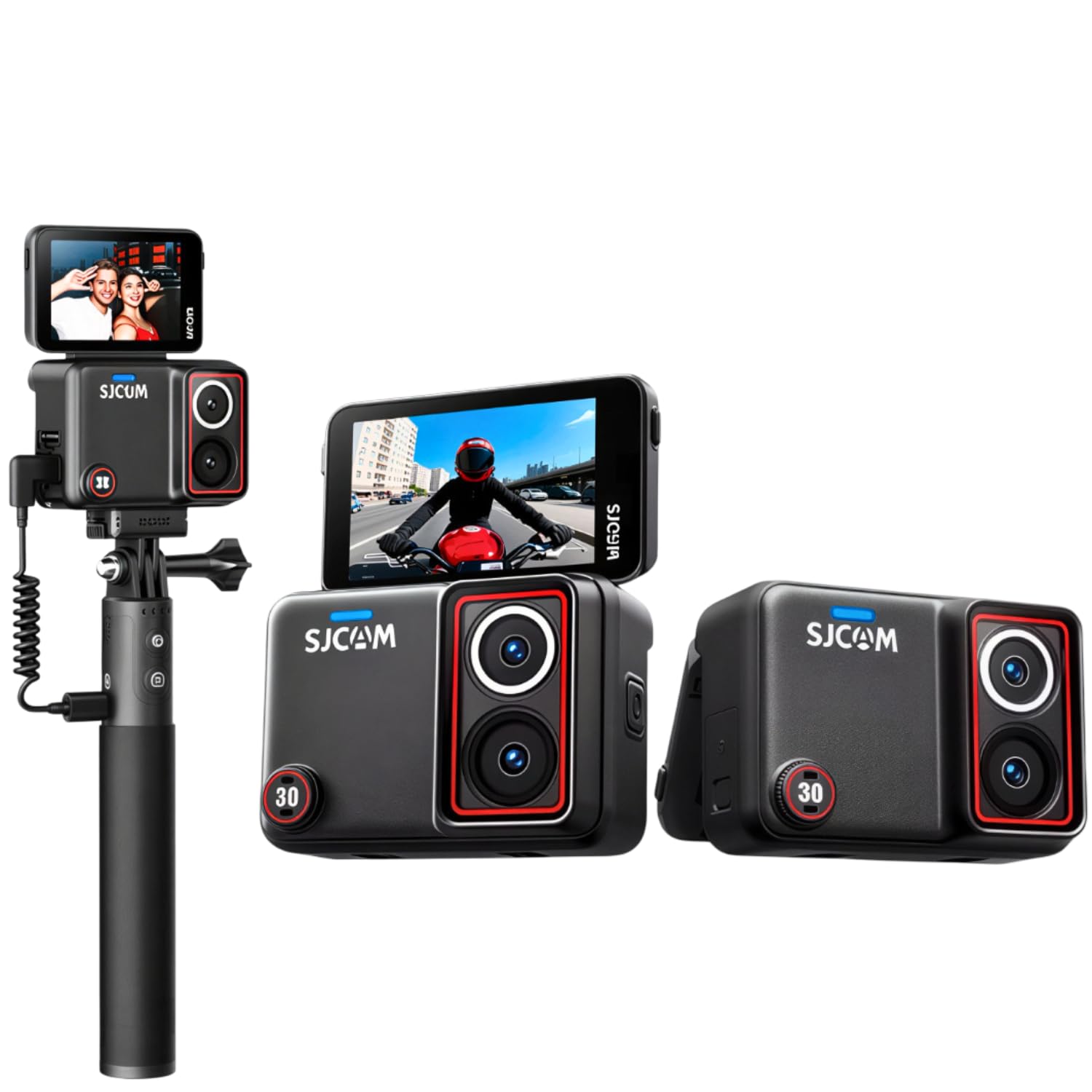
Image: The SJCAM SJ30 camera attached to its power handle, illustrating the extended battery life capability.
2. Inserting a Micro SD Card
A Micro SD card (not included) is required for storing recordings. The camera supports Micro SD cards. Ensure the card is formatted before first use.
- Locate the Micro SD card slot on the camera.
- Insert the Micro SD card with the contacts facing the correct direction until it clicks into place.
- To remove, gently push the card until it springs out.
3. Mounting the Camera
The SJ30 comes with various mounts for different applications. Choose the appropriate mount for your activity.
- Vertical & Horizontal Frame: Use this frame to attach the camera to standard action camera mounts.
- Mount Adapter Set & Tripod Mount Adapter Set: These allow connection to a wide range of accessories.
- Curved and Flat Mounts with 3M Adhesive Stickers: For attaching the camera to helmets or other flat/curved surfaces.
- Magnetic Mount: Provides a quick and secure attachment to metallic surfaces.
For underwater use beyond 5 meters (up to 30 meters), a separate waterproof case (not included) is required.
Operating Instructions
1. Power On/Off
- Power On: Press and hold the Power button until the screen illuminates.
- Power Off: Press and hold the Power button until the camera shuts down.
2. Basic Recording (Video & Photo)
The camera features a 2.51-inch flip touch screen for easy navigation and control.
- Mode Selection: Swipe on the touch screen or use physical buttons to switch between video, photo, and other modes.
- Start/Stop Recording: In video mode, tap the record icon on the screen or press the Shutter button to start/stop recording.
- Take Photo: In photo mode, tap the capture icon on the screen or press the Shutter button to take a photo.

Image: Overview of the SJCAM SJ30's features, including dual lenses, 2.51" flip screen, and voice control capabilities.
3. Voice Control
Control your SJ30 hands-free using voice commands. Ensure voice control is enabled in the settings.
- Common commands include: "SJCAM, Turn on WiFi", "SJCAM, Video Start", "SJCAM, Video Stop", "SJCAM, Take Photo".
4. SteadyMotion 2.0 Stabilization & Horizon Lock
The SJ30 features 6-axis gyro stabilization and advanced algorithms to reduce shake and blur, ensuring smooth footage. The 45° horizon lock maintains a level horizon even during dynamic movements.
- Enable SteadyMotion 2.0 and Horizon Lock in the camera settings for optimal stability.

Image: Demonstrates the 8K Ultra HD video quality and the effects of SteadyMotion 2.0 stabilization and Horizon Lock (On/Off comparison).

Image: Illustrates the camera's low-light performance with its starlight sensor and further shows the benefits of SteadyMotion 2.0 and 45° Horizon Lock.
5. Dual Lens & Night Vision
The SJ30 is equipped with a 1/2.0-inch daylight sensor and a 1/1.8-inch starlight sensor, providing enhanced performance in both bright and low-light conditions, including night vision capabilities.
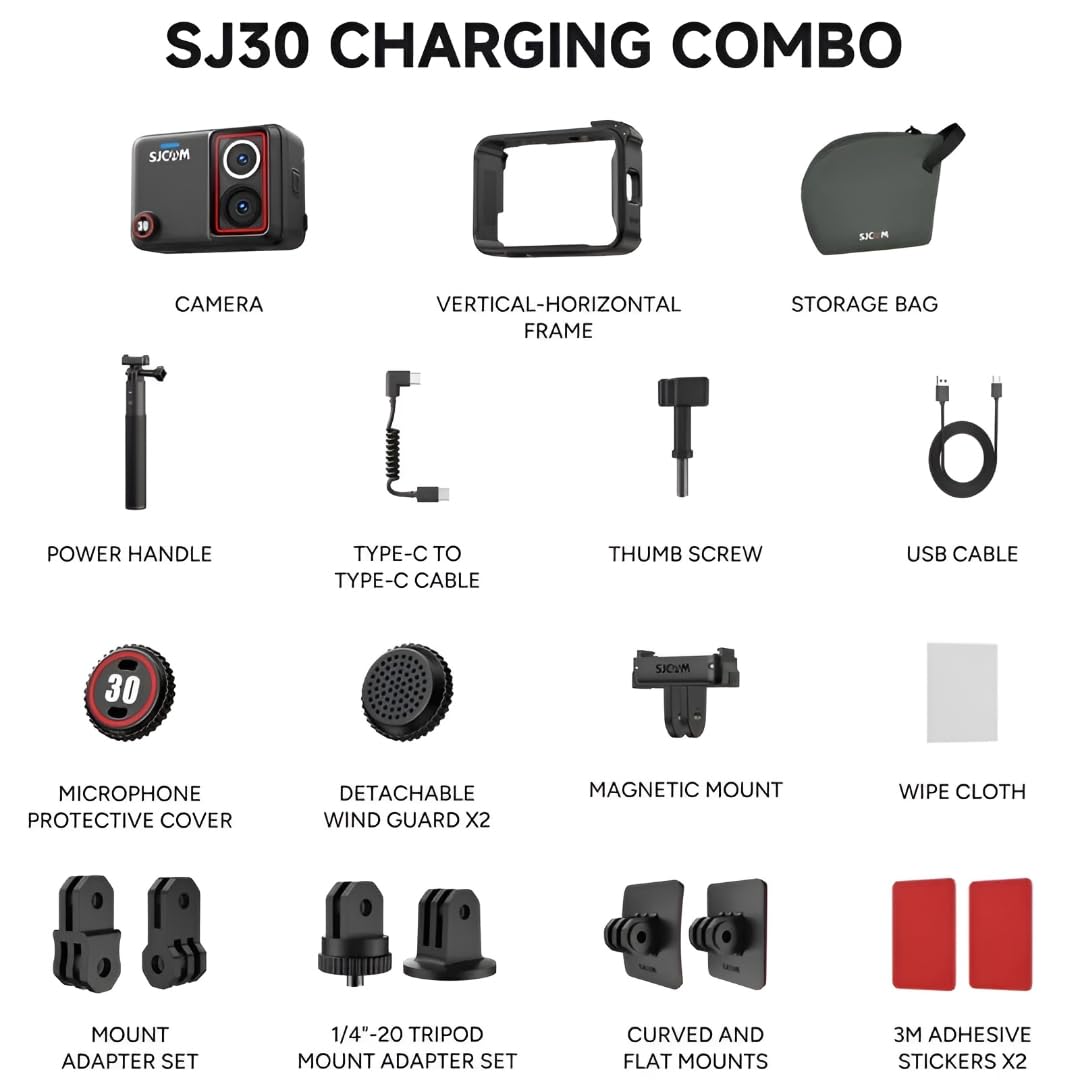
Image: Close-up view of the SJCAM SJ30's dual-lens system, highlighting the 1/2.0" daylight sensor and 1/1.8" starlight sensor.
6. Wi-Fi Connectivity
Connect your SJ30 to a smartphone via Wi-Fi for remote control, live preview, and instant sharing of content.
- Download the official SJCAM app on your smartphone.
- Enable Wi-Fi on the camera through settings or voice command.
- Connect your smartphone to the camera's Wi-Fi network.
- Open the SJCAM app to control the camera.
7. Special Shooting Modes
- Timelapse: Capture time-lapse videos by setting intervals between photos.
- Slow Motion: Record high frame rate video for slow-motion playback.
- Pre-Record: The camera continuously buffers footage, allowing you to save moments that occurred just before you pressed record.
Image: Demonstrates the Timelapse, Slow Motion, and Pre-Record functionalities of the SJCAM SJ30 camera.
Maintenance
- Cleaning: Use the provided cloth or a soft, lint-free cloth to clean the camera body and lenses. Avoid abrasive materials or chemical cleaners.
- Waterproof Care: If used in water, rinse the camera with fresh water after use and ensure all ports are dry before opening. Regularly check the waterproof seals for any damage.
- Battery Care: Store the camera and power handle in a cool, dry place. Avoid extreme temperatures. For long-term storage, charge the batteries to approximately 50%.
- Firmware Updates: Periodically check the official SJCAM website for firmware updates to ensure optimal performance and access to new features.
Troubleshooting
- Camera Not Turning On:
- Ensure the battery is sufficiently charged.
- Press and hold the Power button for several seconds.
- Recording Issues (Stuttering, Freezing):
- Use a high-speed Micro SD card (U3 or V30 recommended).
- Format the Micro SD card regularly.
- Ensure sufficient storage space is available.
- Wi-Fi Connection Problems:
- Ensure Wi-Fi is enabled on the camera.
- Restart both the camera and your smartphone.
- Check that you are connected to the correct SJCAM Wi-Fi network.
- Poor Image/Video Quality:
- Clean the camera lenses.
- Check camera settings (resolution, frame rate).
- Ensure adequate lighting for optimal results, especially in low-light conditions.
Specifications
| Feature | Detail |
|---|---|
| Brand | SJCAM |
| Model Name | SJ30 |
| Video Capture Resolution | 8K/20fps, 6K |
| Effective Still Resolution | 48 MP |
| Photo Sensor Technology | CMOS (1/2.0-inch Daylight, 1/1.8-inch Starlight) |
| Image Stabilization | Digital (SteadyMotion 2.0, 6-axis gyro) |
| Screen Size | 2.51 Inches (Flip Touchscreen) |
| Water Resistance Level | Waterproof up to 5 meters (without case), 30 meters (with waterproof case) |
| Connectivity Technology | Wi-Fi (2.4 GHz, 5 GHz) |
| Special Features | 8K 20fps, Dual Lens, Flip Touchscreen, Night Vision, Starlight Sensor, SteadyMotion 2.0, Voice Control |
| Flash Memory Type | Micro SD |
| Video Capture Format | MP4 |
| Battery Life | Up to 7 hours (with power handle at 4K/30fps) |
| Item Weight | 162 Grams |
| Item Dimensions (D x W x H) | 7.4D x 5.2W x 3.8H Centimeters |
| Country of Origin | China |
Warranty Information
The SJCAM SJ30 Action Camera comes with a 1 Year Warranty from the date of purchase. This warranty covers manufacturing defects. Please retain your proof of purchase for warranty claims. For detailed terms and conditions, refer to the official SJCAM website or contact customer support.
Customer Support
For technical assistance, troubleshooting, or warranty inquiries, please contact SJCAM customer support:
- Manufacturer: SJCAM LimitedCo.,Ltd. Shenzhen Hongfeng Century Technology Co. Ltd.
- Address: 3/F, Building C, NO.2, Road 1, Shangxue Industrial Area, Bantian Street, Longgang District, Shenzhen, China
- Importer (India): BIG TRENDS D-50, Hari Alokik Heights, G-3 Ground Floor, Subhash Marg, C-Scheme, Jaipur-302001, India
- Refer to the official SJCAM website for the most up-to-date contact information and support resources.


