
1. Introduction
Thank you for choosing the Korser Power Zero Gravity Recliner Chair. This manual provides essential information for the safe and efficient use of your new recliner. Please read it thoroughly before assembly and operation, and retain it for future reference.
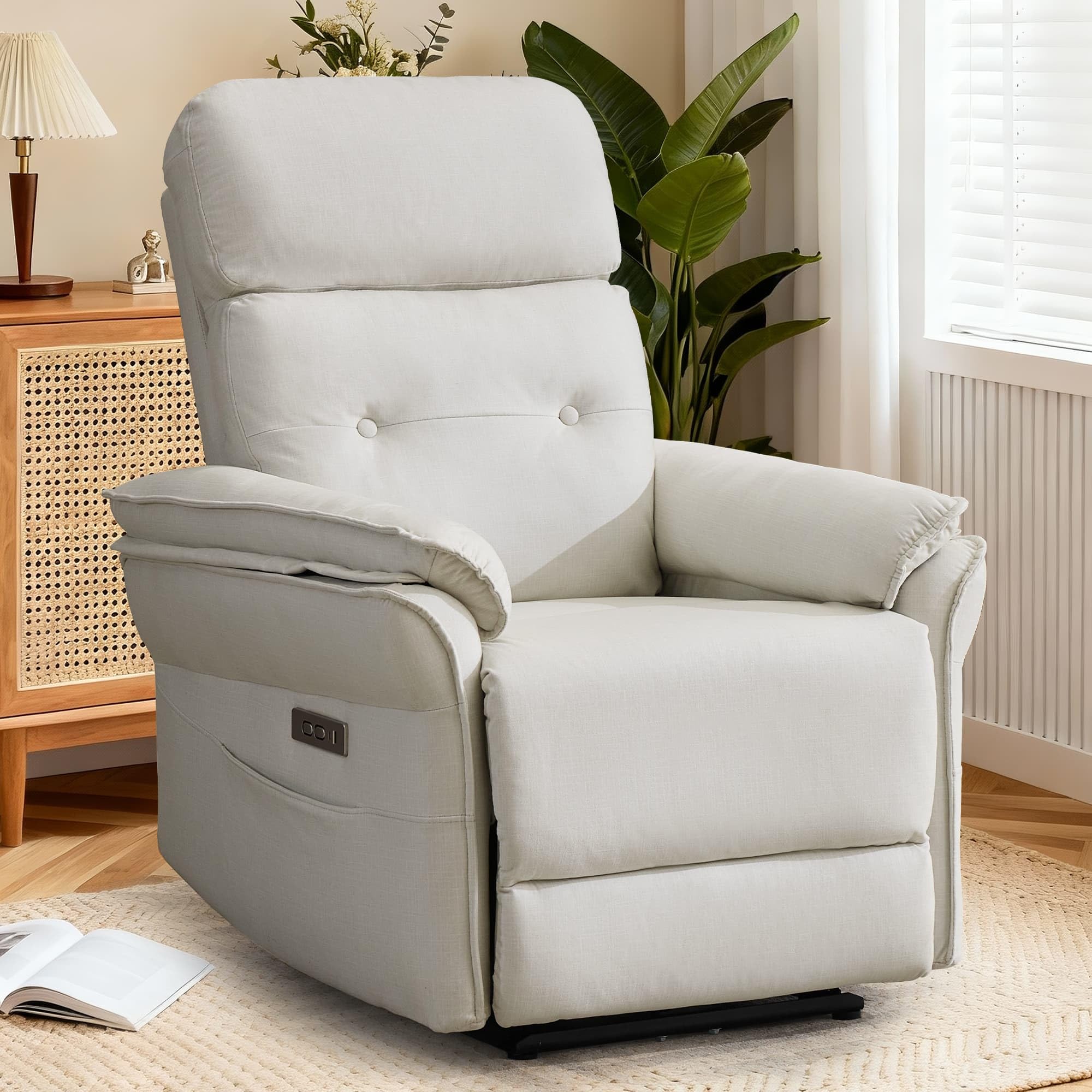
Image: The Korser Power Zero Gravity Recliner Chair in beige, showcasing its modern design.
2. Safety Information
- Ensure all components are securely fastened before use.
- Keep children and pets away from moving parts during operation.
- Do not stand on the footrest or armrests.
- Avoid placing heavy objects on the recliner.
- Do not expose the recliner to excessive moisture or direct sunlight.
- Maximum weight capacity: 380 pounds.
3. Package Contents
Your Korser Power Zero Gravity Recliner Chair package includes all necessary components for assembly. Please verify that all parts are present and undamaged upon receipt.
- Recliner Base
- Backrest
- Armrests (with integrated control panel)
- Power Adapter
- Assembly Hardware
- User Manual
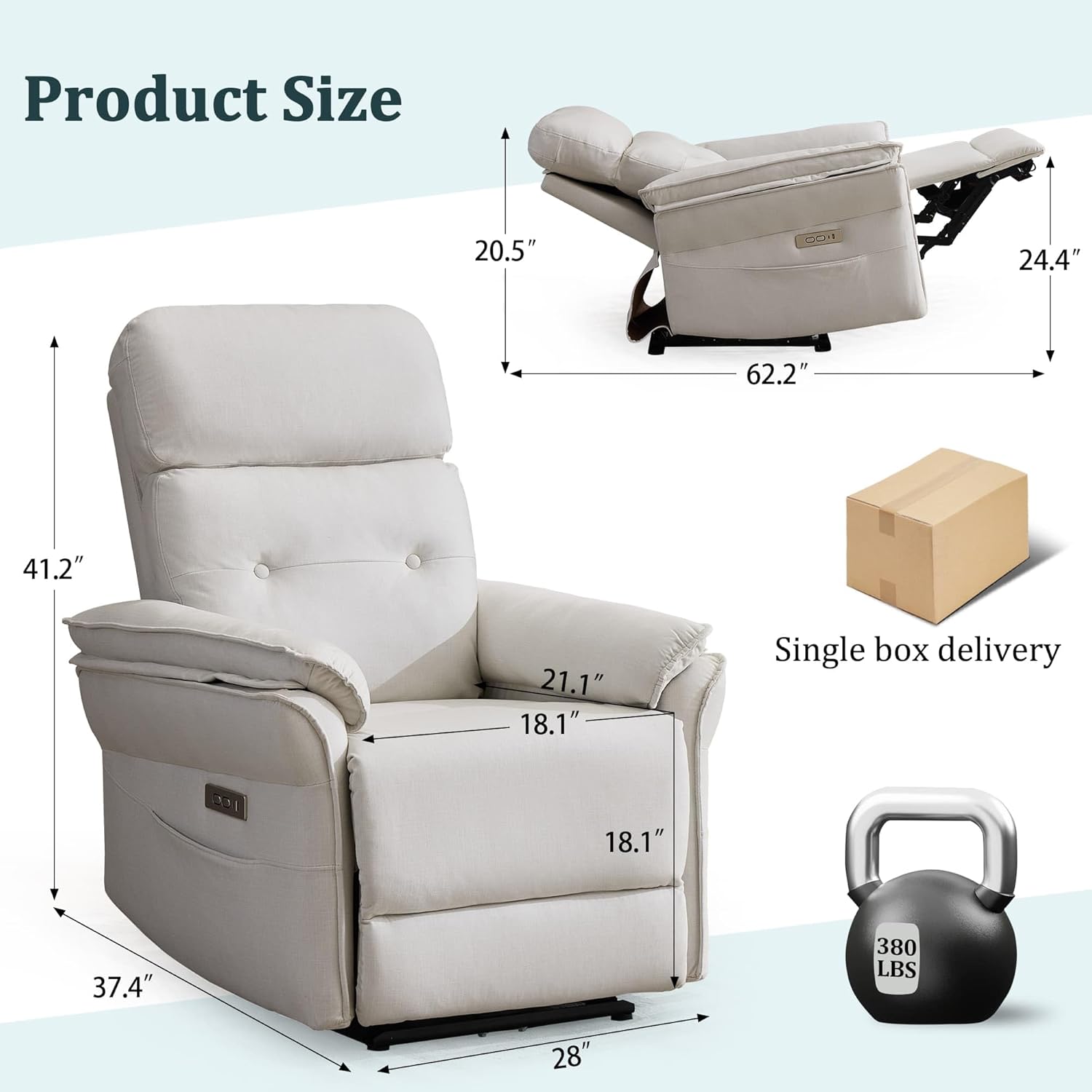
Image: Diagram illustrating the dimensions of the recliner chair and indicating single box delivery.
4. Setup and Assembly
The Korser Power Zero Gravity Recliner Chair is designed for quick and easy assembly, typically completed within 5 minutes. Follow these steps:
- Unpack all components from the single box delivery.
- Attach the backrest to the recliner base by sliding it into the designated slots until it clicks securely into place.
- Connect any necessary electrical cables between the backrest and the base, ensuring a snug fit.
- Plug the power adapter into the recliner and then into a standard wall outlet.
- Test the electric adjustment functions to ensure proper operation.
If you encounter any difficulties during assembly, please refer to the contact information in the Warranty and Support section.
5. Operating Instructions
5.1 Electric Adjustment
Your recliner is equipped with an electric remote control panel for effortless adjustment. Use the buttons on the side panel to smoothly transition between reclining angles from 105° to 165°. The adjustment mechanism operates quietly, allowing for undisturbed relaxation.
5.2 Zero-Gravity Recline
The zero-gravity feature positions your feet above heart level, promoting improved blood circulation and reducing stress on your body. To activate, simply recline the chair using the electric controls until you reach the desired zero-gravity position.

Image: A visual representation of the zero-gravity experience, showing a person in a relaxed, elevated position above the recliner.
5.3 Zero-Wall Design
The wall-hugger design allows the recliner to be placed flush against a wall, maximizing space efficiency. As the backrest reclines, the chair's base automatically shifts forward, maintaining minimal clearance from the wall.

Image: A diagram demonstrating the wall-hugger functionality, showing the recliner moving forward as it reclines to save space.
5.4 Product Demonstration Video
Video: An official product demonstration video showcasing the features and operation of the Korser Power Zero Gravity Recliner Chair.
6. Features
6.1 USB & Type-C Charging Ports
The integrated control panel includes dual USB and Type-C charging ports, allowing you to conveniently charge your electronic devices while relaxing in the chair.
6.2 Side Storage Pockets
Widened, high-capacity storage pockets are located on the sides of the recliner, providing easy access to magazines, remote controls, or other small items.

Image: Detailed view of the recliner's thoughtful design, highlighting the spacious armrest, USB & Type-C charging ports, and convenient side pockets.
6.3 High-Quality Fabric

Image: A close-up of the high-quality velvet fabric used on the recliner, emphasizing its texture and comfort.
7. Maintenance
To ensure the longevity and appearance of your Korser recliner, follow these maintenance guidelines:
- Cleaning: For general cleaning, gently wipe the velvet fabric with a soft, damp cloth. For spills, blot immediately with a clean, dry cloth. Avoid harsh chemicals or abrasive cleaners.
- Dusting: Regularly dust the recliner with a soft brush attachment on a vacuum cleaner or a lint roller to remove surface dust and debris.
- Mechanism Care: The electric reclining mechanism is designed for durability. Avoid forcing the chair into positions manually. If you notice any unusual noises or stiffness, contact customer support.
- Placement: Keep the recliner away from direct heat sources and prolonged direct sunlight to prevent fabric fading or damage.
8. Troubleshooting
If you encounter any issues with your recliner, please refer to the following common problems and solutions:
| Problem | Possible Cause | Solution |
|---|---|---|
| Recliner does not move | Power cord disconnected; Power outlet not working; Remote control issue. | Check power cord connection to chair and wall outlet. Test outlet with another device. Ensure remote control is functioning. |
| Unusual noise during operation | Loose hardware; Obstruction in mechanism. | Check for loose bolts and tighten if necessary. Inspect for any objects obstructing the reclining mechanism. |
| USB/Type-C ports not charging | Device cable issue; Recliner not powered. | Ensure recliner is powered on. Try a different charging cable or device. |
For issues not listed here or if troubleshooting steps do not resolve the problem, please contact our professional after-sales support team.
9. Specifications
| Feature | Detail |
|---|---|
| Brand | Korser |
| Model Number | NEW-LSJJ-XM-2026-BEIGE |
| Color | Beige |
| Material | Velvet |
| Product Dimensions (D x W x H) | 21.1"D x 18.1"W x 41.2"H |
| Seat Depth | 21.1 inches |
| Maximum Weight Recommendation | 380 pounds |
| Reclining Position Count | 5 (adjustable from 105° to 165°) |
| Charging Ports | Dual USB and Type-C |
| Room Type | Bedroom, Living Room, Office, Study Room |
| Indoor/Outdoor Usage | Indoor |
10. Warranty and Support
Korser is committed to providing high-quality products and excellent customer service. Your recliner comes with a standard manufacturer's warranty. For specific warranty details, please refer to the documentation included with your purchase or contact our support team.
Our professional after-sales support team is available to assist you with any questions, concerns, or issues you may encounter. Please have your model number (NEW-LSJJ-XM-2026-BEIGE) and purchase information ready when contacting support.
Contact Information:
- For support, please visit the Korser Store on Amazon or refer to your purchase invoice for direct contact details.