
1. Introduction
Thank you for choosing the BAPOLE Dehumidifier. This device is designed to efficiently remove excess moisture from the air, creating a more comfortable and healthier environment in your home, basement, bedroom, bathroom, or RV. It features a 75 OZ (2200ml) water tank, automatic shut-off, sleep mode, timer functions, and a 7-color LED light. Please read this manual thoroughly before operating the dehumidifier to ensure safe and optimal performance.
2. Important Safety Instructions
- Always place the dehumidifier on a stable, level surface to prevent water spillage.
- Ensure the power cord is not damaged and is properly plugged into a grounded electrical outlet.
- Do not block the air inlet or outlet. Maintain at least 20 cm (8 inches) clearance around the unit for proper airflow.
- Do not immerse the unit, power cord, or plug in water or other liquids.
- Unplug the dehumidifier before cleaning, moving, or performing any maintenance.
- Keep the appliance out of reach of children and pets.
- Do not operate the dehumidifier in extremely cold environments (below 35°F / 2°C) as it may affect performance. The unit has an automatic defrost function for low temperatures.
- This appliance is for indoor use only.
3. Product Overview
Familiarize yourself with the components of your BAPOLE Dehumidifier.
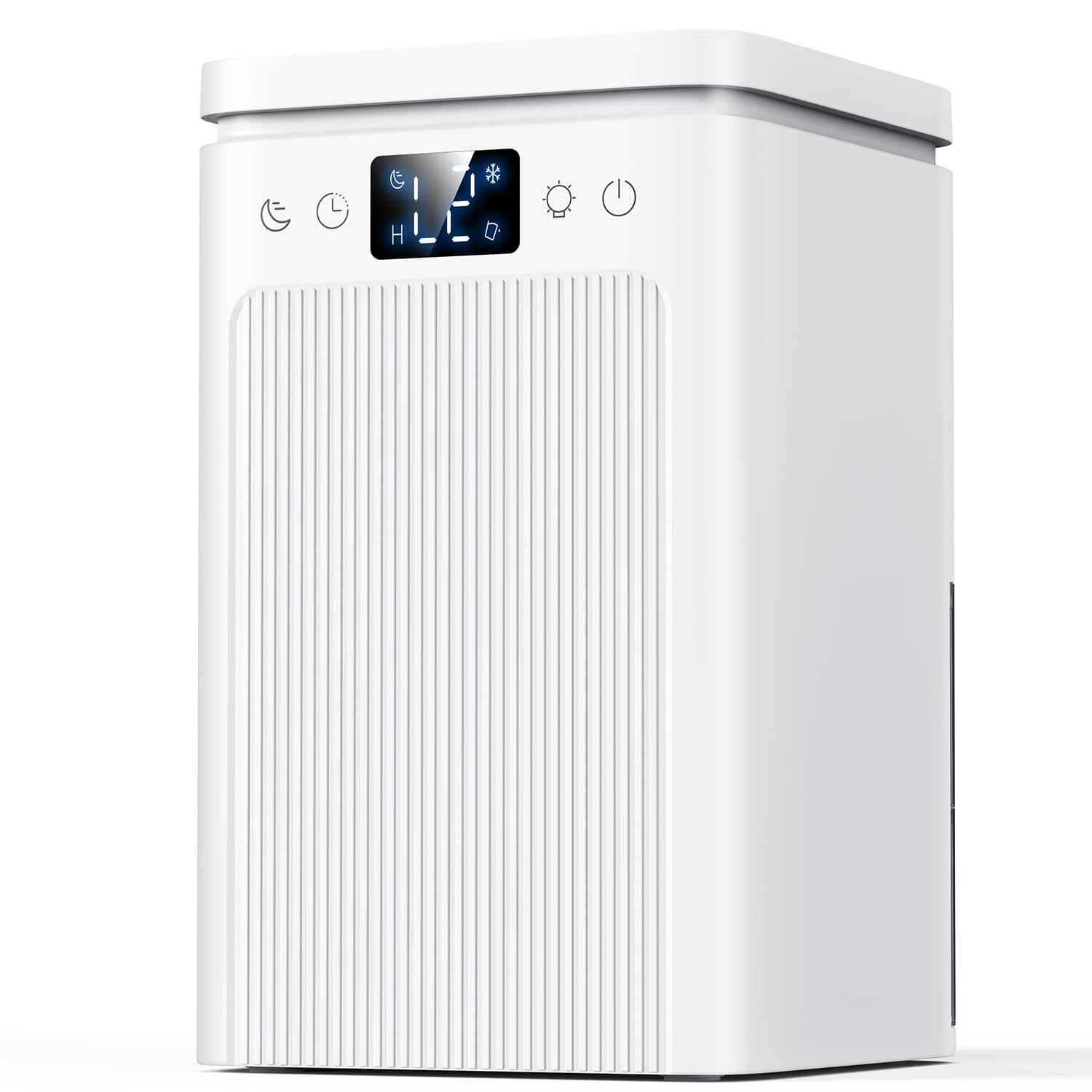
Image: Front view of the BAPOLE Dehumidifier, showing the main unit, control panel, and removable water tank.
Main Components:
- Air Inlet: Where humid air enters the unit.
- Air Outlet: Where dry air is released.
- Control Panel: Buttons for power, mode selection, timer, and LED light.
- Water Tank: Collects condensed water. Capacity: 75 OZ (2200ml).
- Water Full Indicator: Light that illuminates when the water tank is full.
- Power Adapter Port: For connecting the power supply.
4. Setup
Follow these steps to set up your dehumidifier for the first time:
- Unpack: Carefully remove the dehumidifier from its packaging. Retain packaging for future storage or transport.
- Placement: Place the unit upright on a firm, level surface in the desired location. Ensure there is at least 20 cm (8 inches) of space around all sides for proper air circulation. Do not place it near heat sources or in direct sunlight.
- Power Connection: Connect the power adapter to the dehumidifier's power port, then plug the adapter into a standard electrical outlet (100-240V AC, 50/60Hz).
- Initial Check: Ensure the water tank is correctly inserted and empty before starting operation.
5. Operating Instructions
The BAPOLE Dehumidifier offers various modes and features for customized operation.
Power On/Off
- Press the Power Button once to turn the unit ON. The default mode (Efficiency Mode) and the 7-color LED light will activate.
- Press the Power Button again to turn the unit OFF.
Mode Selection
The dehumidifier has two operating modes: Efficiency Mode and Sleep Mode.
- Efficiency Mode: This is the default mode upon startup. The unit operates at its maximum dehumidification capacity.
- Sleep Mode: Press the Mode Button to switch to Sleep Mode. In this mode, the operating noise level drops below 30 dB, and the LED light automatically turns off to create a quiet environment for sleep. Press the Mode Button again to return to Efficiency Mode.
7-Color LED Light
The dehumidifier features an ambient LED light with 7 colors.
- When the unit is powered ON, the LED light automatically cycles through 7 colors.
- Press the Light Button once to pause on the current color.
- Press the Light Button again to turn the LED light OFF.
- Press the Light Button a third time to resume the automatic color cycling.
- Note: In Sleep Mode, the LED light is automatically turned off.
Timer Function
Set the dehumidifier to operate for a specific duration.
- Press the Timer Button to cycle through available timer settings: 6H, 8H, 10H.
- Select the desired operating duration. The unit will automatically shut off after the set time.
- To cancel the timer, press the Timer Button until no timer indicator is lit.
Automatic Shut-Off and Defrost
- Water Full Shut-Off: The unit will automatically shut down when the 75 OZ (2200ml) water tank is full. The indicator light will turn red. Empty the water tank and reinsert it to resume operation.
- Automatic Defrost: If the ambient temperature drops below approximately 35°F (2°C), the dehumidifier will automatically activate its defrost function to prevent ice buildup and ensure continuous smooth operation.
6. Maintenance
Regular maintenance ensures the longevity and efficiency of your dehumidifier.
Emptying the Water Tank
- When the water tank is full, the unit will automatically shut off, and the indicator light will turn red.
- Carefully pull out the water tank from the back of the unit.
- Pour out the collected water.
- Rinse the water tank with clean water if necessary. Do not use harsh detergents.
- Slide the empty water tank back into the dehumidifier until it clicks into place. The unit will resume operation.
Cleaning the Unit
- Exterior: Wipe the exterior of the dehumidifier with a soft, damp cloth. Do not use abrasive cleaners or solvents.
- Air Inlet/Outlet: Periodically check the air inlet and outlet for dust or debris. Use a soft brush or vacuum cleaner to gently remove any blockages.
- Storage: If storing the unit for an extended period, ensure the water tank is empty and clean. Store in a cool, dry place.
7. Troubleshooting
If you encounter issues with your dehumidifier, refer to the following common problems and solutions:
| Problem | Possible Cause | Solution |
|---|---|---|
| Dehumidifier does not turn on. | No power supply. Water tank is full or not properly inserted. | Check power connection and outlet. Empty and reinsert the water tank correctly. |
| No water collected. | Humidity level is too low. Room temperature is too low. Air inlets/outlets are blocked. | The unit will not collect water if humidity is below 40-50% RH. Optimal operating temperature is above 41°F (5°C). Clear any obstructions around the air vents. |
| Unit is noisy. | Unit is not on a level surface. Air filter is dirty (if applicable). | Place the unit on a flat, stable surface. Clean the air inlet/outlet. |
| Water full indicator is red, but tank is not full. | Water tank sensor malfunction or obstruction. | Remove and reinsert the water tank. Ensure no debris is blocking the sensor. |
If the problem persists after trying these solutions, please contact customer support.
8. Specifications
| Feature | Specification |
|---|---|
| Brand | BAPOLE |
| Model | 1900ml (Approximate) |
| Water Tank Capacity | 75 Fluid Ounces (2200ml) |
| Dehumidification Capacity | Up to 23oz (680ml/D) at 86°F, 80% RH |
| Operation Mode | Automatic (Efficiency, Sleep) |
| Noise Level (Sleep Mode) | Below 30 dB |
| Features | Auto Shut-Off, Defrost Function, Timer (6H/8H/10H), 7-Color LED Light |
| Color | White |
9. Warranty and Support
BAPOLE products are manufactured to high-quality standards. For warranty information or technical support, please refer to the warranty card included with your purchase or contact BAPOLE customer service through the retailer where the product was purchased. Please have your model number (1900ml) and purchase date available when contacting support.