
PASNEW 471
PASNEW Multifunction Digital-Analog Sport Watch User Manual
Model: 471
Introduction
This manual provides detailed instructions for operating and maintaining your PASNEW Multifunction Digital-Analog Sport Watch, Model 471. Please read this manual thoroughly to ensure proper use and to maximize the watch's features.
Product Features
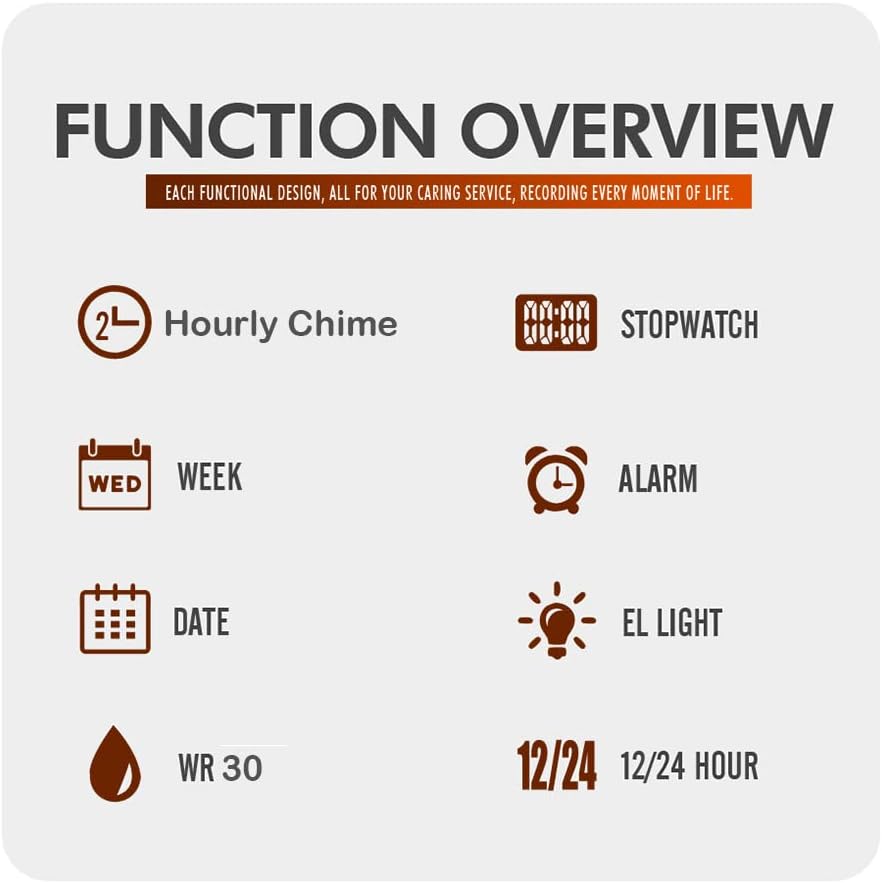
Image: Overview of watch functions including hourly chime, stopwatch, week, alarm, date, EL light, WR 30, and 12/24 hour display.
- Dual Display: Analog and Digital time display.
- Water Resistance: 30 meters (WR 30). Suitable for daily use, hand washing, rain, and swimming. Not suitable for hot water.
- Alarm Clock: Set daily alarms.
- Hourly Chime: Optional chime every hour.
- Stopwatch: 1/100 second precision stopwatch function.
- Date and Week Display: Shows current date and day of the week.
- EL Light: Electronic fluorescent backlight for visibility in low light conditions.
- Time Formats: 12-hour and 24-hour (military time) display options.
Setup
Setting Analog Time
The analog hands are set independently from the digital time. To set the analog time:
- Pull out the crown (the small knob on the side of the watch case) to the first position.
- Rotate the crown to adjust the hour and minute hands to the desired time.
- Push the crown back in to secure the time setting.
Setting Digital Time, Date, and Alarm
Your watch has multiple buttons for various functions. Typically, these are labeled MODE, LIGHT, START, and RESET. Refer to the watch face for specific button labels.
- Enter Time Setting Mode: Press the MODE button repeatedly until the seconds start flashing. This indicates you are in time setting mode.
- Adjusting Values: Use the START button to increase the flashing value (e.g., seconds, hours, minutes). Use the RESET button to move to the next setting item.
- Set Seconds: While seconds are flashing, press START to reset to 00.
- Set Hours: Press RESET to move to hours. Press START to adjust the hour. Note the AM/PM indicator for 12-hour format.
- Set Minutes: Press RESET to move to minutes. Press START to adjust the minutes.
- Set Month, Date, Day of Week: Continue pressing RESET to cycle through month, date, and day of the week settings, adjusting each with the START button.
- 12/24 Hour Format: In time setting mode, pressing START while the hour is flashing may toggle between 12-hour and 24-hour formats.
- Exit Setting Mode: Press the MODE button again to exit the setting mode.
Setting Alarm
- Press the MODE button until "AL" or "ALARM" appears on the digital display.
- Press the RESET button to select the hour digit, then use START to adjust the hour.
- Press RESET again to select the minute digit, then use START to adjust the minutes.
- Press MODE to exit alarm setting.
- To turn the alarm ON/OFF, typically press START while in alarm mode. An alarm icon will appear/disappear.
Setting Hourly Chime
To activate or deactivate the hourly chime, navigate to the alarm mode using the MODE button. While in alarm mode, press the RESET button (or a combination of buttons, refer to your specific watch model's markings) to toggle the hourly chime on or off. A small icon (often a bell or speaker) will indicate its status.
Operating Modes
Using the Stopwatch
- Press the MODE button until the stopwatch display appears (usually "00:00:00").
- Press START to begin timing.
- Press START again to pause timing.
- Press RESET to clear the stopwatch to zero.
- To resume timing after pausing, press START.
Using the EL Light
Press the LIGHT button (usually located on the top left of the watch case) to illuminate the digital display for a few seconds. This feature is useful in dark environments.
Water Resistance Guidelines
Your PASNEW watch is rated for 30 meters (WR 30) water resistance. This means it is suitable for:
- Daily use
- Hand washing
- Rain exposure
- Swimming in shallow water
Important Note:
- Do not press any buttons while the watch is submerged in water.
- Avoid contact with hot water, steam, or extreme temperature changes, as this can compromise the watch's water seals.
- The watch is not designed for diving or snorkeling.
Video: Demonstration of the PASNEW watch's water resistance. This video shows the watch being submerged in water, illustrating its waterproof capabilities for everyday activities.
Maintenance
- Cleaning: Wipe the watch case and band with a soft, damp cloth. Avoid using harsh chemicals or abrasive cleaners.
- Battery Replacement: When the display dims or functions become erratic, the battery may need replacement. This should ideally be done by a qualified watch technician to ensure water resistance is maintained. The watch uses 1 Lithium Metal battery (included).
- Storage: Store the watch in a cool, dry place away from direct sunlight and extreme temperatures.
- Avoid Impacts: While durable, avoid strong impacts or dropping the watch to prevent damage.
Troubleshooting
| Problem | Possible Cause | Solution |
|---|---|---|
| Digital display is blank or dim. | Low battery. | Replace the battery. |
| Analog and digital times do not match. | Analog and digital times are set independently. | Reset both analog and digital times as per the "Setup" section. |
| Watch is not waterproof as expected. | Buttons pressed underwater, exposure to hot water, or seals compromised. | Ensure buttons are not pressed underwater. Avoid hot water. If issue persists, contact support. |
| Alarm does not sound. | Alarm is not activated or set incorrectly. | Verify alarm setting and ensure the alarm icon is displayed. |
Specifications
- Model: 471
- Display Type: Analog-Digital
- Movement: Japanese Quartz
- Case Material: Resin
- Band Material: Rubber
- Crystal Material: Acrylic
- Case Diameter: 40 mm
- Case Thickness: 13 mm
- Band Width: 18 mm
- Water Resistance: 30 Meters (WR 30)
- Battery Type: 1 Lithium Metal battery (included)
- Functions: 12/24 hour clock, hourly chime, stopwatch (1/100 sec), alarm, calendar (date/week), EL light, dual-time display.
Warranty
Your PASNEW watch comes with a Lifetime Warranty. For details regarding warranty claims or service, please refer to the official PASNEW website or contact customer support.
Support
For further assistance, questions, or technical support, please contact the seller or visit the official PASNEW brand store.
- Seller: imallimall
- PASNEW Brand Store: Visit PASNEW Store on Amazon
Ask a question about this manual
Ask about setup, troubleshooting, compatibility, parts, safety, or missing instructions. Manuals+ will review the question and use this page’s manual context to help answer it.