
1. Introduction
This manual provides instructions for the assembly, operation, and maintenance of your Garvee Nail Desk. This manicure table is designed for both professional salon and home use, featuring a built-in dust collector, comfortable hand rest, ample storage, and mobile lockable wheels. Please read this manual thoroughly before use to ensure proper function and safety.
2. Safety Information
Please observe the following safety guidelines to prevent injury or damage to the product:
- Always secure the table with the lockable wheels during use to prevent unintended movement.
- Keep sharp edges and small parts out of reach of children.
- Always follow assembly instructions carefully to avoid injury.
- Do not place heavy objects on the table that could cause it to tip over.
- Ensure the power cord for the dust collector is not damaged or pinched during operation.
3. Product Components
The Garvee Nail Desk includes the following main components and features:
- Durable MDF Desktop: A robust, waterproof surface for nail work.
- Electric Dust Collector: Integrated system for efficient dust removal.
- Detachable Soft Wrist Cushion: Provides comfort and support for clients.
- Storage Units: Includes 4 spacious drawers and a large side cabinet.
- Lockable Rolling Wheels: 8 casters (4 lockable) for mobility and stability.
- Stainless Steel Accents: Sleek handles and support columns.

Figure 3.1: Full view of the Garvee Nail Desk, showcasing its design and layout in a salon environment.

Figure 3.2: The nail desk with its four drawers and side cabinet open, illustrating the available storage space for tools and supplies.

Figure 3.3: Detailed product dimensions, including measurements for the tabletop, drawers, and overall height and width.

Figure 3.4: A close-up showing the detachable soft wrist cushion, designed for client comfort during manicure sessions.

Figure 3.5: Illustration of the electric downdraft nail vent and the dust collector bag underneath, highlighting its function.

Figure 3.6: Detailed view of the silver handles, smooth drawer sliders, and durable damper hinges used in the desk's construction.
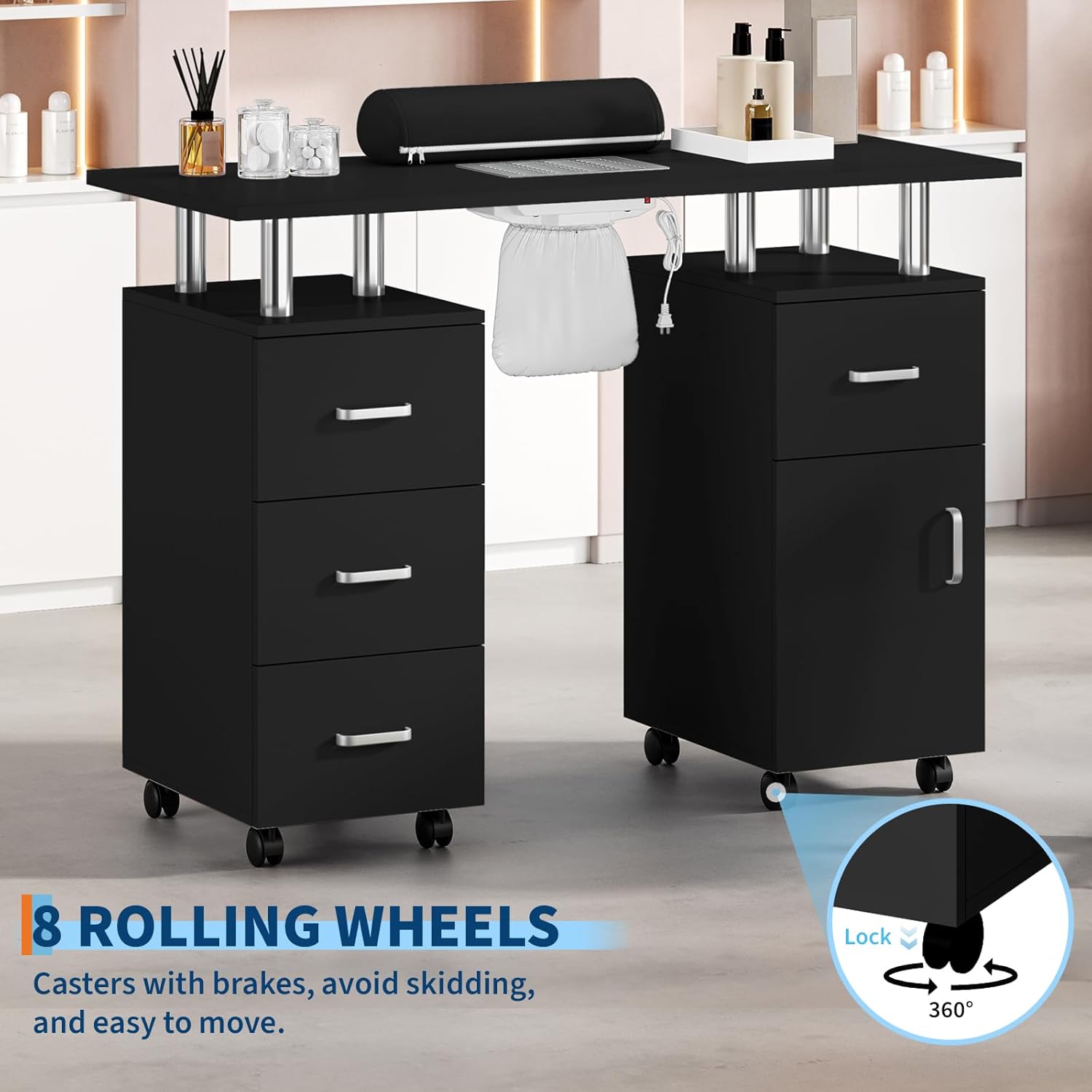
Figure 3.7: Close-up of the 8 rolling wheels, including the lockable casters that provide both mobility and stability.
4. Setup and Assembly
The Garvee Nail Desk requires assembly. Please follow the detailed assembly instructions provided in the separate assembly guide included with your product. Ensure all parts are present before beginning assembly. A Phillips head screwdriver and possibly other basic tools may be required.
- Unpack all components and verify against the parts list in the assembly guide.
- Assemble the main frame and support structures according to the step-by-step diagrams.
- Attach the drawers and cabinet doors, ensuring smooth operation.
- Install the rolling wheels, making sure the lockable casters are correctly positioned.
- Place the desktop onto the assembled base and secure it.
- Install the dust collector unit and connect its power cable.
- Attach the detachable wrist cushion to the designated area on the desktop.
After assembly, ensure all connections are secure and the desk is stable before use.
5. Operating Instructions
5.1 Using the Electric Dust Collector
- Ensure the dust collector is properly installed and the power cable is connected to a suitable power outlet.
- Locate the power switch for the dust collector (typically on the underside of the desktop near the vent).
- Press the switch to turn on the dust collector. It will begin to draw in nail filings and dust through the vent.
- After use, press the switch again to turn off the dust collector.
5.2 Utilizing Lockable Wheels
- To move the desk, ensure all 4 lockable wheels are in the unlocked position.
- Gently push or pull the desk to its desired location.
- Once positioned, press down on the locking levers of the 4 lockable wheels to secure the desk in place. This prevents accidental movement during use.
- To unlock, lift the levers on the lockable wheels.
5.3 Storage Management
The desk features four drawers and a side cabinet for organizing your nail tools, polishes, and accessories. Utilize these compartments to keep your workspace tidy and efficient.
6. Maintenance
6.1 Cleaning the Desktop
The MDF desktop is waterproof and easy to clean. Wipe the surface with a soft, damp cloth and a mild cleaning solution. Avoid abrasive cleaners or harsh chemicals that could damage the finish.
6.2 Dust Collector Maintenance
Regularly check and empty the detachable dust bag of the electric dust collector. To do this:
- Turn off and unplug the dust collector.
- Carefully detach the dust bag from the unit.
- Empty the collected dust into a waste receptacle.
- Reattach the dust bag securely to the dust collector unit.
6.3 Wheel and Drawer Maintenance
Periodically check the rolling wheels for any debris or hair that might impede their movement. Clean as necessary. Ensure drawer sliders operate smoothly; apply a silicone-based lubricant if needed.
7. Troubleshooting
- Dust Collector Not Working:
Check if the power cable is securely plugged into both the unit and the power outlet. Ensure the power switch is in the 'ON' position. If issues persist, contact customer support. - Wheels Not Rolling Smoothly:
Inspect wheels for trapped debris (hair, dust). Clean the wheels thoroughly. Ensure the locking mechanism is fully disengaged. - Desk is Unstable:
Verify that all assembly screws are tightened. Ensure all 4 lockable wheels are engaged when the desk is stationary. Check that the desk is on a flat, even surface. - Drawers Sticking:
Check for any obstructions inside the drawer or on the sliders. Ensure the drawer is correctly aligned on its tracks. A small amount of lubricant on the sliders may help.
8. Specifications
| Brand | Garvee |
| Model Number | T3-NZC-PHO_34A4GFU2-5y |
| Color | Black |
| Item Dimensions (L x W x H) | 42.52 x 17.72 x 30.71 inches |
| Item Weight | 86.99 Pounds |
| Material | MDF (Medium-Density Fiberboard) |
| Number of Drawers | 4 |
| Assembly Required | Yes |
| UPC | 824126449235 |
9. Warranty and Support
For warranty information and customer support, please refer to the documentation included with your purchase or visit the official Garvee store. You can find more information at the Garvee Store on Amazon.