
1. Introduction
Thank you for choosing the Generic LP V57 Wireless Bluetooth Speaker. This portable speaker offers versatile audio playback options including Bluetooth, FM radio, TF card, and USB. It features a removable battery, strong bass, and an LED display, making it suitable for various indoor and outdoor activities. Please read this manual carefully before using the product to ensure proper operation and to maximize its lifespan.
2. Package Contents
- LP V57 Wireless Bluetooth Speaker
- USB Charging Cable
- Owner's Manual
3. Product Overview
Familiarize yourself with the various components and features of your LP V57 speaker.
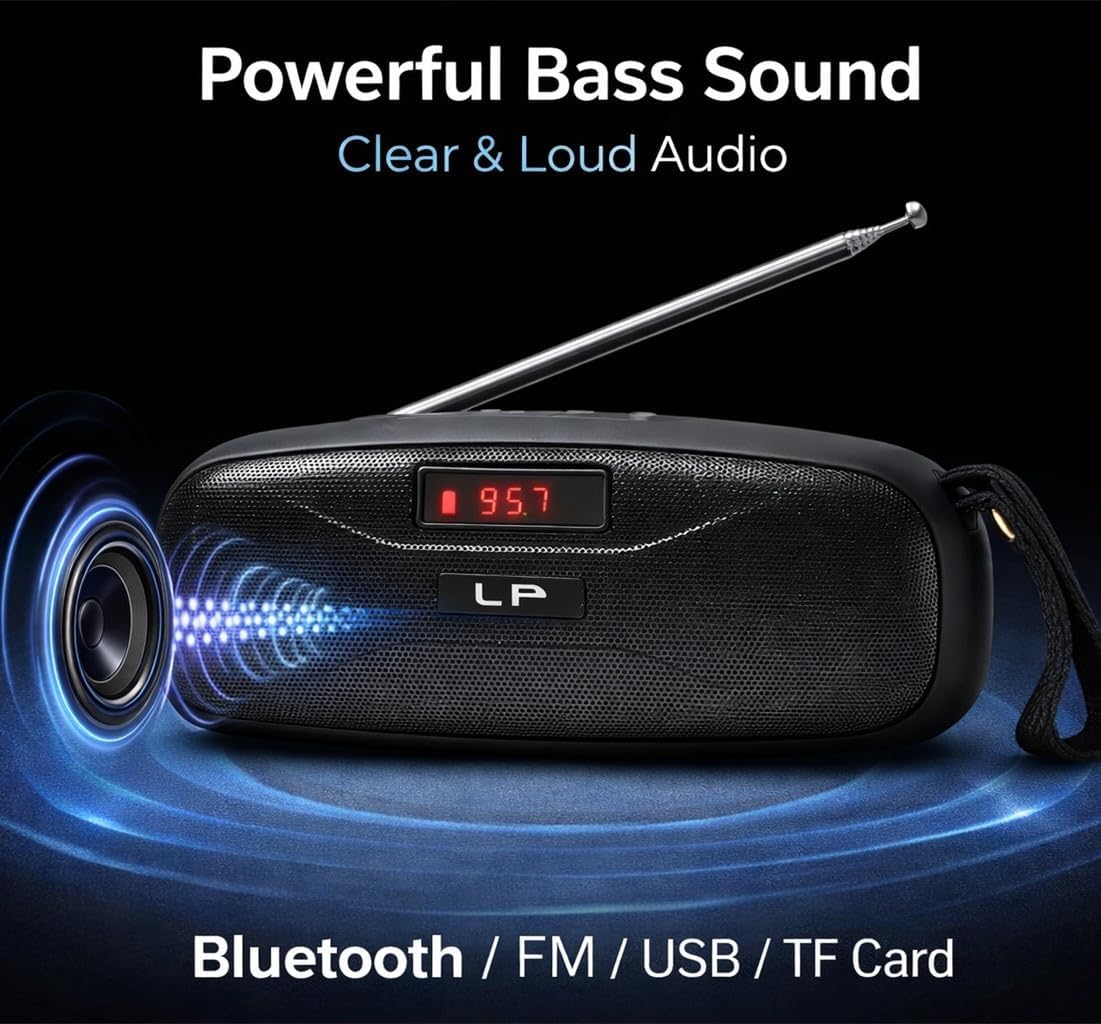
Image: The LP V57 speaker showcasing its powerful bass sound and multiple connectivity options including Bluetooth, FM, USB, and TF Card. The LED display shows '95.7'.

Image: An illustration of the LP V57 speaker highlighting its 'All-in-One' functionality with distinct icons for Bluetooth, FM radio, USB, and TF card playback.

Image: The LP V57 speaker with its back panel open, revealing the removable 1500mAh Li-ion battery compartment. An illustration of a charged battery is shown next to it.
4. Setup
4.1 Charging the Battery
- Connect the provided USB charging cable to the speaker's charging port.
- Connect the other end of the USB cable to a standard USB power adapter (not included) or a computer's USB port.
- The LED indicator will show charging status. Once fully charged, the indicator will change or turn off.
- A full charge typically takes 2-3 hours.
4.2 Inserting TF Card / USB Drive
- Locate the TF card slot or USB port on the speaker.
- Insert your TF card (microSD) or USB flash drive with the metal contacts facing the correct direction until it clicks into place.
- The speaker will automatically switch to TF card or USB mode and begin playing music if files are present.
5. Operating Instructions
5.1 Power On/Off
- To power on, slide the power switch to the 'ON' position. The LED display will light up.
- To power off, slide the power switch to the 'OFF' position.
5.2 Mode Selection
Press the 'M' (Mode) button to cycle through available modes: Bluetooth, FM Radio, TF Card, and USB.
5.3 Bluetooth Mode
- Turn on the speaker and switch to Bluetooth mode. The LED display will show 'BLUE' or a similar indicator, and you will hear an audible prompt.
- Enable Bluetooth on your mobile device (smartphone, tablet, etc.).
- Search for Bluetooth devices and select 'LP V57' from the list.
- Once paired, you will hear a confirmation sound, and you can now play audio from your device through the speaker.
5.4 FM Radio Mode
- Extend the antenna for better signal reception.
- Switch the speaker to FM Radio mode. The LED display will show the frequency.
- Press and hold the 'Play/Pause' button to automatically scan and save available FM stations.
- Use the 'Previous' and 'Next' buttons to navigate between saved stations.
5.5 TF Card / USB Playback Mode
- Insert a TF card or USB drive containing MP3 audio files. The speaker will automatically detect and switch to the corresponding mode.
- Use the 'Play/Pause' button to pause or resume playback.
- Use the 'Previous' and 'Next' buttons to skip tracks.
5.6 Volume Control
Press and hold the 'Previous' button to decrease volume. Press and hold the 'Next' button to increase volume.
6. Battery Information
The LP V57 speaker is equipped with a removable 1500mAh Li-ion battery. This design allows for extended usage time and easy replacement if needed.
- Battery Life: A fully charged battery provides several hours of playback, depending on volume level and usage mode.
- Replacement: To replace the battery, carefully open the battery compartment cover on the back of the speaker, remove the old battery, and insert a new compatible 1500mAh Li-ion battery. Ensure correct polarity.
- Disposal: Dispose of used batteries responsibly according to local regulations. Do not dispose of batteries in general household waste.
7. Maintenance
- Cleaning: Use a soft, dry cloth to clean the speaker's exterior. Do not use abrasive cleaners or solvents.
- Storage: Store the speaker in a cool, dry place away from direct sunlight and extreme temperatures.
- Water Exposure: This speaker is not waterproof. Avoid exposing it to water or high humidity.
8. Troubleshooting
| Problem | Possible Cause | Solution |
|---|---|---|
| Speaker does not turn on | Battery is depleted | Charge the speaker for at least 30 minutes. |
| No sound | Volume is too low; Incorrect mode selected; Device not paired (Bluetooth) | Increase volume; Switch to correct mode (Bluetooth, FM, TF, USB); Re-pair Bluetooth device. |
| Poor FM radio reception | Antenna not extended; Weak signal area | Fully extend the antenna; Try moving the speaker to a different location. |
| TF card/USB not playing | Card/drive not inserted correctly; Incompatible file format; Corrupted files | Re-insert card/drive; Ensure files are MP3 format; Try a different card/drive. |
9. Specifications
- Brand: Generic
- Model: V57
- Connectivity: Bluetooth, FM Radio, TF Card, USB
- Battery: Removable 1500mAh Li-ion
- Dimensions (L x W x H): 18L x 7W x 7H centimetres
- Special Feature: Lightweight, LED Display
- Color: Black
10. Warranty and Support
Please note that this product is provided with No Warranty as per the manufacturer's specifications.
For any operational questions or issues not covered in this manual, please refer to the retailer where the product was purchased for further assistance.


