
1. Introduction
This manual provides detailed instructions for the vivo T5X 5G smartphone. It covers essential information regarding device setup, operation, maintenance, and troubleshooting to ensure optimal performance and user experience.
The vivo T5X 5G is equipped with a 7200mAh battery, a Dimensity 7400-Turbo processor, a 6.76-inch HD+ display, a 50MP dual rear camera, and a 32MP front camera.

Figure 1: An overview of the vivo T5X 5G smartphone highlighting key features such as its 5G capability, 1Mn+ Antutu Score, 7200 mAh battery, IP68/IP69+ dust and water resistance, and OriginOS.

Figure 2: The vivo T5X 5G smartphone available in Cyber Green and Star Silver color options.
2. What's in the Box
Verify that all items are present in the product packaging:
- vivo T5X 5G Smartphone
- USB Type-C Cable
- Power Adapter
- SIM Ejector Tool
- Quick Start Guide (this manual)
- Protective Case (may vary by region)
3. Device Layout
Familiarize yourself with the physical components and buttons of your vivo T5X 5G smartphone.
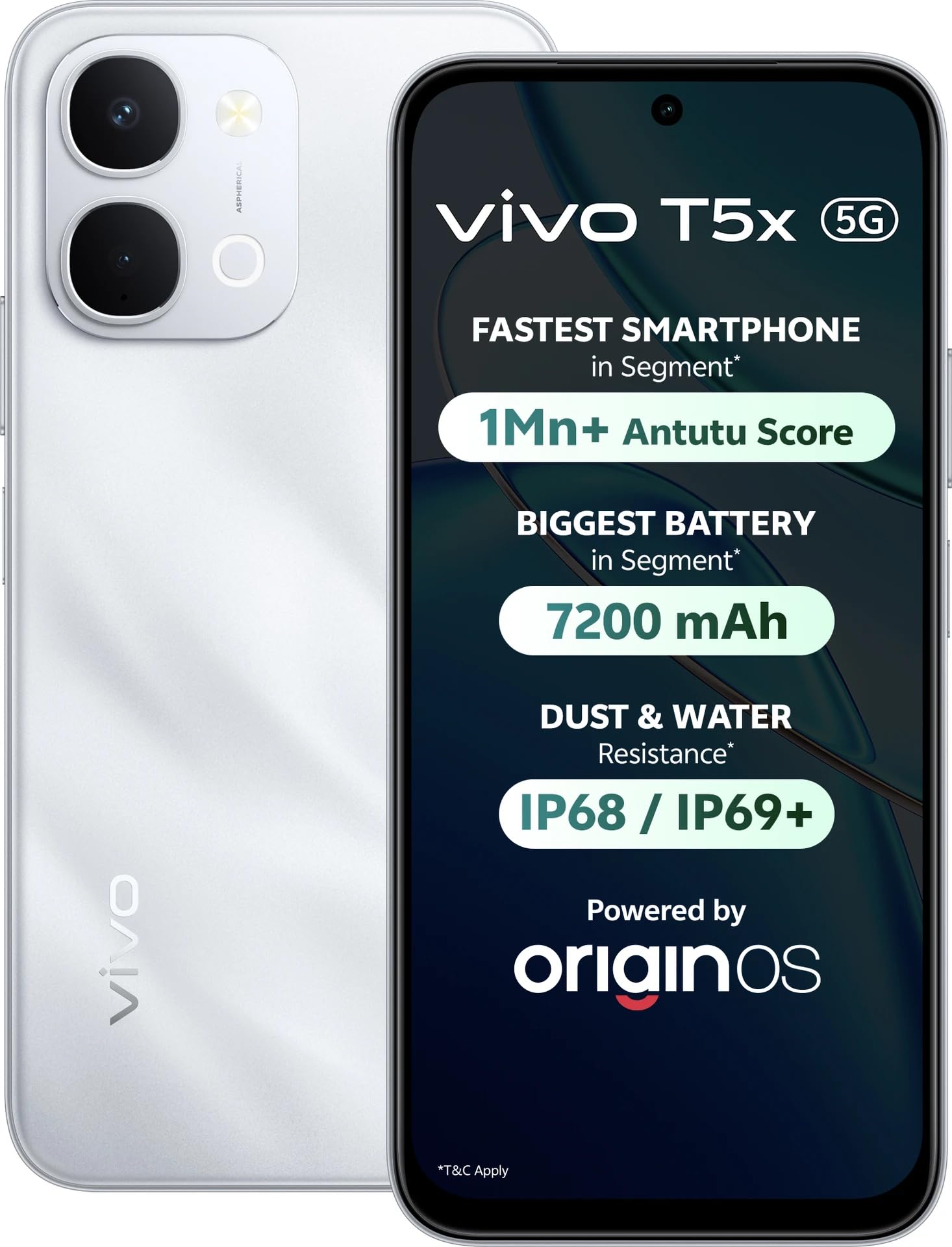
Figure 3: Front and rear view of the vivo T5X 5G smartphone, illustrating the display, camera module, and side buttons.
- Front Camera: For selfies and video calls.
- Display: 6.76-inch HD+ touchscreen.
- Volume Buttons: Adjust media volume and ringtone volume.
- Power Button: Power on/off, lock/unlock screen.
- SIM Card Tray: Holds Nano-SIM cards and microSD card.
- USB Type-C Port: For charging and data transfer.
- Speaker: Audio output.
- Rear Camera Module: Includes 50MP main camera and other sensors.
- Flash: Provides illumination for photos and acts as a flashlight.
4. Setup
4.1. SIM Card and Storage Card Installation
The vivo T5X 5G supports dual SIM cards. Follow these steps to install your SIM card(s) and an optional microSD card for expanded storage.
- Locate the SIM card tray on the side of the device.
- Insert the SIM ejector tool into the small hole on the tray to open it.
- Place your Nano-SIM card(s) into the designated slots. Ensure the gold contacts face downwards.
- If using a microSD card, place it into the dedicated slot.
- Carefully push the tray back into the device until it clicks into place.
4.2. Initial Power On and Basic Settings
- Press and hold the Power button until the vivo logo appears.
- Follow the on-screen prompts to select your language, region, and connect to a Wi-Fi network.
- Sign in with your Google account or create a new one.
- Complete the setup process by agreeing to terms and conditions and setting up security features like fingerprint or face unlock.
4.3. Charging the Device
Before first use, fully charge your vivo T5X 5G. Use the provided USB Type-C cable and power adapter.
- Connect the USB Type-C cable to the charging port at the bottom of the phone.
- Connect the other end of the cable to the power adapter, then plug the adapter into a power outlet.
- The charging indicator will appear on the screen.
The device features a 7200mAh battery with support for fast charging.

Figure 4: Diagram illustrating the internal structure of the vivo T5X 5G, highlighting its 7200mAh battery, reverse charging capability, Super Battery Saver mode, and 6 years of battery health.
5. Operating Instructions
5.1. Basic Functions
Making Calls: Open the Phone app, enter the number, and tap the call icon. For dual SIM, select the preferred SIM.
Sending Messages: Open the Messages app, tap 'Start chat', enter recipient and message, then send.
Internet Connectivity: Connect to Wi-Fi via Settings > Network & internet > Wi-Fi, or enable mobile data via Settings > Network & internet > Mobile network.
5.2. Camera Operation
The vivo T5X 5G features a 50MP dual rear camera and a 32MP front camera.
- Open the Camera app.
- Switch between front and rear cameras using the camera switch icon.
- Select desired modes such as Photo, Portrait, Video, or Pro.
- Tap the shutter button to capture photos or start/stop video recording.
5.3. Battery Management
The 7200mAh battery provides extended usage. Utilize features like Super Battery Saver to prolong battery life. The device also supports reverse charging, allowing it to charge other devices.
5.4. Performance and Gaming
Powered by the MediaTek Dimensity 7400-Turbo processor, the vivo T5X 5G offers smooth performance. For an enhanced gaming experience, the device includes 4D Game Vibration for immersive haptic feedback, Ultra Game Mode for enhanced stability, and Game Voice Changer features.

Figure 5: Close-up view of the MediaTek Dimensity 7400-Turbo processor, highlighting its 10% overall performance upgrade and 15% AI performance boost, along with UFS 3.1 fast performance.

Figure 6: Images demonstrating the vivo T5X 5G's gaming capabilities, including 4D Game Vibration for immersive haptic feedback, Ultra Game Mode for enhanced stability, and Game Voice Changer.
5.5. Display
The 6.76-inch HD+ display provides a clear and immersive viewing experience. Adjust display settings such as brightness and color temperature in the Settings menu.
5.6. Durability Features
The vivo T5X 5G is designed with IP68 and IP69+ dust and water resistance, offering protection against environmental elements. It also holds Military-Grade Certification for enhanced durability, tested against drops and shocks.

Figure 7: Illustration of the vivo T5X 5G demonstrating its IP68 and IP69+ dust and water resistance, featuring one-tap water ejection, wet hand touch, corrosion-proof port, and moisture detection.

Figure 8: The vivo T5X 5G with a graphic indicating Military-Grade Certification (SGS 5-Star Premium Performance) for drop resistance, dust resistance, shock resistance, water resistance, and usage in extreme temperatures.
6. Maintenance
6.1. Cleaning Your Device
Use a soft, lint-free cloth to clean the screen and body of your phone. Avoid using harsh chemicals or abrasive materials. For stubborn smudges, slightly dampen the cloth with water, then wipe gently.
6.2. Software Updates
Regularly check for and install software updates to ensure your device has the latest features, security patches, and performance improvements. To check for updates, go to Settings > System > System update.
7. Troubleshooting
If you encounter issues with your vivo T5X 5G, refer to the following common solutions:
- Device not powering on: Ensure the battery is charged. Connect the charger and wait a few minutes before attempting to power on again. If unresponsive, try a forced restart by holding the Power button for an extended period (e.g., 10-15 seconds).
- Apps crashing or freezing: Close the app and reopen it. If the issue persists, clear the app's cache (via Settings > Apps > [App Name] > Storage > Clear cache) or restart the phone.
- Poor network signal: Check your SIM card installation. Move to an area with better network coverage. Restart the device. Verify that mobile data is enabled in settings if using cellular network.
- Battery draining quickly: Reduce screen brightness, close unused apps running in the background, disable unnecessary features like GPS or Bluetooth when not in use. Review battery usage statistics in Settings > Battery to identify power-hungry apps.
- Touchscreen unresponsive: Restart the device. If the issue persists after restarting, contact customer support for further assistance.
8. Specifications
| Feature | Detail |
|---|---|
| Brand | vivo |
| Model | T5X 5G |
| Operating System | Android |
| Processor | Mediatek Dimensity 7400-Turbo (2.6 GHz) |
| RAM | 6 GB |
| Internal Storage | 128 GB |
| Display Size | 6.76 Inches HD+ |
| Rear Camera Resolution | 50 MP |
| Front Camera Resolution | 32 MP |
| Battery Capacity | 7200 mAh |
| Connectivity | 5G, Dual SIM, USB Type C |
| Water Resistance Level | IP68/IP69+ Water Resistant |
| Item Weight | 230 Grams |
| Dimensions (L x W x H) | 16.8 x 7.7 x 0.9 Centimeters |
9. Warranty and Support
9.1. Warranty Information
The vivo T5X 5G comes with a 1 Year Warranty from the date of purchase. Please retain your proof of purchase for warranty claims. The warranty covers manufacturing defects but typically excludes damage caused by misuse, accidents, or unauthorized repairs.
9.2. Manufacturer Contact Information
For further assistance, technical support, or warranty claims, please contact:
Manufacturer: VIVO
Packer Contact Information: Vivo Mobile India Private Limited PLOT NO 8, SECTOR 24, YAMUNA EXPRESSWAY AREA, GAUTAM BUDDHA NAGAR, UP INDIA-201310
You may also visit the official vivo support website for FAQs and service center locations.