
1. Introduction
Thank you for choosing the OKYUK PCX5R-18MD Portable Air Conditioner. This manual provides essential information for the safe and efficient operation, installation, and maintenance of your new appliance. Please read this manual thoroughly before use and keep it for future reference.
This portable air conditioner is designed to provide comfort in various indoor environments, offering 4-in-1 functionality: cooling, dehumidification, fan, and night mode. Its compact design and energy-efficient operation make it a versatile solution for rooms up to 25 square meters.
2. Important Safety Information
Always follow basic safety precautions when using electrical appliances to reduce the risk of fire, electric shock, and injury.
- Read all instructions before using the appliance.
- Ensure the power supply matches the voltage specified on the rating label.
- Do not operate the unit with a damaged cord or plug.
- Keep the appliance away from heat sources, direct sunlight, and flammable materials.
- Do not insert objects into the air inlets or outlets.
- Always unplug the unit before cleaning or servicing.
- This appliance is not intended for use by persons (including children) with reduced physical, sensory or mental capabilities, or lack of experience and knowledge, unless they have been given supervision or instruction concerning use of the appliance by a person responsible for their safety.
- Children should be supervised to ensure that they do not play with the appliance.
- Use only the accessories and parts supplied or recommended by the manufacturer.
- The appliance contains R290 refrigerant. Do not puncture or burn.
- In small, enclosed spaces (e.g., rooms less than 5 m² or tents), ensure good ventilation and, if necessary, install the included exhaust hose to optimize performance. Insufficient air circulation can increase humidity and reduce cooling effectiveness.
3. Product Overview
3.1 Key Features
- 4-in-1 Functionality: Cooling, Dehumidification, Fan, and Night Mode.
- Energy Efficient: Operates at 200W, offering significant energy savings compared to traditional air conditioners.
- Compact & Portable: Lightweight (12.5 kg) with dimensions of 21.5P x 34.3l x 59H cm, featuring wheels for easy movement.
- Adjustable Settings: 3 wind speeds and adjustable humidistat.
- User-Friendly Controls: Touch control panel and remote control for convenient operation.
- Integrated Water Tank: Features a 3.5-liter water tank for dehumidification.
- R290 Refrigerant: Environmentally friendly refrigerant.
3.2 Components
The package includes the portable air conditioner unit, a remote control, and an exhaust hose kit for window installation.
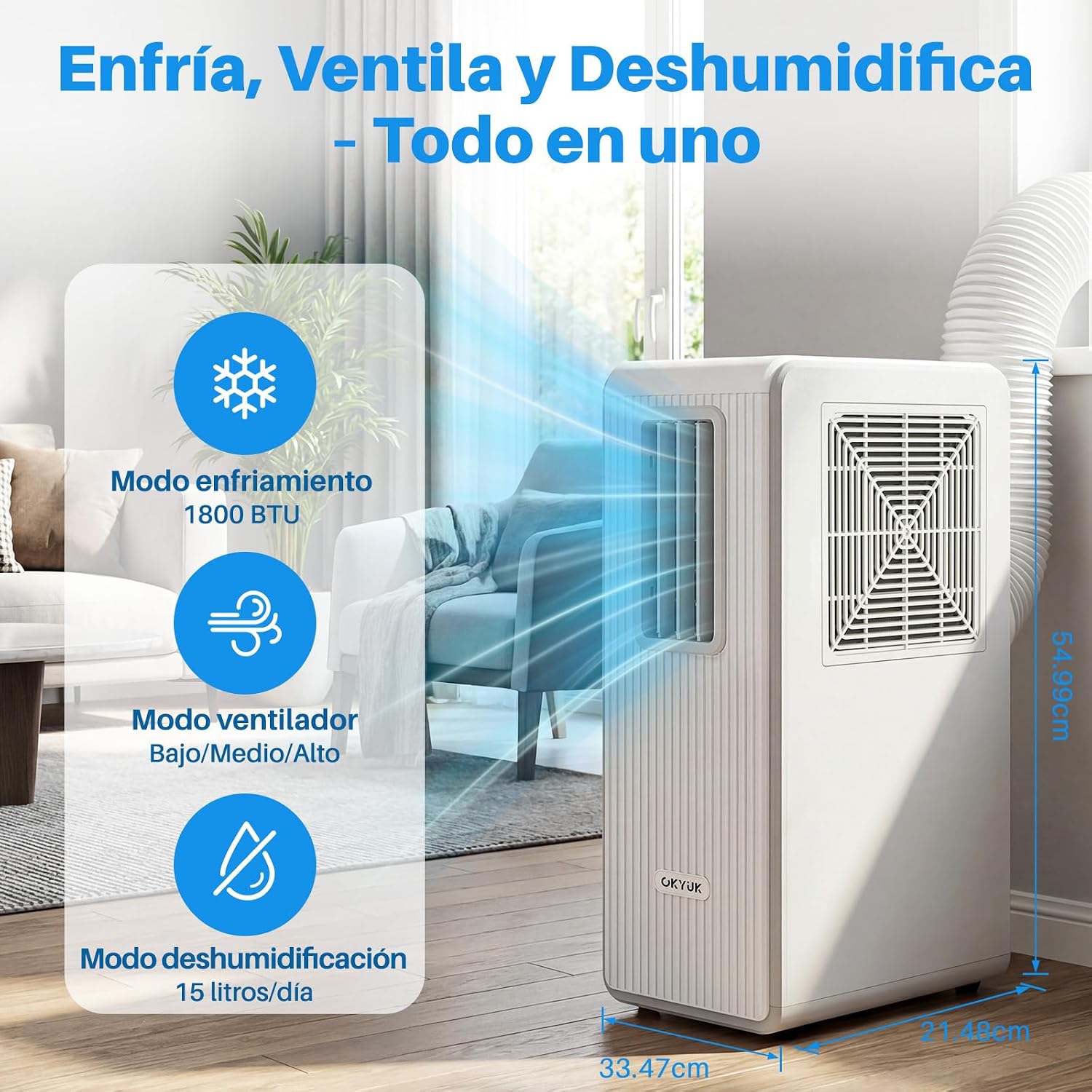
Figure 3.2.1: OKYUK Portable Air Conditioner in a living room, illustrating air circulation.

Figure 3.2.2: The portable air conditioner is suitable for various room settings, including offices, kitchens, living rooms, and bedrooms.
4. Setup and Installation
The OKYUK PCX5R-18MD is designed for easy setup. While it can be used without an exhaust hose in some environments, installing the hose is recommended for optimal cooling performance, especially in smaller or enclosed spaces.
4.1 Initial Preparation
- Unpack the unit and all accessories.
- Place the unit on a flat, stable surface.
- Before the first use, fill the water tank with water up to 2/3 capacity. This is crucial for the unit's operation.

Figure 4.1.1: The unit features a 3.5-liter water tank, which needs to be filled before initial operation.
4.2 Exhaust Hose Installation (Optional for optimal performance)
Follow these steps to install the exhaust hose for venting hot air outside:
- Connect the hose connector to one end of the exhaust hose.
- Rotate the vent hose into the exhaust nozzle counter-clockwise until secure.
- Attach the hose connector to the exhaust air outlet of the air conditioner unit.
- Extend the adjustable exhaust hose to fit your window in place.
- Insert the exhaust hose adapter into the window kit.
Video 4.2.1: This video demonstrates the general setup and exhaust hose installation for a portable air conditioner. While the model shown may vary slightly, the installation steps are similar for the OKYUK PCX5R-18MD.
Video 4.2.2: This video illustrates the setup process, including the exhaust hose connection to the unit and window kit, for a similar portable air conditioner model. The principles apply to the OKYUK PCX5R-18MD.
5. Operating Instructions
The OKYUK PCX5R-18MD can be operated using the touch control panel on the unit or the included remote control.
5.1 Control Panel Overview

Figure 5.1.1: The intelligent control panel features a digital display and touch buttons for various functions.
5.2 Basic Operation
- Power On/Off: Press the 'Power' button on the control panel or remote control to turn the unit on or off.
- Mode Selection: Press the 'Mode' button to cycle through the available modes: Cooling, Dehumidification, Fan, and Night Mode.
- Temperature Adjustment: Use the 'Up' and 'Down' arrows to set your desired temperature in Cooling mode.
- Fan Speed: Press the 'Speed' button to select between 3 fan speeds (Low, Medium, High).
- Timer Function: Use the 'Timer' button to set an auto-on or auto-off time for the unit (up to 24 hours).
- Swing Function: Activate the 'Swing' function for automatic oscillation of the air outlet louvers.
6. Modes and Functions
6.1 Cooling Mode
In Cooling mode, the unit provides powerful cooling to lower the room temperature. Ensure the exhaust hose is properly installed for maximum efficiency.

Figure 6.1.1: The unit effectively cools the surrounding area, providing a refreshing breeze.
6.2 Dehumidification Mode
This mode removes excess moisture from the air, helping to reduce humidity levels and improve comfort. The unit has a capacity of 15 liters per day.
6.3 Fan Mode
In Fan mode, the unit circulates air without cooling, providing a refreshing breeze. You can select from 3 fan speeds.
6.4 Night Mode (Sleep Mode)
Night mode operates at a lower fan speed and reduced noise level, providing comfortable cooling while you sleep. The temperature may gradually increase slightly to ensure energy efficiency and comfort throughout the night.

Figure 6.4.1: The unit operates quietly in Night Mode, ideal for use in bedrooms.
7. Maintenance and Cleaning
Regular maintenance ensures optimal performance and longevity of your air conditioner.
7.1 Cleaning the Air Filter
The unit features a removable and washable air filter. Clean the filter regularly (every two weeks or more often depending on usage) to maintain air quality and cooling efficiency.
- Unplug the air conditioner from the power outlet.
- Locate the filter panel on the back of the unit.
- Slide out the filter.
- Wash the filter under running water with a mild detergent.
- Allow the filter to dry completely before reinserting it into the unit.

Figure 7.1.1: The slide-out filter is washable and reusable, ensuring clean air and efficient operation.
7.2 Draining the Water Tank
During dehumidification, water collects in the internal tank. When the tank is full, the unit will stop operating and an indicator light may illuminate. Drain the water tank as follows:
- Turn off and unplug the unit.
- Place a shallow pan or tray under the drain outlet at the bottom rear of the unit.
- Remove the drain plug to allow water to flow out.
- Once drained, replace the drain plug securely.
8. Troubleshooting
If you encounter issues with your air conditioner, refer to the following common problems and solutions:
| Problem | Possible Cause | Solution |
|---|---|---|
| Unit does not turn on | No power supply; Power cord not plugged in; Full water tank. | Check power connection; Plug in the power cord; Empty the water tank. |
| Insufficient cooling | Air filter clogged; Room too large; Doors/windows open; Exhaust hose not installed or blocked. | Clean the air filter; Ensure room size is within specifications (up to 25 m²); Close doors and windows; Check and install/clear the exhaust hose. |
| Unit is noisy | Unit not on a flat surface; Obstruction in fan. | Place on a flat, stable surface; Check for and remove any obstructions. |
| Water leakage | Drain plug not securely closed; Unit tilted. | Ensure drain plug is tight; Place unit on a level surface. |
If the problem persists after trying these solutions, please contact customer support.
9. Specifications
| Feature | Specification |
|---|---|
| Brand | OKYUK |
| Model Name | PCX5R-18MD |
| Product Dimensions | 21.5P x 34.3l x 59H cm |
| Item Weight | 12.5 Kilograms |
| Color | White |
| Electrical Power | 200 Watts |
| Voltage | 100 Volt |
| Noise Level | 40 Decibel |
| Refrigerant | R-290 |
| Control Type | Remote, Touch |
| Capacity (Dehumidification) | 15 Liters/day |
| Installation Type | No installation required (portable) |
| Components Included | Remote control |
| UPC | 792105374284 |
10. Warranty and Support
The OKYUK PCX5R-18MD Portable Air Conditioner comes with an extended warranty. For specific warranty terms and conditions, please refer to the warranty card included with your product or contact OKYUK customer support.
For technical support, troubleshooting assistance, or to inquire about replacement parts, please contact your retailer or visit the official OKYUK website for contact information.

