
1. Introduction
Thank you for choosing the LIKIMIO King Size Bed Frame. This platform bed features a storage headboard, two integrated drawers, and a convenient charging station. Designed for durability and ease of assembly, this manual provides essential information for safe setup, operation, and maintenance of your new bed frame.

Image: The LIKIMIO King Size Bed Frame in Retro Brown, showcasing the storage headboard and under-bed drawers.
2. Safety Information
- Do not exceed the maximum weight capacity of 1200 pounds.
- Be cautious of sharp edges during assembly and use.
- Ensure all bolts and screws are securely tightened before use. Periodically check and re-tighten connections.
- Keep small parts away from children during assembly.
- Use only the provided tools or appropriate alternatives to avoid damaging components.
3. Package Contents
Verify that all components are present before beginning assembly. If any parts are missing or damaged, please contact customer support.
- Headboard with integrated charging station
- Side Rails
- Footboard with drawer guides
- Metal Slats
- 2 Under-bed Storage Drawers
- Assembly Hardware (screws, bolts, Allen wrench)
- Instruction Manual
4. Setup and Assembly
Assembly is designed to be user-friendly, typically taking 40-60 minutes with two people. Follow the numbered instructions provided in the separate assembly guide carefully.
- Unpack and Identify Parts: Lay out all components and hardware. Refer to the parts list in your assembly guide to ensure everything is present and undamaged.
- Attach Legs: Securely attach the bed frame legs using the provided screws and tighten with the included tool.
- Connect Headboard to Side Rails: Use the designated bolts to connect the headboard to the side rails. Ensure a snug fit.
- Secure Footboard: Attach the footboard to the other end of the side rails, ensuring all connections are firm.
- Place Slats: Position the metal slats across the frame. The click-together slat system simplifies this step. Ensure they are evenly spaced and secured.
- Assemble Drawers: Follow the specific instructions to assemble the two under-bed storage drawers.
- Attach Drawers to Footboard: Insert the assembled drawers into their designated positions at the footboard.
- Connect Charging Station: Connect the charging station to the headboard as per the instructions. Ensure the power cord is routed safely.

Image: A detailed diagram illustrating the dimensions and components of the King Size Bed Frame.

Image: Visual representation of the industrial headboard design, solid and stable construction, and quick installation features.
5. Operating Instructions
5.1 Charging Station
The integrated headboard features a convenient charging station with two standard electrical outlets and two USB ports. A 6.6 ft power cable is included for easy connection to a wall outlet.
- Plug the bed frame's power cord into a standard wall outlet.
- Use the AC outlets (110V/12A) for devices requiring standard power.
- Use the USB ports (5V/2A) to charge compatible devices such as smartphones and tablets.

Image: Close-up view of the headboard's charging station, showing two AC outlets and two USB ports.
5.2 Storage Drawers
The two smooth-glide drawers located at the footboard provide additional storage space for bedding, clothes, or other items.
- Gently pull the drawers out from under the bed frame to access contents.
- Push the drawers back in until they are fully closed and aligned with the footboard.

Image: The two under-bed storage drawers, shown partially open and containing various items.
5.3 Mattress Usage
This platform bed frame is designed to be used without a box spring. Place your King size mattress directly onto the metal slats.
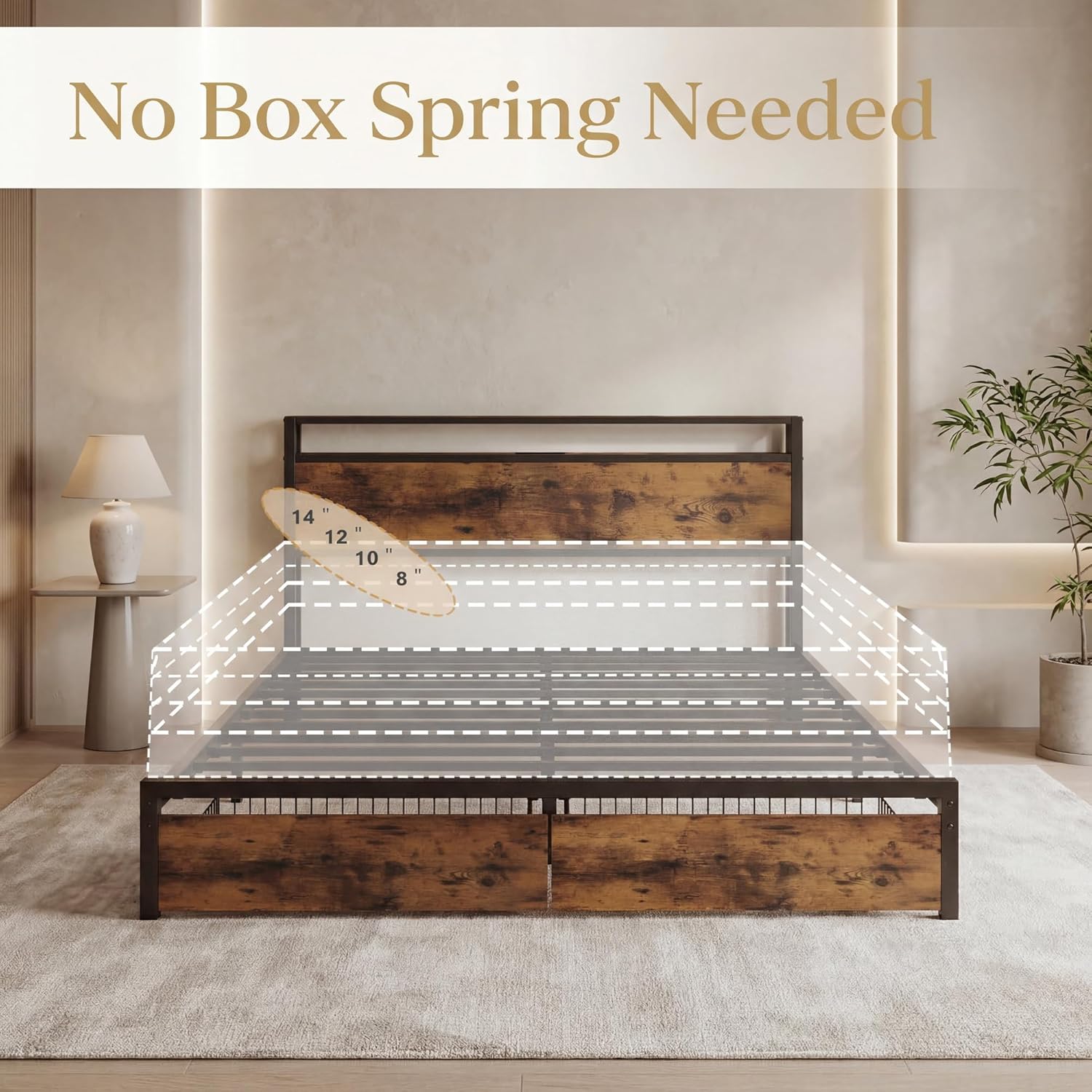
Image: A visual indicating that no box spring is required for this bed frame, with mattress height suggestions.
6. Maintenance
- Cleaning: Wipe the bed frame surfaces with a soft, damp cloth. Avoid harsh chemicals or abrasive cleaners that may damage the finish.
- Connection Checks: Periodically inspect all bolts and screws to ensure they remain tight. Re-tighten as necessary to maintain stability and prevent squeaking.
- Drawer Maintenance: Keep the drawer tracks clear of debris to ensure smooth operation.
- The bed frame is constructed with fade-resistant materials and designed to be squeak-resistant, requiring minimal specialized maintenance.
7. Troubleshooting
- Squeaking Noises: If the bed frame develops squeaking noises, check all assembly bolts and screws. Tighten any loose connections. Ensure the mattress is properly seated on the slats.
- Charging Station Not Working: Verify that the bed frame's power cord is securely plugged into a functional wall outlet. Check for any tripped circuit breakers.
- Drawers Not Sliding Smoothly: Inspect the drawer tracks and the area under the bed for any obstructions. Ensure the drawers were assembled correctly and are aligned.
- Instability: If the bed frame feels unstable, re-check all connections and ensure they are fully tightened. Confirm that the frame is on a level surface.
8. Specifications
| Model Number | HK-KBF-24 |
| Size | King |
| Material | Engineered Wood, Metal |
| Product Dimensions (L x W x H) | 83.1" x 78.3" x 51.2" |
| Compatible Mattress Size | King, 76" x 80" (or 198 x 203 cm) |
| Maximum Weight Capacity | 1200 Pounds |
| Number of Drawers | 2 |
| Ground to Item Distance | 10.2 Inches |
| Special Features | Charging Station, Fade Resistant, Squeak Resistant, Two Drawers |

Image: A visual representation of the 10-inch (26 cm) under-bed clearance for additional storage.
9. Warranty Information
Specific warranty details are not provided in this manual. Please refer to the product packaging or contact LIKIMIO customer support for information regarding warranty coverage and terms.
10. Customer Support
For any questions, missing parts, or assistance with assembly or operation, please contact LIKIMIO customer support. Have your model number (HK-KBF-24) and purchase information ready when contacting support.
You can typically find contact information on the product packaging, the seller's website, or through your purchase platform.