
1. Introduction
This manual provides essential information for the safe and effective use of your SUOUER T300 Walking Pad Treadmill. Designed for home use, this compact and portable treadmill offers a versatile fitness solution, allowing for walking, jogging, and running with adjustable speed and incline. Please read this manual thoroughly before operation and retain it for future reference.
2. Safety Information
Your safety is paramount. Adhere to all warnings and instructions to prevent injury or damage.
- Always wear appropriate athletic footwear during use.
- Keep children and pets away from the treadmill during operation.
- Ensure the treadmill is placed on a flat, stable surface with adequate clearance around it.
- Do not stand directly on the front or rear rollers.
- Keep fingers, hair, and clothing clear of the moving walking belt.
- In case of emergency, use the safety stop feature (if applicable) or press the stop button on the remote.
- Unplug the treadmill from the power outlet when not in use or before cleaning/maintenance.

Image: Warning labels on the treadmill's side, advising to keep fingers, hair, and clothing away from the moving belt and to wear athletic shoes.
3. What's in the Box
Carefully unpack all components and ensure everything listed below is present:
- Walking Pad Treadmill Unit
- User Manual
- L-shaped wrench and screws (x4)
- Remote Control (with batteries)
- Lubricant Oil
- Phone Holder

Image: Contents of the SUOUER T300 Walking Pad Treadmill box, including the treadmill, phone holder, user manual, L-wrench, hex screws, and star screws.
4. Setup and Assembly
The SUOUER T300 Walking Pad Treadmill is designed for quick and easy setup. Follow these steps:
- Unboxing: Carefully remove the treadmill and all accessories from the packaging.
- Handlebar Installation: If using the handlebar, slide each side of the handlebar into the designated posts on the treadmill base. Secure them using the larger screws provided with the L-shaped wrench.
- Phone Holder Attachment: Attach the phone holder to the top of the handlebar using the smaller screws.
- Power Connection: Plug the power cord into the treadmill's power port and then into a suitable wall outlet. Ensure the power switch (usually red) is in the 'ON' position.
- Remote Batteries: Insert the provided batteries into the remote control.
Video: This video demonstrates the unboxing, installation of the handlebar and phone holder, and initial setup of the treadmill, including remote control battery insertion.

Image: Detailed view of attaching the handlebar to the walking pad treadmill using screws and an L-wrench.
5. Operating Instructions
Operating your SUOUER T300 is straightforward using the remote control.
5.1. Basic Operation
- Power On: Ensure the treadmill is plugged in and the main power switch is on. The LED display will illuminate.
- Start: Press the 'Play/Pause' button on the remote control. The treadmill will initiate a 3-second countdown before starting at a default speed of 0.6 MPH.
- Adjust Speed: Use the '+' and '-' buttons on the remote to increase or decrease the speed incrementally. You can also use the '2' or '4' buttons for quick access to 2 MPH or 4 MPH. The maximum speed is 7.6 MPH.
- Pause: Press the 'Play/Pause' button again to pause your workout. The belt will stop, and the display will hold your current metrics.
- Stop: To completely stop the treadmill, press the 'Stop' button (often a red button or a dedicated stop function on the remote). The treadmill will gradually slow down and stop.
5.2. Display Modes
The intuitive LED display tracks your workout progress. Press the 'M' (Mode) button on the remote to cycle through different display modes:
- Time: Duration of your workout.
- Speed: Current speed in Miles Per Hour (MPH).
- Distance: Total distance covered.
- Calories: Estimated calories burned.
Video: This video demonstrates the remote control functions, including starting the treadmill, adjusting speed, and cycling through display modes.
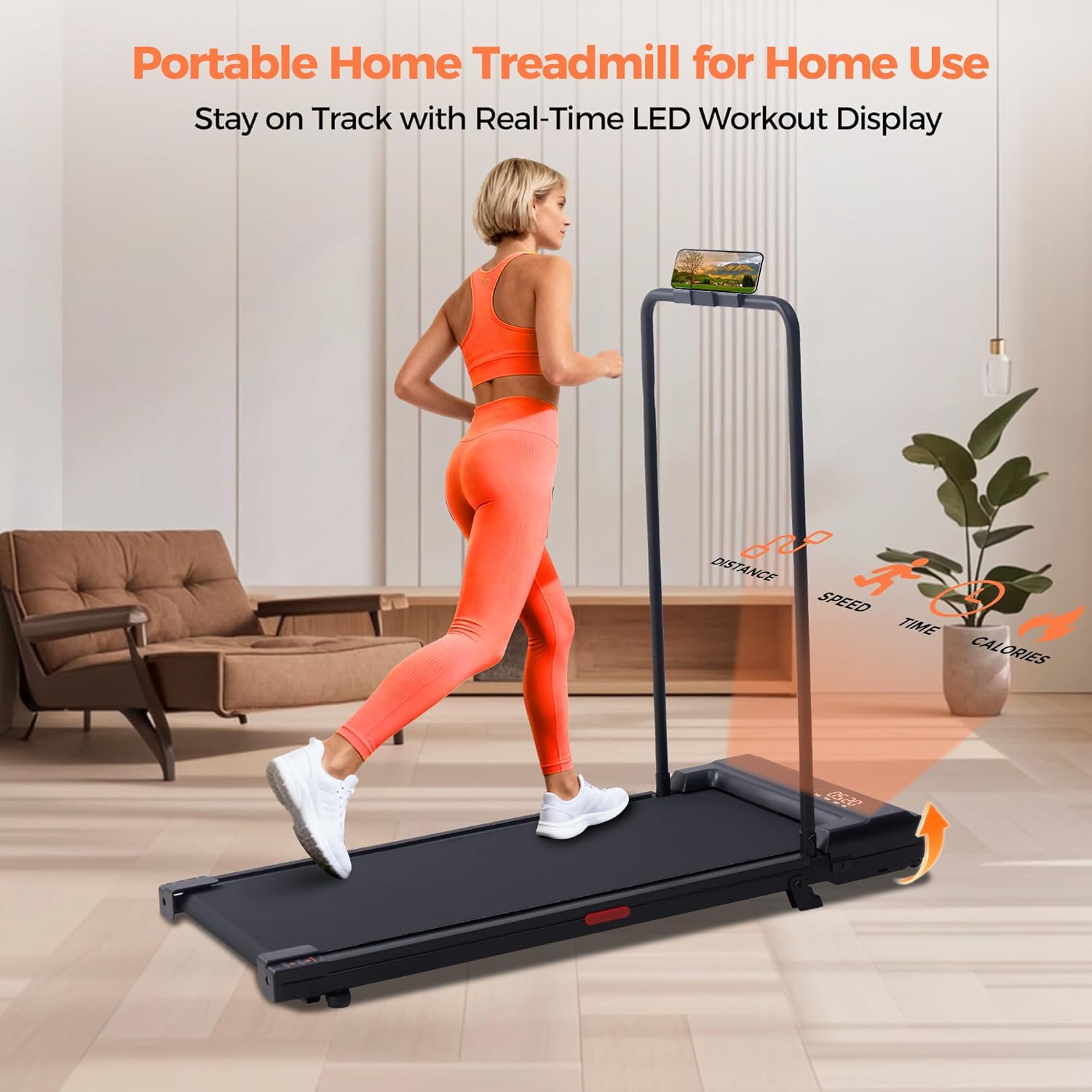
Image: LED display showing speed, distance, time, and calories burned during a workout on the walking pad treadmill.
5.3. Incline Adjustment
The treadmill features a manual incline adjustment. To activate the incline, locate the adjustable feet at the rear of the treadmill and flip them down. This provides an elevated walking surface for a more challenging workout.
Video: This video demonstrates the manual incline adjustment feature of the walking pad treadmill.
6. Features
The SUOUER T300 Walking Pad Treadmill is equipped with several features to enhance your fitness experience:
- Powerful & Quiet Motor: Features a 3.0HP silent DC motor for stable and durable power output, suitable for various workout intensities from brisk walking to jogging.
- Wide Speed Range: Offers stepless speed adjustment from 0.6 to 7.6 MPH.
- High Weight Capacity: Supports users up to 350 LBS.
- Dual-Mode Design: Can be used as a traditional treadmill with the handlebar or as an under-desk walking pad by folding the handlebar down.
- Cushioned Multi-Layer Belt: Built with a 6-layer anti-slip deck for cushioning and stability, reducing joint pressure.
- Portable & Space-Saving: Lightweight design with built-in wheels and a detachable/foldable handlebar for easy movement and storage under furniture.
- Integrated Phone Holder: Conveniently holds your smartphone or tablet for entertainment or tracking during workouts.
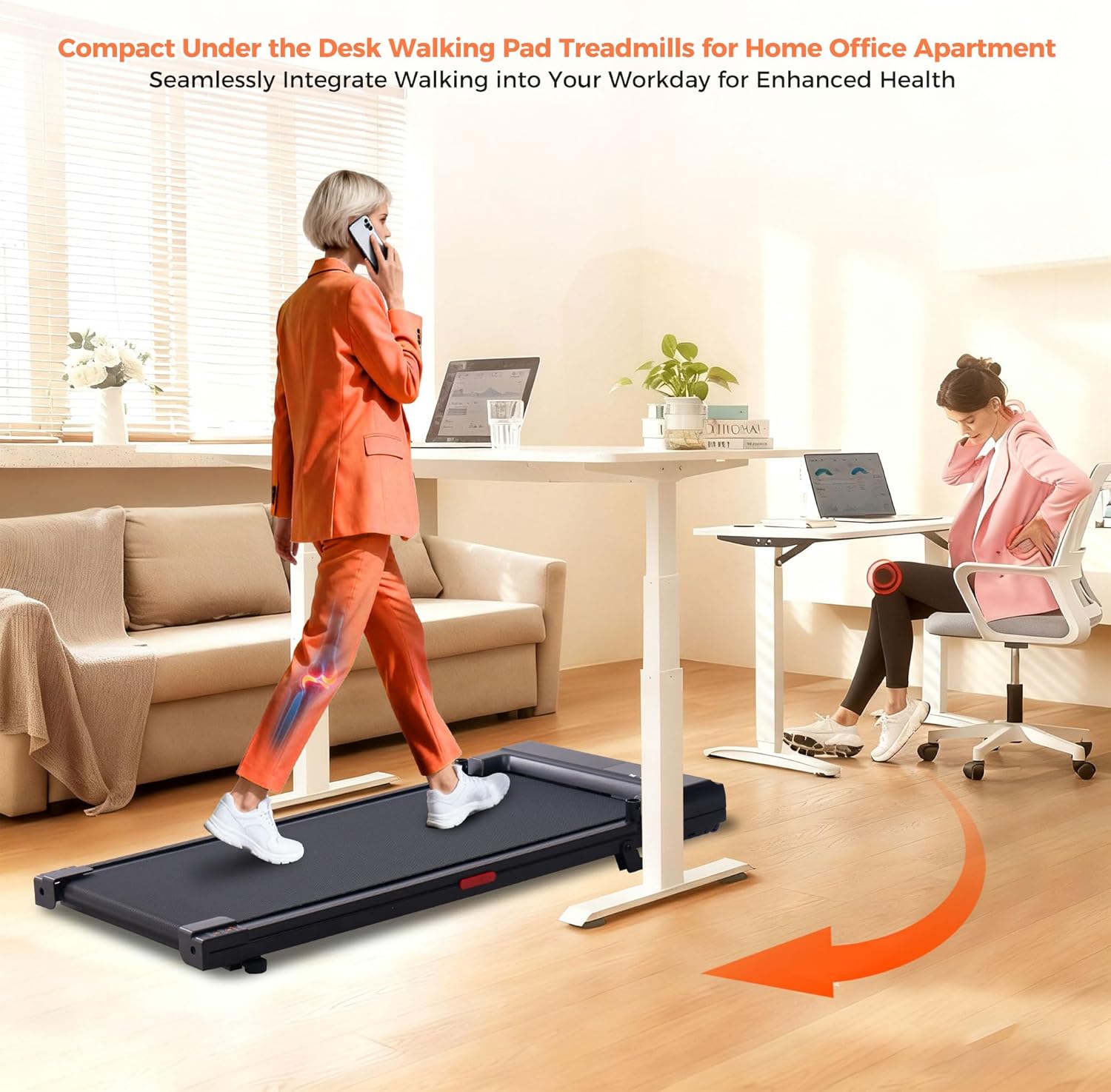
Image: A person walking on the SUOUER T300 treadmill while working at a standing desk, demonstrating its under-desk functionality.
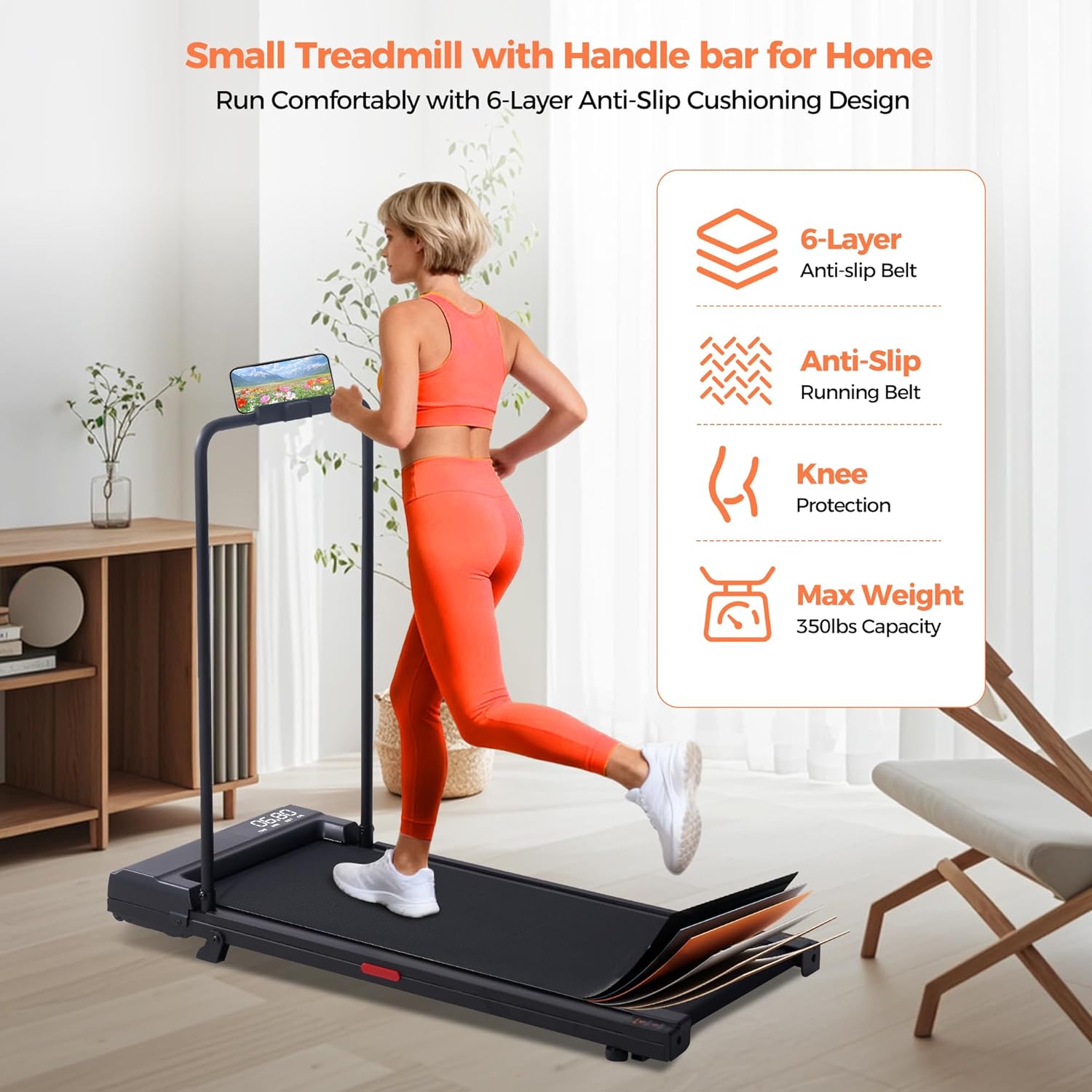
Image: Diagram illustrating the 6-layer anti-slip cushioning design of the treadmill belt for knee protection and comfort.
Video: This video showcases the compact and foldable design of the walking pad treadmill, highlighting its ease of storage.
7. Maintenance
Regular maintenance ensures the longevity and optimal performance of your treadmill.
- Lubrication: Apply the provided lubricant oil to the running belt every few months or as needed, depending on usage. Lift the belt slightly and apply a thin line of oil to the center of the deck.
- Cleaning: Wipe down the treadmill with a damp cloth after each use to remove sweat and dust. Avoid using abrasive cleaners.
- Belt Adjustment: Periodically check the tension and alignment of the running belt. Adjust if it feels too loose, too tight, or is drifting to one side. Refer to the detailed instructions in the included user manual for specific adjustment procedures.
8. Troubleshooting
If you encounter any issues, refer to the common problems and solutions below. For persistent problems, contact customer support.
- Treadmill Not Starting / E01 Error:
Ensure the power cord is securely plugged into both the treadmill and the wall outlet. Check that the main power switch is in the 'ON' position. If an E01 error code appears, it may indicate a motor or sensor issue. Try unplugging the unit for a few minutes and plugging it back in. If the issue persists, contact customer support. - Belt Slipping or Uneven Movement:
This may indicate the belt needs adjustment or lubrication. Follow the maintenance instructions for belt tensioning and lubrication. - Inaccurate Speed Display:
While the display provides estimated speed, minor variations can occur. Ensure the treadmill is on a level surface. If discrepancies are significant, contact customer support. - Unusual Noises:
Check for any loose parts or foreign objects under the belt. Lubricate the belt if it's dry. If the noise persists, discontinue use and contact support.
9. Specifications
| Brand | SUOUER |
| Model Number | T300 |
| Product Dimensions (D x W x H) | 42"D x 21"W x 36"H |
| Folded Size | 40.9"x18.3"x3.7" |
| Item Weight | 36 Pounds |
| Material | Carbon Steel, Plastic |
| Maximum Horsepower | 3.0 HP |
| Speed Range | 0.6 - 7.6 Miles per Hour |
| Maximum Weight Recommendation | 350 Pounds |
| Display | LED (Time, Speed, Distance, Calories) |
| Special Features | Incline, Handle Bar, Portable, Under Desk Use |
10. Warranty and Support
Your SUOUER T300 Walking Pad Treadmill comes with a 12-month warranty from the date of purchase. SUOUER is committed to providing reliable 365-day after-sales support.
For any questions, technical assistance, or warranty claims, please contact SUOUER customer service through the platform where you purchased the product or visit the official SUOUER store for contact information.
We aim to ensure your satisfaction and support your daily home fitness routines effortlessly.