
Introduction
Thank you for choosing the Kaidi KD-779 TWS Bluetooth 5.3 Wireless Earbuds. These earbuds are designed to provide a high-quality audio experience with convenience and comfort for daily use. Featuring Bluetooth 5.3 technology, they ensure a fast and stable connection with compatible devices. The ergonomic design offers a comfortable fit, and the portable charging case allows for easy recharging, extending usage time throughout the day. The integrated microphone enables clear calls.
Package Contents
- 1 Pair of Kaidi KD-779 TWS Bluetooth Earbuds
- 1 Charging Case
- 1 USB Charging Cable
- 1 User Manual
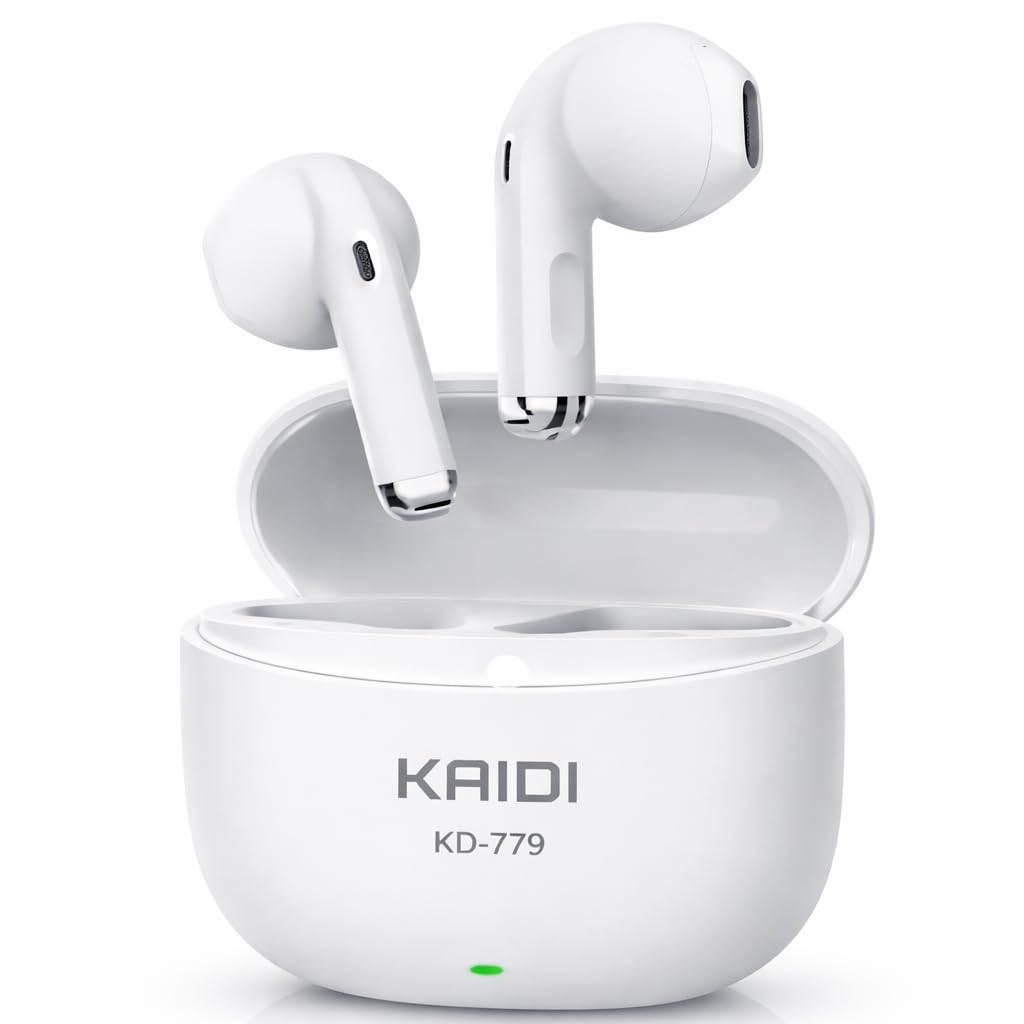
Image: Kaidi KD-779 TWS Earbuds in their charging case.
Setup
1. Charging the Earbuds and Case
Before first use, ensure both the earbuds and the charging case are fully charged.
- Charging the Case: Connect the provided USB charging cable to the charging port on the case and to a USB power source (e.g., computer, wall adapter). The indicator light on the case will show charging status. A full charge takes approximately 4 hours.
- Charging the Earbuds: Place the earbuds into their respective slots in the charging case. They will automatically begin charging. The indicator lights on the earbuds will show their charging status.

Image: Kaidi KD-779 earbuds placed inside the charging case.
2. Pairing with a Device
- Power On: Open the charging case. The earbuds will automatically power on and enter pairing mode. You may hear an audio prompt.
- Activate Bluetooth: On your smartphone, tablet, or other Bluetooth-enabled device, go to the Bluetooth settings and ensure Bluetooth is turned on.
- Select Device: In the list of available Bluetooth devices, look for "KD-779" or a similar name and select it to connect.
- Confirmation: Once successfully paired, you will hear a confirmation sound from the earbuds, and they will be ready for use.
The earbuds have a Bluetooth range of up to 10 meters (33 feet) and are compatible with Android, iOS, and other Bluetooth-enabled devices.

Image: Overview of Kaidi KD-779 features including HD stereo sound, stable Bluetooth, long battery life, and comfortable design.
Operating Instructions
Touch Controls
The Kaidi KD-779 earbuds feature intuitive touch controls for easy management of music and calls.
| Action | Function |
|---|---|
| Single Tap (Left/Right Earbud) | Play/Pause Music, Answer/End Call |
| Double Tap (Right Earbud) | Next Track |
| Double Tap (Left Earbud) | Previous Track |
| Triple Tap (Right Earbud) | Volume Up |
| Triple Tap (Left Earbud) | Volume Down |
| Long Press (2 seconds) | Reject Call, Activate Voice Assistant |
Making and Receiving Calls
- Answer Call: Single tap either earbud.
- End Call: Single tap either earbud during a call.
- Reject Call: Long press either earbud for 2 seconds.
- The integrated HD microphone ensures clear voice capture during calls, even with active noise cancellation.
Listening to Music
- Play/Pause: Single tap either earbud.
- Next Track: Double tap the right earbud.
- Previous Track: Double tap the left earbud.
- The earbuds deliver powerful and immersive stereo sound with balanced bass and clear audio for an optimal listening experience.
Maintenance
Proper maintenance ensures the longevity and optimal performance of your Kaidi KD-779 earbuds.
- Cleaning: Regularly clean the earbuds and charging case with a soft, dry, lint-free cloth. Do not use abrasive cleaners or solvents. Gently remove any earwax or debris from the earbud grilles using a small, soft brush or cotton swab.
- Water Resistance: The earbuds are water-resistant, meaning they can withstand splashes and sweat. However, they are not waterproof and should not be submerged in water. Avoid exposing them to excessive moisture.
- Storage: When not in use, store the earbuds in their charging case to protect them from dust and damage. Store the case in a cool, dry place away from direct sunlight and extreme temperatures.
- Battery Care: To preserve battery life, avoid fully discharging the earbuds and case frequently. Charge them regularly, even if not in constant use.
Troubleshooting
If you encounter any issues with your Kaidi KD-779 earbuds, refer to the following common solutions:
- Earbuds not pairing:
- Ensure both earbuds are charged.
- Turn off Bluetooth on your device, then turn it back on.
- Forget "KD-779" from your device's Bluetooth list and try pairing again.
- Place earbuds back in the case, close it, wait a few seconds, then open it again to reset.
- No sound from one earbud:
- Check if both earbuds are charged.
- Try resetting the earbuds by placing them in the case and then taking them out.
- Ensure the earbuds are clean and free of debris.
- Charging issues:
- Ensure the charging cable is securely connected to both the case and the power source.
- Try a different USB cable or power adapter.
- Clean the charging contacts on both the earbuds and the case.
- Low volume or poor sound quality:
- Adjust the volume on both your device and using the earbud touch controls.
- Ensure the earbuds are properly seated in your ears for a good seal.
- Clean the earbud grilles.

Image: Kaidi KD-779 earbuds with a frequently asked questions section, highlighting touch control, water resistance, and battery life.
Specifications
| Feature | Detail |
|---|---|
| Model Number | KD-779 |
| Bluetooth Version | 5.3 |
| Bluetooth Range | 10 meters (33 feet) |
| Audio Driver Size | 10 mm |
| Impedance | 32 Ohms |
| Sensitivity | 105 dB |
| Frequency Response | 20 Hz |
| Audio Latency | 50 Milliseconds |
| Noise Control | Active Noise Cancellation |
| Microphone | Integrated HD Microphone |
| Control Type | Touch Control (Play/Pause, Volume, Track, Call Answer/End) |
| Charging Time (Case) | Approximately 4 hours |
| Water Resistance Level | Water Resistant (splashes and sweat) |
| Compatible Devices | Android Smartphones, iOS Smartphones, Tablets, Notebooks |
| Material | Plastic, ABS Plastic (Case) |
| Item Weight | 65 Grams |
| Case Dimensions (L x W x H) | 6 cm x 9 cm x 3 cm |
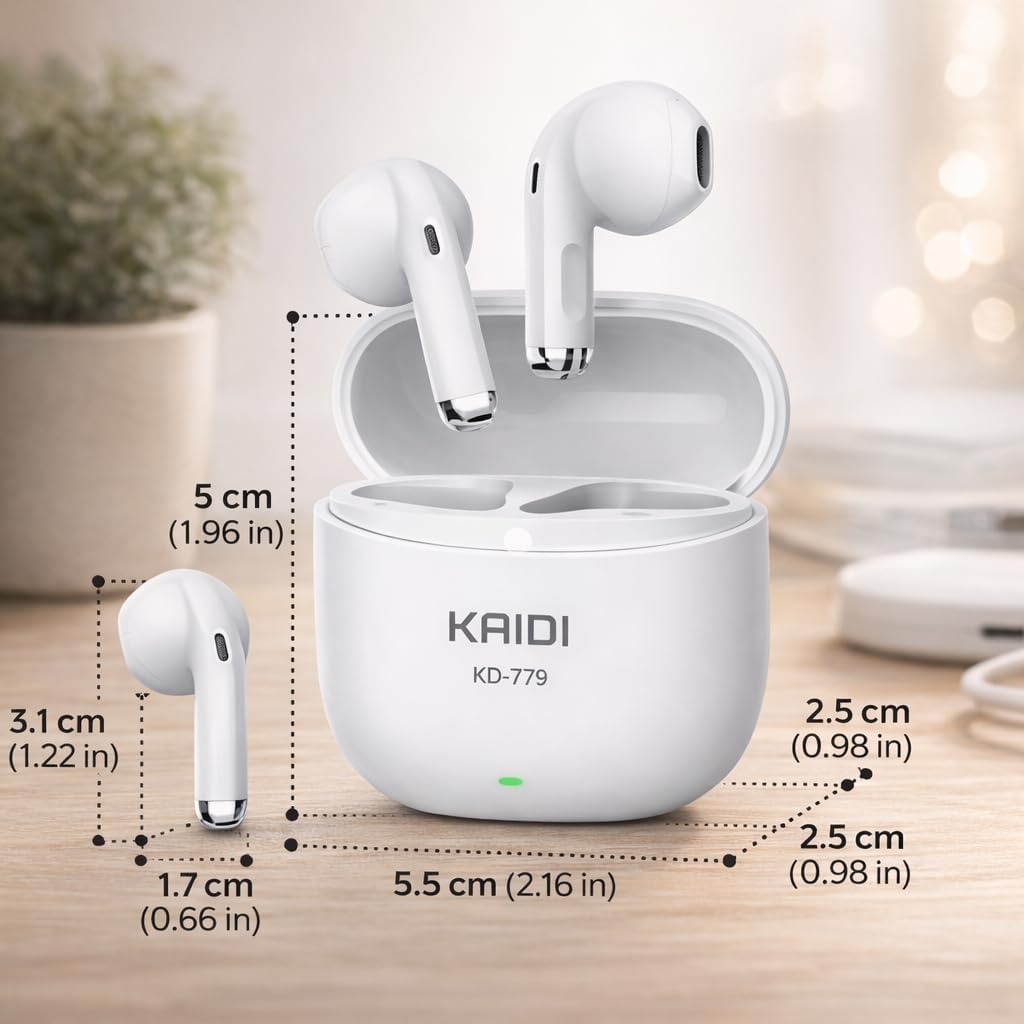
Image: Detailed dimensions of the Kaidi KD-779 earbuds and charging case.
Warranty and Support
Warranty Information
The Kaidi KD-779 TWS Bluetooth Earbuds come with a 90-day warranty against manufacturing defects from the date of purchase. This warranty covers defects in materials and workmanship under normal use. It does not cover damage caused by misuse, accidents, unauthorized modifications, or normal wear and tear. Please retain your proof of purchase for warranty claims.
Customer Support
For any questions, technical assistance, or warranty claims, please contact your retailer or the manufacturer's customer support. Refer to the contact information provided with your purchase documentation.