
1. Introduction
Thank you for choosing the Feexot Retro Bluetooth AM FM SW Radio. This manual provides essential information for the safe and efficient operation of your device. Please read it thoroughly before use and retain it for future reference.
This portable radio combines vintage aesthetics with modern functionality, offering AM, FM, and Shortwave (SW) radio reception, Bluetooth connectivity, and multiple playback options including USB, TF card, and AUX input. Its compact design and rechargeable battery make it ideal for both home and outdoor use.
2. Product Overview
Familiarize yourself with the components and controls of your Feexot Retro Radio.

Figure 1: Front panel controls and features of the Feexot Retro Radio.
Key Components:
- Power Switch: Integrated into the tonearm mechanism. Moving the tonearm over the faux record turns the unit ON; returning it to its resting position turns it OFF.
- Volume Knob: Adjusts the audio output level.
- Mode Switch (MP3/FM/AM/SW): Selects between different audio sources (MP3 playback, FM radio, AM radio, Shortwave radio).
- Tuning Dial: Used to precisely tune into radio stations. Features frequency-modulated LED lighting.
- Antenna: Extendable telescopic antenna for improved radio reception.
- Playback Control Buttons: Play/Pause, Previous Track, Next Track (for MP3/Bluetooth modes).
- USB Port: For playing audio files from a USB flash drive.
- TF Card Slot: For playing audio files from a TF (MicroSD) card.
- AUX Input: 3.5mm jack for connecting external audio devices.
- DC 5V Type-C Charging Port: For recharging the internal battery.
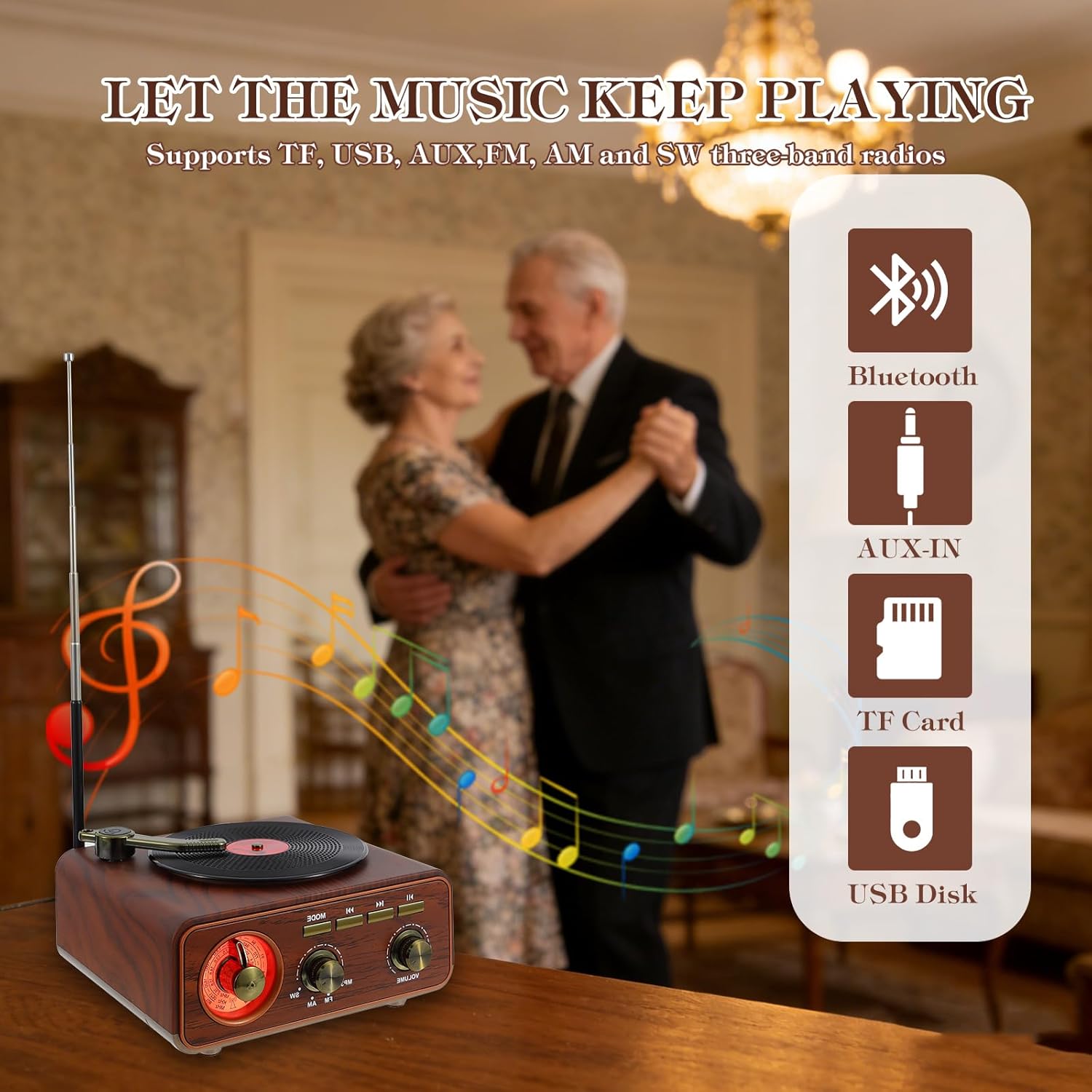
Figure 2: Available audio input options.
3. Setup
3.1 Unboxing
Carefully remove the radio from its packaging. Ensure all included components are present:
- Feexot Retro Bluetooth AM FM SW Radio
- USB Charging Cable (Type-A to Type-C)
- Owner's Manual (this document)
3.2 Charging the Battery
The radio is equipped with a built-in rechargeable lithium-ion battery. Before first use, it is recommended to fully charge the device.
- Connect the provided USB charging cable to the DC 5V Type-C port on the side of the radio.
- Connect the other end of the USB cable to a compatible USB power adapter (not included) or a computer USB port.
- The charging indicator light will illuminate during charging.
- A full charge typically takes approximately 4 hours. The indicator light may change or turn off once charging is complete.
The radio can operate for several hours on a full charge, providing extended wireless listening.
3.3 Antenna Extension
For optimal radio reception, extend the telescopic antenna located at the back of the unit to its full length (approximately 19.29 inches).

Figure 3: Product dimensions for placement reference.
4. Operating Instructions
4.1 Power On/Off
To power on the radio, gently move the tonearm from its resting position to over the faux record on the top surface. The unit will emit an audible cue, and the tuning dial will illuminate. To power off, return the tonearm to its resting position.
Video 1: Demonstration of powering on the radio by moving the tonearm.
4.2 Adjusting Volume
Rotate the Volume Knob on the front panel clockwise to increase volume and counter-clockwise to decrease it.
4.3 Selecting Audio Mode
Use the Mode Switch to cycle through available audio sources: MP3 (for USB/TF card), FM, AM, and SW (Shortwave) radio bands.
4.4 Radio Operation (AM/FM/SW)
- Extend the telescopic antenna for best reception.
- Set the Mode Switch to FM, AM, or SW.
- Rotate the Tuning Dial to scan for radio stations. The illuminated dial will help in precise tuning.
- Adjust the antenna position and radio placement for optimal signal clarity.

Figure 4: Visual representation of radio frequency tuning.
4.5 Bluetooth Pairing
- Set the Mode Switch to Bluetooth mode. The radio will enter pairing mode, indicated by an audible prompt.
- On your smartphone, tablet, or other Bluetooth-enabled device, enable Bluetooth and search for available devices.
- Select "BT-888" (or similar name) from the list of devices.
- Once paired, the radio will confirm with an audible sound, and you can stream audio wirelessly.

Figure 5: Bluetooth connection with a mobile device.
4.6 USB/TF Card Playback
- Insert a USB flash drive into the USB port or a TF (MicroSD) card into the TF card slot on the side of the radio.
- Set the Mode Switch to MP3 mode. The radio will automatically detect and begin playing audio files from the inserted storage device.
- Use the Play/Pause, Previous Track, and Next Track buttons to control playback.
4.7 AUX Input
- Connect an external audio device (e.g., MP3 player, laptop) to the AUX input jack on the side of the radio using a 3.5mm audio cable (not included).
- Set the Mode Switch to AUX mode.
- Control playback and volume from your connected external device.
5. Maintenance
5.1 Cleaning
Wipe the radio with a soft, dry cloth. Do not use abrasive cleaners, waxes, or solvents as they may damage the finish. Avoid spraying liquids directly onto the unit.
5.2 Battery Care
- To prolong battery life, avoid fully discharging the battery frequently.
- If the radio will not be used for an extended period, charge it to approximately 50% and store it in a cool, dry place. Recharge every 3-6 months to prevent deep discharge.
- Do not expose the battery to extreme temperatures or direct sunlight.
5.3 Storage
Store the radio in a dry environment, away from direct sunlight and extreme temperatures. Retract the antenna when not in use to prevent damage.
6. Troubleshooting
If you encounter issues with your Feexot Retro Radio, please refer to the following common problems and solutions:
| Problem | Possible Cause | Solution |
|---|---|---|
| No power | Battery is discharged; Tonearm not in ON position. | Charge the battery; Move the tonearm over the faux record to power on. |
| No sound | Volume too low; Incorrect mode selected; Device not connected properly. | Increase volume; Select correct mode (e.g., FM, Bluetooth); Ensure Bluetooth is paired or AUX cable is fully inserted. |
| Poor radio reception | Antenna not extended; Weak signal area; Interference. | Fully extend the telescopic antenna; Reposition the radio; Try tuning slowly to find a clearer signal. |
| Bluetooth not connecting | Radio not in Bluetooth mode; Device too far; Already connected to another device. | Ensure radio is in Bluetooth mode; Move device closer to radio; Disconnect from other devices and try pairing again. |
| USB/TF card not playing | Incorrect mode; Incompatible file format; Corrupted card/drive. | Ensure radio is in MP3 mode; Check file formats (e.g., MP3); Try a different USB drive or TF card. |
7. Specifications
| Feature | Detail |
|---|---|
| Brand | Feexot |
| Model Number | F-1317BT |
| Color | Brown |
| Product Dimensions (L x W x H) | 5.9" x 3.3" x 6.3" (150mm x 85mm x 160mm) |
| Connectivity Technology | Bluetooth, USB, AUX |
| Tuner Technology | AM/FM/SW (3-Band) |
| Power Source | Battery Powered (1 Lithium Ion battery included) |
| Special Features | Built-In AM Antenna, Portable, Rechargeable |
| Display Type | LED (for tuning dial illumination) |
| Included Components | Owner's Manual, USB Cable |
| Water Resistance Level | Not Water Resistant |
8. Warranty Information
This Feexot product is covered by a 1-year warranty from the date of purchase. This warranty covers manufacturing defects and workmanship under normal use. It does not cover damage caused by misuse, accidents, unauthorized modifications, or normal wear and tear.
Please retain your proof of purchase for warranty claims.
9. Customer Support
For any questions, technical assistance, or warranty inquiries, please contact Feexot customer support through the retailer's platform or refer to the contact information provided with your purchase documentation.
We are committed to providing excellent service and support for your Feexot product.