
1. Introduction
The Hollyland Pyro Ultra is an advanced wireless video transmission system designed for professional video production. It features a 1TX&1RX configuration with support for unlimited receivers in broadcast mode, delivering true 4K60 video with ultra-low latency. This manual provides essential information for setting up, operating, and maintaining your Pyro Ultra system.
Key features include:
- True 4K60 Ultra HD video transmission.
- Focus Mode with latency as low as 20ms.
- Proprietary TWiFi technology for stable transmission up to 1.5 km (4,900 ft).
- Support for DFS bands for increased flexibility.
- Flexible streaming solutions via UVC and RTMP.
- Compatibility with the entire Pyro ecosystem.
2. What's in the Box
Verify that all items are present in your package:
- Transmitter (TX) x 1
- Receiver (RX) x 1
- Easy-Install Short Antenna x 4
- Easy-Install Antenna x 4
- 12V/2A DC Power Adapter x 1
- USB-C OTG Adapter x 1
- Double Ball Head with Cold Shoe Mount x 1
- D-Tap to Locking DC Power Cable x 1
- Quick Guide x 1
- Warranty Card x 1

Image: All components included in the Hollyland Pyro Ultra package.
3. Setup
Follow these steps to set up your Hollyland Pyro Ultra system:
- Attach Antennas: Screw the Easy-Install antennas onto the transmitter (TX) and receiver (RX) units. Ensure they are securely fastened.
- Power Connection:
- Connect the 12V/2A DC Power Adapter to the TX and RX units and plug into a power outlet.
- Alternatively, use the D-Tap to Locking DC Power Cable to power the units from a compatible D-Tap power source (e.g., V-mount battery).
- Video Input/Output:
- Connect your camera's HDMI or SDI output to the HDMI/SDI input port on the transmitter (TX).
- Connect the receiver's (RX) HDMI or SDI output to your monitor or recording device.
- Mounting: Use the Double Ball Head with Cold Shoe Mount to attach the units to your camera rig or other equipment as needed.

Image: Top view of the Pyro Ultra unit, highlighting power and SDI connections.
4. Operating Instructions
4.1 Powering On and Basic Operation
Once connected, power on both the transmitter and receiver. The units will automatically establish a connection. The OLED display on each unit will show connection status, signal strength, and other relevant information.
4.2 Broadcast Mode (1 TX & Unlimited RX)
In broadcast mode, a single Pyro Ultra transmitter can connect to an unlimited number of Pyro Ultra receivers for real-time monitoring. This mode is ideal for large productions requiring multiple monitoring points.

Image: Broadcast Mode setup with one transmitter and multiple receivers.
For non-broadcast scenarios, the system supports up to 6 monitors (4 receivers + 2 mobile app connections) for collaborative work. Stable performance is guaranteed with up to 20 receivers; additional connections may vary based on environmental conditions.
4.3 Focus Mode
Activate Focus Mode to reduce latency to an ultra-low 20ms (at 1080p25/30). This ensures precise and immediate feedback for focus pulling, critical for tracking subtle movements or fast-moving subjects. The rest of the system maintains smooth operation.

Image: Focus Mode in action, showing a monitor with real-time video feedback.
4.4 TWiFi Transmission Technology
The Pyro Ultra utilizes proprietary TWiFi technology, combining 2.4 GHz and 5 GHz frequencies for a robust and stable connection. It features automatic frequency hopping to avoid interference, ensuring reliable transmission even in challenging environments.

Image: Overview of TWiFi Technology features.
4.5 DFS Band Support
The system supports Dynamic Frequency Selection (DFS) bands, allowing access to a wider range of radio frequencies in regulated regions. This provides greater flexibility and helps avoid congestion, especially in crowded wireless environments.

Image: DFS frequency spectrum illustration.
4.6 Flexible Streaming Solutions (UVC & RTMP)
The Pyro Ultra offers plug-and-play streaming capabilities via UVC and RTMP. Stream up to 4K60 via UVC (RTMP max. 1080p60) directly to computers or streaming platforms, making it suitable for live productions and remote workflows.
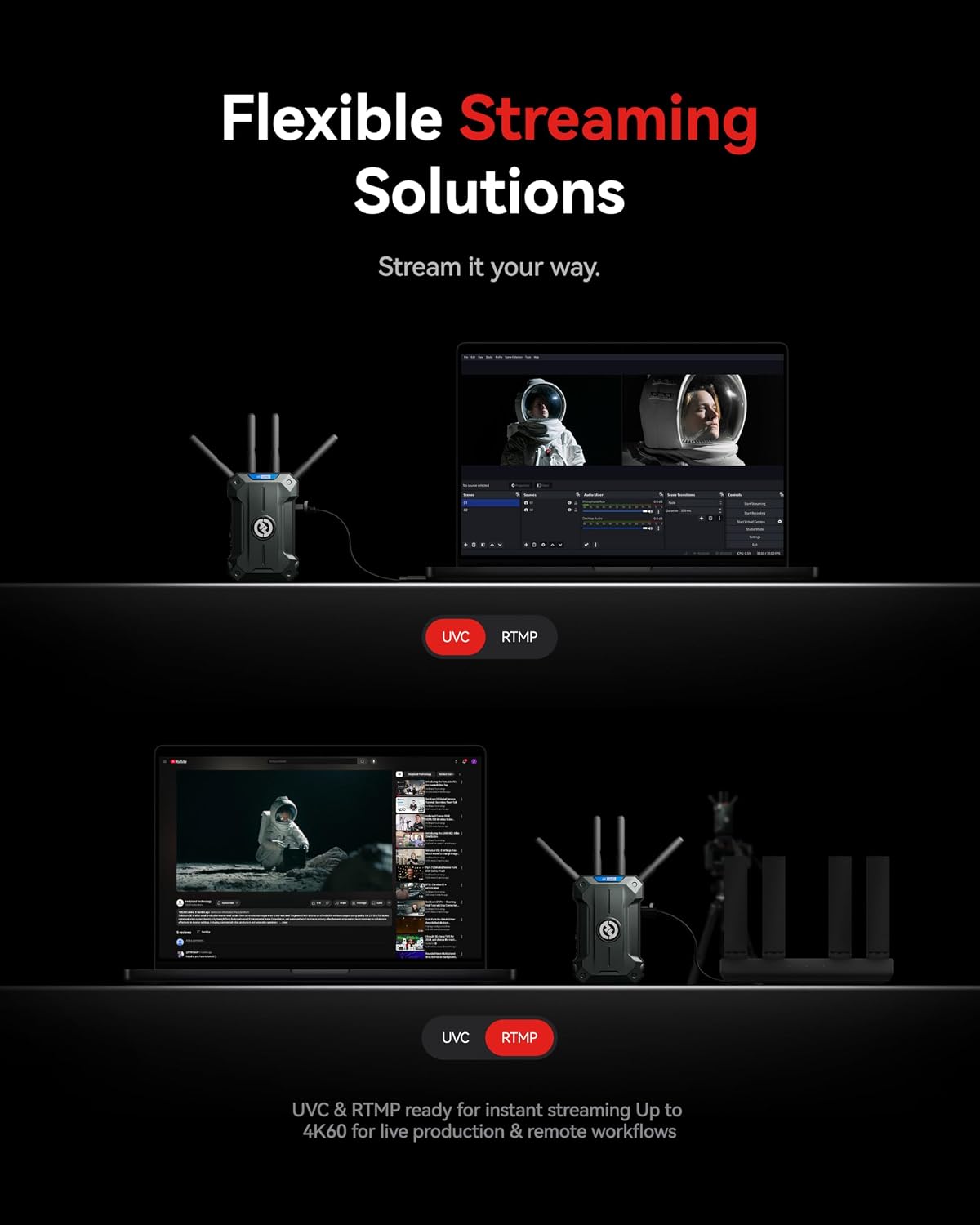
Image: Pyro Ultra connected for UVC and RTMP streaming.
4.7 Pyro Ecosystem Integration
The Pyro Ultra is fully compatible with other devices in the Pyro family, including Pyro H, S, 7, 5, and Vcore. Pyro S/5/7 units function in both broadcast and non-broadcast modes, while Pyro H/Vcore units operate in non-broadcast mode only. This allows for seamless integration and scalability within your existing Pyro setup.

Image: The Hollyland Pyro Ecosystem devices.
4.8 Emergency Still Image & Adaptive Resolution
In the event of signal loss, the system can freeze the last received image or display a custom replacement image, providing a professional safeguard. The transmitter supports HDMI 4K60 loop-out and interrupted frame rates (HDMI/SDI). Receivers automatically adjust output resolution (e.g., 4K60 input to 1080p output) for compatibility with various professional devices.

Image: Ultra-Clear 4K60 video display.
5. Maintenance
Proper maintenance ensures the longevity and optimal performance of your Pyro Ultra system:
- Cleaning: Use a soft, dry cloth to clean the exterior of the units. Avoid using liquid cleaners or solvents.
- Storage: Store the units in a cool, dry place away from direct sunlight and extreme temperatures. Use the original packaging or a protective case for transport.
- Antennas: Handle antennas with care. Ensure they are not bent or damaged, as this can affect signal quality.
- Firmware Updates: Periodically check the Hollyland official website for firmware updates to ensure your system has the latest features and performance enhancements.
6. Troubleshooting
If you encounter issues with your Pyro Ultra system, refer to the following common troubleshooting steps:
- No Signal/Poor Signal:
- Ensure all antennas are securely attached to both TX and RX units.
- Check that the TX and RX units are within the specified transmission range (1.5 km line-of-sight in non-broadcast mode, 700m in broadcast mode).
- Minimize obstructions between the TX and RX units.
- Verify that the input video source is active and correctly connected to the TX.
- Check for strong Wi-Fi or other wireless interference in the environment.
- No Video Output on Monitor:
- Confirm that the RX unit is powered on and connected to the monitor.
- Ensure the monitor is set to the correct HDMI/SDI input.
- Check the resolution settings on your camera and monitor. The RX unit supports adaptive resolution output.
- Units Not Pairing:
- Restart both the TX and RX units.
- Ensure both units are running compatible firmware versions.
7. Specifications
| Model Number | Pyro-Ultra-1T1 |
| Video Resolution | True 4K60 UHD (via HDMI) |
| Latency | As low as 20ms (Focus Mode at 1080p25/30) |
| Transmission Range | Non-Broadcast Mode: Up to 1.5 km (4,900 ft) LOS Broadcast Mode: Up to 700 m (2,300 ft) LOS |
| Frequency Bands | 2.4 GHz & 5 GHz (TWiFi Technology), DFS support |
| Video Bit Rate | 12 Mbps |
| Streaming Output | UVC (up to 4K60), RTMP (max. 1080p60) |
| Dimensions | 29.01 x 26.49 x 13.69 cm (Package) |
| Weight | 2.46 kg (Package) |
8. Warranty and Support
Your Hollyland Pyro Ultra system comes with a warranty. Please refer to the included Warranty Card for detailed terms and conditions regarding warranty coverage, duration, and service procedures.
For technical support, product inquiries, or service requests, please visit the official Hollyland website or contact their customer support team. Keep your purchase receipt and product serial number handy when seeking support.


