
Introduction
Thank you for choosing the HOOBRO TV Tray and Console Table Bundle. This manual provides essential information for the safe assembly, operation, and maintenance of your new furniture. Please read these instructions carefully before use and retain them for future reference.
Safety Information
- Read all instructions: Ensure you understand all assembly steps and safety warnings before proceeding.
- Keep children away: Small parts can be a choking hazard. Keep children and pets away during assembly.
- Use on a level surface: Always place the tables on a flat, stable surface to prevent tipping.
- Do not overload: Adhere to the specified weight capacities to prevent damage or injury.
- Electrical safety (Console Table): Ensure the power cord is not pinched or damaged. Do not expose the charging station to moisture. Unplug when not in use or during cleaning.
- Regular checks: Periodically check all screws and connections to ensure they remain tight.
Package Contents
Please verify that all parts are present before beginning assembly. If any parts are missing or damaged, contact customer support.
For TV Tray Table (BF25BZ01 - Set of 2)
- Folding Tabletop (2x)
- Folding Leg Frame (2x)
- Assembly Hardware (screws, wrench)
For Console Table (BF95UXG01)
- Tabletop Panel with Charging Station (1x)
- Adjustable Leg Frames (2x)
- Bottom Support Bars (2x)
- Adjustable Feet (4x)
- Assembly Hardware (screws, Allen key)
- Instruction Manual (this document)
Setup and Assembly
A. TV Tray Table Assembly (BF25BZ01)
- Unfold the leg frame until it locks into position.
- Place the tabletop onto the unfolded leg frame, ensuring it sits securely.
- The TV tray table is designed for quick setup and folding. To fold, release the locking mechanism (if present) and collapse the legs.

Image: Two HOOBRO folding TV tray tables, ready for use or storage.

Image: A HOOBRO TV tray table in use next to a sofa, demonstrating its practical application. Another TV tray is shown folded and stored vertically against a wall.
B. Console Table Assembly (BF95UXG01)
The console table comes with clearly labeled parts and all necessary tools for assembly.
- Attach the adjustable leg frames to the tabletop panel using the provided screws. Ensure the charging station is oriented as desired (left or right placement is interchangeable).
- Connect the bottom support bars between the leg frames.
- Screw in the adjustable feet at the bottom of the leg frames. Adjust them to ensure stability on uneven floors.
- Plug the console table's power cord into a suitable wall outlet.

Image: The HOOBRO console table illustrating its adjustable height feature. Arrows indicate the range of vertical movement for the tabletop.
Operating Instructions
A. TV Tray Table (BF25BZ01)
- Unfolding: Gently pull the legs apart until they fully extend and lock into place. Ensure the table is stable before placing items on it.
- Folding: Locate the folding mechanism (usually a hinge or latch) and release it. Carefully bring the legs together until the table is flat for storage.

Image: Detailed dimensions of the HOOBRO folding TV tray table, including its open and folded states.
B. Console Table (BF95UXG01)
- Adjusting Height: The console table features 5 adjustable height settings. To adjust, loosen the locking knobs on both leg frames, raise or lower the tabletop to the desired height (between 25 inches and 32.9 inches), and then securely tighten the knobs. Ensure both sides are adjusted to the same height for stability.
- Using the Charging Station: The built-in charging station includes 2 AC outlets, 1 USB port, and 1 Type-C port. Plug your devices into the appropriate ports for charging. The 4.9-foot power cord provides ample reach to a wall outlet.

Image: The HOOBRO console table displayed at two distinct adjustable heights, demonstrating its adaptability to different sofa heights and room configurations.
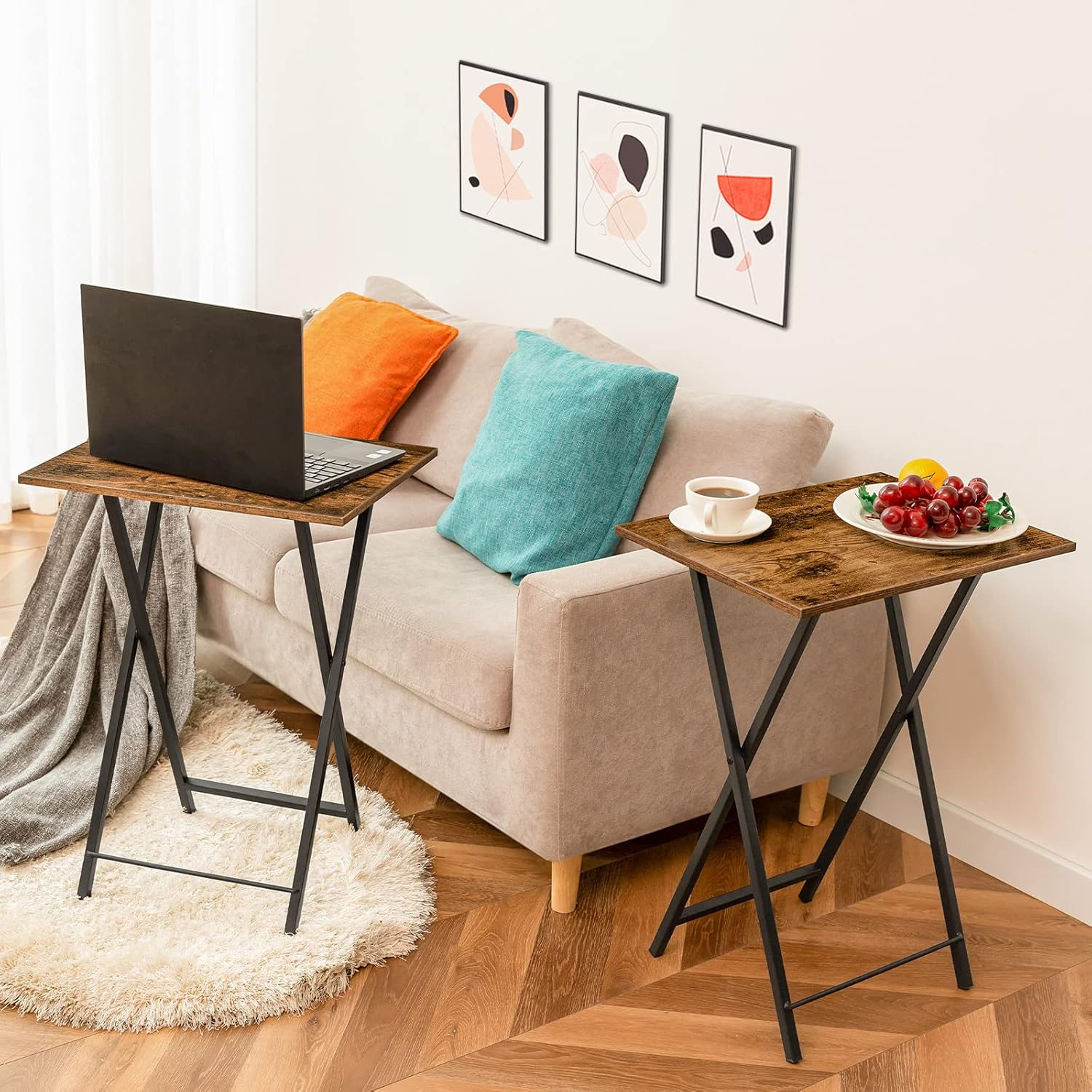
Image: Close-up of the HOOBRO console table's integrated charging station, highlighting the 2 AC outlets, 1 USB port, and 1 Type-C port.
Maintenance
- Cleaning: Wipe surfaces with a soft, damp cloth. Avoid harsh chemicals or abrasive cleaners that may damage the finish.
- Spills: Clean up spills immediately to prevent staining or damage to the wood finish.
- Electrical Components (Console Table): Keep the charging station dry. Do not attempt to disassemble or repair the electrical components yourself.
- Fastener Checks: Periodically inspect all screws and bolts to ensure they are tight. Retighten as necessary to maintain stability.
Troubleshooting
- Table is wobbly:
- Ensure all screws are tightened securely.
- For the console table, adjust the leveling feet on the bottom to compensate for uneven floors.
- For the TV tray, ensure the legs are fully extended and locked.
- Charging station not working (Console Table):
- Check if the power cord is securely plugged into a working wall outlet.
- Ensure the wall outlet itself is functional (test with another device).
- Avoid overloading the charging station with too many high-power devices simultaneously.
- Difficulty adjusting console table height:
- Ensure the locking knobs on both sides are fully loosened before attempting to adjust.
- Adjust both sides simultaneously and evenly.
Specifications
HOOBRO TV Tray Table (BF25BZ01)
- Dimensions (Unfolded): Approximately 48 cm (18.9") L x 36 cm (14.2") W x 66.5 cm (26.2") H
- Material: Particleboard, Metal Frame
- Quantity: Set of 2
HOOBRO Console Table (BF95UXG01)
- Dimensions (Adjustable Height): 100 cm (39.4") L x 15 cm (5.9") W x 63.5-83.5 cm (25"-32.9") H
- Weight Capacity: 20 kg (44 lb)
- Material: Premium Particleboard, Metal Frame
- Charging Station: 2 AC Outlets, 1 USB Port, 1 Type-C Port
- Power Cord Length: 4.9 feet (approx. 150 cm)

Image: Detailed dimensions and weight capacity of the HOOBRO console table, illustrating its adjustable height range.
Warranty Information
HOOBRO products are designed for quality and durability. For specific warranty details, please refer to the warranty card included with your purchase or visit the official HOOBRO website. Keep your proof of purchase for warranty claims.
Customer Support
If you have any questions, require assistance with assembly, or encounter any issues with your HOOBRO TV Tray and Console Table Bundle, please contact our customer support team. You can find contact information on the HOOBRO official website or through your retailer.
We are committed to providing excellent service and support.


