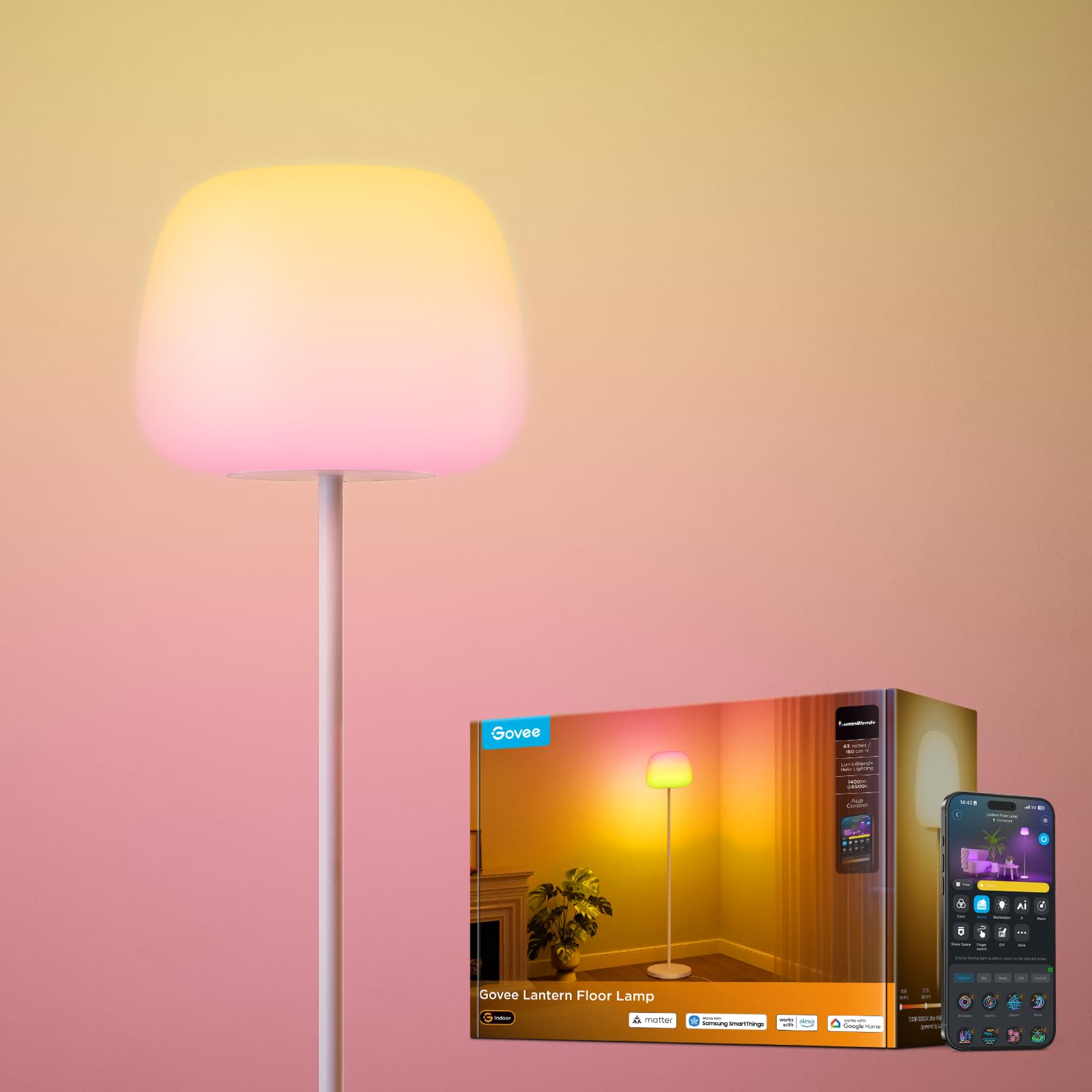
The Govee Lantern Floor Lamp H1630 is a smart corner lamp designed to enhance your living space with customizable lighting. It features Halo Gradient RGBIC lighting with LuminBlend+ technology, offering a wide color temperature range from 1000K to 10000K. This lamp is Matter compatible, allowing for seamless integration with various smart home ecosystems. Control options include the Govee Home App, touch controls, and voice commands. It provides over 100 preset scene modes and 16 music sync modes, along with a DaySync feature for automatic light adjustments.
Image: The Govee Lantern Floor Lamp, showcasing its minimalist design and soft illumination.
What's in the Box
Lamp Base & Lamp x 1
Lamp Pole x 4
Adapter x 1
User Manual x 1
Service Card x 1
Image: All components included in the Govee Lantern Floor Lamp package.
Setup and Assembly
Follow these steps to assemble your Govee Lantern Floor Lamp:
Step 1: Pass the power cord through the lamp pole sections. Ensure the cord is not twisted.
Step 2: Insert the power cord into the designated slot on the lamp base.
Step 3: After assembling the pole sections, remove the threader (if used) and connect the power cable to the adapter.
Step 4: Connect the lamp head to the top pole section and rotate it clockwise until it is securely tightened.
Image: Visual guide for assembling the lamp pole and connecting the power cord.
Video: Official Govee US installation guide for the Lantern Floor Lamp.
Operating Instructions
Control Methods
Touch Control: Tap the top of the lamp to switch it on/off. Press and hold for 3 seconds to cycle through instant scene selections.
Govee Home App: Download the Govee Home App for full control over colors, scenes, music sync, and advanced features.
Voice Control: The lamp is Matter compatible and works with Alexa and Google Assistant. Use voice commands for hands-free operation (e.g., "Alexa, dim the lights to 60%").
Image: Multiple control options for the Govee Lantern Floor Lamp, including app, touch, and voice.
Key Features
Halo Gradient Lighting: Utilizes LuminBlend+ technology for precise color and soft multi-ring glow.
Wide Color Temperature: Adjusts from 1000K (warm candlelight) to 10000K (cool daylight) for various moods and activities.
100+ Scene Modes: Access a variety of preset lighting effects through the Govee Home App.
16 Music Sync Modes: Synchronize lighting with music for dynamic visual effects.
DaySync Feature: Automatically adjusts light hue, temperature, and brightness throughout the day based on circadian rhythms.
Image: The unique Halo Gradient Lighting effect produced by the lamp.Image: Visual representation of the lamp's adjustable color temperature from warm to cool white.
Video: Overview of the Govee Lantern Floor Lamp's features and capabilities.
Maintenance
To clean the Govee Lantern Floor Lamp, gently wipe the lampshade surface with a cloth lightly dampened with 75% alcohol. Avoid using cleansing oils, essential oils, silicone oils, or similar items, as these may damage the product surface.
Troubleshooting
Issue
Possible Solution
Lamp does not turn on.
Check if the power adapter is securely connected to both the lamp and a working power outlet. Ensure the power cord is fully inserted into the lamp base.
Cannot connect to Govee Home App.
Ensure Bluetooth and Wi-Fi are enabled on your mobile device. Make sure the lamp is within range of your router. Try restarting the lamp and your mobile device. Follow the in-app pairing instructions carefully.
Touch control not responding.
Ensure your finger makes full contact with the touch-sensitive area. If the issue persists, try unplugging the lamp for 10 seconds and plugging it back in.
Voice control not working.
Verify that the lamp is properly linked to your Alexa or Google Assistant account through the Govee Home App. Check your internet connection and ensure your voice assistant device is online.
Lamp colors are not changing as expected.
Ensure you are using the Govee Home App for full color customization. The touch control only cycles through preset scenes, not individual colors.
Specifications
Feature
Detail
Model Number
H1630
Brand
Govee
Dimensions (D x W x H)
11.4"D x 11.4"W x 63"H
Lamp Type
Floor Lamp
Light Source Type
LED
Wattage
24 watts
Voltage
24 Volts
Color Temperature
1000K-10000K
Luminosity
1400 lumens
Control Method
App, Touch, Voice
Connectivity Protocol
Matter
Material Type
Metal, Silicone Rubber
Indoor/Outdoor Usage
Indoor
Warranty and Support
For warranty information and technical support, please refer to the service card included in your product packaging or visit the official Govee website. You can also find assistance and FAQs within the Govee Home App.
Ask about setup, troubleshooting, compatibility, parts, safety, or missing instructions. Manuals+ will review the question and use this page’s manual context to help answer it.