
1. Introduction
Thank you for choosing the FreAire HAP605 HEPA Air Purifier. This manual provides essential information for the safe and efficient operation, maintenance, and troubleshooting of your air purifier. Please read it thoroughly before use and retain it for future reference.

Image: FreAire HAP605 HEPA Air Purifier delivering high-velocity airflow for whole-room circulation.
2. Safety Information
- Always unplug the air purifier before cleaning, maintenance, or when not in use.
- Do not operate the unit with a damaged cord or plug. Contact customer support for assistance.
- Keep the air purifier away from water or moist environments.
- Do not block air inlets or outlets. Ensure adequate space around the unit for proper airflow.
- This appliance is not intended for use by persons (including children) with reduced physical, sensory, or mental capabilities, or lack of experience and knowledge, unless they have been given supervision or instruction concerning use of the appliance by a person responsible for their safety.
- Do not insert fingers or foreign objects into the air inlets or outlets.
3. Product Overview
3.1 Components
- Main Unit
- Washable Pre-Filter
- HEPA Filter
- Activated Carbon Filter
- Power Adapter
3.2 Control Panel
The control panel is located on the top of the unit and features touch-sensitive buttons and a digital display for various functions and settings.
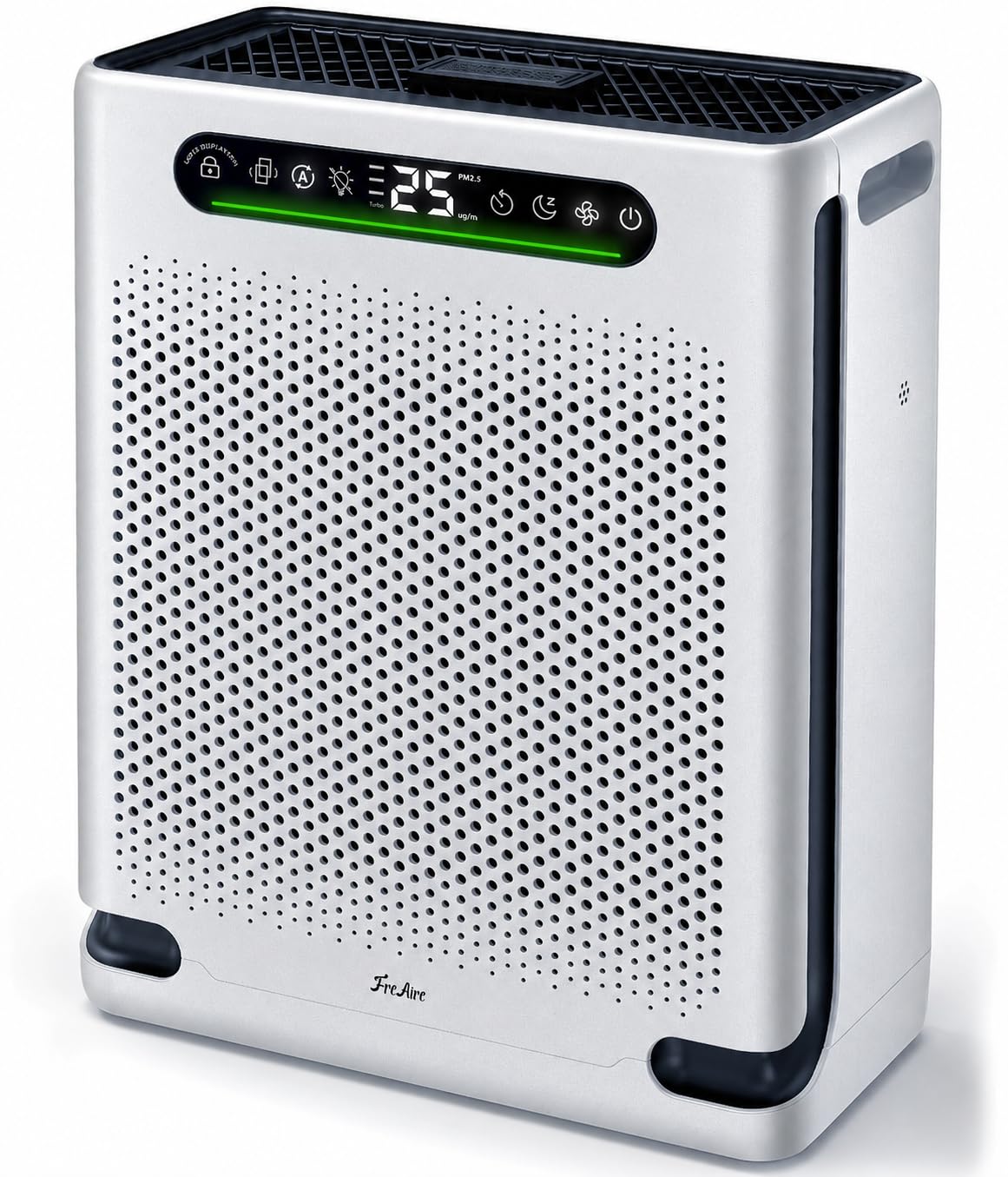
Image: FreAire HAP605 Air Purifier control panel and top view.
3.3 Filtration System
The FreAire HAP605 utilizes a 3-stage filtration system to capture various airborne particles and odors:
- Washable Pre-Filter: Captures larger particles like dust, pet hair, and lint, extending the life of the subsequent filters.
- HEPA Filter: Traps fine particles such as pollen, dust mites, and mold spores down to 0.3 microns.
- Activated Carbon Filter: Absorbs odors, volatile organic compounds (VOCs), and smoke.

Image: The 3-stage filtration system of the FreAire HAP605 Air Purifier.
4. Setup
4.1 Unpacking and Filter Installation
- Carefully remove the air purifier from its packaging.
- Open the front cover of the air purifier.
- Remove the main filter (HEPA and Activated Carbon combined) from its protective plastic packaging.
- Insert the main filter back into the unit, ensuring it is seated correctly.
- Reattach the front cover securely.

Image: Filter change and reset procedure.
4.2 Placement
Place the air purifier on a flat, stable surface. Ensure there is at least 6 inches (15 cm) of space around all sides for optimal airflow. Avoid placing it directly against walls or furniture. The unit is designed for effective air purification in areas up to 2,600 sq. ft.

Image: Recommended placement and coverage areas for the air purifier.
4.3 Power Connection
Connect the power adapter to the air purifier and then plug it into a standard electrical outlet (AC 120V, 60Hz).
4.4 Initial Startup
Upon startup, the purifier will enter a 30-second detection phase. During this time, the air quality indicator light will flash continuously as the sensor calibrates. After calibration, the display will show the current PM2.5 level and the indicator light will reflect the air quality.
5. Operating Instructions
5.1 Power On/Off
Press the Power button () on the control panel to turn the unit on or off.
5.2 Fan Speed Control
Press the Fan Speed button () to cycle through different fan speeds: Low, Medium, High, and Turbo.
5.3 Auto Mode
Press the Auto Mode button () to activate Auto Mode. In this mode, the air purifier automatically adjusts the fan speed based on the detected air quality (PM2.5 levels).

Image: Various modes and their applications.
5.4 Turbo Mode for Pet Owners
The Turbo Pet Mode provides maximum purification power to quickly address pet hair, dander, and odors. Activate it via the Fan Speed button or automatically in Auto Mode when air quality is poor.

Image: Air purifier operating in a home with pets, indicating moderate air quality.
5.5 Sleep Mode
Press the Sleep Mode button () to activate Sleep Mode. In this mode, the fan operates at its lowest speed (20dB) for ultra-quiet operation, and all indicator lights turn off after 3 seconds to ensure a peaceful sleeping environment.

Image: FreAire HAP605 in Sleep Mode for quiet operation.
5.6 Child Lock
Press and hold the Child Lock button () for 3 seconds to activate or deactivate the Child Lock. When activated, all other buttons on the control panel will be unresponsive to prevent accidental changes by children or pets.

Image: Child/Pet Lock feature to prevent unintended operation.
5.7 Timer Function
Press the Timer button () to set the operating time for 1 to 24 hours. The unit will automatically turn off once the set time has elapsed.

Image: Timer setting for scheduled operation.
5.8 Air Quality Display
The built-in PM2.5 sensor continuously monitors the surrounding air quality and displays the real-time PM2.5 concentration on the screen. The indicator light changes color to reflect air quality levels:
- Green: 0-50 ug/m³ (Very Good Air Quality)
- Blue: 50-100 ug/m³ (Good Air Quality)
- Yellow: 100-150 ug/m³ (Moderate Air Quality)
- Red: >150 ug/m³ (Bad Air Quality)

Image: Real-time air quality display and indicator colors.
5.9 Aromatherapy Feature
The air purifier includes a dedicated compartment for aromatherapy. Add a few drops of essential oil to the aromatherapy pad to diffuse a fresh fragrance into the room and help cover unpleasant odors.

Image: Aromatherapy feature for adding fragrance.
6. Maintenance
6.1 Cleaning the Washable Pre-Filter
The pre-filter is washable and should be cleaned regularly (e.g., every 2-4 weeks, depending on usage and air quality) to maintain optimal performance.
- Unplug the air purifier from the power outlet.
- Remove the front cover.
- Carefully remove the washable pre-filter.
- Rinse the pre-filter under running water until clean.
- Allow the pre-filter to air dry completely before reinstalling it. Do not use a dryer or heat to dry.

Image: Cleaning the washable pre-filter.
6.2 Replacing the Main Filter
The air purifier features a built-in indicator that notifies you when it's time to replace the main filter. The filter life depends on usage and air quality. Typically, the main filter should be replaced every 6-8 months.
- When the filter change indicator lights up, unplug the air purifier.
- Remove the front cover.
- Remove the old main filter.
- Insert a new FreAire HAP605 replacement filter (ensure it is removed from any plastic packaging).
- Reattach the front cover.
6.3 Filter Reset Procedure
After replacing the main filter, you must reset the filter life indicator:
- With the unit powered on, press and hold the Filter Reset button (often combined with another function, refer to control panel diagram) for approximately 3 seconds.
- The indicator light will flash and beep twice, then turn off, confirming the reset.
6.4 General Cleaning
Wipe the exterior of the air purifier with a soft, dry cloth. Do not use abrasive cleaners or solvents.
7. Troubleshooting
| Problem | Possible Cause | Solution |
|---|---|---|
| Unit does not turn on | No power supply; Power adapter not connected; Unit damaged. | Ensure power adapter is securely plugged into unit and outlet; Check outlet for power; Contact customer support if unit is damaged. |
| Airflow is weak or noisy | Filters are dirty or clogged; Air inlets/outlets blocked. | Clean the washable pre-filter; Replace the main filter; Ensure no obstructions around the unit. |
| Air quality reading seems inaccurate | Sensor is dirty; Unit is in detection phase. | Allow 30 seconds for initial calibration; Gently clean the PM2.5 sensor opening with a dry cotton swab (refer to manual diagram if available); Ensure unit is not near strong odor sources. |
| Filter change indicator remains on after filter replacement | Filter life indicator not reset. | Perform the filter reset procedure as described in Section 6.3. |
| Child Lock cannot be deactivated | Button not held long enough. | Press and hold the Child Lock button for a full 3 seconds. |
8. Specifications
| Feature | Detail |
|---|---|
| Model Number | HAP605 |
| Product Dimensions | 12.06 x 6.1 x 16.06 inches |
| Item Weight | 6.73 pounds |
| Power Source | AC |
| Control Method | Touch |
| Filter Type | Washable Pre-filter + HEPA + Activated Carbon |
| Floor Area Coverage | Up to 2600 square feet |
| Noise Level | 20 dB (Sleep Mode) |
| Special Features | Turbo Mode for Pet Owners, Real-Time Air Quality Display, Smart Auto Mode, Washable Pre-Filter, Ultra-Quiet Sleep Mode, Child Lock, Timer |
| Contaminant Filtration | Dust, Odors, Pet Dander, Pet Hair, Pollen, Smoke |
| Certification | CARB Certified |
9. Warranty and Support
9.1 Warranty Information
FreAire products are manufactured to high-quality standards. This product is covered by a limited warranty against defects in materials and workmanship. Please refer to the warranty card included with your purchase or contact customer support for specific warranty terms and conditions.
9.2 Customer Support
For any questions, technical assistance, or warranty claims, please contact FreAire customer support. Contact details can typically be found on the product packaging, the official FreAire website, or your purchase platform.
