
1. Introduction
This manual provides essential information for the safe and effective installation, operation, and maintenance of the TOMZN TOB7Z Series DC Solar Mini Circuit Breaker (MCB). This device is designed for protection in photovoltaic (PV) systems, safeguarding solar panels, inverters, and charge controllers from overcurrents and short circuits. Please read this manual thoroughly before installation and retain it for future reference.
2. Safety Information
WARNING: Electrical work should only be performed by qualified and authorized personnel. Failure to follow these safety instructions may result in serious injury, death, or equipment damage.
- Always disconnect all power sources before installing, servicing, or removing the circuit breaker.
- Verify that the voltage and current ratings of the circuit breaker match your PV system requirements.
- Do not operate the circuit breaker with wet hands or in damp conditions.
- Ensure proper grounding according to local electrical codes.
- Never bypass or modify the circuit breaker.
- Use appropriate personal protective equipment (PPE) when working with electrical systems.
3. Product Overview
The TOMZN TOB7Z Series DC Solar Mini Circuit Breaker is engineered for high DC voltage PV arrays, offering reliable protection for both on-grid and off-grid solar systems. It features dual-pole synchronous protection and is designed for easy 35mm DIN rail mounting.
Key Features:
- 1000V DC PV System Compatibility: Designed to withstand high DC voltage, suitable for various solar system electrical requirements.
- 3A–63A Wide Current Range: Available in multiple current ratings (3A, 6A, 10A, 16A, 20A, 25A, 32A, 40A, 50A, 63A) to match diverse load demands.
- 2P Dual-Pole Synchronous Protection: Simultaneously disconnects both circuit lines during fault conditions, enhancing PV system safety.
- 35mm Standard Din Rail Installation: Features a snap-on design for tool-free, quick assembly in PV combiner boxes and electrical enclosures.
- Reliable Overload & Short-Circuit Defense: Responds rapidly to abnormal current surges, protecting solar panels, inverters, and charge controllers.
Components:

Figure 1: Front view of the TOMZN TOB7Z DC Solar Mini Circuit Breaker, showing the ON/OFF switch and indicator windows.

Figure 2: Side view of the circuit breaker, illustrating its compact design and compatibility with a 35mm DIN rail for mounting.

Figure 3: Bottom view of the circuit breaker, showing the terminal connections for wiring.
4. Specifications
| Specification | Value |
|---|---|
| Brand | Generic (Compatible with TOMZN) |
| Model Series | TOB7Z |
| Voltage Rating | DC 1000V |
| Current Rating Range | 3A - 63A (Specific model is 32A) |
| Number of Poles | 2P (Dual-Pole) |
| Mounting Type | 35mm DIN Rail Mount |
| Circuit Breaker Type | Miniature Circuit Breaker (MCB) |
| Application | Photovoltaic (PV) Systems |
5. Setup and Installation
Proper installation is critical for the safe and reliable operation of the circuit breaker. Ensure all power is disconnected before proceeding.
Installation Steps:
- Mounting: Attach the circuit breaker onto a standard 35mm DIN rail. Ensure it snaps securely into place.
- Wiring: Connect the DC input wires (from solar panels or combiner box) to the designated input terminals and the DC output wires (to inverter or charge controller) to the output terminals. Observe correct polarity (+ and -). The 2P design requires both positive and negative lines to pass through the breaker.
- Tighten Connections: Use appropriate tools to tighten all terminal screws to the recommended torque to prevent loose connections and overheating.
- Verification: Double-check all wiring for correct polarity, secure connections, and proper insulation.
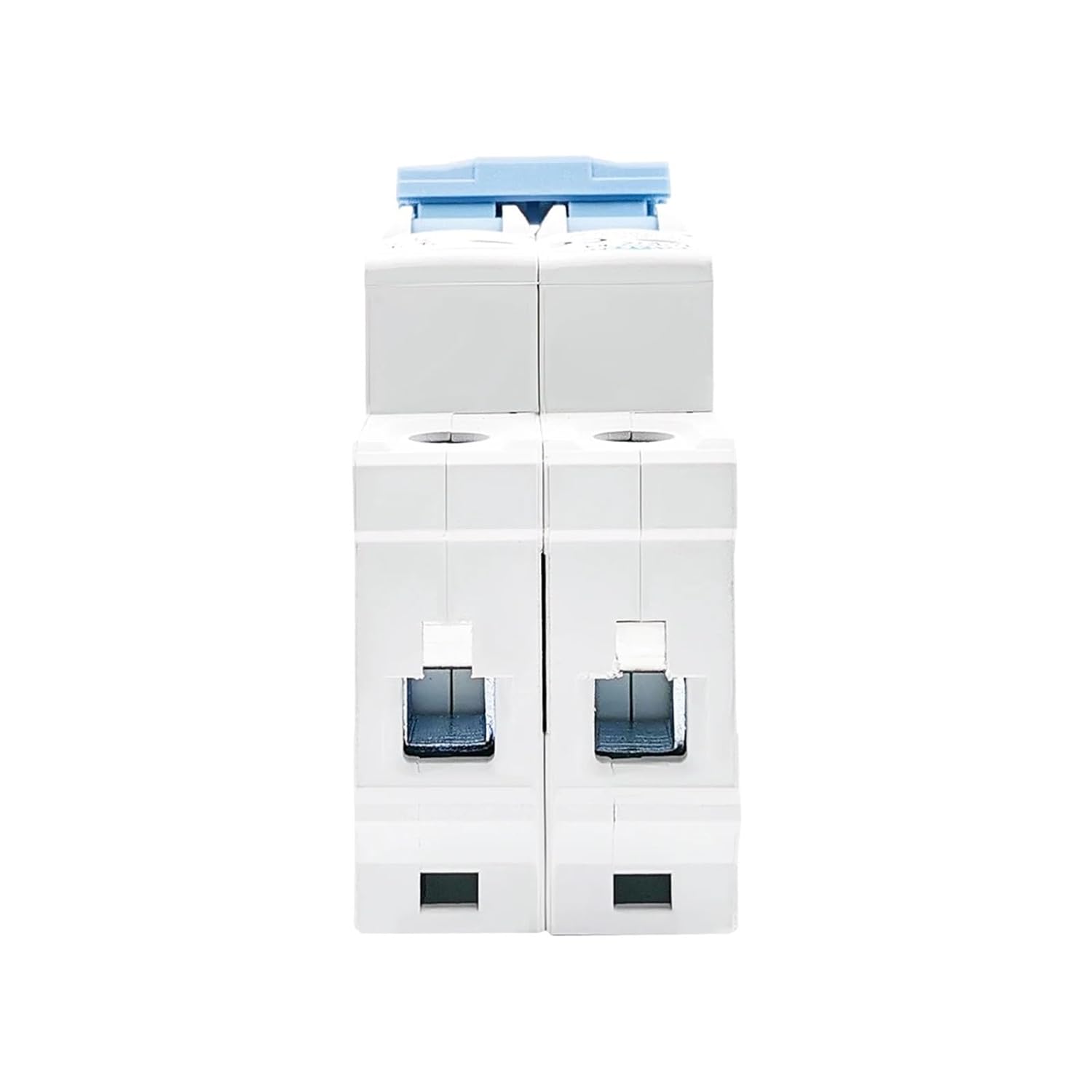
Figure 4: The circuit breaker shown with a DIN rail, demonstrating the mounting method.
6. Operating Instructions
The TOB7Z circuit breaker is designed for simple operation with a clear ON/OFF switch and indicator windows.
Turning On/Off:
- To Turn On: Push the blue handle upwards to the 'ON' position.
- To Turn Off: Pull the blue handle downwards to the 'OFF' position.
Indicator Windows:

Figure 5: The circuit breaker showing the red and green indicator windows for operational status.
- Green Indicator Window: When visible, the circuit breaker is in the 'OFF' or 'CLOSED' state, meaning no current is flowing through the protected circuit.
- Red Indicator Window: When visible, the circuit breaker is in the 'ON' state, indicating that current can flow through the protected circuit.
In the event of an overload or short circuit, the breaker will automatically trip to the 'OFF' position, and the green indicator window will become visible. Before resetting, identify and resolve the fault.
7. Maintenance
The TOMZN TOB7Z circuit breaker requires minimal maintenance. Regular inspections are recommended to ensure optimal performance and safety.
- Visual Inspection: Periodically check the circuit breaker for any signs of physical damage, discoloration, or loose connections.
- Cleaning: Keep the circuit breaker free from dust and debris. Use a dry, soft cloth for cleaning. Do not use liquids or abrasive cleaners.
- Functionality Check: Occasionally, manually switch the breaker ON and OFF to ensure smooth operation of the mechanism.
- Terminal Tightness: Re-check terminal screw tightness annually, especially in environments with vibration or significant temperature fluctuations.
8. Troubleshooting
If you encounter issues with your circuit breaker, refer to the following troubleshooting guide:
| Problem | Possible Cause | Solution |
|---|---|---|
| Breaker trips frequently | Overload, short circuit, or ground fault in the PV system. | Identify and rectify the fault. Check for damaged wiring, faulty components (e.g., solar panels, inverter), or excessive load. Consult a qualified electrician. |
| Breaker does not reset | Persistent fault, internal damage to the breaker. | Ensure the fault has been cleared. If the breaker still does not reset, it may be damaged and require replacement. |
| No power to the circuit when breaker is ON | Loose connections, faulty wiring, or upstream power issue. | Check all wiring connections for tightness. Verify power supply from the solar array. Inspect for any breaks in the circuit. |
| Breaker feels hot | Overload, loose connections, or improper ventilation. | Reduce the load on the circuit. Tighten all terminal connections. Ensure adequate airflow around the breaker. If overheating persists, consult a professional. |
9. Warranty and Support
For warranty information and technical support, please refer to the documentation provided at the point of purchase or contact the seller directly. Keep your purchase receipt as proof of purchase.