
1. Introduction and Overview
The Lysole Folding Walking Pad Treadmill (Model LY-P3) is a versatile fitness device designed for both walking and running, featuring integrated vibration settings and a manual incline function. It is suitable for home and office use, offering a compact and portable design.
Key features include:
- Multi-Use Fitness Device: Offers running and walking modes, plus 4 vibration settings for enhanced workouts and muscle recovery.
- Adjustable Incline and Speed: Manually adjust the incline to 6% and speed from 0.3 to 7.5 MPH to meet various fitness goals.
- LED Screen & Easy-Use Remote: Real-time LED display shows distance, speed, time, steps, and vibration intensity. Remote control allows for easy mode switching.
- Bluetooth App Connectivity: Syncs fitness data, offers expert-designed training plans, and interactive fitness challenges via a dedicated mobile app.
- Durable & Safety-Focused Design: Built with a heavy-duty steel frame, supports up to 265 lbs, and features side handrails, a safety clip, a textured non-slip belt, and overheat protection.
- Compact & Easy-to-Move Design: Foldable for storage under a desk or in corners, with built-in rolling wheels for effortless mobility.
2. Setup and Assembly
The Lysole Walking Pad Treadmill is designed for minimal assembly. It comes largely pre-assembled, requiring only a few simple steps to prepare for use.
2.1 Unpacking and Initial Placement
Carefully remove the treadmill from its packaging. Place it on a flat, hard surface. Avoid placing the treadmill on soft, carpeted floors for optimal safety and durability, as this can hinder heat dissipation and increase the risk of injury.

Image: Comparison of treadmill use on hard vs. soft surfaces. Hard surfaces are recommended for safety and motor longevity.
2.2 Handlebar Setup (If Applicable)
If your model includes foldable handlebars, gently raise them into the upright position. Secure them using the provided knobs or locking mechanisms. Ensure they are firmly locked before use.

Image: The Lysole treadmill with foldable armrests, shown stored under a sofa and being moved with built-in wheels.
2.3 Connecting Power
Plug the power cord into the treadmill and then into a grounded electrical outlet. Ensure the safety key is in place before starting the treadmill.
2.4 Included Components
Your package includes:
- Power Cord
- Remote Control
- Safety Key
- Tool Kit
- User Manual (this document)
3. Operating Instructions
3.1 Power On/Off
To power on, ensure the safety key is inserted into its designated slot. Press the power button on the remote control or the treadmill's console. To power off, press the power button again or remove the safety key.
3.2 Using the Remote Control
The remote control allows for easy adjustment of speed and mode during your workout. It displays current speed and other metrics.
Video: Detailed video showcasing the Lysole walking vibration pad, its 6% incline feature, and various usage scenarios, including remote control operation.
3.3 Speed Adjustment
The treadmill offers a speed range from 0.3 MPH to 7.5 MPH. Use the speed controls on the remote or app to increase or decrease your pace. Start at a low speed and gradually increase to a comfortable level.
3.4 Manual Incline
This model features a manual 6% incline. To adjust the incline, you will need to physically raise the rear of the treadmill and secure it in the elevated position. Refer to the included tool kit for any necessary adjustments.

Image: Woman running on the Lysole treadmill with 6% incline, illustrating how this feature can increase calorie expenditure.
3.5 Vibration Settings
The treadmill includes 4 vibration settings to enhance your workout and aid muscle recovery. These can be adjusted via the remote control or the mobile app.

Image: Diagram illustrating four distinct vibration modes and suggested exercises to perform on the Lysole walking pad.
3.6 LED Display
The integrated LED display provides real-time workout statistics, including distance, speed, time, steps, and the current vibration intensity level.

Image: Close-up view of the Lysole treadmill's LED display, showing various workout statistics, alongside a visual of the multi-layer running belt construction.
3.7 Mobile App Connection
Connect your treadmill to the dedicated mobile app via Bluetooth for an enhanced workout experience. The app allows you to track fitness data, access training plans, and control treadmill functions.
Video: Official product video demonstrating the Lysole Walking Vibration Pad's features, including 6% manual incline and mobile app connectivity.
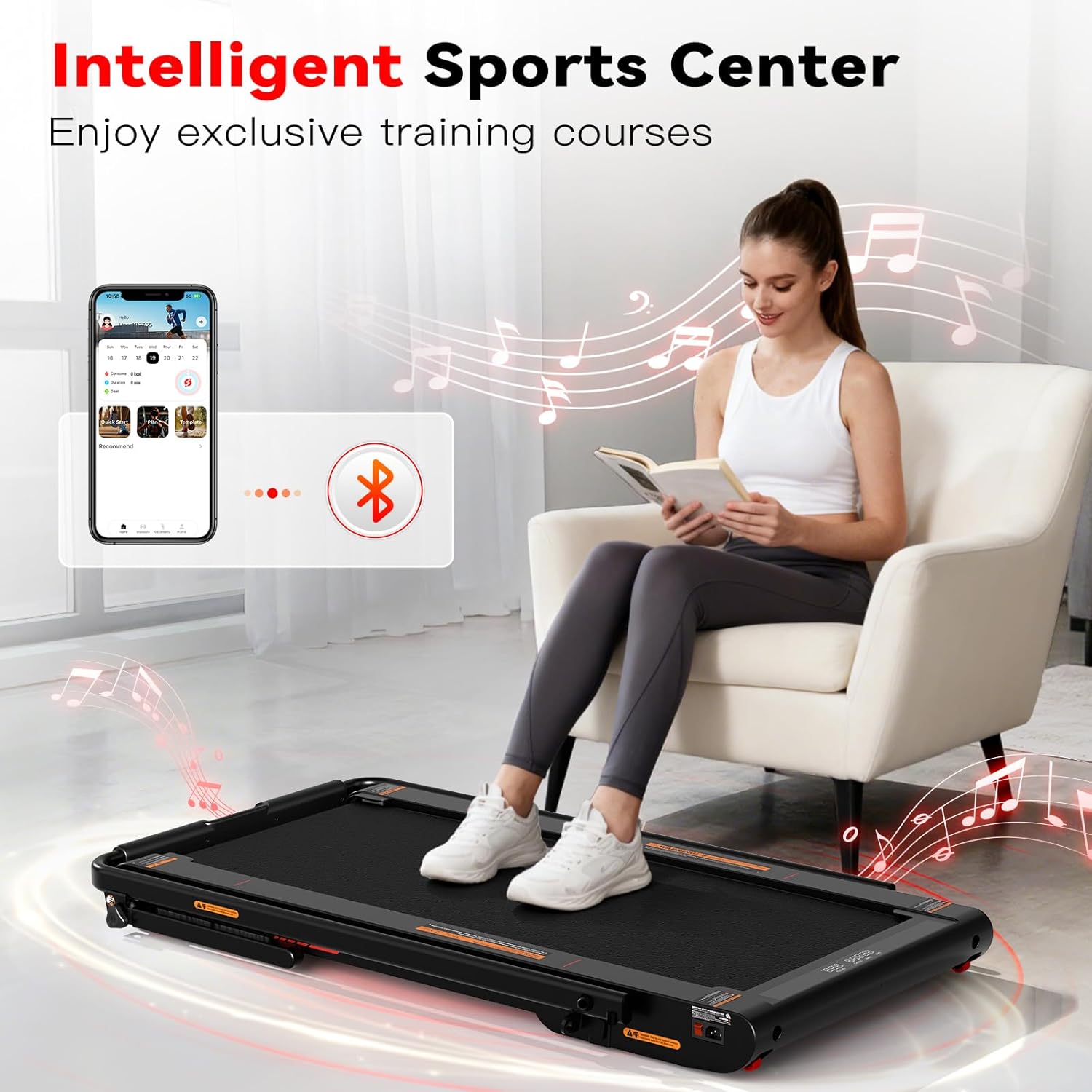
Image: A user engaging with the Lysole treadmill, demonstrating the integration with a fitness app on a smartphone.
3.8 Safety Features
Always attach the safety clip to your clothing before starting the treadmill. In case of an emergency or if you step off the treadmill, the safety clip will detach, immediately stopping the machine.
4. Maintenance
Regular maintenance ensures the longevity and optimal performance of your Lysole treadmill.
4.1 Cleaning
Wipe down the treadmill with a damp cloth after each use to remove sweat and dust. Avoid using abrasive cleaners or solvents that could damage the surfaces.
4.2 Belt Lubrication
Periodically check the running belt for dryness. Lubricate the belt according to the instructions in the included tool kit or user manual to ensure smooth operation and prevent wear. The frequency of lubrication depends on usage.
4.3 Belt Tension and Alignment
If the running belt feels loose or shifts to one side, it may need adjustment. Refer to the tool kit and specific instructions for adjusting belt tension and alignment. Proper tension and alignment prevent premature wear and ensure safe operation.
5. Troubleshooting
If you encounter any issues with your treadmill, refer to the following common troubleshooting steps:
- Treadmill Not Starting: Ensure the power cord is securely plugged in and the safety key is correctly inserted. Check if the power outlet is functional.
- Belt Slipping: This often indicates the belt needs tensioning or lubrication. Refer to the maintenance section for instructions.
- Unusual Noises: Check for any loose parts or foreign objects under the belt. If the noise persists, it may indicate an issue with the motor or rollers.
- Remote Control Not Responding: Check the batteries in the remote control. Ensure there are no obstructions between the remote and the treadmill's sensor.
- App Connectivity Issues: Ensure Bluetooth is enabled on your device and the treadmill. Try restarting both the app and the treadmill.
For persistent issues not resolved by these steps, please contact Lysole customer support.
6. Specifications
| Brand | Lysole |
| Model Number | LY-P3 |
| Model Name | LY-P3PRO |
| Color | Classic black |
| Product Dimensions (D x W x H) | 44.1"D x 26"W x 3"H |
| Item Weight | 40 Pounds |
| Material | Acrylonitrile Butadiene Styrene (ABS), Steel Frame |
| Maximum Speed | 7.5 Miles per Hour |
| Minimum Speed | 0.3 Miles per Hour |
| Maximum Incline Percentage | 6% (Manual) |
| Maximum Weight Recommendation | 350 Pounds |
| Maximum Horsepower | 750 Watts |
| Display | LED |
| Connectivity Technology | Bluetooth |
| Metrics Measured | Distance, Speed, Time, Steps |
| Power Source | Corded Electric |
| Is Assembly Required | No |
7. Warranty and Support
For warranty information, please refer to the documentation included with your purchase or contact Lysole customer support directly. Keep your proof of purchase for any warranty claims.
If you require technical assistance, have questions about product features, or need to report an issue, please contact the seller or Lysole customer service. Contact details can typically be found on the product packaging or the official Lysole website.