
1. Introduction
This manual provides essential information for the setup, operation, and maintenance of your diymore ESP32-C6 1.3-inch LCD Display Development Board. This board integrates a powerful RISC-V single-core processor with Wi-Fi 6 and Bluetooth 5 connectivity, along with a vibrant 1.3-inch ST7789 LCD, making it suitable for a wide range of AIoT and embedded projects.
2. Product Overview
The ESP32-C6 development board is designed for ease of use and versatility. Below is a diagram highlighting the key components of the board.

Figure 2.1: Overview of the ESP32-C6 Development Board. This image shows the top-down view of the board, labeling key components such as the ESP32-C6FH4 chip, Micro SD Card Slot, RST Button, BOOT Button, Type-C Interface, and Surface Mount Ceramic Antenna.
- ESP32-C6FH4: The main microcontroller unit.
- Micro SD Card Slot: For expandable storage.
- RST Button: Resets the board.
- BOOT Button: Used for entering bootloader mode for flashing firmware.
- Type-C Interface: For power supply and data communication (USB-to-serial).
- Surface Mount Ceramic Antenna: Integrated antenna for Wi-Fi and Bluetooth connectivity.
3. Features
The diymore ESP32-C6 development board offers a robust set of features for various applications:
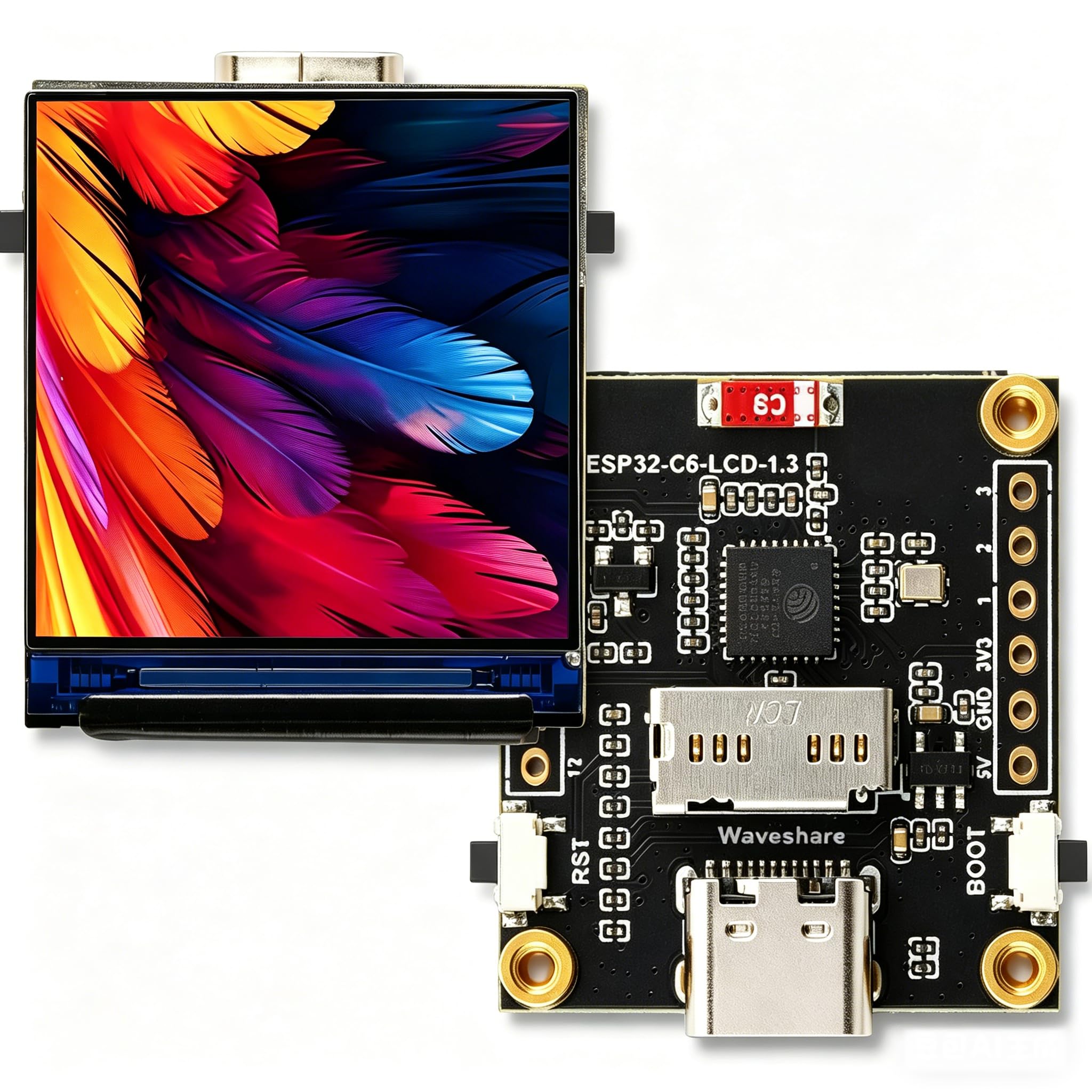
Figure 3.1: Visual representation of the ESP32-C6 development board's core features, including RISC-V processor, Wi-Fi 6, Bluetooth 5, onboard antenna, Type-C port, 1.3-inch IPS LCD, 240x240 resolution, 262K colors, ST7789 driver, TF Card Slot, and RGB LED.
- Processor: Equipped with a 32-bit RISC-V single-core processor, optimized for low power consumption and high performance.
- Wireless Connectivity: Supports Wi-Fi 6 (802.11 b/g/n) and Bluetooth 5 (LE) with an integrated antenna. It also supports IEEE 802.15.4 (Zigbee 3.0 and Thread).
- Integrated Display: Features a 1.3-inch LCD with 240 × 240 resolution, capable of displaying clear color images. The display uses an ST7789 driver chip.
- Inertial Measurement Unit (IMU): Includes an integrated QMI8658 six-axis IMU (3-axis accelerometer, 3-axis gyroscope) for attitude awareness development.
- Power Management: Onboard 3.7V MX1.25 lithium battery charging/discharging interface.
- Expandability: Supports secondary development, making it suitable for AIoT applications and smart home projects.
4. Specifications
4.1. General Board Specifications
| Feature | Value |
|---|---|
| Manufacturer | diymore |
| Model Name | ESP32 C6 Display |
| Processor | RISC-V 32-bit single-core |
| CPU Speed | Up to 160 MHz (2.4 GHz for wireless communication) |
| RAM Installed Size | 16 MB (SRAM) |
| Memory Storage Capacity | 4 MB (Flash) |
| Wireless Communication Standard | Wi-Fi 6 (802.11 b/g/n), Bluetooth 5 (LE), IEEE 802.15.4 (Zigbee 3.0, Thread) |
| Connectivity Technology | Bluetooth, GPIO, Wi-Fi, Type-C USB |
| Inertial Measurement Unit | QMI8658 six-axis (3-axis accelerometer, 3-axis gyroscope) |
| Battery Interface | Onboard 3.7V MX1.25 lithium battery charging/discharging interface |
| Product Dimensions (L x W x H) | 8.6 x 5 x 1 cm (approx. 3.39 x 1.97 x 0.39 inches) |
| Product Weight | 110 g (approx. 3.88 oz) |
4.2. LCD Screen Specifications
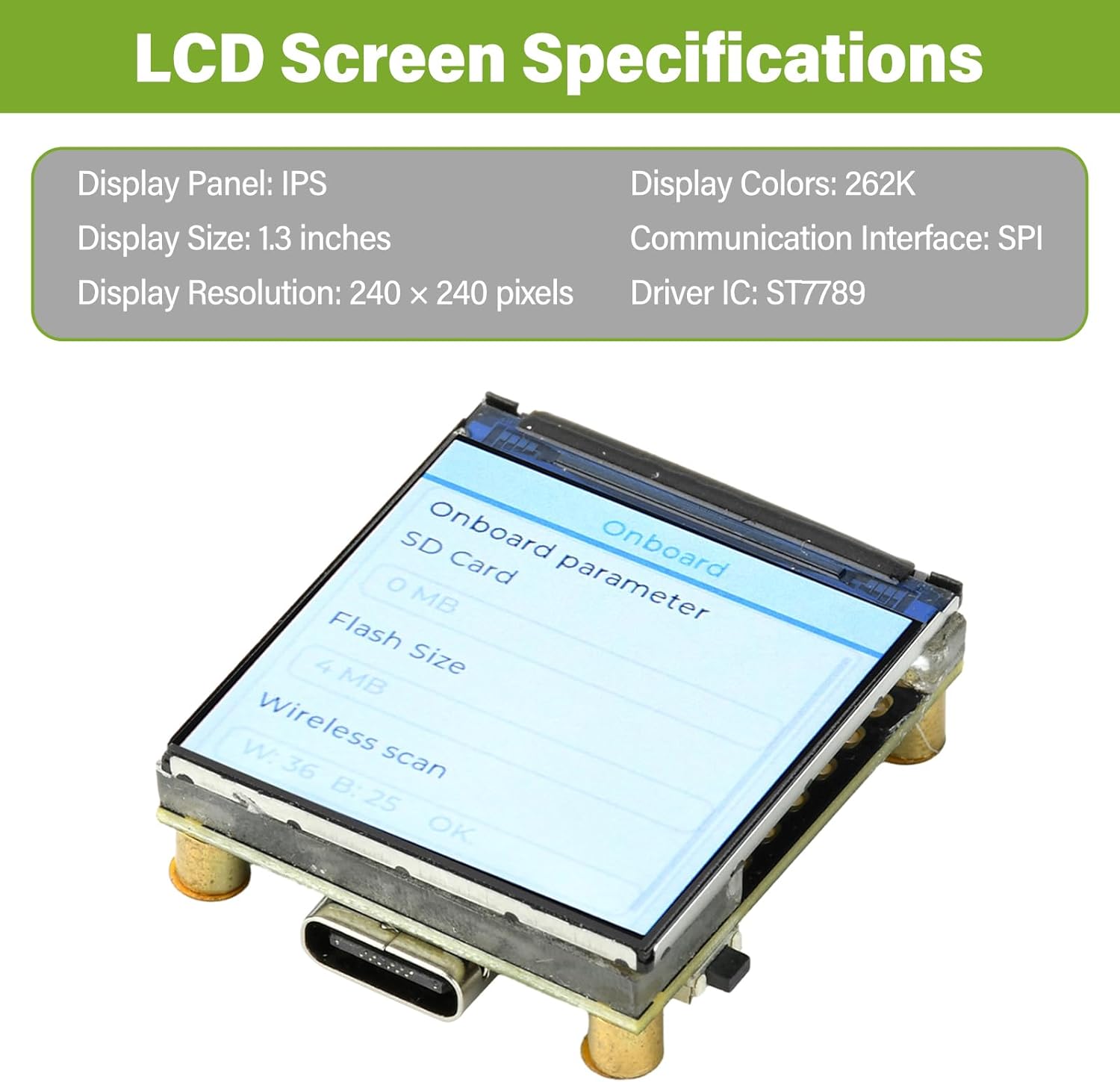
Figure 4.1: Detailed specifications of the integrated 1.3-inch LCD screen, including display panel type, size, resolution, colors, communication interface, and driver IC.
| Feature | Value |
|---|---|
| Display Panel | IPS |
| Display Size | 1.3 inches |
| Display Resolution | 240 x 240 pixels |
| Display Colors | 262K |
| Communication Interface | SPI |
| Driver IC | ST7789 |
4.3. Product Dimensions

Figure 4.2: Technical drawing showing the precise measurements of the ESP32-C6 development board in millimeters.
5. Setup
To begin using your ESP32-C6 development board, follow these steps:
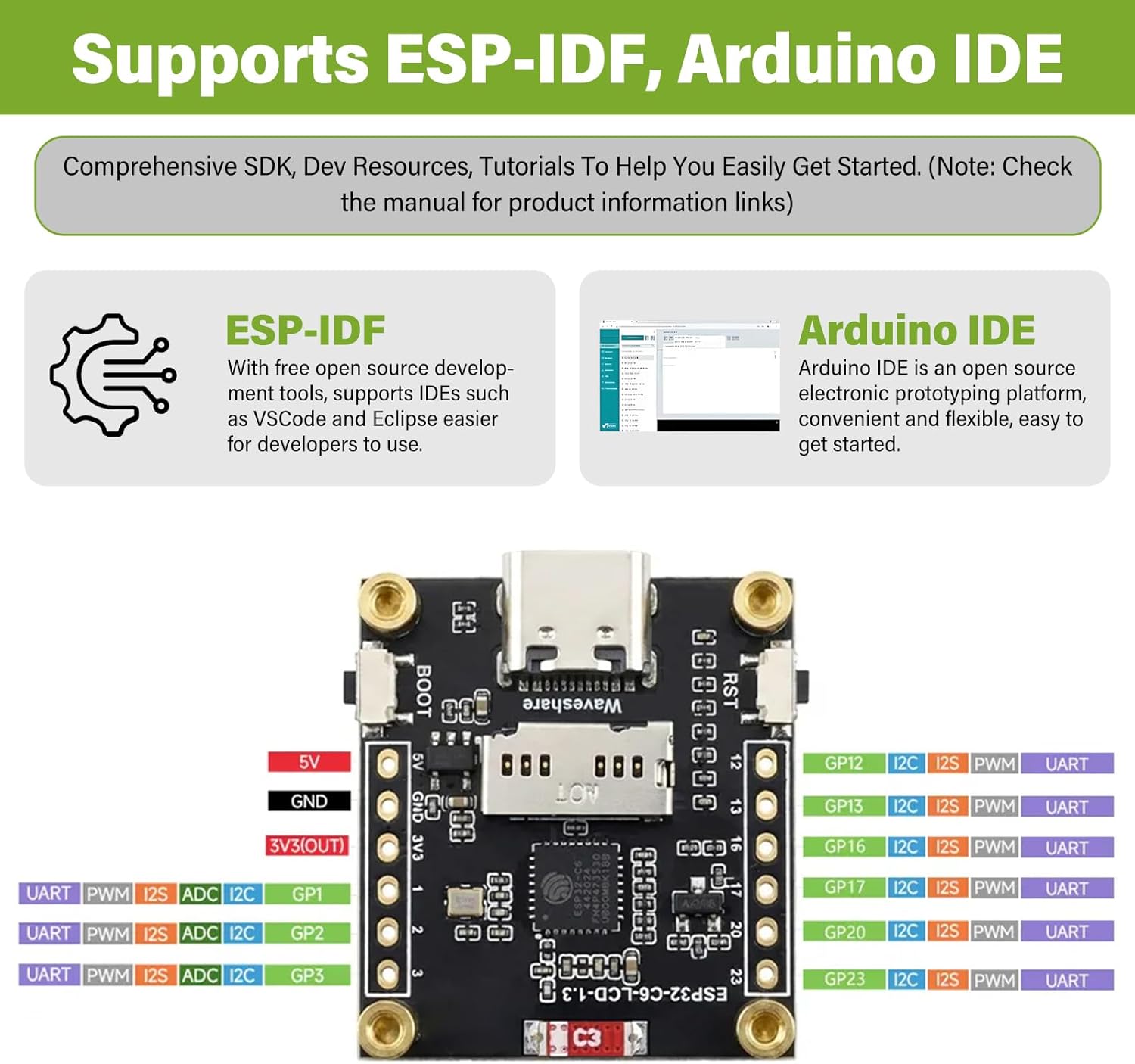
Figure 5.1: The ESP32-C6 board supports development with both ESP-IDF and Arduino IDE, offering comprehensive SDKs, development resources, and tutorials.
- Arduino IDE: Download and install the Arduino IDE. Add ESP32 board support through the Board Manager. Search for "ESP32" and install the "esp32 by Espressif Systems" package. Select the appropriate board model (e.g., "ESP32-C6 Dev Module") from the Tools > Board menu.
- ESP-IDF: For more advanced development, install the Espressif IoT Development Framework (ESP-IDF). Follow the official ESP-IDF Get Started Guide for detailed instructions on setting up the toolchain and environment.
6. Operating Instructions
Once your development environment is set up, you can begin programming and interacting with the ESP32-C6 board:
- Programming: Write your code using C/C++ in Arduino IDE or ESP-IDF. Utilize the extensive libraries available for Wi-Fi, Bluetooth, GPIO, SPI (for the LCD), and other peripherals.
- Uploading Code: Compile your code and upload it to the board via the Type-C USB connection. If uploading fails, ensure the board is in bootloader mode (hold BOOT button, press and release RST, then release BOOT).
- LCD Display Usage: The 1.3-inch ST7789 LCD can be controlled via SPI. Libraries like Adafruit_GFX and Adafruit_ST7789 are commonly used with Arduino IDE for graphics and text display.
- Wireless Communication:
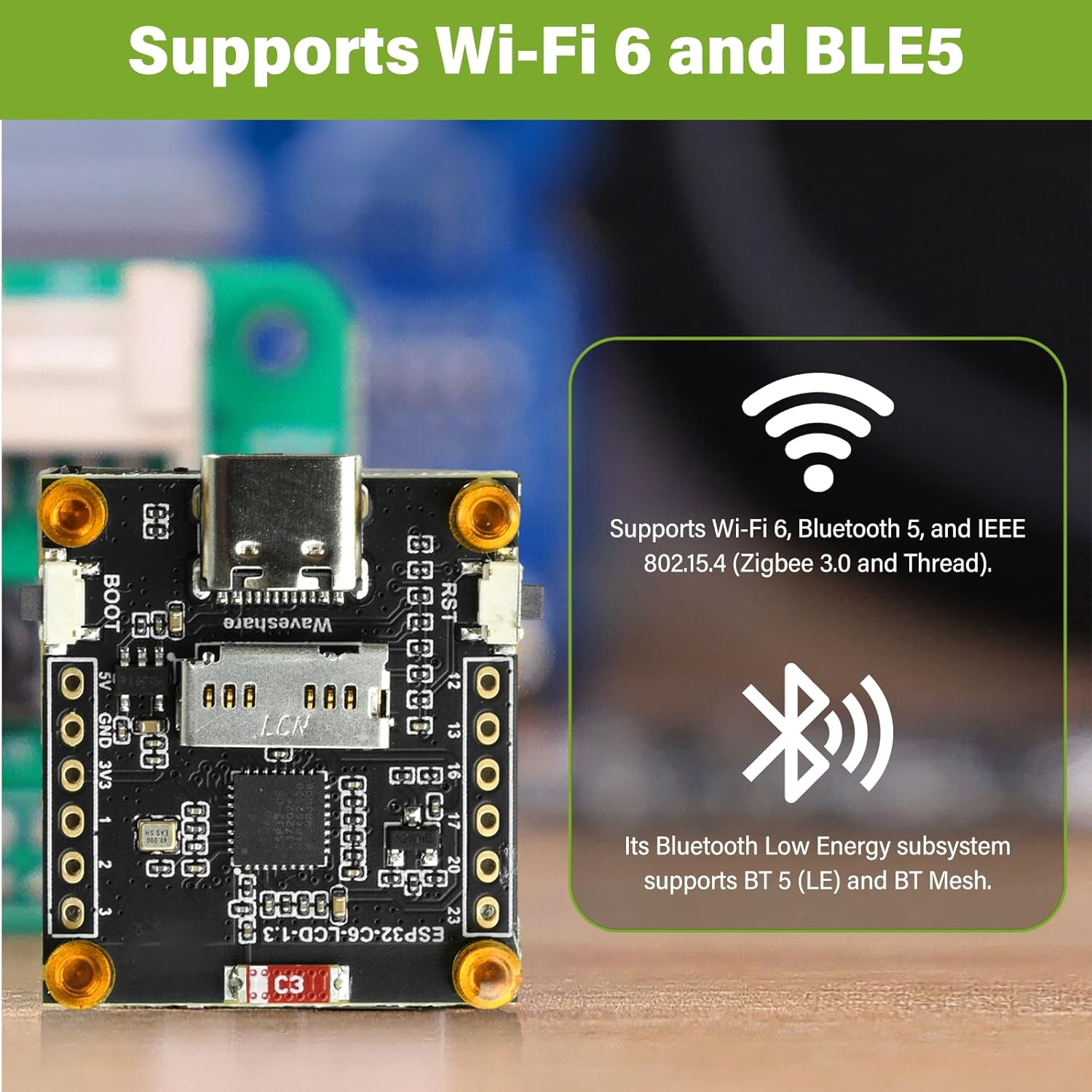
Figure 6.1: The ESP32-C6 development board provides robust wireless connectivity with Wi-Fi 6 and Bluetooth 5 Low Energy (BLE5) capabilities.
- Wi-Fi: Use the Wi-Fi libraries to connect to local networks, host access points, or implement Wi-Fi Direct.
- Bluetooth: Utilize Bluetooth 5 (LE) for low-power communication with other Bluetooth-enabled devices.
- GPIO Usage: The board provides General Purpose Input/Output pins for connecting external sensors, actuators, and other components. Refer to the board's pinout diagram for specific pin functions.
- Powering the Board: The board can be powered via the Type-C USB port or through the 3.7V MX1.25 lithium battery interface. Ensure correct polarity if using a battery.
7. Maintenance
Proper care and maintenance will ensure the longevity and reliable operation of your ESP32-C6 development board:
- Handling: Handle the board by its edges to avoid touching components, especially the pins, which can be sensitive to static electricity.
- Storage: Store the board in an anti-static bag when not in use, in a cool, dry environment away from direct sunlight and extreme temperatures.
- Cleaning: If necessary, gently clean the board with a soft, dry brush or compressed air to remove dust. Avoid using liquids or abrasive materials.
- Power Supply: Always use a stable 5V power supply via the Type-C port or a compatible 3.7V lithium battery. Over-voltage can damage the board.
- Firmware Updates: Regularly check for updated firmware or SDKs from Espressif or the community to benefit from bug fixes and new features.
8. Troubleshooting
If you encounter issues with your ESP32-C6 development board, consider the following troubleshooting steps:
- Board Not Detected:
- Ensure the Type-C USB cable is fully inserted and functional.
- Check if USB-to-serial drivers are correctly installed on your computer.
- Try a different USB port or computer.
- Code Upload Fails:
- Verify that the correct board and COM port are selected in your IDE.
- Ensure the board is in bootloader mode during upload (hold BOOT, press RST, release RST, release BOOT).
- Check for compilation errors in your code.
- LCD Not Displaying:
- Confirm that the LCD library is correctly initialized with the proper pins and driver (ST7789).
- Check power supply to the board.
- Ensure there are no loose connections if the LCD is separate (though this board has it integrated).
- Wi-Fi/Bluetooth Connectivity Issues:
- Verify your network credentials (SSID, password) are correct in your code.
- Ensure the antenna is not obstructed.
- Check for interference from other 2.4GHz devices.
- Board Overheating:
- Reduce the workload or frequency of operations if possible.
- Ensure adequate ventilation around the board.
- Verify the input voltage is within the specified range.
9. Warranty and Support
This product comes with a standard manufacturer's warranty. For specific warranty terms and conditions, please refer to the documentation provided at the time of purchase or contact diymore customer support directly.
For technical support, resources, and community forums, please visit the official Espressif website for ESP32-C6 documentation or relevant community forums for Arduino and ESP-IDF development.
Manufacturer: diymore


