
1. Introduction
This manual provides detailed instructions for the safe and effective use of your EIXAUP Sewer Camera (Model EIX0061). Please read this manual thoroughly before operating the device and retain it for future reference. This industrial endoscope is designed for inspecting hard-to-reach areas such as wastewater systems, stormwater systems, various pipelines, drains, and ducts.
2. Product Overview
2.1. Components
The EIXAUP Sewer Camera system includes the following main components:
- 4.3-inch HD Monitor: Features a sun-visor and rainproof screen for clear viewing in various conditions.
- 18mm Camera Head: IP68 waterproof with 8 adjustable LED lights and a 145° viewing angle.
- 100 ft (30m) Flexible Cable: Marked with Arabic numerals every meter for accurate distance measurement.
- Cable Reel: For organized storage and deployment of the cable.
- 8500mAh Rechargeable Battery: Provides 6-10 hours of continuous operation.
- 32GB TF Card: For recording videos and capturing photos.
- Charger: For recharging the battery.
- Screwdriver: For minor adjustments or maintenance.
- Protective Covers: Two sizes (25mm, 50mm) for the camera head.
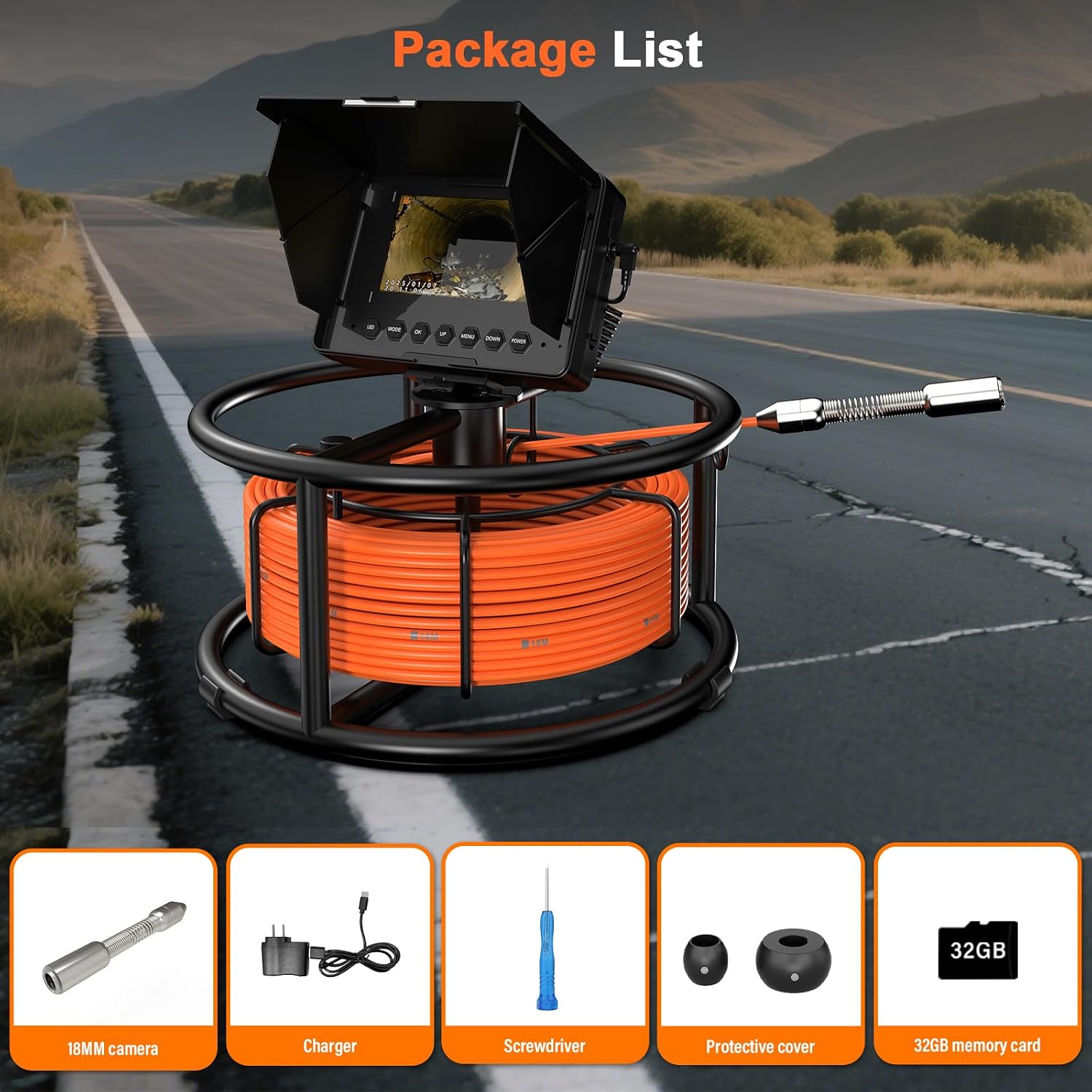
Image 2.1: The package includes the 18mm camera, charger, screwdriver, protective covers, and a 32GB memory card, alongside the main unit.
2.2. Key Features
- 4.3" IPS HD Color Rainproof Screen: Provides clear and accurate visuals, suitable for various environments with its sun-visor and rainproof design.
- IP68 Waterproof 18 mm Camera: Equipped with 8 adjustable brightness LEDs for optimal visibility in dark pipes and a 145° wide viewing angle.
- 8500mAh Rechargeable Battery: Offers extended operating time of 6-10 hours on a full charge, ideal for prolonged inspections.
- Meter Marker Function: The cable features clear Arabic numeral markings every meter, allowing for precise distance measurement within pipelines.
- DVR Function: Supports capturing clear photos and recording high-quality videos directly to the included 32GB TF card.
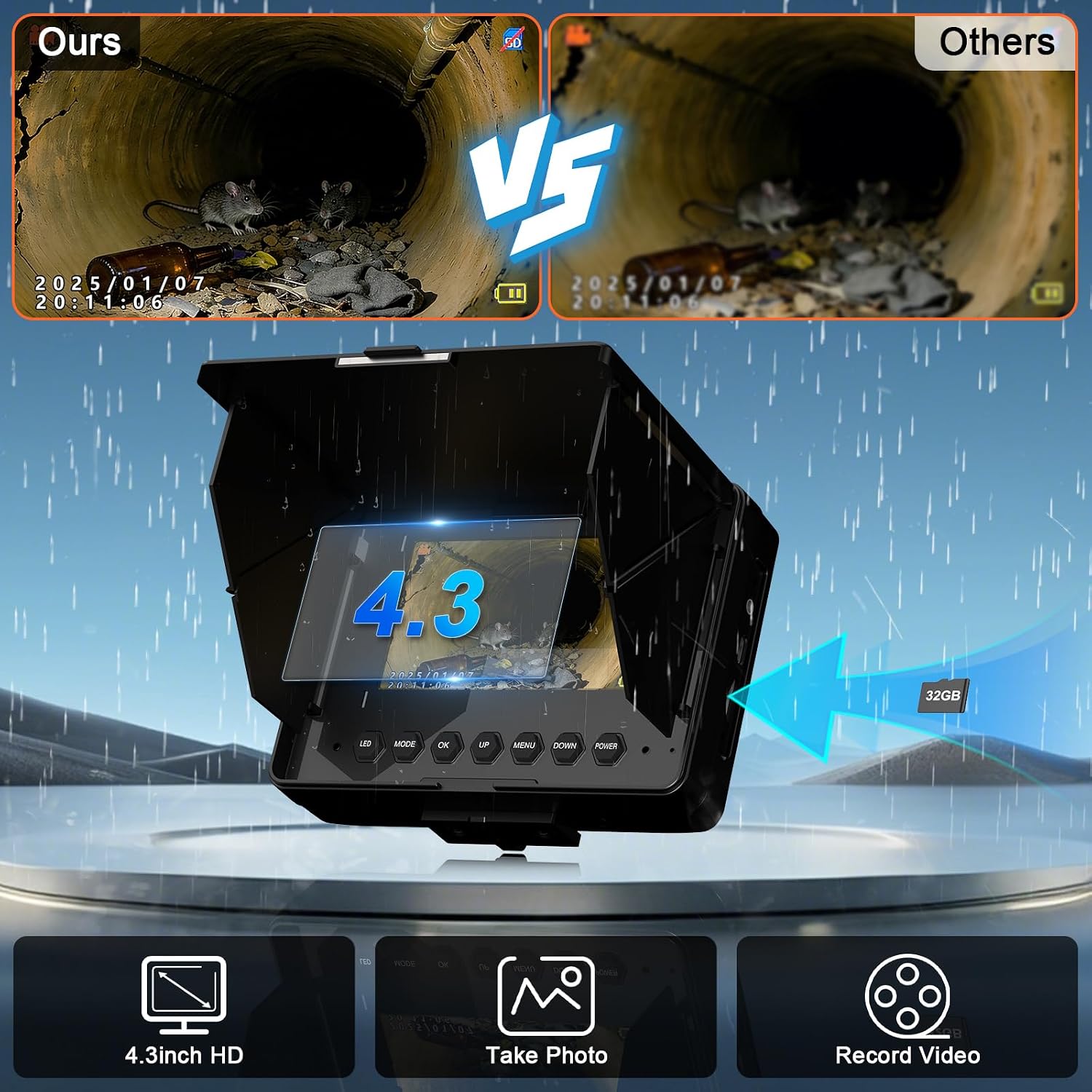
Image 2.2: The 4.3-inch HD screen provides clear visuals and supports photo and video recording. A comparison highlights the superior clarity of the EIXAUP camera.

Image 2.3: The IP68 waterproof 18mm camera head features 8 adjustable LED lights for illumination and a 145-degree wide-angle view.

Image 2.4: The 100 ft (30m) cable includes a length scale for easy measurement of pipeline issues, shown with a user inspecting a manhole.

Image 2.5: The powerful 8500mAh rechargeable battery provides 6-10 hours of continuous working time.
2.3. Product Video
Video 2.1: This video demonstrates the basic usage and functionality of the EIXAUP Sewer Camera, including setup and operation.
3. Setup Instructions
- Charge the Battery: Before first use, fully charge the 8500mAh battery using the provided charger. Connect the charger to the monitor unit and a power outlet. The charging indicator will show the status.
- Insert TF Card: Locate the TF card slot on the monitor unit. Gently insert the included 32GB TF card until it clicks into place. Ensure the card is inserted in the correct orientation.
- Attach Camera Head: Securely connect the 18mm camera head to the end of the flexible cable. Ensure the connection is tight to maintain its IP68 waterproof rating.
- Attach Protective Cover: Depending on the pipe diameter, select the appropriate protective cover (25mm or 50mm) and attach it to the camera head. This helps guide the camera and protect it from direct impact.
- Position the Monitor: Place the monitor unit on a stable surface. Adjust the sun-visor for optimal viewing, especially in bright conditions.
4. Operation
4.1. Power On/Off
- Power On: Press and hold the 'Power' button on the monitor unit until the screen illuminates.
- Power Off: Press and hold the 'Power' button again until the screen turns off.
4.2. Adjusting LED Lights
The camera head features 8 adjustable LED lights to illuminate dark inspection areas.
- Use the 'LED' button on the monitor to cycle through different brightness levels (0%, 25%, 50%, 75%, 100%).
- Adjust the brightness to achieve the clearest image without overexposure.
4.3. Recording Video and Taking Photos
The DVR function allows you to capture visual evidence of your inspections.
- To Record Video: Press the 'Record' button (often indicated by a camera icon or 'REC'). A recording indicator will appear on the screen. Press 'Record' again to stop.
- To Take a Photo: While viewing, press the 'Photo' button (often indicated by a camera icon). The image will be saved to the TF card.
- Accessing Files: Use the 'Menu' button to navigate to the playback or file management section to review recorded videos and photos.
4.4. Using the Meter Marker
The flexible cable is marked with Arabic numerals every meter to help you determine the depth or distance of the camera head within the pipe.
- As you feed the cable into the pipe, observe the markings to accurately gauge the camera's position.
- This feature is useful for pinpointing the exact location of blockages or damage.
4.5. Navigating the Camera
- Gently push and pull the flexible cable to maneuver the camera through pipes.
- Avoid forcing the camera, especially around sharp bends, to prevent damage to the cable or camera head.
- The 145° wide-angle lens provides a broad view, reducing the need for excessive camera rotation.

Image 4.1: The EIXAUP Sewer Camera is suitable for a wide range of applications, including sewer pipe, HVAC, pool, and home plumbing inspections.
5. Maintenance
5.1. Cleaning
- Camera Head: After each use, especially in dirty environments, gently wipe the camera lens and housing with a soft, damp cloth. Do not use abrasive cleaners or solvents.
- Cable: Clean the flexible cable as you retract it from the pipe to prevent debris from entering the reel mechanism. Use a damp cloth to wipe down the cable.
- Monitor: Wipe the monitor screen and housing with a soft, dry cloth. Avoid getting liquids into the monitor unit.
5.2. Battery Care
- To prolong battery life, avoid fully discharging the battery frequently.
- Recharge the battery regularly, even if the device is not in use for extended periods (e.g., once every 3 months).
- Store the device in a cool, dry place away from direct sunlight and extreme temperatures.
5.3. Storage
- Ensure the cable is neatly wound onto the reel before storage.
- Store the entire unit in its original packaging or a protective case to prevent damage.
- Keep out of reach of children.
6. Troubleshooting
| Problem | Possible Cause | Solution |
|---|---|---|
| No image on screen | Device not powered on; Camera not connected; Low battery. | Ensure device is powered on; Check camera connection; Recharge battery. |
| Cannot record video/take photos | TF card full; TF card not inserted correctly; TF card corrupted. | Delete old files or replace TF card; Reinsert TF card; Format TF card (backup data first). |
| LED lights not working | LED brightness set to 0%; Faulty connection. | Adjust LED brightness using the 'LED' button; Check camera head connection. |
| Short battery life | Battery not fully charged; Battery degradation. | Ensure full charge before use; Contact support if battery life significantly reduced. |
| Camera stuck in pipe | Obstruction; Sharp bend. | Gently retract the cable. Do not force it. If stuck, try rotating slightly or using a different entry point if possible. |
7. Specifications
| Feature | Detail |
|---|---|
| Model Number | EIX0061 |
| Screen Size | 4.3 inches IPS HD Color |
| Camera Diameter | 18 mm |
| Camera Viewing Angle | 145° |
| Camera Lights | 8 adjustable LEDs |
| Water Resistance Level | IP68 (Camera Head) |
| Cable Length | 100 ft (30 meters) with meter markers |
| Battery Capacity | 8500mAh |
| Battery Average Life | 6-10 hours |
| Storage Media | 32GB TF Card (included) |
| DVR Function | Yes (Photo & Video Recording) |
| Manufacturer | EIXAUP |
8. Warranty & Support
8.1. Manufacturer's Warranty
This EIXAUP Sewer Camera (Model EIX0061) is covered by a 1-Year Manufacturer's Warranty from the date of purchase. This warranty covers defects in materials and workmanship under normal use. It does not cover damage caused by misuse, accidents, unauthorized modifications, or improper maintenance.
8.2. Customer Support
If you encounter any issues or have questions regarding the operation, maintenance, or troubleshooting of your EIXAUP Sewer Camera, please refer to the contact information provided with your purchase or visit the official EIXAUP website for support resources.
Please have your model number (EIX0061) and purchase details ready when contacting support.