
1. Introduction
Thank you for choosing the HopCycle HO1 Electric Scooter. This manual provides essential information for the safe operation, assembly, and maintenance of your scooter. Please read this manual thoroughly before your first ride to ensure optimal performance and safety.
The HopCycle HO1 is designed for adult and teen riders, offering a stable and smooth experience for daily commuting and city use. It features a powerful 500W motor, a top speed of 18 MPH, and a range of up to 21 miles on a single charge.
2. Safety Information
Always wear a helmet and appropriate safety gear when riding the electric scooter. Ensure you understand and comply with all local laws and regulations regarding electric scooter usage.
- Do not ride in heavy rain or through puddles deeper than 2 cm.
- Avoid riding on slippery surfaces, steep inclines, or uneven terrain.
- Maintain a safe distance from other vehicles and pedestrians.
- Perform a pre-ride check: ensure brakes are functional, tires are properly inflated, and all quick releases are secured.
- The maximum weight limit for this scooter is 220 pounds.
3. What's in the Box
Upon opening your HopCycle HO1 Electric Scooter package, please verify that all components are present:
- Electric Scooter (main body)
- User Manual (this document)
- Screws (for handlebar assembly)
- Screw Driver (for assembly)
- Charging Adapter
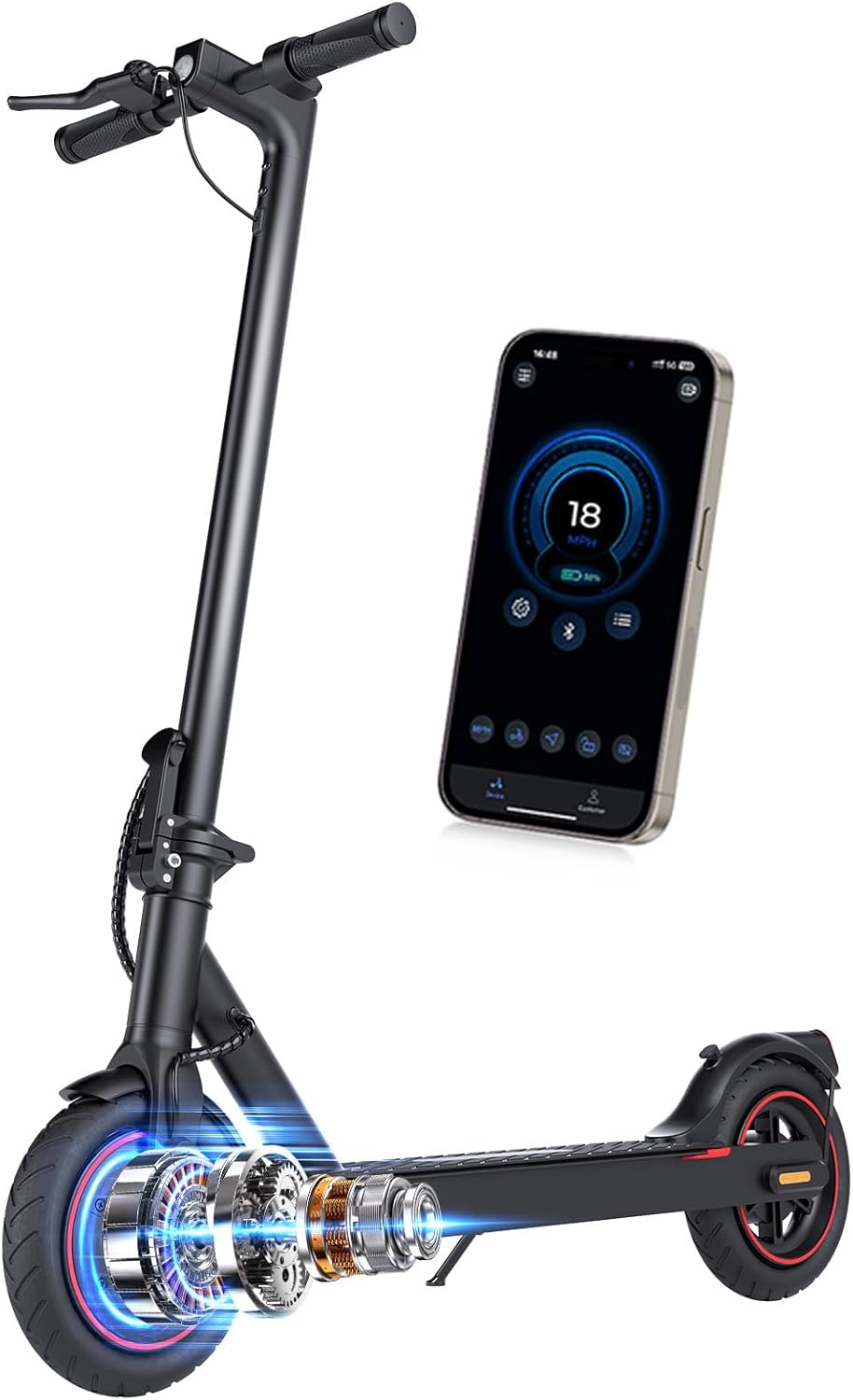
Image: All components included in the HopCycle HO1 Electric Scooter package.
4. Setup
4.1 Handlebar Assembly
The handlebar needs to be attached to the main stem of the scooter. Follow these steps:
- Carefully remove the scooter from its packaging.
- Lift the main stem to an upright position until it locks securely.
- Align the handlebar with the top of the stem.
- Connect the internal cables from the handlebar to the stem. Ensure connections are firm.
- Secure the handlebar to the stem using the provided screws and screwdriver. Tighten firmly.
Video: Detailed guide on replacing the electric scooter throttle, which includes handlebar assembly steps.
4.2 Initial Charging
Before your first ride, fully charge the scooter's battery. Connect the charging adapter to the scooter's charging port and then to a power outlet. The indicator light on the charger will change when charging is complete. A full charge typically takes approximately 4 hours.
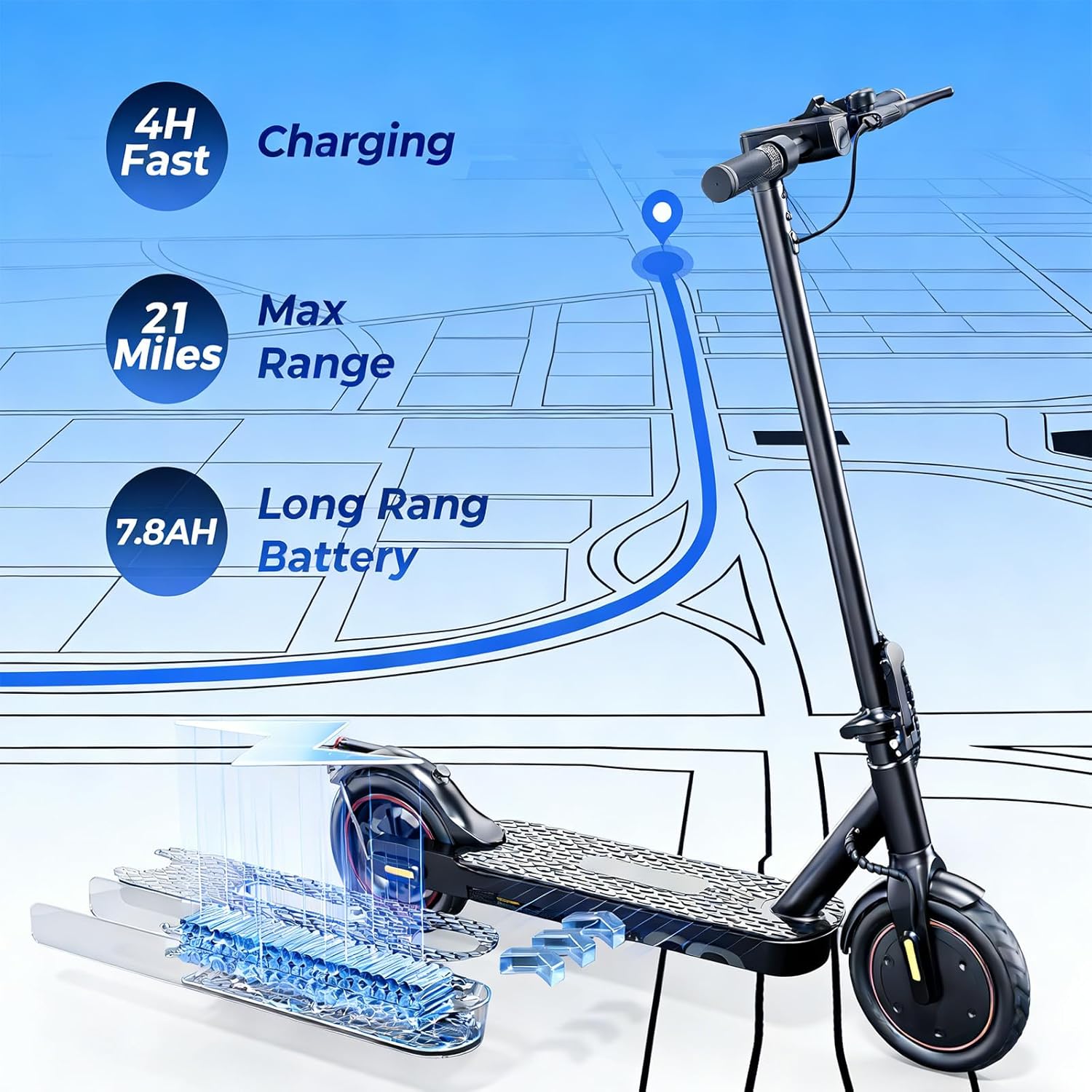
Image: Illustration of the scooter's charging process and maximum range.
4.3 Smart App Connection
The HopCycle HO1 Electric Scooter can connect to a mobile app for enhanced control and monitoring. Download the official HopCycle app from your device's app store. Follow the in-app instructions to pair your scooter via Bluetooth. The app allows you to check battery status, adjust riding modes, and manage other scooter settings.

Image: The scooter's LCD display and a smartphone showing the connected mobile app interface.
5. Operating Instructions
5.1 Power On/Off
To power on the scooter, press and hold the power button on the handlebar display until the screen illuminates. To power off, press and hold the same button until the display turns off.
5.2 Riding Modes
The HopCycle HO1 offers multiple riding modes to suit different preferences and conditions. These modes can typically be switched via the power button (short press) or through the mobile app:
- ECO Mode: For maximum range and energy efficiency, with a lower top speed (e.g., 6 MPH).
- Drive Mode: A balanced mode for everyday riding, offering a moderate speed (e.g., 12 MPH).
- Sport Mode: Provides maximum power and speed for dynamic riding (e.g., 18 MPH).
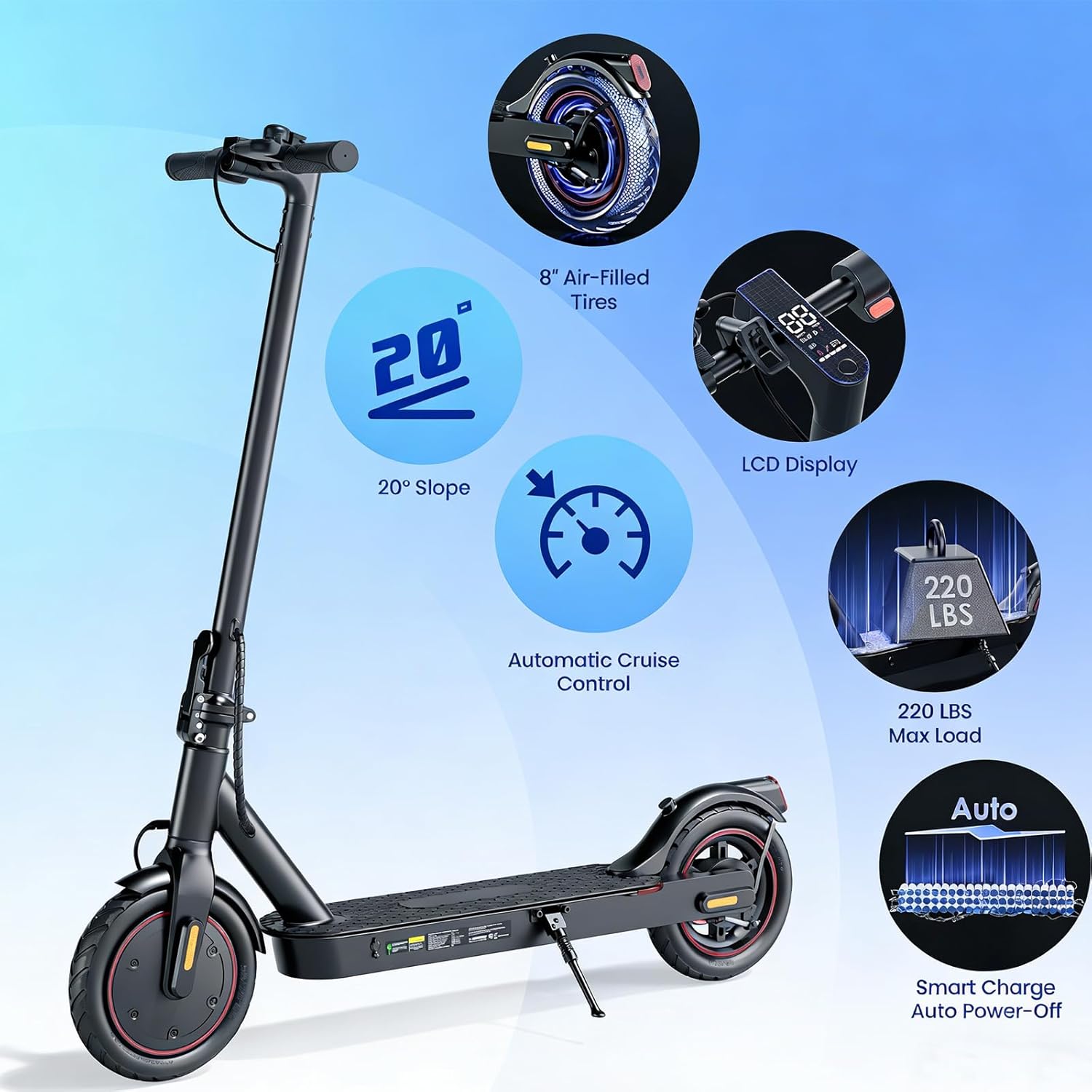
Image: Overview of scooter features, including the LCD display showing current speed and mode.
5.3 Braking System
The scooter is equipped with a dual braking system for enhanced safety and control:
- Electronic Brake: Activated by a lever on the handlebar, providing smooth deceleration.
- Rear Disc Brake: A mechanical brake for reliable stopping power, also activated by a handlebar lever.
Always use both brakes simultaneously for optimal stopping performance, especially in emergency situations.

Image: Close-up view of the electronic brake lever and the rear disc brake mechanism.
5.4 Folding Mechanism
The HopCycle HO1 Electric Scooter features a convenient folding mechanism for easy storage and transport. To fold the scooter, locate the folding latch on the stem, typically near the base. Unlock the latch and carefully fold the stem downwards until it clicks into place, securing it to the rear fender. To unfold, reverse the process, ensuring the stem is fully locked in the upright position before riding.
Video: Demonstration of the HopCycle Electric Scooter's folding and unfolding mechanism.
6. Maintenance
Regular maintenance ensures the longevity and safe operation of your HopCycle HO1 Electric Scooter.
6.1 General Care
- Keep the scooter clean by wiping it with a damp cloth. Avoid using high-pressure water jets.
- Store the scooter in a dry, cool place away from direct sunlight and extreme temperatures.
- Regularly check all screws and bolts for tightness.
6.2 Tire Maintenance
The scooter is equipped with 8.5-inch pneumatic (air-filled) rubber tires. Check tire pressure regularly and inflate to the recommended PSI (refer to the tire sidewall for specific pressure). Proper tire pressure improves ride quality and extends tire life.
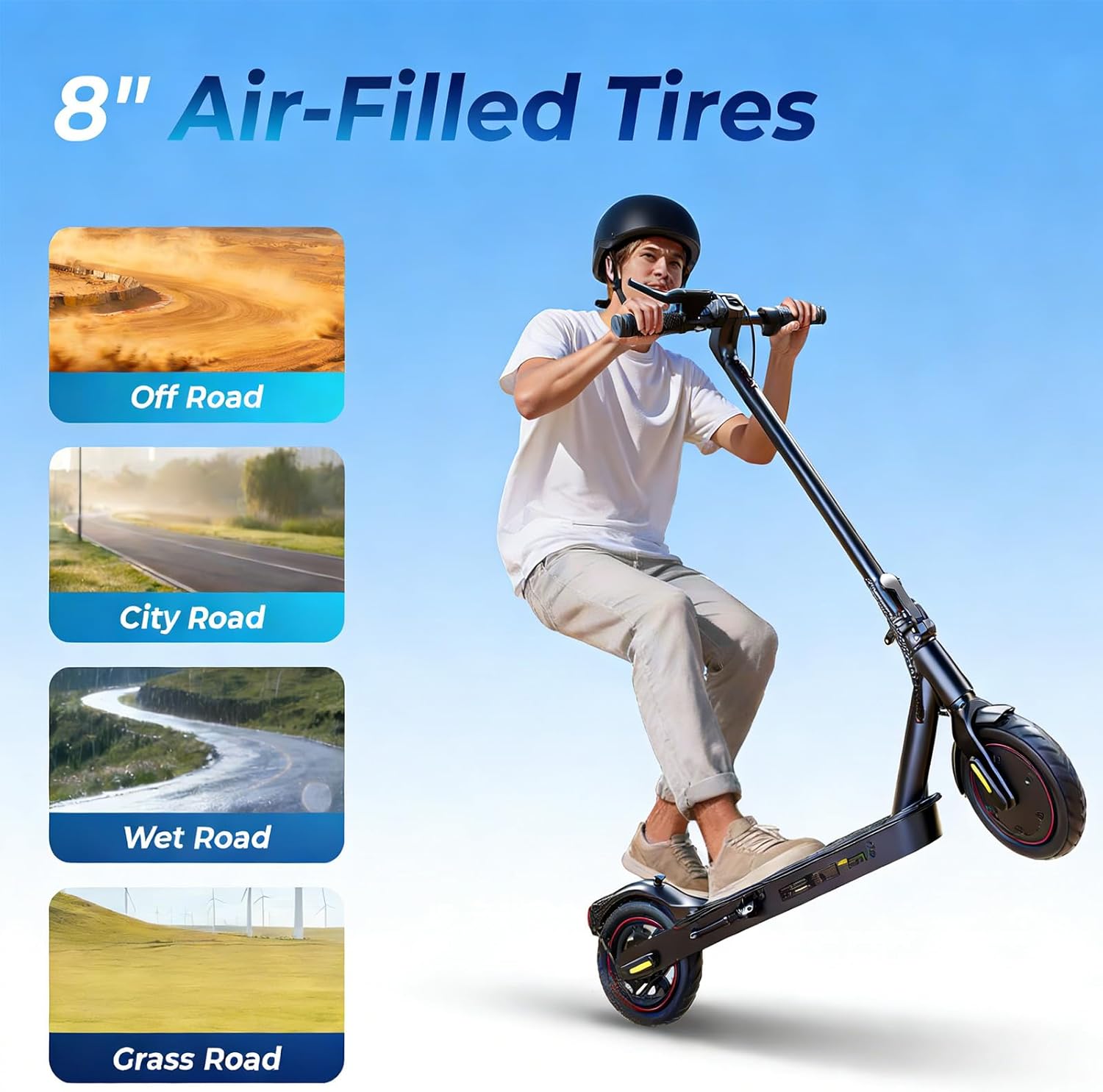
Image: The scooter's 8-inch air-filled tires are suitable for various terrains including city roads and wet conditions.
6.3 Battery Care
- Avoid completely draining the battery before recharging.
- If storing the scooter for an extended period, charge the battery to approximately 50-70% and recharge every 30-60 days to prevent deep discharge.
- Use only the original charging adapter provided with the scooter.
7. Troubleshooting
This section addresses common issues you might encounter with your HopCycle HO1 Electric Scooter.
- Scooter not turning on: Ensure the battery is charged. Check all cable connections, especially those in the handlebar stem.
- Reduced range or speed: This could be due to low tire pressure, riding on inclines, heavy loads, or cold weather. Ensure tires are inflated correctly and consider riding in ECO mode for extended range.
- Brakes not responding: Check brake levers and cables for any obstructions or damage. If the issue persists, professional inspection is recommended.
- App connectivity issues: Ensure Bluetooth is enabled on your smartphone and the scooter is powered on. Try restarting both the app and the scooter.
For issues not covered here, please contact HopCycle customer support.
8. Specifications
| Feature | Specification |
|---|---|
| Brand | HopCycle |
| Model Name | HO1 |
| Motor Power | 500W |
| Max Speed | 18 MPH |
| Max Distance Range | 21 Miles |
| Tire Size | 8.5 Inches |
| Tire Type | Pneumatic Rubber |
| Brake Style | Double Braking Systems (Electronic & Disc) |
| Weight Limit | 220 Pounds |
| Product Dimensions (L x W x H) | 43"L x 17"W x 47"H |
| Special Features | Digital Display, Foldable, Lights, Lightweight, Waterproof |
| Age Range (Description) | Adults and Teens |
| Included Components | Electric Scooter, Manual, Screw Driver, Screws |
| UPC | 793123940369 |
9. Warranty & Support
9.1 Warranty Information
The HopCycle HO1 Electric Scooter comes with a 1-year limited warranty from the date of purchase. This warranty covers manufacturing defects under normal use. It does not cover damage caused by misuse, accidents, unauthorized modifications, or normal wear and tear.
For detailed warranty terms and conditions, please refer to the warranty card included in your package or visit the official HopCycle website.
9.2 Customer Support
If you have any questions, require technical assistance, or need to claim warranty service, please contact HopCycle customer support through the following channels:
- Email: Refer to your product packaging or the official HopCycle website for contact details.
- Phone: Refer to your product packaging or the official HopCycle website for contact details.
- Online: Visit the HopCycle Store on Amazon for FAQs and support resources.


