
Introduction
The mcdodo Speak A01 Series AI Translation Headset (Model HP-8221) is designed to facilitate multilingual communication through real-time AI translation and advanced noise cancellation. This headset is suitable for various applications, including business meetings, international travel, and daily use, providing clear audio and instant language translation.
This manual provides detailed instructions for setting up, operating, and maintaining your mcdodo Speak A01 headset. Please read it thoroughly before use to ensure optimal performance and longevity of your device.
Box Contents
Verify that all items are present in the package:
- mcdodo Speak A01 Series AI Translation Headset (Earbuds and Charging Case)
- Eartips (various sizes)
- User Manual (this document)
- Charging Cable (USB-C)

Image: Contents of the mcdodo Speak A01 Series package, including the earbuds, charging case, and user manual.
Setup
1. Charging the Headset
- Place the earbuds into the charging case.
- Connect the charging case to a power source using the provided USB-C cable.
- The indicator light on the charging case will show charging status. A full charge typically takes approximately 1.5 hours.

Image: The mcdodo Speak A01 Series earbuds and their charging case.
2. Pairing with Your Device
- Ensure the earbuds are charged and placed in the charging case.
- Open the charging case lid. The earbuds will automatically enter pairing mode.
- On your smartphone, tablet, or laptop, enable Bluetooth.
- Search for available devices and select "mcdodo Speak A01" from the list.
- Once connected, a confirmation sound will play, and the indicator light on the case may change.
3. Installing the Mobile Application
For full functionality, including AI translation and advanced settings, download the dedicated mcdodo Speak A01 mobile application from your device's app store (iOS App Store or Google Play Store). The app allows you to manage settings, update firmware, and utilize translation features.

Image: Screenshot of the mcdodo Speak A01 mobile application interface, displaying earbud connection status and available settings.
Operating Instructions
Wearing the Earbuds
Select the appropriate eartip size for a comfortable and secure fit. Insert the earbuds gently into your ears, ensuring a snug seal for optimal sound quality and noise cancellation.
Basic Controls (via Touch)
- Play/Pause: Single tap on either earbud.
- Next Track: Double tap on the right earbud.
- Previous Track: Double tap on the left earbud.
- Answer/End Call: Single tap on either earbud.
- Reject Call: Press and hold either earbud for 2 seconds.
- Activate Voice Assistant: Triple tap on either earbud.
- Toggle Noise Cancellation/Transparency Mode: Press and hold either earbud for 3 seconds.
AI Translation Function
The mcdodo Speak A01 supports real-time AI translation for up to 134 languages. This feature is primarily controlled through the dedicated mobile application.
- Open the App: Launch the mcdodo Speak A01 application on your paired device.
- Select Translation Mode: Navigate to the 'Translate' section within the app.
- Choose Languages: Select the source and target languages for translation.
- Dual Ear Translation Mode: For face-to-face conversations, one person wears one earbud, and the other person wears the second earbud. The app will facilitate real-time translation between the two languages spoken.
- Single User Translation: For translating spoken language around you, wear both earbuds and use the app to capture and translate audio.

Image: Two individuals using the mcdodo Speak A01 Series earbuds, illustrating the dual ear translation mode for direct communication.
Hybrid ANC + ENC Noise Cancellation
The headset features Hybrid Active Noise Cancellation (ANC) and Environmental Noise Cancellation (ENC) to provide clear audio in noisy environments.
- ANC: Reduces ambient noise for an immersive listening experience.
- ENC: Enhances voice clarity during calls by filtering out background noise.
- Toggle Mode: Use the touch controls (press and hold for 3 seconds) or the mobile app to switch between ANC, Transparency Mode (to hear your surroundings), and normal mode.
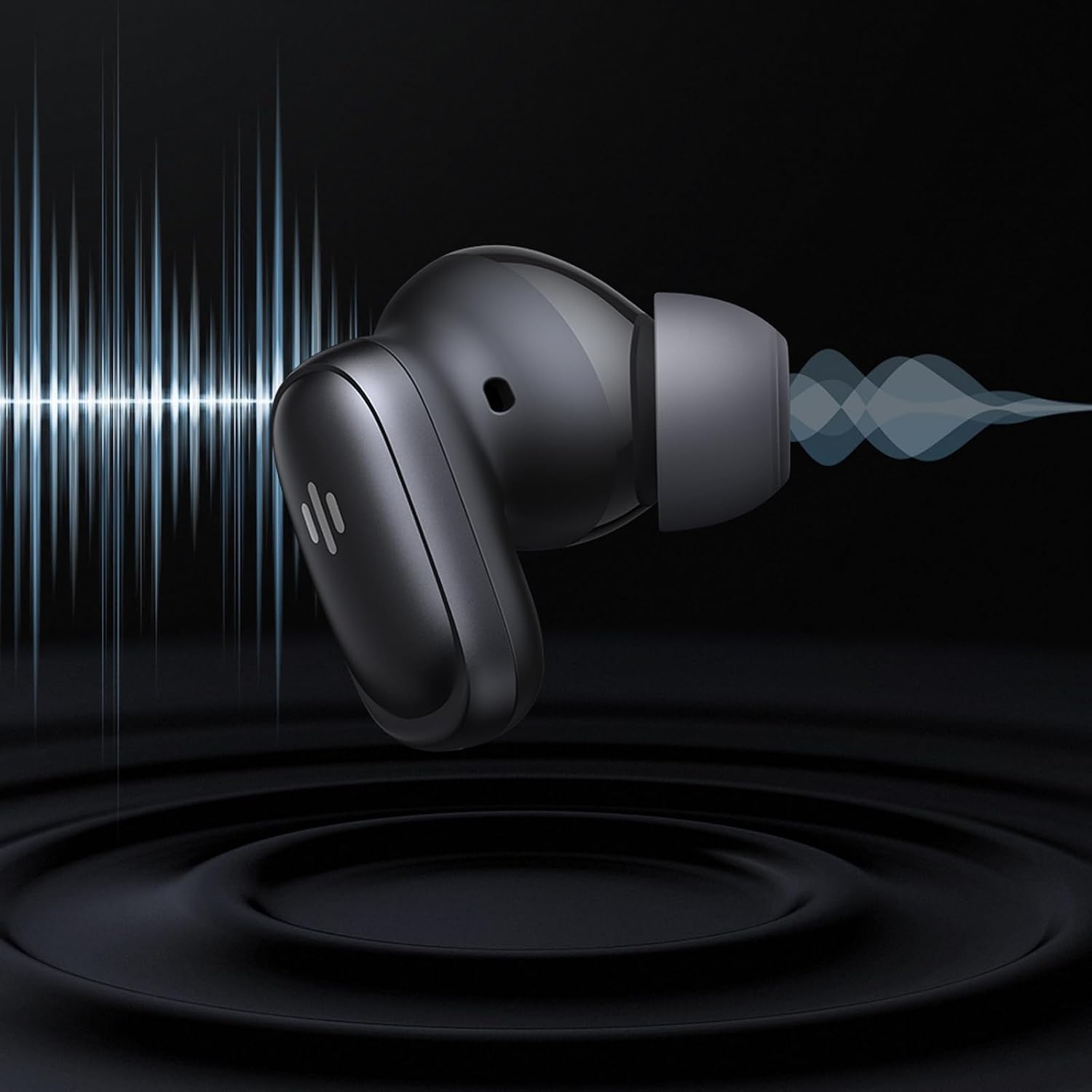
Image: An mcdodo Speak A01 earbud depicted with sound wave patterns, symbolizing its noise cancellation capabilities.
Maintenance
- Cleaning: Regularly clean the earbuds and charging case with a soft, dry, lint-free cloth. Do not use abrasive materials or harsh chemicals.
- Eartips: Remove and clean the eartips periodically with water and mild soap. Ensure they are completely dry before reattaching.
- Storage: When not in use, store the earbuds in their charging case to protect them and keep them charged.
- Avoid Water: The earbuds are not waterproof. Avoid exposure to excessive moisture or submersion in water.
Troubleshooting
| Problem | Solution |
|---|---|
| Earbuds not pairing |
|
| No sound or low volume |
|
| Translation not working |
|
| Noise cancellation ineffective |
|
Specifications
| Feature | Detail |
|---|---|
| Brand | mcdodo |
| Model Number | HP-8221 |
| Series | Speak A01 |
| Product Type | AI Translator TWS Headset |
| Color | Black (Metallic Gray variant also available) |
| Ear Placement | In Ear |
| Noise Control | Hybrid Noise Cancellation (ANC + ENC) |
| AI Translation | Supports 134 languages (via mobile app) |
| Control Method | Touch controls, Mobile App |
| Connectivity | Wireless (Bluetooth) |
| Compatible Devices | Smartphone, Tablet, Laptop |
| Weight | 80 Grams |
| Country of Origin | China |
Warranty Information
The mcdodo Speak A01 Series AI Translation Headset comes with a 6-month warranty from the date of purchase. This warranty covers manufacturing defects and malfunctions under normal use. It does not cover damage caused by misuse, accidents, unauthorized repairs, or normal wear and tear.
Please retain your proof of purchase for warranty claims.
Support
For technical support, warranty claims, or further assistance, please contact mcdodo customer service or the authorized distributor.
Importer Contact Information:
Anmol Marketing, G-4 Ganesh Plaza near Sardar Park Chokadi, GIDC., Ankleshwar 393002, Gujarat
Email: anmolmarketing127@gmail.com
For the latest information and updates, visit the official mcdodo website or the product page on Amazon.