
1. Introduction
This manual provides detailed instructions for the installation, operation, and maintenance of your OMIZN 5558 SSB CB Radio 10-Meter Multi-Mode Mobile Transceiver. Please read this manual thoroughly before using the device to ensure proper function and safety.
2. Product Features
- High Power Output: 50W (AM/FM) and 45W PEP (SSB) for extended range communication.
- Multi-Mode Versatility: Supports AM, FM, USB, LSB, CW, and PA modes for diverse communication needs.
- Advanced Noise Reduction: Features NB/ANL and HI-CUT filters, plus Automatic Squelch (ASQ) for clear audio.
- PC Programmable: Customize frequency steps, Time-Out Timer (TOT), Roger Beep, and scan lists via PC software (programming cable sold separately).
- SWR & Voltage Protection: Built-in real-time SWR detection automatically halts transmission to prevent amplifier burnout, and provides protection against extreme voltage fluctuations.
- Instant Channel 9: Quick access to the emergency channel.
- Wide Frequency Coverage: Operates within 25.615-30.105MHz, with additional 28.000-29.700MHz coverage.
- 360 Channels: Organized into 6 Bands (A-F) with 60 programmable channels per band.
- External Interfaces: Includes external speaker, PA broadcast, and CW key interfaces for expanded functionality.
- Wide Temperature Adaptation: Designed to operate reliably in temperatures ranging from -30°C to 70°C.
3. Package Contents
Verify that all items are present in the package:
- OMIZN 5558 Transceiver Unit
- Handheld Microphone
- Mounting Bracket and Hardware
- Power Cable
- User Manual
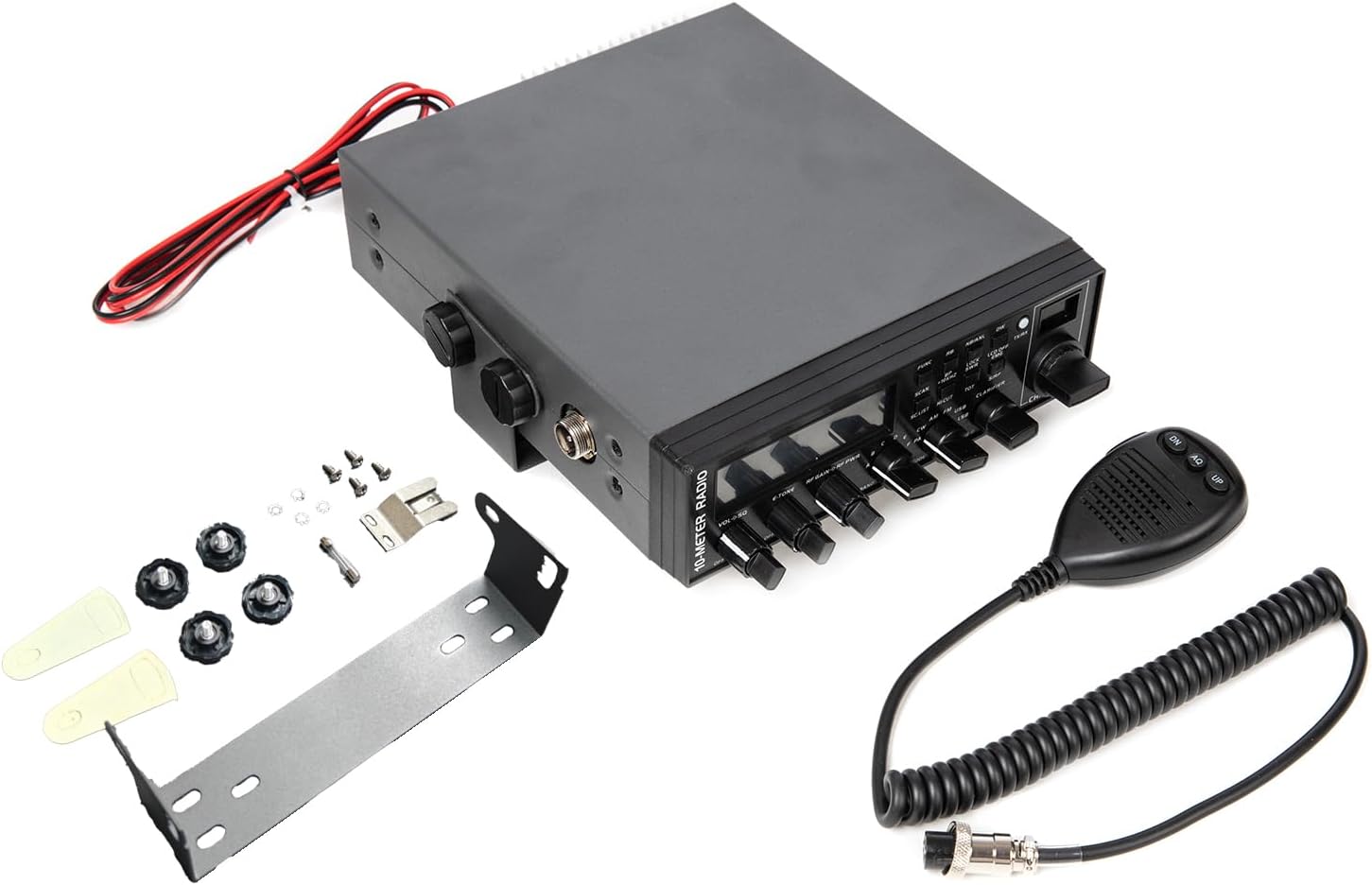
Image: OMIZN 5558 CB Radio with its standard accessories, including the main unit, microphone, and mounting hardware.
4. Setup and Installation
4.1. Mounting the Transceiver
- Choose a secure and accessible location in your vehicle or operating area.
- Use the provided mounting bracket and hardware to firmly attach the transceiver. Ensure adequate ventilation around the unit.
4.2. Power Connection
- Connect the red wire of the power cable to the positive (+) terminal of your vehicle's 12V DC power source.
- Connect the black wire to the negative (-) terminal or chassis ground.
- Ensure connections are secure to prevent power fluctuations. The unit operates on 12 Volts (DC).
4.3. Antenna Connection
- Connect a suitable 10-meter CB antenna to the ANT connector on the rear of the transceiver.
- Ensure the antenna cable is properly routed and secured.

Image: Back panel of the OMIZN 5558 radio, highlighting the antenna connection and power input.
4.4. Microphone Connection
- Plug the handheld microphone into the dedicated microphone port on the front panel of the transceiver.
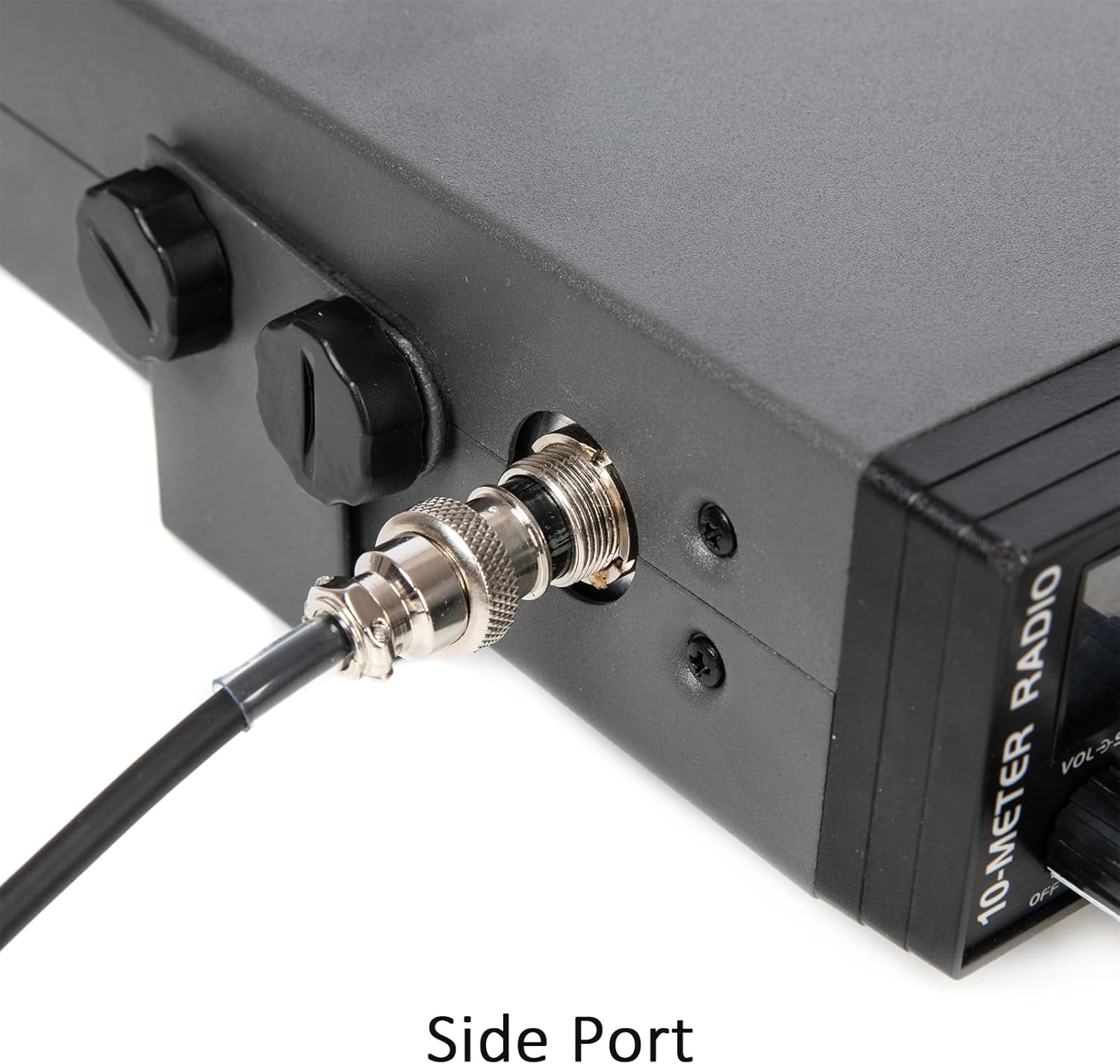
Image: Side port connection on the OMIZN 5558 radio, typically used for the microphone.
4.5. SWR Calibration
Proper SWR (Standing Wave Ratio) calibration is crucial for optimal performance and to prevent damage to the radio. The OMIZN 5558 features one-key SWR calibration and real-time SWR detection.
- Ensure your antenna is properly installed.
- Refer to the radio's display for real-time SWR readings.
- Adjust your antenna as necessary to achieve the lowest possible SWR, ideally below 1.5:1. The radio will automatically halt transmission if SWR is too high to protect the amplifier.

Image: Visual representation of PC Programming, Dual-Watch, Emergency Call, and One-Key SWR Calibration features.
5. Operating Instructions
5.1. Powering On/Off
Turn the VOL/SQ knob clockwise to power on the unit. Turn counter-clockwise until it clicks to power off.
5.2. Volume and Squelch Adjustment
- Volume (VOL): Rotate the outer ring of the VOL/SQ knob to adjust the audio output level.
- Squelch (SQ): Rotate the inner knob of VOL/SQ to set the squelch level. Adjust until background noise is suppressed, but weak signals can still be heard. The radio also features Automatic Squelch (ASQ).
5.3. Channel Selection
Use the CHANNEL knob to select your desired operating channel. The large LCD display will show the current channel and frequency.
5.4. Mode Selection
Press the MODE button to cycle through the available modulation modes: AM, FM, USB, LSB, CW, and PA.

Image: Front panel of the OMIZN 5558 radio, illustrating the various modulation modes available.
5.5. Noise Reduction (NB/ANL, HI-CUT)
Activate the NB/ANL (Noise Blanker/Automatic Noise Limiter) and HI-CUT functions to reduce electrical interference and high-frequency noise for clearer audio.

Image: Displaying key features including noise reduction, RF gain, LCD, and protection systems.
5.6. Instant Channel 9
Press the dedicated Channel 9 button for immediate access to the emergency channel.
5.7. One-Touch Beep Off
To disable the beep sound, press the FUNC key, then press the RB (Roger Beep) key.
5.8. PC Programming
The radio supports PC programming for advanced customization of frequency steps, TOT (Time-Out Timer), Roger Beep, and scan lists. A programming cable is required and sold separately. Contact customer service for the necessary software and instructions.
6. Maintenance
- Cleaning: Use a soft, dry cloth to clean the exterior of the transceiver. Do not use abrasive cleaners or solvents.
- Connections: Periodically check all cable connections (power, antenna, microphone) to ensure they are secure and free from corrosion.
- Ventilation: Ensure the ventilation openings on the unit are not obstructed to prevent overheating.
- Storage: When not in use for extended periods, store the radio in a cool, dry place away from direct sunlight and extreme temperatures.
7. Troubleshooting
| Problem | Possible Cause | Solution |
|---|---|---|
| No power | Loose power connection, blown fuse, incorrect voltage. | Check power cable connections. Verify fuse. Ensure 12V DC power supply. |
| No reception or poor reception | Antenna not connected, high SWR, squelch set too high, incorrect mode. | Check antenna connection. Perform SWR calibration. Adjust squelch. Select correct mode (AM/FM/SSB). |
| No transmission or low power output | Microphone not connected, high SWR, power setting too low. | Check microphone connection. Perform SWR calibration. Ensure power output is set correctly. |
| Distorted audio | Volume too high, poor signal quality, interference. | Adjust volume. Activate NB/ANL or HI-CUT. Check antenna. |
If you encounter issues not listed here or require further assistance, please contact OMIZN customer service.
8. Specifications
| Feature | Detail |
|---|---|
| Brand | OMIZN |
| Model Number | OMI-5558 |
| Number of Channels | 360 |
| Frequency Range | 25.615-30.105MHz |
| Talking Range Maximum | 250 Mile |
| Voltage | 12 Volts (DC) |
| Power Output (AM/FM/CW) | 50W |
| Power Output (SSB) | 45W PEP |
| Operating Temperature | -30℃ to 70℃ Degrees Celsius |
| Product Dimensions (D x W x H) | 9.84"D x 11.02"W x 2.36"H |
| Item Weight | 4.1 Pounds |
| Special Features | Automatic Squelch, Long Range, Noise Reduction, Roger Beep, SWR Calibration |
9. Warranty and Support
OMIZN guarantees comprehensive support for any setup, function, or usage issues. If you have any problems with using, setting up, or operating the product, please contact OMIZN customer service.
- Professional Troubleshooting: Benefit from expert assistance for a smooth experience.
- Response Time: Please allow slight delays due to time zones; every message will be resolved.
For further assistance, please visit the OMIZN Store on Amazon or contact their customer service directly.