
Introduction
Thank you for choosing the NekSide 601 Digital Voice Recorder. This manual provides detailed instructions on how to set up, operate, and maintain your device. Please read this manual carefully before use to ensure optimal performance and longevity of your voice recorder.
Product Overview
Key Features
- Storage Capacity: 8 GB internal memory, expandable with removable TF cards (8 GB TF card included), capable of storing up to 200 hours of recordings.
- One-Touch Recording: Instant recording activation for quick capture of audio.
- Long Battery Life: Built-in rechargeable lithium battery provides over 22 hours of continuous recording on a full charge (approx. 2 hours charging time) and 20 days standby.
- Type-C Charging: Modern Type-C port supports simultaneous charging and recording.
- High-Performance Audio: Dual 360° omnidirectional microphones with DSP noise reduction technology and ANC chip, supporting up to 1536 kbps bitrate for clear, high-quality audio.
- Compact Design: Approximately 9 x 3 x 1.2 cm in size and 46.5 grams in weight, making it highly portable.
Device Components
The NekSide 601 features an intuitive button layout for easy operation.

Image: Front view of the NekSide 601 Voice Recorder, illustrating the main control buttons: REC (red dot), PLAY/PAUSE, and STOP. The screen displays 'System Settings'.
- REC Button: Red dot button to start recording.
- PLAY/PAUSE Button: For playing and pausing audio.
- STOP Button: To end and save a recording.
- Display Screen: Shows system settings, recording status, and file information.
- Microphones: Located at the top for audio capture.
- Type-C Port: For charging and data transfer.
- 3.5mm Headphone Jack: For audio playback.
Setup
1. Charging the Device
Before first use, fully charge the voice recorder. Connect the included Type-C cable to the device's Type-C port and the other end to a USB power adapter or computer USB port. The device supports simultaneous charging and recording.

Image: The NekSide 601 Voice Recorder with an illustration of a charging battery and a low battery indicator, showing that files are automatically saved when the battery is low.
A full charge takes approximately 2 hours and provides over 22 hours of continuous recording time.
2. Inserting/Replacing TF Card (Optional)
The device comes with an 8 GB TF card pre-installed. If you need to replace it or use a different capacity card:
- Locate the TF card slot on the side of the device.
- Gently push the existing TF card to eject it.
- Insert the new TF card with the metal contacts facing down until it clicks into place.
Operating Instructions
1. Recording Audio
- To start recording, simply slide the power switch to the 'ON' position or press the REC (red dot) button. The device will immediately begin recording.
- To stop recording and save the file, press the STOP button. The recording will be saved automatically.
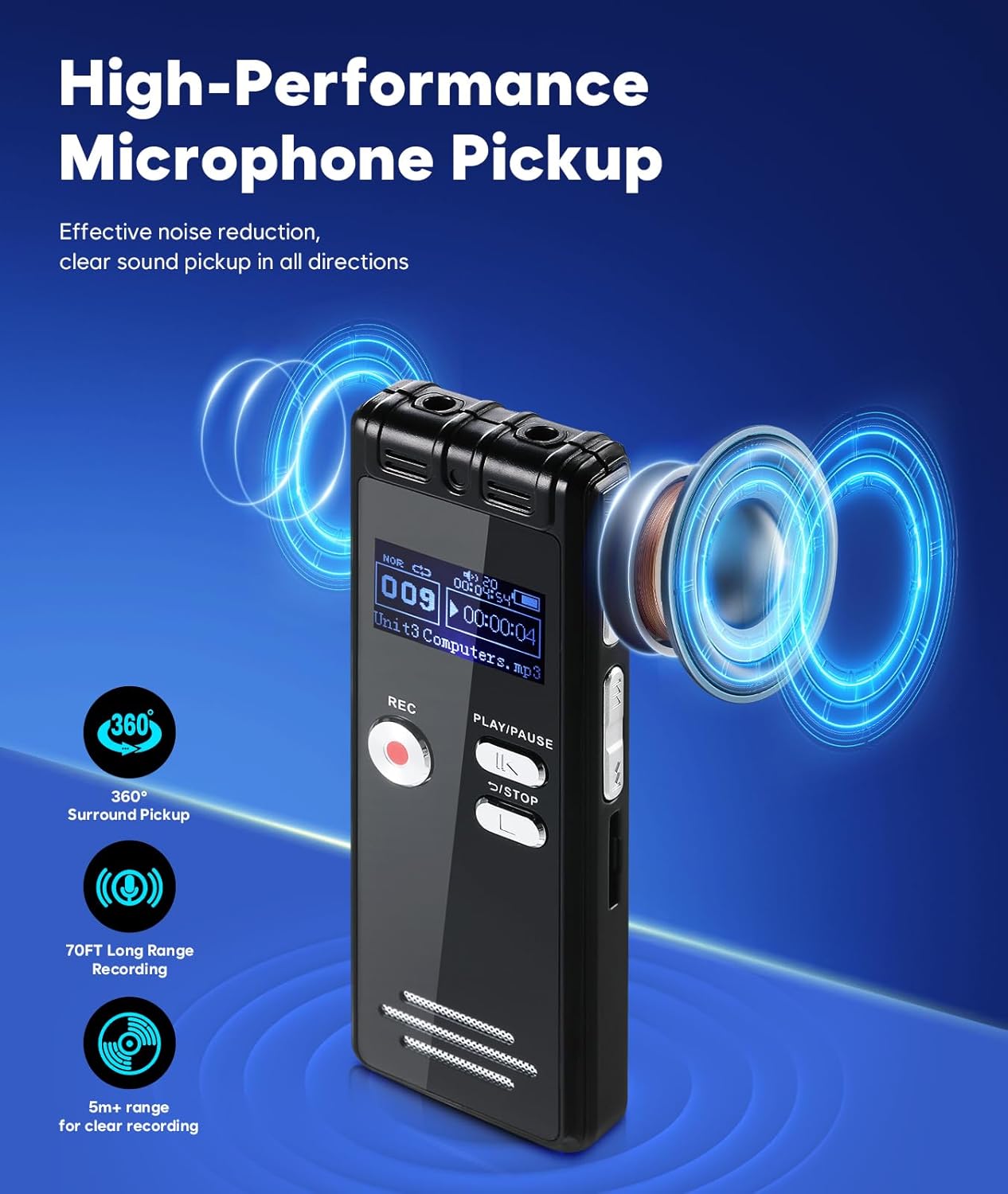
Image: The NekSide 601 Voice Recorder with an illustration of sound waves being captured by its high-performance microphones, emphasizing 360° surround pickup and long-range recording capabilities.
2. Playing Back Recordings
- To play a recording, navigate to the file using the device's menu and press the PLAY/PAUSE button.
- Press PLAY/PAUSE again to pause playback.
- Use the volume buttons (usually on the side) to adjust the playback volume.
- Connect 3.5mm headphones to the headphone jack for private listening.
3. Transferring Files to a Computer or Android Device
You can easily transfer recorded files to your computer or Android device.
- Connect the NekSide 601 to your computer or Android device using the provided Type-C USB cable.
- The device will appear as a removable storage drive.
- Locate your recorded files (typically in WAV format) and copy them to your desired location.
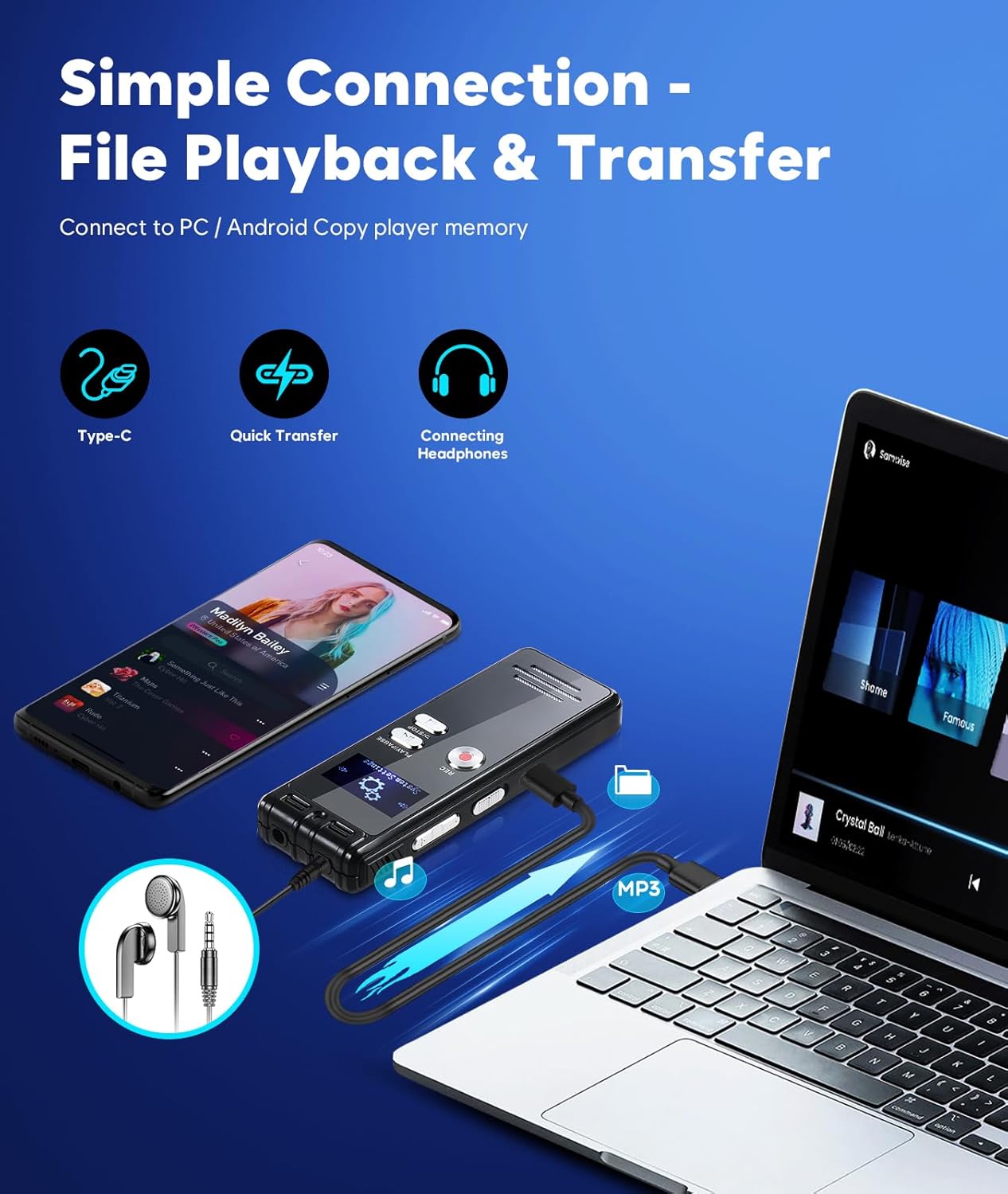
Image: The NekSide 601 Voice Recorder connected via a Type-C cable to both a laptop and a smartphone, demonstrating simple file playback and transfer capabilities.
Maintenance
- Cleaning: Use a soft, dry cloth to clean the device. Do not use liquid cleaners or solvents.
- Storage: Store the device in a cool, dry place away from direct sunlight and extreme temperatures.
- Battery Care: To prolong battery life, avoid fully discharging the battery frequently. Charge the device regularly, even if not in use for extended periods.
- Data Backup: Regularly back up important recordings to a computer or external storage device to prevent data loss.
Troubleshooting
| Problem | Possible Cause | Solution |
|---|---|---|
| Device does not turn on | Low battery; device frozen | Charge the device; perform a soft reset (refer to device manual for specific reset instructions if available). |
| Cannot record | Memory full; incorrect settings | Delete old files or transfer them to a computer; check recording settings. |
| Poor audio quality | Microphone obstructed; high background noise | Ensure microphones are clear; record in a quieter environment; check noise reduction settings. |
| Device not recognized by computer | Faulty USB cable; driver issue; incorrect connection mode | Try a different Type-C cable; restart computer and device; ensure device is in data transfer mode if applicable. |
Specifications
| Feature | Detail |
|---|---|
| Model Number | 601 |
| Manufacturer Part Number | IT601 |
| Memory Storage Capacity | 8 GB (expandable via TF card) |
| Battery Life | 22 Hours (continuous recording) |
| Charging Port | USB-C |
| Audio Format | WAV |
| Headphone Jack | 3.5 mm |
| Microphone Operating Mode | Mono (with 360° omnidirectional pickup) |
| Compatible Devices | MP3 Player |
| Package Dimensions | 12.6 x 10.6 x 2.2 cm |
| Item Weight | 110 g (package weight) |
| Box Contents | Voice Recorder, Type-C USB Cable, 8GB TF Card |
Warranty and Support
Warranty Information
Please refer to the warranty card included with your product for specific warranty terms and conditions. Typically, NekSide products come with a limited manufacturer's warranty covering defects in materials and workmanship from the date of purchase.
Customer Support
For technical assistance, troubleshooting not covered in this manual, or warranty claims, please contact NekSide customer support through the retailer where you purchased the product or visit the official NekSide website for contact information.