
Introduction
Thank you for purchasing the ENVYCLOUD Portable CD Player Model 918. This device offers versatile audio playback options including CD, MP3, CD-R, CD-RW, and WMA formats, along with Bluetooth, AUX, and USB connectivity. Its compact design, built-in rechargeable battery, and dual stereo speakers make it ideal for both home and portable use. This manual provides detailed instructions for setup, operation, maintenance, and troubleshooting to ensure optimal performance.

Image: The ENVYCLOUD Portable CD Player shown in a natural outdoor setting, emphasizing its portable and easy-to-carry design.
What's in the Box
Please check the package contents to ensure all items are present:
- ENVYCLOUD Portable CD Player (Model 918)
- Type-C Charging Cable
- Earphones
- Remote Control
- User Manual (this document)
Product Features
- Rechargeable Battery: Built-in battery provides over 6 hours of playback on a 3-hour charge, allowing for portable use without constant power connection.
- Dual Stereo Speakers: Integrated HiFi speakers deliver clear and solid audio quality for direct listening.
- Bluetooth Connectivity: Wirelessly stream audio to Bluetooth speakers or headphones. Note: This player transmits Bluetooth signals but does not receive them from phones or tablets.
- Multi-format Playback: Supports CD, MP3, CD-RW, CD-R, and WMA audio formats.
- USB Playback: Play MP3 files directly from a USB memory stick.
- AUX Input/Output: Connect to external audio systems, such as car stereos, using the included 3.5mm AUX cable.
- Multiple Playback Modes: Includes Play in order, Repeat a track, Repeat All, Repeat A-B, and Random play.
- Compact Design: Lightweight and portable, measuring 4.5"L x 4.5"W x 0.85"H and weighing 13.6 ounces.

Image: The ENVYCLOUD Portable CD Player highlighting its dual high-quality clear speakers, indicating stereo surround sound.

Image: The ENVYCLOUD Portable CD Player displayed with an infographic listing its key features, including Bluetooth Transmitter, Rechargeable Music, HiFi Stereo Music, AUX Input/Output, LED Display, Dust Cover, A-B Repeater, and 3.5mm Headphone jack.
Controls and Ports
Familiarize yourself with the various controls and connection ports on your CD player.

Image: Top-down view of the ENVYCLOUD Portable CD Player, highlighting the CD compartment, display, and control buttons. The side shows the USB-C charging port, USB-A port, 3.5mm headphone jack, and power switch.
- Power Switch: Located on the side, slides to turn the device ON/OFF.
- Type-C Charging Port: For connecting the USB-C charging cable.
- USB-A Port: For connecting a USB memory stick for MP3 playback.
- 3.5mm Headphone/AUX Jack: For connecting wired headphones or an AUX cable to external audio systems.
- LCD Display: Shows track number, playback time, and mode.
- Control Buttons: (M) Mode, (A-B) Repeat, (Loop) Playback, Previous, Play/Pause/Stop, Next.
Setup
1. Charging the Device
Before first use, fully charge the CD player. Connect the provided Type-C charging cable to the charging port on the device and the other end to a USB power adapter (not included) or a computer's USB port. The charging indicator will show the charging status. A full charge typically takes about 3 hours and provides over 6 hours of playback.

Image: The ENVYCLOUD Portable CD Player shown with a battery icon, illustrating its rechargeable nature and long playtime.
2. Inserting a CD
- Gently slide open the CD compartment cover.
- Place the CD with the label side facing up onto the spindle. Ensure it clicks into place.
- Close the CD compartment cover firmly until it latches.

Image: The ENVYCLOUD Portable CD Player with its transparent lid open, showing a CD placed inside the compartment.
3. Connecting Headphones
For private listening, plug the included earphones or your preferred 3.5mm headphones into the headphone jack on the side of the player.

Image: A person wearing wired headphones connected to the ENVYCLOUD Portable CD Player, demonstrating private listening.
4. Bluetooth Pairing (Transmitter Function)
The CD player can transmit audio to Bluetooth-enabled speakers or headphones.
- Ensure your Bluetooth receiving device (speaker/headphones) is in pairing mode.
- Turn on the ENVYCLOUD CD player.
- Press and hold the Bluetooth button (often combined with the Mode button) on the CD player until the Bluetooth indicator light flashes, indicating pairing mode.
- The CD player will automatically search for and connect to nearby Bluetooth devices. Once connected, the indicator light will become solid.
Important Note: This CD player functions as a Bluetooth transmitter only. It cannot connect to smartphones or tablets to receive audio from them.
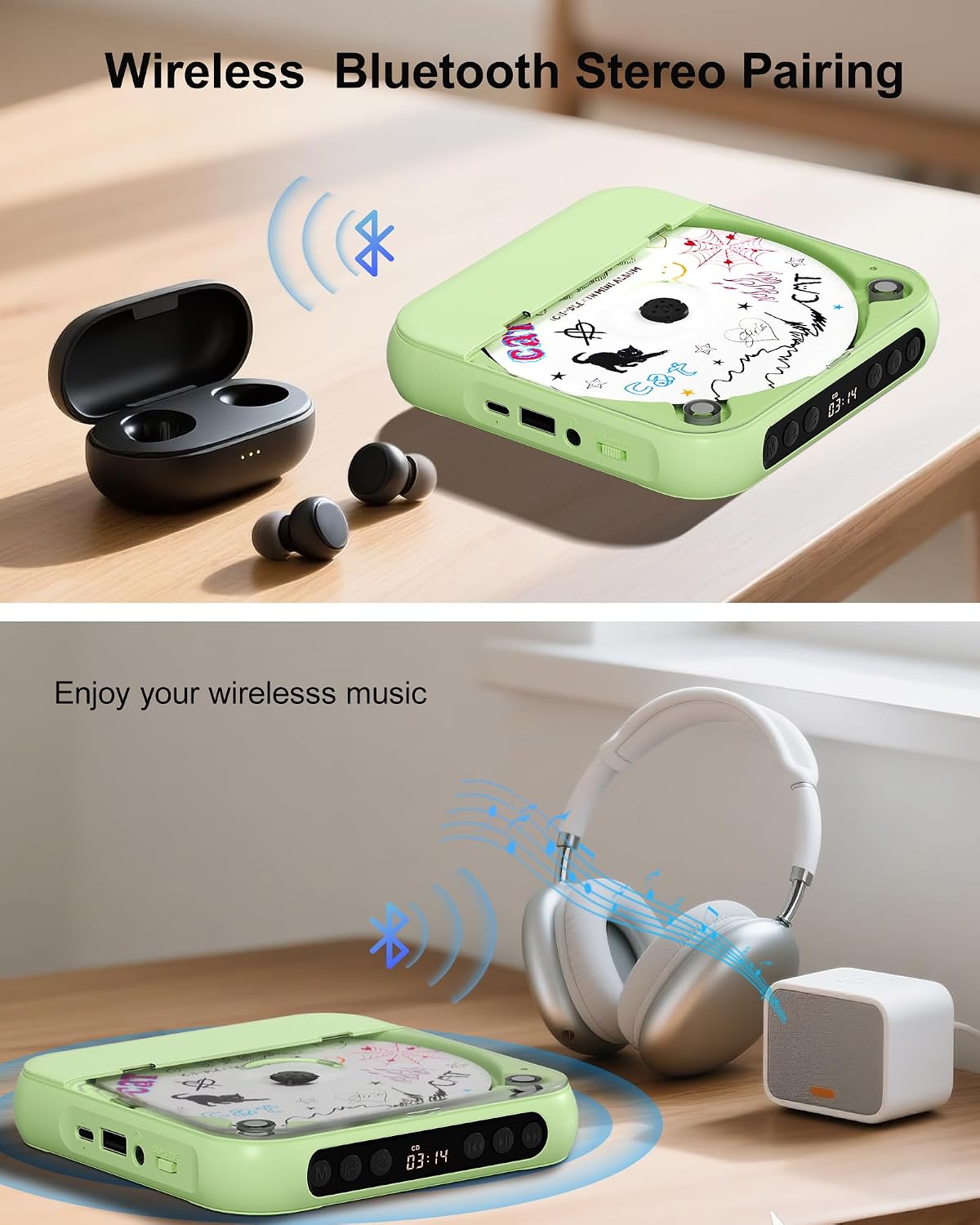
Image: The ENVYCLOUD Portable CD Player shown with Bluetooth earbuds and over-ear headphones, illustrating its wireless audio transmission capability.

Image: The ENVYCLOUD Portable CD Player wirelessly connected to an external Bluetooth speaker, demonstrating its use with other audio devices.
5. USB Playback
Insert a USB memory stick containing MP3 audio files into the USB-A port on the side of the player. The player will automatically switch to USB mode and begin playing the files.
6. AUX Connection
To connect the CD player to an external audio system (e.g., car stereo, home stereo) via AUX:
- Connect one end of the 3.5mm AUX cable (male-to-male) to the 3.5mm jack on the CD player.
- Connect the other end to the AUX input of your external audio system.
- Select the AUX input on your external audio system.
Note: Bluetooth compatibility with external devices, especially car systems, cannot be guaranteed for all models.

Image: The ENVYCLOUD Portable CD Player connected to a car's infotainment system using an AUX cable, demonstrating its use in a vehicle.
Operating Instructions
1. Basic Playback
- Turn on the device using the power switch.
- Insert a CD or USB stick as described in the Setup section. The player will automatically detect the media.
- Press the Play/Pause/Stop button to start playback.
- Press Previous or Next to skip tracks.
- Press the Play/Pause/Stop button again to pause playback. Press it once more to resume.
- To stop playback, press and hold the Play/Pause/Stop button.
2. Playback Modes
Press the Mode (M) button to cycle through different playback modes:
- Play in Order: Plays tracks sequentially.
- Repeat a Track: Repeats the current track.
- Repeat All: Repeats all tracks on the disc/USB.
- Repeat A-B: Allows you to repeat a specific segment of a track. Press A-B at the start point (A) and again at the end point (B).
- Random Play: Plays tracks in a random order.
3. Volume Control
Adjust the volume using the dedicated volume buttons on the device or the remote control.
Maintenance
- Cleaning: Use a soft, dry cloth to clean the exterior of the player. Do not use liquid cleaners or abrasive materials.
- CD Care: Handle CDs by the edges. Clean dirty CDs with a soft, lint-free cloth, wiping from the center outwards.
- Storage: Store the CD player in a cool, dry place away from direct sunlight and extreme temperatures.
- Battery: To prolong battery life, avoid fully discharging the battery frequently. Charge the device regularly, even if not in use for extended periods.
Troubleshooting
Device does not power on:
- Ensure the power switch is in the ON position.
- Charge the device fully using the provided Type-C cable.
CD does not play / "No CD" error:
- Ensure the CD is inserted correctly with the label side up and clicked into place.
- Check if the CD is clean and free from scratches or damage.
- Ensure the CD compartment cover is fully closed.
- Try a different CD to rule out a disc-specific issue.
No sound from speakers/headphones:
- Increase the volume on the device.
- If using wired headphones, ensure they are fully plugged into the 3.5mm jack.
- If using Bluetooth, ensure the player is successfully paired with your Bluetooth receiving device and the volume on both devices is adjusted.
- If using AUX, ensure the cable is securely connected and the correct input is selected on your external audio system.
Bluetooth connection issues:
- Ensure your Bluetooth receiving device is in pairing mode and within range (up to 32 feet).
- Restart both the CD player and the Bluetooth receiving device.
- Remember, the CD player transmits Bluetooth; it cannot receive signals from phones or tablets.
USB playback not working:
- Ensure the USB stick contains compatible MP3 files.
- Try re-inserting the USB stick.
- Test with a different USB stick if possible.
Specifications
| Brand | ENVYCLOUD |
| Model Number | 918 |
| Dimensions (L x W x H) | 4.5" x 4.5" x 0.85" |
| Item Weight | 13.6 ounces |
| Connectivity Technology | Bluetooth (Transmitter), 3.5mm AUX, USB |
| Supported Audio Formats | CD, MP3, CD-RW, CD-R, WMA |
| Number of Discs | 1 |
| Speakers | Dual Stereo HiFi Speakers |
| Battery Life | Approx. 6+ hours (after 3 hours charge) |
Warranty and Support
ENVYCLOUD offers a 1-Year Replacement Warranty for this product. If you encounter any issues or require assistance, please contact ENVYCLOUD customer support. Refer to the contact information provided in the packaging or on the official ENVYCLOUD website for support details.

Image: The ENVYCLOUD Portable CD Player displayed alongside a "1yr Warranty" badge, indicating the product's warranty coverage.

Image: Customer support representatives working, with the ENVYCLOUD Portable CD Player in the foreground, symbolizing available support.
Product Videos
ENVYCLOUD CD Player with Bluetooth Overview
Video: A demonstration of the ENVYCLOUD CD Player's features, including its Bluetooth connectivity. This video provides a visual guide to the product's functionality.
Portable CD Player with Bluetooth for Home/Car Use
Video: This video showcases the versatility of the portable CD player for use in various environments, such as home and car, highlighting its Bluetooth capabilities.