
Huuger 77.6 Inch 16-Drawer Fabric Dresser
Huuger 77.6 Inch 16-Drawer Fabric Dresser Instruction Manual
Model: 77.6 Inch 16-Drawer Fabric Dresser
Brand: Huuger
Introduction
This manual provides detailed instructions for the assembly, operation, and maintenance of your Huuger 77.6 Inch 16-Drawer Fabric Dresser. This versatile furniture piece functions as a long dresser for bedroom or closet storage and can also serve as a TV stand for televisions up to 85 inches.
Safety Information
Read all instructions carefully before assembly and use. Keep this manual for future reference.
Anti-Tip Device
To prevent serious injury, this dresser must be securely attached to the wall using the anti-tip device provided.

Image Description: A close-up image illustrating the anti-tip design, showing a strap attached to the back of the dresser and secured to a wall. This feature is crucial for stability and safety.
Weight Capacity
Do not exceed the maximum weight capacity of the dresser top (150 lbs) or individual drawers. Overloading can cause instability and damage.

Image Description: A detailed view of the dresser's wooden top surface, highlighting its robust construction and indicating a heavy-duty weight capacity of 150 lbs. The image also shows the layered construction of the fabric drawers.
Package Contents
Before beginning assembly, ensure all parts listed in the included parts list are present and undamaged. If any parts are missing or damaged, contact customer support.
Note: The assembly instructions and tools are included in the package.
Setup and Assembly
Assembly is required for this product. Follow the step-by-step instructions provided in the package.
- Unpack Components: Carefully remove all parts from the packaging. Lay them out on a clean, soft surface to prevent scratches.
- Identify Parts: Refer to the parts list and diagrams in the instruction manual to identify each component. All parts are labeled for easy identification.
- Assemble Frame: Begin by assembling the metal frame according to the diagrams. Ensure all screws are tightened securely.
- Attach Wood Top: Secure the wooden top panel to the assembled metal frame.
- Insert Drawers: Assemble the fabric drawers as instructed and insert them into the designated slots in the frame. Ensure they glide smoothly.
- Install Anti-Tip Device: Attach the anti-tip device to the back of the dresser and to a wall stud using the provided hardware. This step is critical for safety.
- Adjust Feet: Use the adjustable feet to level the dresser on uneven floors, ensuring stability.

Image Description: A person is shown assembling the metal frame of the dresser using a screwdriver, demonstrating the "Easy Assembly" feature.
Image Description: A close-up image illustrating the adjustable feet at the bottom of the dresser, designed to ensure stability on uneven surfaces.
Operating Instructions
Drawer Usage
The dresser features 16 fabric drawers (6 small, 10 large) designed for smooth operation. Pull drawers out gently using the handles. Avoid forcing drawers open or closed.
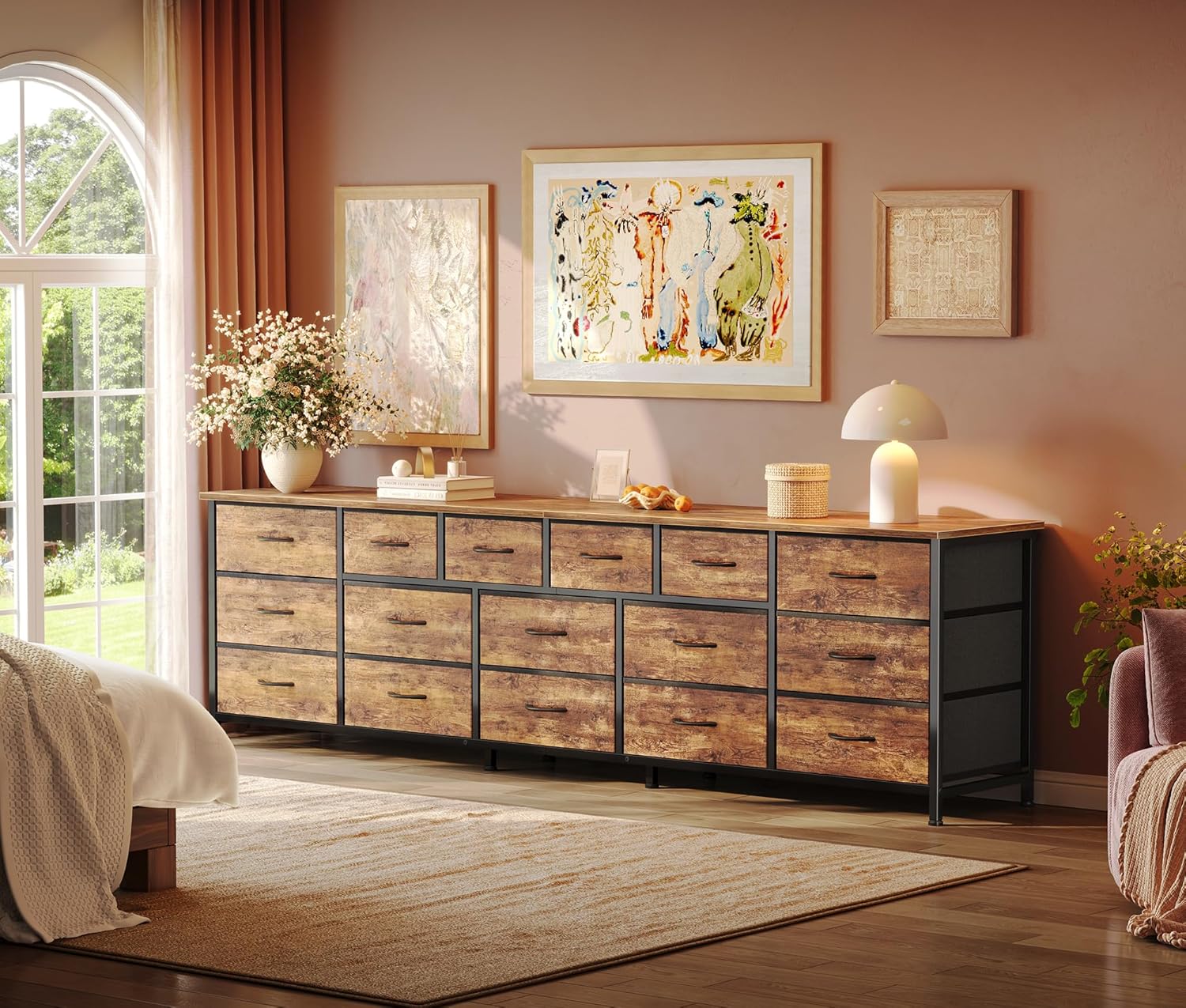
Image Description: An overhead view of the dresser with several drawers pulled open, revealing neatly organized clothes, books, and other items, demonstrating its storage capacity.
TV Stand Functionality
This dresser can support televisions ranging from 65 to 85 inches. Place the TV centrally on the wooden top surface. Ensure the TV base fits within the dresser's dimensions for stability.

Image Description: A living room setting featuring the dresser with a 65-inch television placed on top, illustrating its use as a TV stand.

Image Description: A diagram illustrating the dresser's dimensions (77.6" W x 26.4" H x 13" D) and indicating compatibility with 65", 75", and 85" televisions.
Maintenance and Care
Cleaning
The wooden top surface is waterproof. Wipe clean with a damp cloth and mild detergent. Dry immediately.
For fabric drawers, spot clean with a mild fabric cleaner. Do not machine wash or submerge in water.

Image Description: A close-up image of the dresser's wooden top with water droplets, demonstrating its waterproof surface for easy cleaning.
General Care
Periodically check all screws and connections to ensure they remain tight.
Avoid placing hot items directly on the wooden top. Use coasters or protective pads.
Keep the dresser away from direct sunlight and excessive moisture to prevent material degradation.
Troubleshooting
Drawers do not slide smoothly:
- Check if the drawer is properly aligned within its slot.
- Ensure the drawer is not overloaded.
- Verify that the metal frame is level using the adjustable feet.
Dresser feels unstable:
- Confirm all assembly screws are tightened.
- Adjust the leveling feet to ensure all corners are firmly on the floor.
- Ensure the anti-tip device is correctly installed and secured to the wall.
Missing parts during assembly:
- Double-check all packaging materials.
- Contact Huuger customer support with your product model and a description of the missing part.
Specifications
| Feature | Detail |
|---|---|
| Brand | Huuger |
| Model | 77.6 Inch 16-Drawer Fabric Dresser |
| Product Dimensions (D x W x H) | 12.99"D x 78.74"W x 26.77"H |
| Number of Drawers | 16 (6 small, 10 large) |
| Material | Fabric, MDF Board, Metal Frame |
| Finish Type | Polished (Wood Top) |
| TV Size Compatibility | 65, 75, 85 Inch TVs |
| Mounting Type | Freestanding (with anti-tip wall anchor) |
| Assembly Required | Yes |
Warranty and Customer Support
Warranty Information
Specific warranty details are not provided in the product information. Please refer to the documentation included with your purchase or contact Huuger customer support for warranty terms and conditions.
Customer Support
For assistance with assembly, missing parts, or any product-related inquiries, please contact Huuger customer support.
Contact Information: Refer to the contact details provided in your product packaging or visit the official Huuger website.
Ask a question about this manual
Ask about setup, troubleshooting, compatibility, parts, safety, or missing instructions. Manuals+ will review the question and use this page’s manual context to help answer it.