
Introduction
The JKNKCO NE75 AI Translation Earbuds are designed to provide real-time language translation alongside standard wireless earbud functionalities for music and calls. This manual provides instructions for setting up, operating, maintaining, and troubleshooting your NE75 earbuds.
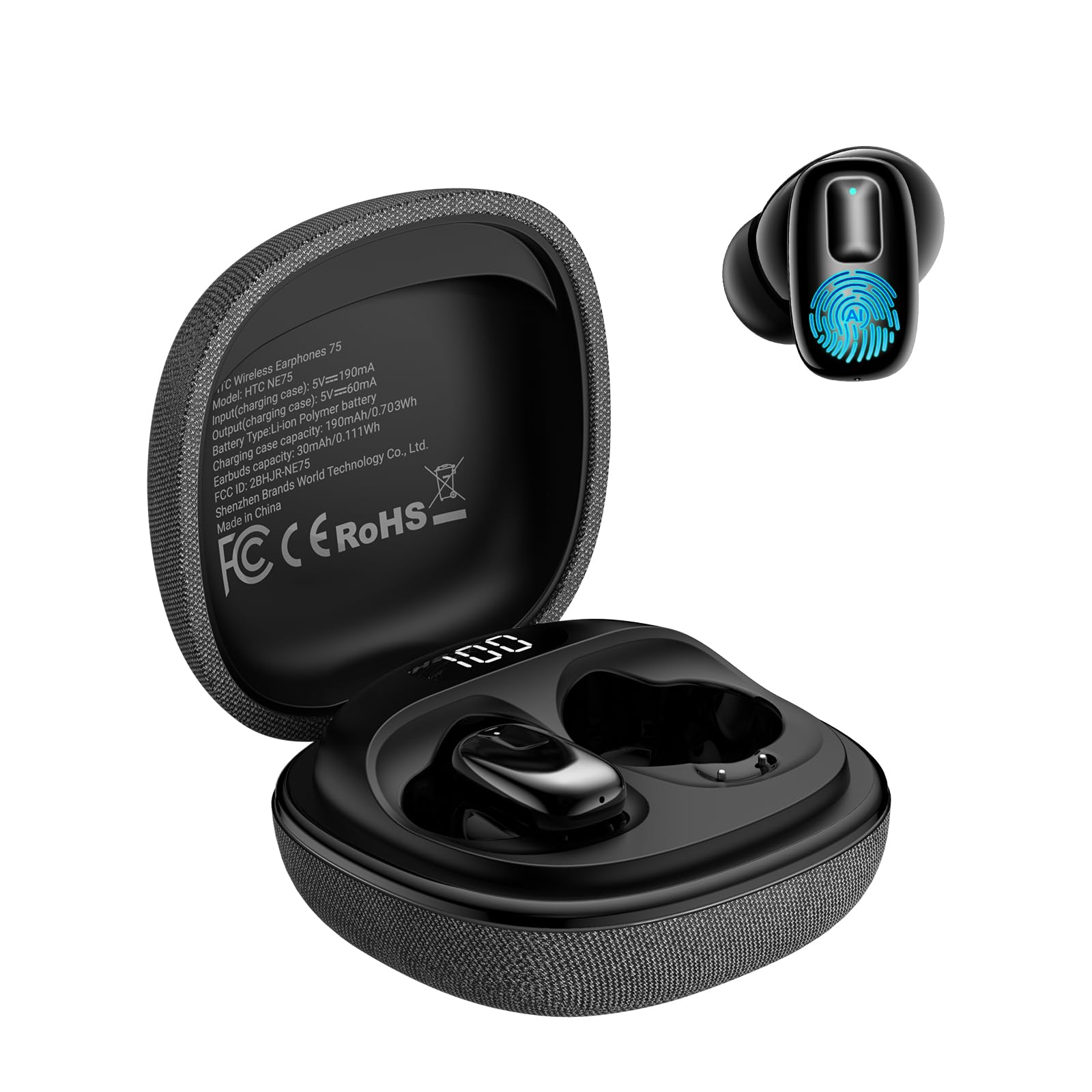
Image: JKNKCO NE75 AI Translation Earbuds in black, shown with their fabric-covered charging case.

Image: A close-up view of the NE75 earbuds and their distinctive textured fabric charging case.
What's in the Box
Verify that all items are present in the package:
- 1x Charging Case (Carries and charges your earbuds)
- 1x Pair of Earbuds (Left & Right earbuds)
- 1x USB-C Charging Cable
- 1x Quick Start Guide & User Manual
Setup
1. Charging the Earbuds and Case
Before first use, fully charge the earbuds and charging case. Connect the provided USB-C cable to the charging case and a power source. The digital battery display on the case will indicate the charging status.
- Earbud Charging Time: Approximately 1.5 hours
- Case Charging Time: Approximately 1.5 hours
- The charging case provides up to 2 full recharges for the earbuds.

Image: The NE75 charging case with earbuds inside, illustrating the total battery life of up to 40 hours with the case.
2. Pairing with Your Device
- Ensure the earbuds are charged and inside the charging case.
- Open the charging case lid. The earbuds will enter pairing mode.
- On your smartphone or Bluetooth-enabled device, go to Bluetooth settings.
- Search for "NE75" in the list of available devices and select it to pair.
- A voice prompt will confirm successful pairing.
The NE75 earbuds use Bluetooth Version 6.0 and have a range of up to 10 meters.
3. Companion App Installation
To utilize the AI translation features, download the dedicated companion app on your smartphone. Refer to the Quick Start Guide for specific app download instructions (e.g., QR code or app store search). The core translation service within the app is free to use.

Image: A man wearing NE75 earbuds and looking at his smartphone, illustrating the 135 languages translation feature via the companion app.
Operating Instructions
Basic Earbud Functions (Music & Calls)
The NE75 earbuds function as standard Bluetooth earphones for audio playback and hands-free calls. They feature a 10mm dynamic driver for balanced sound.

Image: NE75 earbuds in their open charging case, emphasizing the 10mm dynamic driver for high audio quality.
Touch Controls
The earbuds feature smart touch controls for convenient management of audio and calls:
- Play / Pause: Tap either earbud once.
- Previous Track: Tap the left earbud three times.
- Next Track: Tap the right earbud three times.
- Answer Call: Tap either earbud once.
- End Call: Tap either earbud once.
- Voice Assistant: Press and hold the left earbud for 2 seconds.
- Game / Music Mode: Press and hold the right earbud for 2 seconds.

Image: Visual guide detailing the touch control functions for the NE75 earbuds.
AI Translation Modes
The NE75 earbuds, in conjunction with the companion app, offer six translation and AI modes:
- Conversational Translation: Facilitates two-way translation for direct conversations.
- Free Talk Mode: Allows for natural conversation with each participant wearing one earbud for seamless translation.
- Headphone + Phone Mode: One user wears an earbud, while the other uses the phone app for translated conversation.
- AI Chat Mode: Interact with an AI assistant for real-time information and conversation.
- Photo Translation: Translate text from images using the app's camera function.
- Additional AI-assisted functions.
Note: Translation requires a compatible smartphone and an active internet connection.

Image: Two individuals engaged in conversation, each wearing an NE75 earbud, demonstrating Free Talk Mode for seamless translation.

Image: One person wearing an NE75 earbud and another using a smartphone, illustrating the Headphone + Phone Mode for translated conversations.

Image: Screenshots demonstrating the AI Chat mode within the companion app, showing interaction with an AI for information.

Image: Three scenarios depicting the use of NE75 earbuds for translation in travel, business meetings, and classroom settings.
Maintenance
- Cleaning: Regularly clean the earbuds and charging case with a soft, dry cloth. Avoid using liquids or abrasive cleaners.
- Storage: Store the earbuds in their charging case when not in use to protect them and ensure they remain charged.
- Battery Care: To prolong battery life, avoid fully discharging the earbuds and case frequently. Charge them regularly.
- Water Resistance: The product is not specified as waterproof. Avoid exposure to water or excessive moisture.
Troubleshooting
| Problem | Possible Cause | Solution |
|---|---|---|
| Earbuds not pairing | Low battery; not in pairing mode; device Bluetooth off; interference. | Ensure earbuds are charged and case is open. Turn device Bluetooth off and on. Move closer to the device. Try pairing with another device to isolate the issue. |
| Translation not working | No internet connection; app not open/configured; speaking too fast/unclearly; background noise. | Verify internet connection. Ensure the companion app is open and the correct translation mode is selected. Speak clearly and at a moderate pace. Reduce background noise. |
| No sound from earbuds | Earbuds not connected; volume too low; media paused. | Check Bluetooth connection. Increase volume on both earbuds and connected device. Ensure media is playing. |
| Earbuds not charging | Charging cable faulty; charging port dirty; earbuds not seated correctly. | Try a different USB-C cable and power adapter. Clean charging contacts on earbuds and case. Ensure earbuds are properly seated in the case. |
Specifications

Image: A visual representation of the NE75 earbuds and charging case with key dimensions and specifications.
| Feature | Detail |
|---|---|
| Model | NE75 |
| Brand | JKNKCO |
| Bluetooth Version | 6.0 |
| Wireless Range | Up to 10 m |
| Audio Driver Type | 10 mm Dynamic Driver |
| Earbud Battery Capacity | 30 mAh |
| Charging Case Battery Capacity | 190 mAh |
| Earbud Charging Time | 1.5 hours |
| Case Charging Time | 1.5 hours |
| Earbud Recharges from Case | 2 charges |
| Total Playtime (with case) | Up to 40 hours |
| Control Method | Touch |
| Ear Placement | In Ear |
| Noise Control | Active Noise Cancellation |
Warranty Information
The JKNKCO NE75 AI Translation Earbuds come with a 1-Year Warranty. For specific warranty terms and conditions, especially if purchased from a third-party marketplace seller, please use the 'Contact seller' feature on the seller's information page to request the item's warranty terms prior to purchase or for any warranty claims.
Customer Support
For further assistance, technical support, or questions regarding your JKNKCO NE75 earbuds, please refer to the contact information provided in your Quick Start Guide or visit the official JKNKCO store page on Amazon: JKNKCO Store.
Official Product Video
Video: An official product video from Hengjiaxin Electronics Co., Limited, showcasing the features and usage of the NE75 AI Translation Earbuds.