
Yozma IN10
Yozma IN10 Electric Dirt Bike Instruction Manual
Model: IN10
1. Important Safety Information
Before operating the Yozma IN10 Electric Dirt Bike, carefully read and understand all safety instructions. Failure to follow these instructions may result in serious injury or property damage.
- Ensure that the brakes, wheels, and all other components of the ebike are correctly installed and functioning before each ride.
- Verify local legal age and license requirements for electric dirt bike operation to ensure compliance.
- Teenagers should operate the bike only under direct adult supervision.
- Always adhere to all local safety regulations and traffic laws.
- Wear appropriate safety gear, including a helmet, eye protection, gloves, and protective clothing, at all times while riding.
2. Product Overview
The Yozma IN10 is a high-performance electric dirt bike designed for off-road use. It features a powerful mid-drive motor, advanced suspension, and a removable battery for extended range.
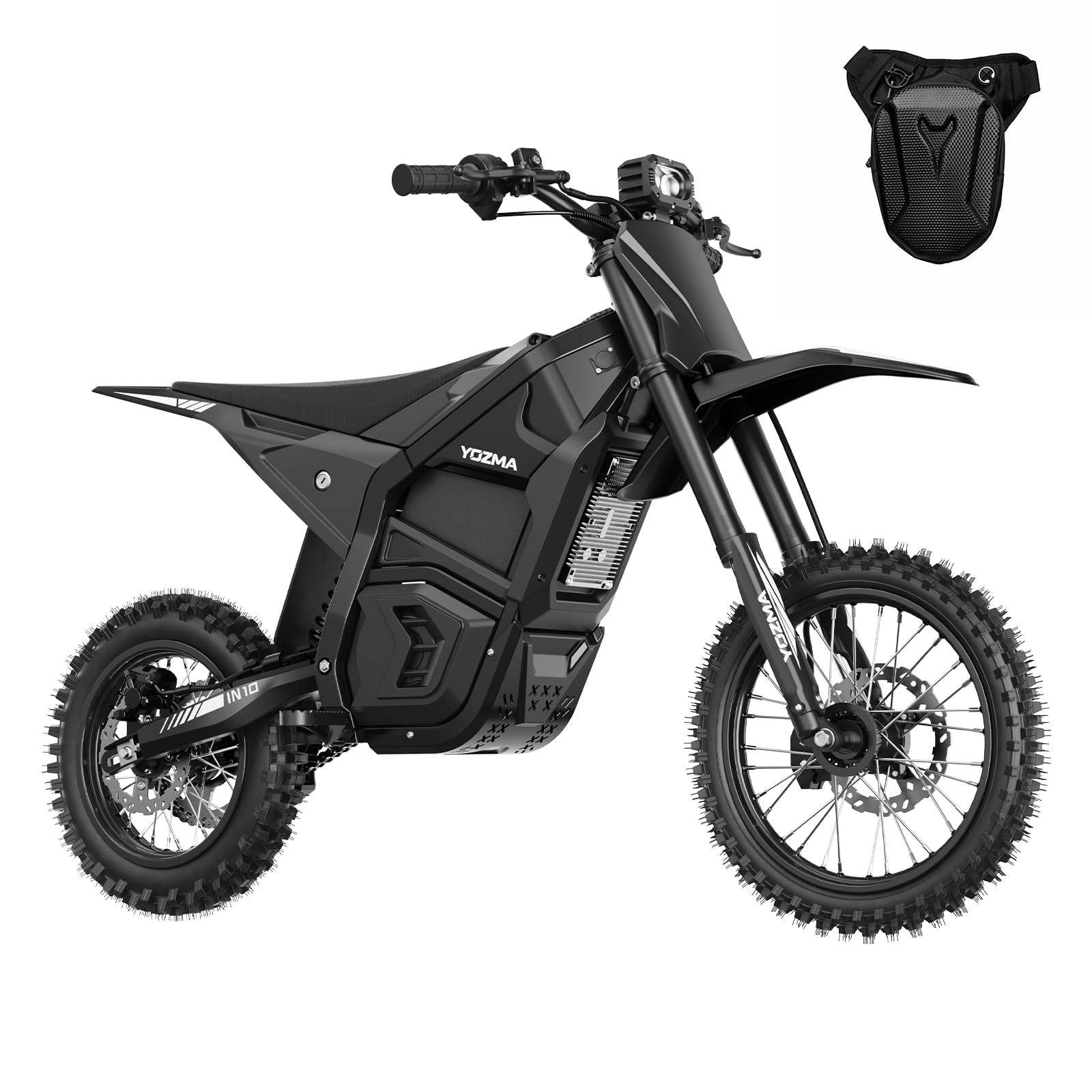
Image: The Yozma IN10 Electric Dirt Bike, showcasing its design and off-road capabilities.
Key Features:
- High-Performance Motor: 2600W peak mid-drive motor capable of reaching 40 mph and climbing slopes up to 30 degrees.
- Ultimate Battery Safety: Removable, long-range battery with an advanced Battery Management System (BMS), offering up to 53 miles of range.
- Premium Full Suspension: Rear nitrogen shock and 220mm-travel front hydraulic fork for stable and comfortable riding on varied terrain.
- Reliable Stop System: Advanced EABS combined with hydraulic disc brakes for effective and precise stopping power.

Image: Detailed diagram of the 2600W Peak Mid-drive Motor, showing its design and performance benefits.
3. Setup and Assembly
The Yozma IN10 Electric Dirt Bike requires some assembly upon arrival. Follow these general steps for proper setup.
Unboxing and Initial Inspection:
- Carefully remove all components from the packaging.
- Inspect for any visible damage during shipping. Contact customer support immediately if damage is found.
- Ensure all parts listed in the packing list are present.
Video: An unboxing and initial overview of the Yozma IN10 Electric Dirt Bike, demonstrating how components are packaged and presented.
Component Assembly:
- Handlebars: Attach the handlebars securely to the stem. Ensure they are centered and tightened to the recommended torque.
- Front Wheel: Install the front wheel, ensuring the axle is properly seated and secured.
- Brake Pads: Install the brake pads into the calipers. Ensure they are correctly aligned with the brake disc.

Image: The Yozma IN10 on a stand, illustrating the front wheel and brake system, which requires assembly.
- Fenders: Attach the front and rear fenders.
- Battery Installation: Insert the removable battery into its compartment. Ensure it is securely latched and connected.
- Pedals (if applicable): Install pedals if your model includes them.
After assembly, perform a thorough check of all bolts, nuts, and connections to ensure they are tight and secure. Test the brakes and throttle response before your first ride.
4. Operating Instructions
Operating the Yozma IN10 is straightforward, but understanding its controls and features is essential for a safe and enjoyable ride.
Starting the Bike:
- Ensure the battery is fully charged and properly installed.
- Insert the key into the ignition and turn it to the 'ON' position. The display panel should illuminate.

Image: Close-up of the Yozma IN10's key ignition and digital display, indicating how to start the bike.
Riding the Bike:
- Once the bike is powered on, gently twist the throttle to engage the motor and begin moving.
- Familiarize yourself with the throttle response in a safe, open area before riding at higher speeds or on challenging terrain.
- Use the brake levers to slow down or stop. The hydraulic disc brakes provide strong and precise stopping power.
- The full suspension system is designed to absorb shocks and provide a smooth ride over uneven surfaces.
Battery Management:
- Monitor the battery level on the display panel.
- The removable battery allows for convenient charging, either on or off the bike.

Image: The removable battery of the Yozma IN10, showing its placement and ease of access for charging.
5. Maintenance
Regular maintenance ensures the longevity and safe operation of your Yozma IN10 Electric Dirt Bike.
Routine Checks:
- Brakes: Regularly inspect brake pads for wear and brake fluid levels. Ensure brake levers operate smoothly and provide adequate stopping power.
- Tires: Check tire pressure before each ride. Inspect tires for cuts, punctures, or excessive wear.
- Chain: Keep the chain clean, lubricated, and properly tensioned.
- Fasteners: Periodically check all bolts, nuts, and screws for tightness. Tighten any loose fasteners to prevent component failure.
Battery Care:
- Charge the battery fully after each use, especially if it will be stored for an extended period.
- Avoid completely draining the battery.
- Store the battery in a cool, dry place away from direct sunlight and extreme temperatures.
Cleaning:
- Clean the bike with a damp cloth. Avoid using high-pressure washers directly on electrical components.
- Dry the bike thoroughly after cleaning.
6. Troubleshooting
This section addresses common issues you might encounter with your Yozma IN10 Electric Dirt Bike.
Bike Does Not Power On:
- Check Battery: Ensure the battery is fully charged and properly seated in its compartment.
- Key Ignition: Verify the key is fully inserted and turned to the 'ON' position.
- Connections: Inspect all visible electrical connections for looseness or damage.
Motor Not Engaging / No Power:
- Throttle Check: Ensure the throttle is functioning correctly and not stuck. A faulty throttle can sometimes display an error code (e.g., 'Error 08' as reported by some users).
- Brake Levers: Confirm that brake levers are not partially engaged, as this can cut power to the motor.
- Error Codes: If an error code appears on the display, consult the specific error code section in the full manual (if available) or contact customer support.
Unusual Noises or Vibrations:
- Loose Components: Check for any loose bolts, nuts, or other components that may be causing the noise.
- Chain: Inspect the chain for proper tension and lubrication. A loose or dry chain can cause noise.
- Brakes: Ensure brake pads are not rubbing against the disc when not engaged.
For persistent issues or complex repairs, it is recommended to contact Yozma customer support or a qualified service technician.
7. Specifications
Detailed technical specifications for the Yozma IN10 Electric Dirt Bike.

Image: Dimensional diagram of the Yozma IN10, providing key measurements for reference.
| Specification | Value |
|---|---|
| Product Dimensions | 61.42 x 28.74 x 37.4 inches |
| Item Weight | 110 pounds |
| Recommended Age | 16 years and up |
| Motor Power | 2600W Peak Mid-drive |
| Max Speed | 40 mph |
| Max Range | Up to 53 miles |
| Max Load | 265 pounds |
| Suspension | Front Hydraulic Fork (220mm travel), Rear Nitrogen Shock |
| Brakes | Dual Hydraulic Disc Brakes with EABS |
| Waterproof Rating | IPX6 |
| Frame Material | High-Carbon Steel |

Image: Key specifications and features of the Yozma IN10, including its robust high-carbon steel frame.

Image: Illustration of the Yozma IN10's premium full suspension, highlighting the 220mm travel hydraulic fork and nitrogen damping technology.

Image: Visual representation of the Yozma IN10's dual hydraulic brake system, demonstrating its stopping power.

Image: Diagram of the Yozma IN10's UL-certified removable battery, highlighting its BMS and extended range.
8. Warranty and Support
For warranty information and customer support, please refer to the details provided at the time of purchase or contact the manufacturer directly.
- Returns: The product typically includes a 30-day easy return policy. Please check your purchase documentation for specific terms.
- Technical Assistance: For technical questions, troubleshooting assistance, or parts inquiries, contact Yozma customer support.
- Contact Information: Refer to the seller's contact details provided with your purchase or visit the official Yozma website for support resources.
Related documentsIN10


Ask a question about this manual
Ask about setup, troubleshooting, compatibility, parts, safety, or missing instructions. Manuals+ will review the question and use this page’s manual context to help answer it.