
1. Introduction
This manual provides instructions for the JNMDLAKO Office Folding Conference Table, designed for versatile use in various professional and educational environments. This table features a fan-shaped folding design, silent universal wheels for mobility, and modular splicing capabilities to adapt to different meeting and training configurations.
The table is constructed with a high-grade wood-grain desktop that is waterproof and scratch-resistant, paired with a thickened metal frame for durability and stability. Its modern design integrates seamlessly into diverse office decors.
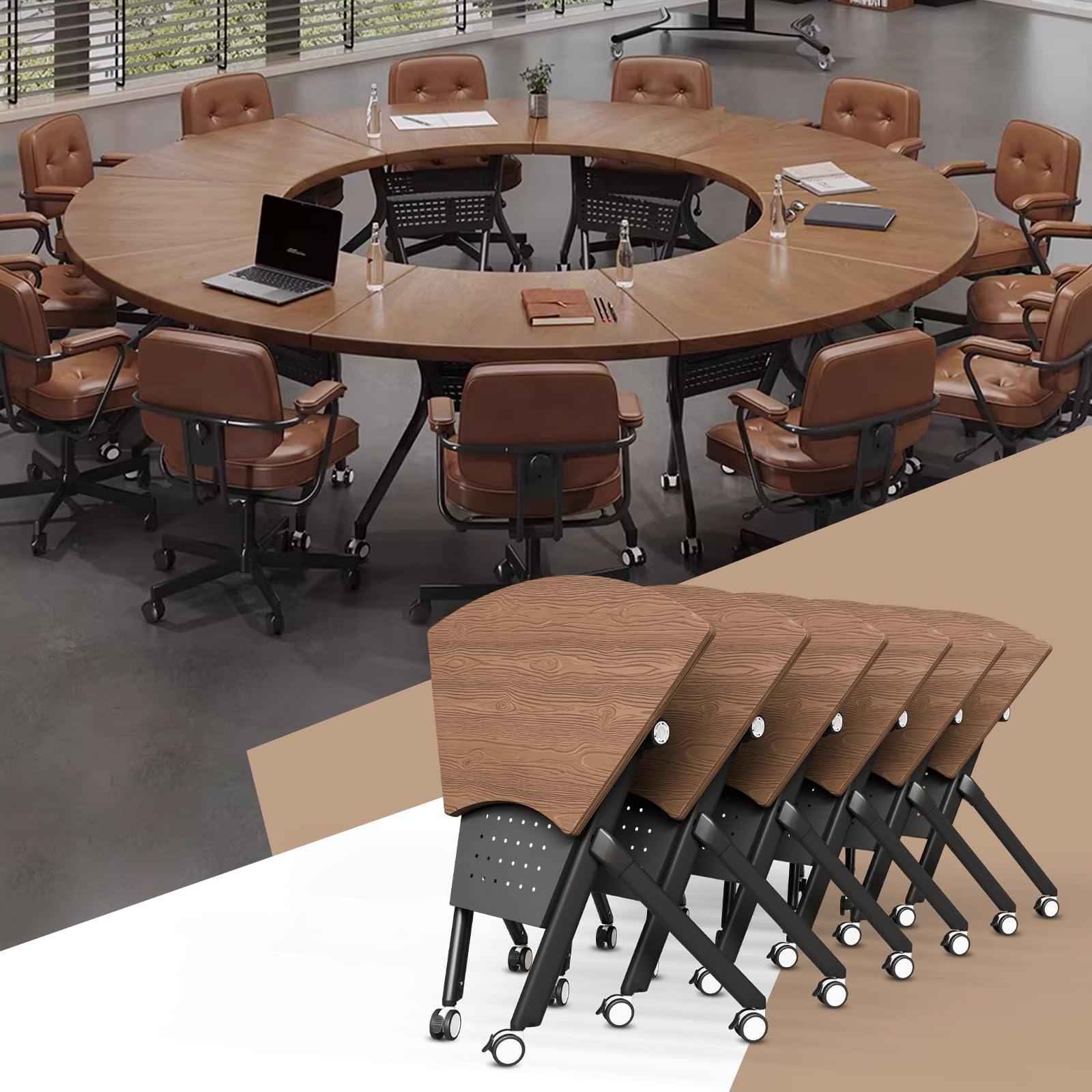
Image: The JNMDLAKO Fan Shaped Folding Conference Table arranged in a U-shaped layout, demonstrating its modular capabilities.
2. Setup
The JNMDLAKO Folding Conference Table requires minimal assembly. It is designed for quick deployment and storage. An assembly guide and installation tool are included for any necessary adjustments.
2.1 Unfolding the Table
- Carefully remove the table from its packaging.
- Locate the folding mechanism knob on the underside of the table.
- Twist the knob to the "UNLOCK" position.
- Gently lower the tabletop from its vertical storage position to the horizontal operating position.
- Twist the knob back to the "LOCK" position to secure the tabletop.
- Ensure all locking mechanisms are engaged before use.

Image: Illustration of the table's foldable design, showing the unlock/lock knob and the transition from folded to unfolded states.
2.2 Attaching Wheels (if detached)
The table comes with pre-installed 360° silent universal wheels. If for any reason they are detached, ensure they are securely fastened to the table legs using the provided installation tool.
3. Operating Instructions
3.1 Moving the Table
The table is equipped with 360° silent universal wheels for easy mobility. To move the table:
- Ensure the wheel brakes are disengaged.
- Gently push or pull the table to its desired location.
- Once in position, press the wheel brakes down firmly to lock the wheels and prevent unintended movement.
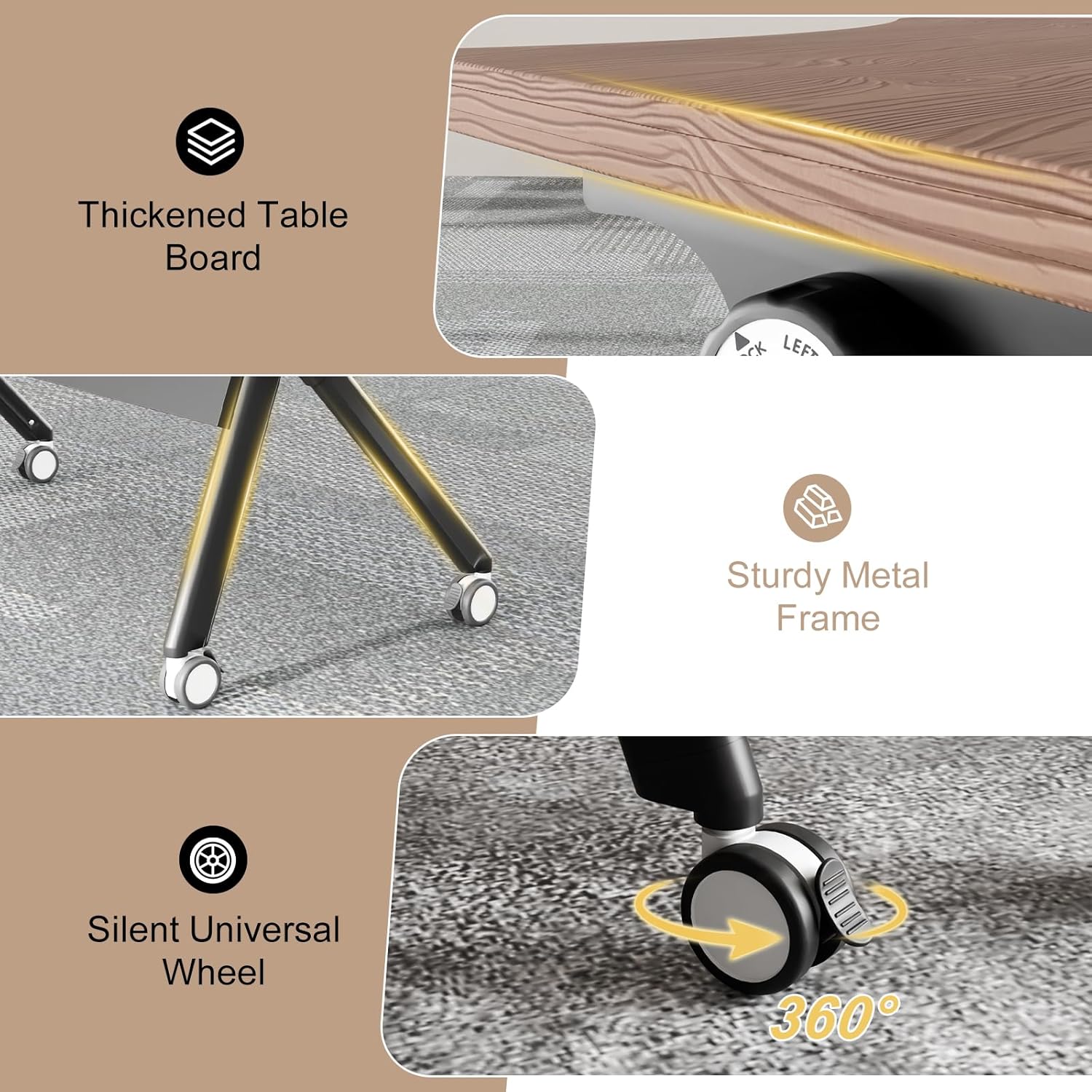
Image: Detail of the 360° silent universal wheel, highlighting its mobility feature.
3.2 Modular Splicing for Configurations
Multiple fan-shaped tables can be combined to create various conference or training layouts. To splice tables:
- Unlock the wheels on all tables intended for combination.
- Position the tables adjacent to each other, aligning their edges.
- Once the desired configuration is achieved, engage the wheel brakes on all tables to secure the setup.
Common configurations include U-shaped, round, or long rectangular setups, suitable for different meeting sizes and purposes.

Image: Examples of modular table combinations, including a U-shaped layout and a circular arrangement.

Image: Various usage scenarios demonstrating the table's versatility in conference rooms, training centers, and offices.
4. Maintenance
4.1 Cleaning
The table's wood-grain desktop is waterproof and scratch-resistant, making it easy to clean.
- Wipe the surface with a soft, damp cloth.
- For stubborn marks, use a mild, non-abrasive cleaner.
- Avoid harsh chemicals or abrasive cleaning tools that could damage the finish.
- Dry the surface immediately after cleaning to prevent water spots.
4.2 General Care
- Regularly check all screws and fasteners to ensure they are tight. Retighten as necessary.
- Inspect the folding mechanism periodically for smooth operation.
- Keep the wheels free of debris to ensure smooth movement.
- Avoid placing extremely hot items directly on the table surface without protection.
5. Troubleshooting
5.1 Table Does Not Fold/Unfold Smoothly
- Check the Locking Knob: Ensure the folding mechanism knob is fully in the "UNLOCK" position.
- Inspect for Obstructions: Look for any debris or foreign objects obstructing the folding mechanism.
- Lubrication: If the mechanism feels stiff, a small amount of silicone-based lubricant can be applied to moving parts (avoiding the tabletop surface).
5.2 Wheels Not Rolling Freely or Locking
- Clear Debris: Remove any hair, dust, or other debris that may be caught in the wheel casters.
- Check Brakes: Ensure the wheel brakes are fully disengaged when attempting to move the table, and fully engaged when trying to lock it.
- Wheel Damage: Inspect wheels for any visible damage. Contact support if a wheel is broken.
5.3 Table Wobbles
- Level Surface: Ensure the table is placed on a flat, level surface.
- Tighten Fasteners: Check and tighten all screws and bolts on the frame and legs.
- Lock Wheels: Make sure all wheel brakes are engaged to prevent movement and increase stability.
6. Specifications
| Brand | JNMDLAKO |
| Model | 35.4in Fan Shaped Walnut |
| Product Dimensions (D x W x H) | 21.6"D x 35.4"W x 29.5"H |
| Frame Material | Aluminum |
| Top Material Type | Engineered Wood |
| Shape | Fan Shaped (Note: Product title may refer to other variants, this model is fan-shaped) |
| Table Design | Conference Table |
| Furniture Finish | Stained Wood |
| Top Color | Walnut |
| Required Assembly | No (Minimal setup required) |
| Indoor/Outdoor Usage | Indoor |
| Included Components | Assembly Guide, Installation Tool |
| Number of Items (in package) | 6 |
| Unextended Seating Capacity | 6 |

Image: Detailed product dimensions for the fan-shaped table.

Image: Product details highlighting the thickened particle board, aluminum alloy frame, and spinner wheels with brake.
7. Warranty & Support
7.1 Warranty Information
JNMDLAKO offers a 5-Year Confidence Promise for this product, ensuring quality and durability. Please retain your proof of purchase for warranty claims.
7.2 Customer Support
For any questions, assistance, or warranty claims, please contact JNMDLAKO customer support. 24/7 Online Support is available to assist you.
Refer to the product packaging or the official JNMDLAKO website for the most current contact information.

Image: Information on product lifespan, warranty, and customer support availability.