
Introduction
Thank you for choosing the Electrolux Rechargeable Fabric Shaver LX-100R-BK. This manual provides essential information for the safe and effective use, maintenance, and troubleshooting of your new fabric shaver. Please read these instructions carefully before first use and retain them for future reference.
Product Overview
The Electrolux Rechargeable Fabric Shaver is designed to remove lint, fuzz, and pilling from various fabrics, renewing their appearance. It features a compact design, multiple speed settings, and convenient Type-C charging.
Key Features:
- Compact & Travel-Friendly Design: Measures 2.5" x 2.25" x 5.5", making it easy to carry and store.
- Adjustable 3-Speed Precision: Three speed settings for optimal performance on different fabric types.
- Rechargeable with Type-C Fast Charging: Equipped with a 1200mAh lithium-ion battery and a Type-C charging port for quick and convenient power.
- User-Friendly LED Display: Shows battery life, current speed level, and charging status.
- 6-Leaf Stainless Steel Blades: High-torque motor with durable blades for effective lint removal.
Components:
- Fabric Shaver Unit
- Detachable Lint Collector
- Power Switch & Speed Shift Button
- Type-C Charging Port
- Ultra-sharp Stainless Steel Blades
- LED Display Screen
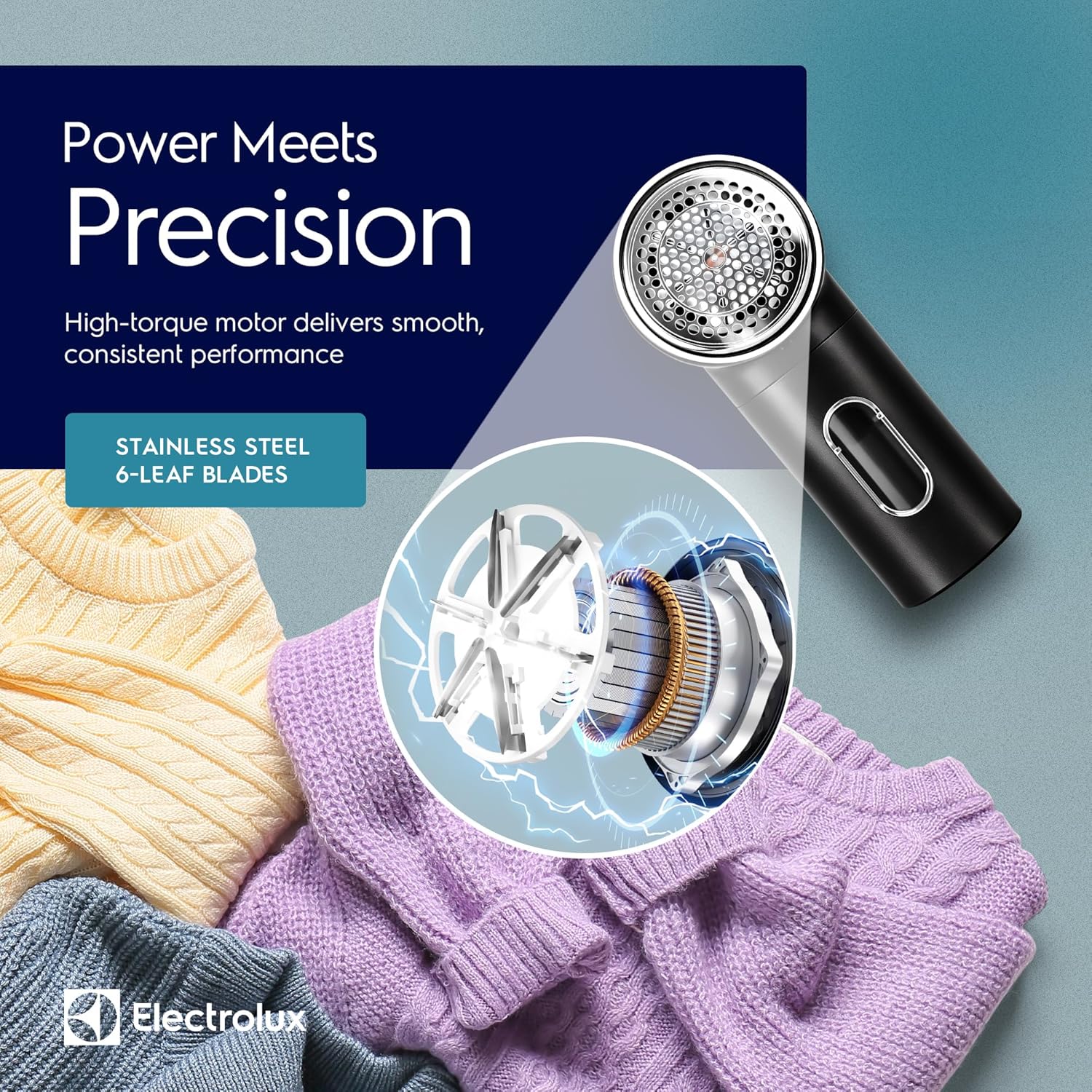
Image: The internal mechanism of the fabric shaver, highlighting the 6-leaf stainless steel blades and high-torque motor for precise performance.
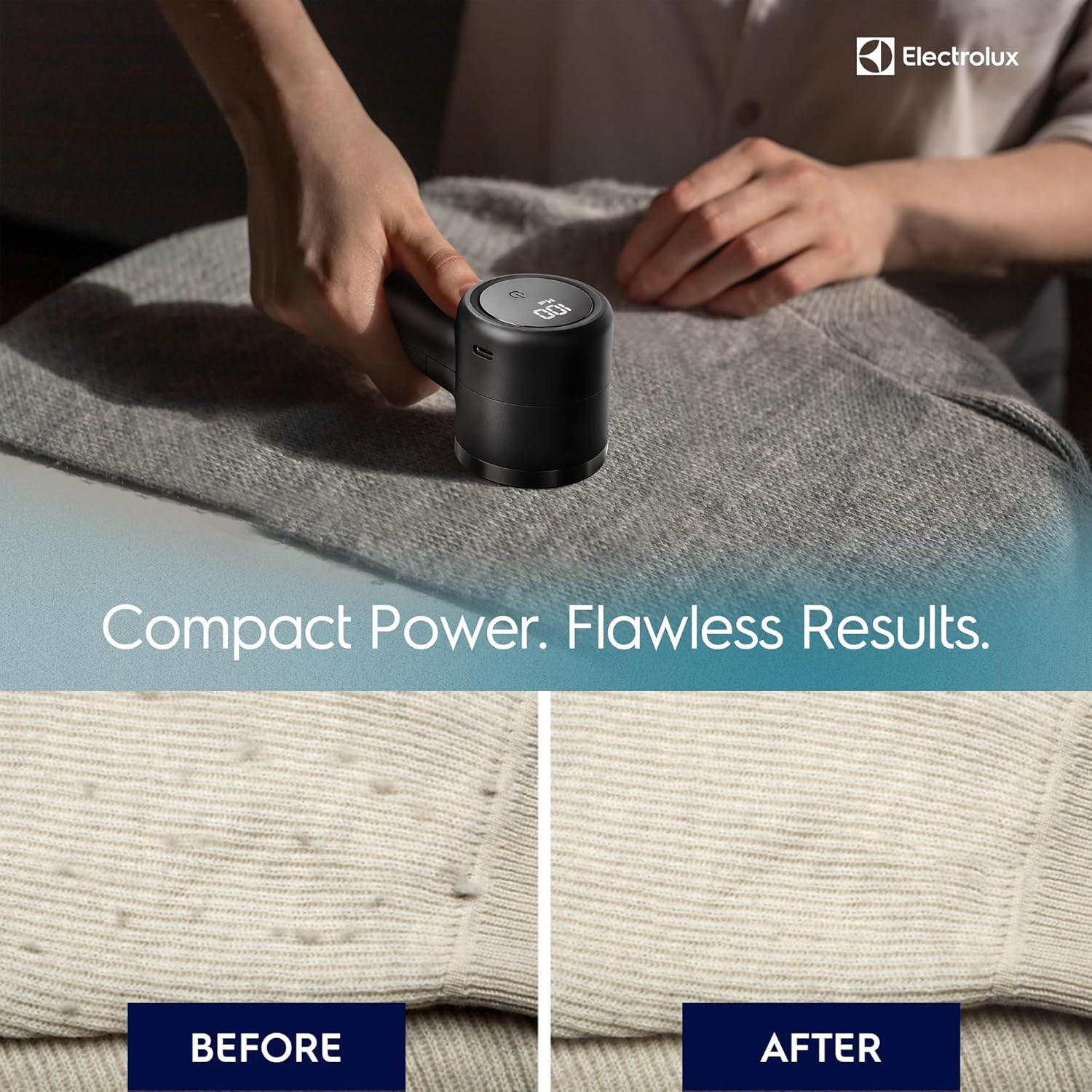
Image: A visual comparison showing a fabric with noticeable pilling on the left ('BEFORE') and the same fabric looking smooth and renewed on the right ('AFTER') after treatment with the fabric shaver.
Setup
Unboxing and Initial Charge:
- Carefully remove the fabric shaver, cleaning brush, and USB-C charging cable from the packaging.
- Before first use, fully charge the device. Connect the USB-C cable to the charging port on the shaver and plug the other end into a compatible USB power adapter (not included).
- The LED display will indicate the charging status. A full charge typically takes a few hours.

Image: The complete kit for fabric care, showing the Electrolux fabric shaver, a small cleaning brush, and a USB-C charging cable.
Operating Instructions
Using Your Fabric Shaver:
- Prepare the Fabric: Lay the garment or fabric flat on a hard, smooth surface. Ensure the fabric is clean and dry.
- Power On and Select Speed: Press the power button to turn on the shaver. The LED display will show the current speed and battery level. Press the power button again to cycle through the three available speed settings (low, medium, high) to match the fabric type. Use lower speeds for delicate fabrics and higher speeds for thicker garments or upholstery.
- Glide Gently: Gently move the shaver over the pilled or linted area in small, circular motions. Avoid pressing down hard, as this can damage the fabric or the shaver. Allow the blades to do the work.
- Monitor Lint Collector: Periodically check the transparent lint collector. When it appears full, empty it to maintain optimal performance.
- Power Off: Once finished, press and hold the power button to turn off the device.

Image: A visual guide demonstrating the three simple steps to use the fabric shaver: selecting speed, gently gliding over fabric, and emptying the lint bin.

Image: A close-up of the multi-function large LED display, indicating the battery percentage and current speed level during operation.
Maintenance
Cleaning the Device:
- Empty Lint Collector: Ensure the device is turned off. Detach the lint collector by gently pulling it away from the main unit. Dispose of the collected lint.
- Clean Blades: Use the provided cleaning brush to carefully remove any trapped lint or debris from the blades and the protective mesh cover. Do not use water to clean the blades or internal components.
- Reassemble: Reattach the lint collector securely to the main unit.
Storage:
Store the fabric shaver in a cool, dry place away from direct sunlight and moisture. Keep it out of reach of children.

Image: The quick-release design of the fabric shaver, illustrating how the lint collector detaches for easy emptying and cleaning.
Troubleshooting
| Problem | Possible Cause | Solution |
|---|---|---|
| Device does not turn on. | Battery is depleted. | Charge the device using the provided USB-C cable. |
| Device not effectively removing lint. | Lint collector is full. Blades are clogged. Speed setting is too low for the fabric. | Empty the lint collector. Clean the blades with the brush. Increase the speed setting. |
| Device stops during use. | Battery is low. Lint collector is full. | Recharge the device. Empty the lint collector. |
Specifications
- Brand: Electrolux
- Model Number: LX-100R-BK
- Product Dimensions: 2.5"D x 2.25"W x 5.5"H
- Item Weight: 0.36 Pounds
- Material: Metal (Blades), Plastic (Handle)
- Operation Mode: Rechargeable Electric
- Battery: 1200mAh Lithium-ion
- Charging Port: Type-C
- Blades: 6-leaf Stainless Steel
- Speed Settings: 3 Adjustable Speeds
- UPC: 850039796203
Warranty and Support
Electrolux products are manufactured to high-quality standards. For warranty information, product support, or service inquiries, please refer to the warranty card included with your purchase or visit the official Electrolux website. Please have your model number (LX-100R-BK) and proof of purchase ready when contacting support.