
1. Introduction
Thank you for choosing the Garvee 10000 BTU Portable Air Conditioner. This appliance is designed to provide efficient cooling, dehumidification, and ventilation for your home. Featuring a 3-in-1 design, a 24-hour timer, and an antibacterial filter, it offers comfort and improved air quality. Please read this manual thoroughly before operation to ensure proper use, maintenance, and safety.
2. Safety Information
Always follow basic safety precautions when using electrical appliances to reduce the risk of fire, electric shock, and injury.
- Read all instructions before using the appliance.
- Ensure the power supply matches the voltage specified on the rating label.
- Do not operate the unit with a damaged cord or plug.
- Keep the unit on a flat, stable surface to prevent tipping.
- Do not block air inlets or outlets. Maintain at least 30 cm (12 inches) clearance around the unit.
- Do not insert objects into the air outlets.
- Unplug the unit before cleaning or servicing.
- This appliance is for indoor use only.
- Keep out of reach of children.
3. Product Overview
The Garvee Portable Air Conditioner is designed for ease of use and mobility, featuring a compact design with integrated controls and a remote for convenient operation.
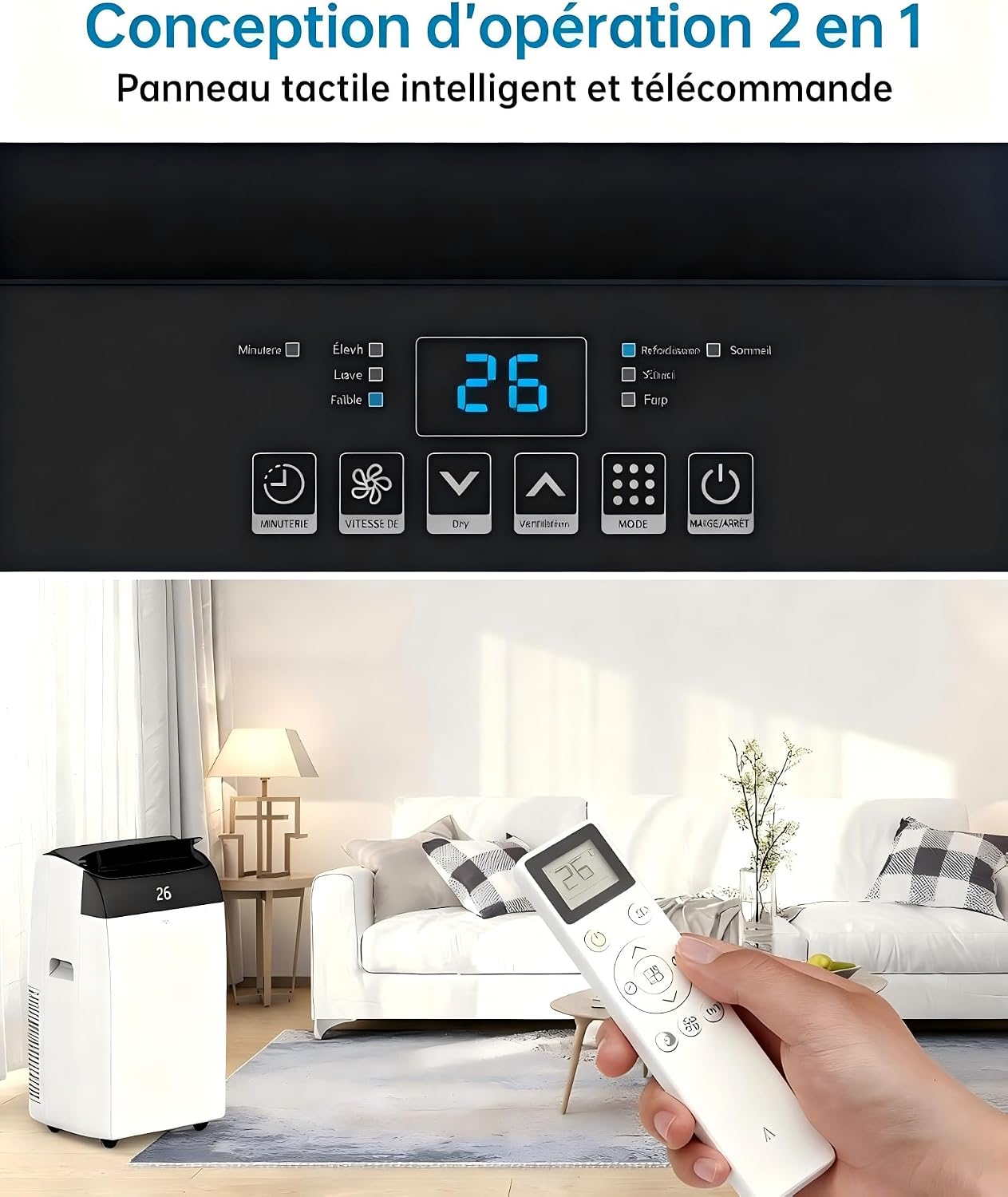
Figure 3.1: Front view of the Garvee Portable Air Conditioner, showcasing its sleek design and digital display.

Figure 3.2: The portable air conditioner positioned in a living room, demonstrating its compact size and how it blends into a home environment.
4. Setup and Installation
4.1 Unpacking
Carefully remove the air conditioner and all accessories from the packaging. Retain the packaging for future storage or transport.
Included Components:
- Portable Air Conditioner Unit
- Remote Control
- Exhaust Hose
- Window Sealing Kit (Slide Bar * 1, Slide Bar * 1, Exhaust Pipe Connector * 2)

Figure 4.1: Visual representation of the main unit and all accessories included in the package, such as the remote control, exhaust hose, and window kit components.
4.2 Placement
Place the air conditioner on a firm, level surface in the desired room. Ensure there is at least 30 cm (12 inches) of clear space around the unit for proper airflow.
4.3 Exhaust Hose Installation
The exhaust hose must be installed to vent hot air outside. Improper installation can reduce cooling efficiency.
- Attach the exhaust hose to the connector on the back of the air conditioner unit.
- Extend the exhaust hose to the nearest window.
- Install the window sealing kit into the window opening. Adjust the slide bar to fit the window width.
- Connect the other end of the exhaust hose to the window kit adapter, ensuring a secure seal to prevent hot air from re-entering the room.

Figure 4.2: Illustrated steps demonstrating how to correctly assemble and install the exhaust hose and window sealing kit for the portable air conditioner.

Figure 4.3: The portable air conditioner shown with its exhaust hose properly installed and vented through a window, ready for operation.
5. Operating Instructions
5.1 Control Panel and Remote Control
The unit can be controlled via the touch panel on top of the unit or the included remote control. Both offer access to all functions.
Figure 5.1: Close-up of the unit's touch control panel and the remote control, highlighting the various buttons and display for operation.
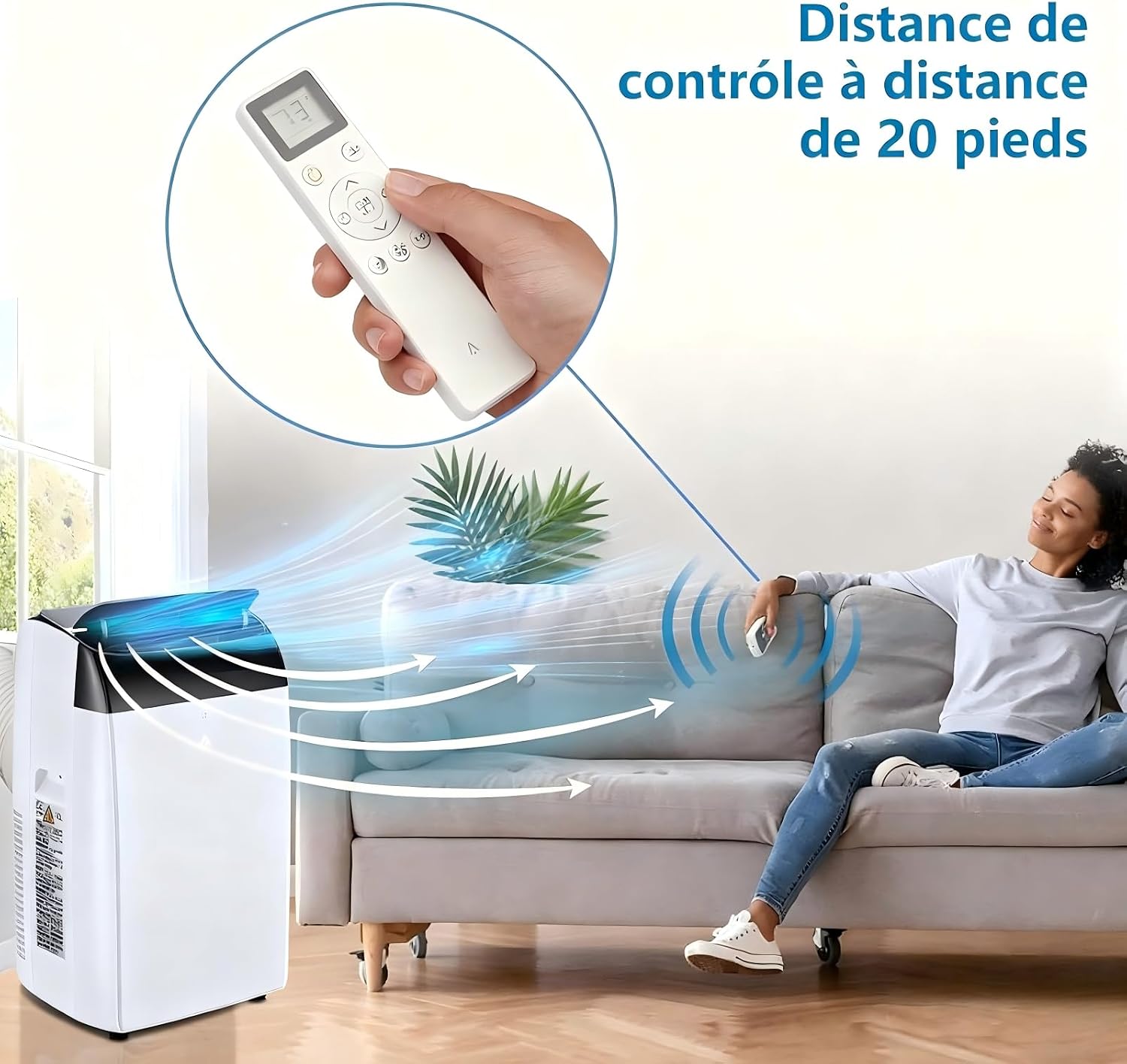
Figure 5.2: A user comfortably operating the air conditioner with the remote control from a distance, illustrating the convenience of remote operation.
5.2 Operating Modes (3-in-1)
The Garvee Portable Air Conditioner offers three distinct operating modes:
- Cooling Mode: Provides powerful cooling with a temperature range of 18-32°C (64-90°F) and 10000 BTU capacity, suitable for rooms up to 46 m³. Utilizes eco-friendly R290 refrigerant.
- Dehumidifier Mode: Removes excess moisture from the air, with a capacity of up to 80 pints per day, improving air quality and comfort.
- Fan Mode: Circulates air with three adjustable fan speeds (low, medium, high) without cooling, providing a refreshing breeze.

Figure 5.3: Visual representation of the three operating modes: Cooling (with snowflakes), Dehumidifying (with water droplets), and Fan (with air circulation arrows).
5.3 Timer Function
Set the unit to turn on or off automatically within a 24-hour period. This feature helps save energy and ensures comfort when you need it.
5.4 Sleep Mode
Activate Sleep Mode for quiet operation, ideal for nighttime use. The unit operates at a reduced noise level, approximately 48 dB, ensuring minimal disturbance.

Figure 5.4: The air conditioner operating in Sleep Mode, with a graphic indicating a low noise level of 48 dB, suitable for a peaceful sleeping environment.
6. Maintenance
6.1 Filter Cleaning
The antibacterial filter should be cleaned regularly (every two weeks or as needed) to maintain optimal performance and air quality.
- Unplug the air conditioner from the power outlet.
- Locate the filter panel on the back of the unit and gently remove it.
- Remove the antibacterial filter.
- Wash the filter with lukewarm water and a mild detergent. Rinse thoroughly.
- Allow the filter to air dry completely before reinserting it into the unit.
- Reattach the filter panel.

Figure 6.1: A visual guide showing the removal of the air filter from the unit and the process of washing it under running water.
6.2 Storage
If the unit will not be used for an extended period, drain any accumulated water, clean the filter, and store it in a dry, cool place, preferably in its original packaging.
7. Troubleshooting
Refer to the table below for common issues and their solutions. If the problem persists, contact customer support.
| Problem | Possible Cause | Solution |
|---|---|---|
| Unit does not turn on | No power supply; Power cord not plugged in; Circuit breaker tripped. | Check power outlet; Ensure cord is securely plugged in; Reset circuit breaker. |
| Unit does not cool effectively | Windows/doors open; Air filter dirty; Exhaust hose not properly installed; Room size too large. | Close all windows and doors; Clean air filter; Ensure exhaust hose is sealed; Verify unit capacity matches room size. |
| Water leakage | Drain plug not properly sealed; Unit is not level; Water tank full (in dehumidifier mode). | Check and secure drain plug; Place unit on a level surface; Empty water tank. |
| Unusual noise | Unit not on a level surface; Obstruction in fan. | Ensure unit is on a flat surface; Check for and remove any obstructions. |
8. Specifications
Technical details for the Garvee Portable Air Conditioner.
| Feature | Specification |
|---|---|
| Brand | Garvee |
| Model Number | 8UtpB77MRE6yTChokYLixwtcN |
| Cooling Capacity | 10000 BTU |
| Functions | Cooling, Dehumidifying, Fan |
| Refrigerant | R290 (Eco-friendly) |
| Energy Efficiency Class | A++ |
| Seasonal Energy Efficiency Ratio (SEER) | 3.1 |
| Dehumidification Capacity | 80 Pints/Day (approx.) |
| Noise Level (Sleep Mode) | Up to 48 dB |
| Control Method | Touch Panel, Remote Control |
| Timer | 24-hour programmable |
| Special Feature | Antibacterial Filter |
| Dimensions (D x W x H) | 39.6 x 46 x 86.5 cm (15.6 x 18.1 x 34.1 inches) |
| Weight | 30.8 kg (67.9 lbs) |
| Power Source | Electric Cord |
| Voltage | 220V |
| Wattage | 2055W |
9. Warranty and Support
9.1 Warranty Information
This Garvee Portable Air Conditioner comes with a 30-day manufacturer's warranty. Please retain your proof of purchase for warranty claims.
9.2 Customer Support
For any questions, technical assistance, or warranty claims, please contact Garvee customer support. Refer to your purchase documentation for specific contact details or visit the official Garvee website.


