
1. Introduction
Thank you for choosing the ATEngeus HF600-Pro Cordless Electric Air Duster. This device is designed to provide a powerful and efficient solution for cleaning dust and debris from various surfaces and electronics. Featuring a 130,000 RPM turbo fan and a rechargeable battery, it offers a convenient and reusable alternative to traditional canned air. Please read this manual thoroughly before use to ensure proper operation and maintenance.

Image 1.1: The ATEngeus HF600-Pro Cordless Electric Air Duster.
2. Safety Information
- Read all instructions: Familiarize yourself with the device's functions and safety warnings before operation.
- Keep away from water: Do not expose the device to water or other liquids. Do not operate with wet hands.
- Avoid direct contact with eyes/skin: Do not direct the airflow towards eyes or sensitive skin.
- Children and pets: Keep the device out of reach of children and pets.
- Ventilation: Ensure proper ventilation when using the device, especially in enclosed spaces.
- Charging: Use only the provided Type-C cable for charging. Do not attempt to charge with damaged cables or chargers.
- Overheat Protection: The device features built-in overheat protection. If the device becomes excessively hot, it may automatically shut off. Allow it to cool down before resuming use.
- Do not disassemble: Do not attempt to disassemble, repair, or modify the device. Contact customer support if service is required.
- Storage: Store the device in a cool, dry place away from direct sunlight and extreme temperatures.

Image 2.1: The air duster is equipped with overheat protection for safe operation.
3. Package Contents
Verify that all items are present in the package:
- ATEngeus HF600-Pro Cordless Electric Air Duster
- 4 x Nozzles (for different cleaning purposes)
- 1 x Type-C Charging Cable
- 1 x User Manual
- 1 x Carry Strap

Image 3.1: All items included in the product package.
4. Setup
4.1 Charging the Device
- Locate the Type-C charging port on the device.
- Connect the provided Type-C cable to the device and plug the other end into a compatible USB power adapter (not included).
- The battery indicator lights will illuminate to show the charging status. A full charge typically takes approximately 2.5 hours.
- Once fully charged, all indicator lights will remain solid. Disconnect the charger.
The 5000mAh battery provides up to 120 minutes of runtime on the low setting.

Image 4.1: Connecting the Type-C cable to charge the air duster.
4.2 Attaching Nozzles
Select the appropriate nozzle for your cleaning task. Gently push the desired nozzle onto the air outlet until it is securely in place. To remove, pull the nozzle straight off.

Image 4.2: The air duster shown with its interchangeable nozzles.
5. Operating Instructions
5.1 Power On/Off and Speed Settings
- To Power On: Press and hold the power button for a few seconds until the device starts.
- To Adjust Speed: Briefly press the power button to cycle through the 3 available speed gears (34000 RPM, 72000 RPM, 130000 RPM). The indicator lights will show the current speed setting.
- To Power Off: Press and hold the power button again until the device shuts down.

Image 5.1: The air duster features three adjustable speed settings for varied cleaning needs.
5.2 Using the Built-in Light
The device includes a built-in LED light to illuminate dark areas. Press the light button to turn it on or off. This feature is useful for cleaning in dimly lit spaces like inside computer cases or under furniture.
5.3 Cleaning Applications
The ATEngeus HF600-Pro is versatile for various cleaning tasks:
- Electronics: Safely remove dust from keyboards, PCs, laptops, cameras, and gaming consoles (e.g., PS5).
- Automotive: Clean car interiors, dashboards, vents, and hard-to-reach crevices.
- Household: Dust furniture, blinds, shelves, and small appliances. Can also be used for light tasks like clearing leaves from small areas or inflating airbeds.

Image 5.2: The air duster effectively cleans dust from computer components.

Image 5.3: Versatile use for car cleaning and inflation tasks.
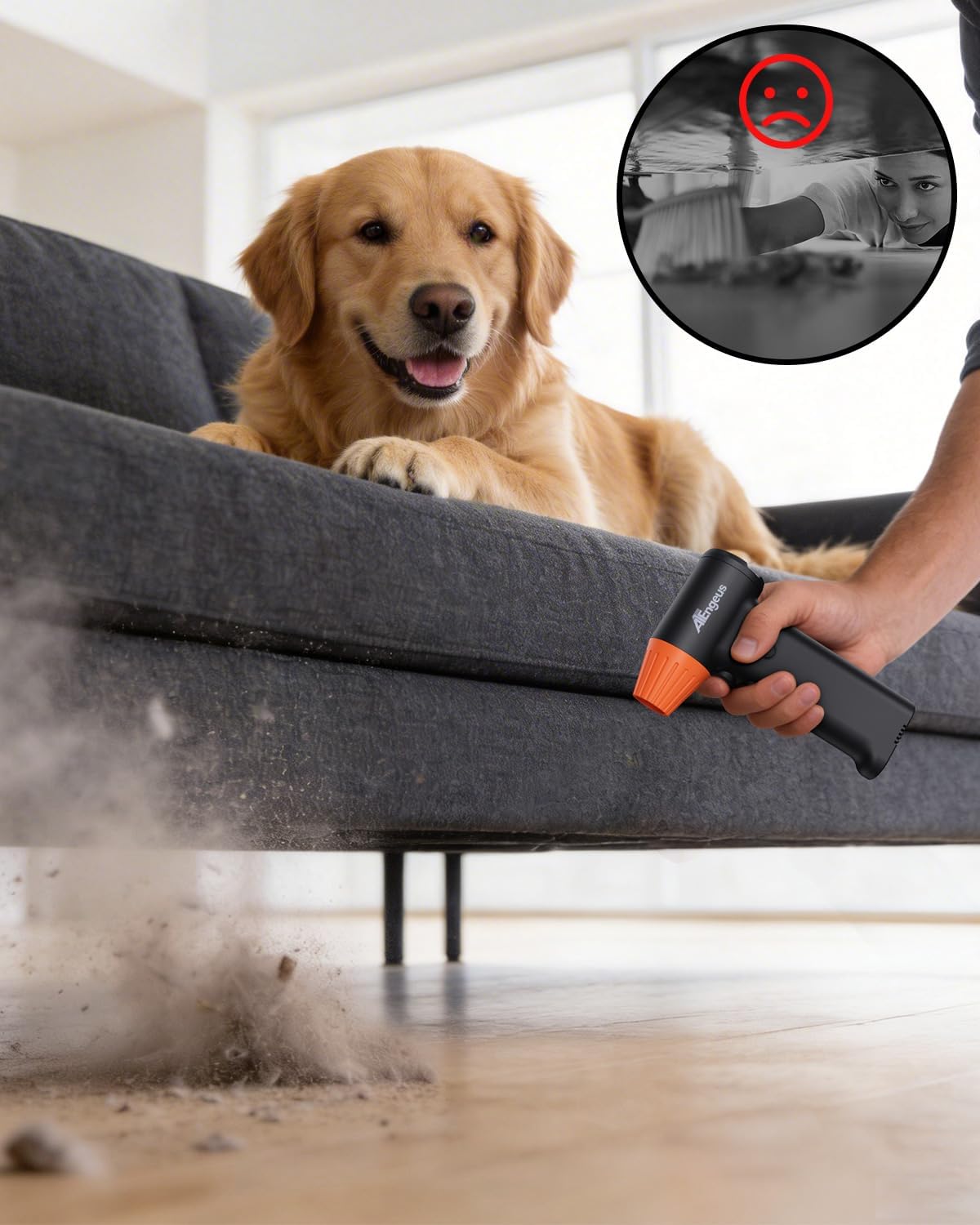
Image 5.4: The air duster efficiently removes dust from household items.
5.4 Official Product Video
Video 5.1: Official product video demonstrating the ATEngeus HF600-Pro in action, titled "Dust Gone in Seconds".
6. Maintenance
- Cleaning the Device: Wipe the exterior of the air duster with a soft, dry cloth. Do not use harsh chemicals or abrasive materials.
- Nozzle Cleaning: If nozzles become clogged, remove them from the device and clean them with a small brush or compressed air. Ensure they are completely dry before reattaching.
- Storage: When not in use, store the air duster in a clean, dry environment.
7. Troubleshooting
| Problem | Possible Cause | Solution |
|---|---|---|
| Device does not turn on | Low battery; Incorrect power button press | Charge the device fully; Press and hold the power button for a few seconds to turn on. |
| Weak airflow | Low battery; Incorrect speed setting; Clogged nozzle | Charge the device; Increase speed setting; Clean the nozzle. |
| Device overheats and shuts off | Continuous high-power use; Blocked air intake/outlet | Allow the device to cool down; Ensure air intake and outlet are clear of obstructions. |
| Charging indicator lights not working | Faulty cable/adapter; Device not connected properly | Try a different Type-C cable or USB adapter; Ensure the cable is securely connected. |
8. Specifications
- Model: HF600-Pro
- Brand: ATEngeus
- Motor Speed: Up to 130,000 RPM
- Battery Capacity: 5000mAh
- Charging Time: Approximately 2.5 hours
- Runtime: Up to 120 minutes (on low setting)
- Charging Port: Type-C
- Item Weight: 7.4 Ounces (approx. 210g)
- Product Dimensions: 1.5"W x 5.5"H (approx. 3.8cm W x 14cm H)
- Features: 3-Gear Speed Adjustment, Built-in LED Light, Overheat Protection
9. Warranty and Support
For warranty information or technical support, please refer to the contact details provided with your purchase or visit the official ATEngeus website. Keep your purchase receipt as proof of purchase for any warranty claims.