
Introduction
The WUDAUG Digital Radio Clock Model 095-DB is a versatile timepiece designed for clear visibility and precise timekeeping. It features automatic time correction via radio signal, a large LCD display, and integrated temperature and humidity monitoring. This clock also includes multiple alarm settings with 57 selectable chimes, a snooze function, and memory capabilities. Its design allows for both wall-mounting and tabletop placement, making it suitable for various environments such as bedrooms, living rooms, offices, and schools.

Figure 1: Overview of the WUDAUG Digital Radio Clock, highlighting its large display, dimensions (24.7cm x 13.7cm x 3.2cm), and key features such as radio control, LCD, backlight, alarms, date, day of week, 57 chimes, humidity, temperature, 12H/24H display, snooze, and volume adjustment.
Setup
1. Battery Installation
The clock operates on batteries, providing flexibility for placement without power cord restrictions. It requires four (4) AAA alkaline batteries for main operation and two (2) AA alkaline batteries for memory backup (batteries for main operation are not included, backup batteries may be included).
- Locate the battery compartment on the back of the clock.
- Insert four (4) AAA alkaline batteries into the main compartment, ensuring correct polarity (+/-).
- Insert two (2) AA alkaline batteries into the backup compartment, ensuring correct polarity (+/-).
- Close the battery compartment cover securely.
2. Initial Power-On and Automatic Time Synchronization
Upon correct battery installation, the clock will automatically attempt to synchronize its time via radio signal. This process may take a few minutes. Ensure the clock is placed in an area with good radio signal reception, away from electronic interference.

Figure 2: Rear view of the clock, showing the battery compartments for main (4x AAA) and backup (2x AA) batteries, along with various control buttons for snooze, settings, temperature unit switch, alarm volume, and reset.
Operation
1. Time and Date Display
- Automatic Time Correction: The clock automatically adjusts its time using radio signals, ensuring accuracy without manual intervention.
- 12H/24H Display: Press the 'SET' button to toggle between 12-hour and 24-hour time formats.
- Date and Day of Week: The current date and day of the week are displayed below the main time.
2. Temperature and Humidity Display
- Real-time Monitoring: The clock displays the current temperature and humidity.
- ℃/℉ Switch: Press the 'C/F' button to switch between Celsius and Fahrenheit temperature units.

Figure 3: The clock's display showing real-time temperature and humidity, with illustrative graphs indicating historical data for environmental changes.
3. Alarm and Snooze Function
- Multiple Alarms: Set up to three independent alarms (Alarm 1, Alarm 2, Alarm 3).
- 57 Chimes: Choose from 57 different alarm sounds. Press the alarm volume adjustment button on the back to preview chimes.
- Snooze Function: When an alarm sounds, press the 'SNOOZE' button to activate a 9-minute snooze period.
- Alarm Modes: Alarms can be set for daily, weekdays, or weekends.

Figure 4: Illustration of the snooze function and various alarm modes (daily, weekdays, weekends), along with the selection of 57 different chimes for personalized wake-up calls.
4. Backlight Function
- Adjustable Brightness: The clock features a backlight with two brightness levels (bright/dim) for clear visibility in any lighting condition.
- Automatic Backlight: The backlight can be set to automatically adjust based on ambient light conditions.

Figure 5: The backlight function ensures clear time visibility day and night, with adjustable brightness settings to suit user preference and ambient light.
Key Features
Radio Control Time Correction
The clock receives standard radio waves to automatically correct its time, maintaining high accuracy. This feature eliminates the need for manual time adjustments and ensures the clock is always precise. The reception range covers areas such as Kyushu (Fukuoka, Saga, Miyazaki) and Fukushima, with a maximum range of 1,000km from the standard radio wave transmitters.

Figure 6: Map illustrating the radio wave reception coverage for automatic time synchronization, showing the 40KHz and 60KHz transmission areas in Japan.
Large LCD Display and Readability
Equipped with a large, full-view LCD display, the clock ensures that time and other information are clearly visible from various angles and distances. The high-contrast digital numbers are designed for easy readability, particularly beneficial for elderly users.
Versatile Placement Options
The clock supports both wall-mounting and tabletop placement. It comes with wall hooks and a transparent hook for wall installation, and a foldable stand for stable tabletop use. This flexibility allows you to choose the most convenient location for your clock.
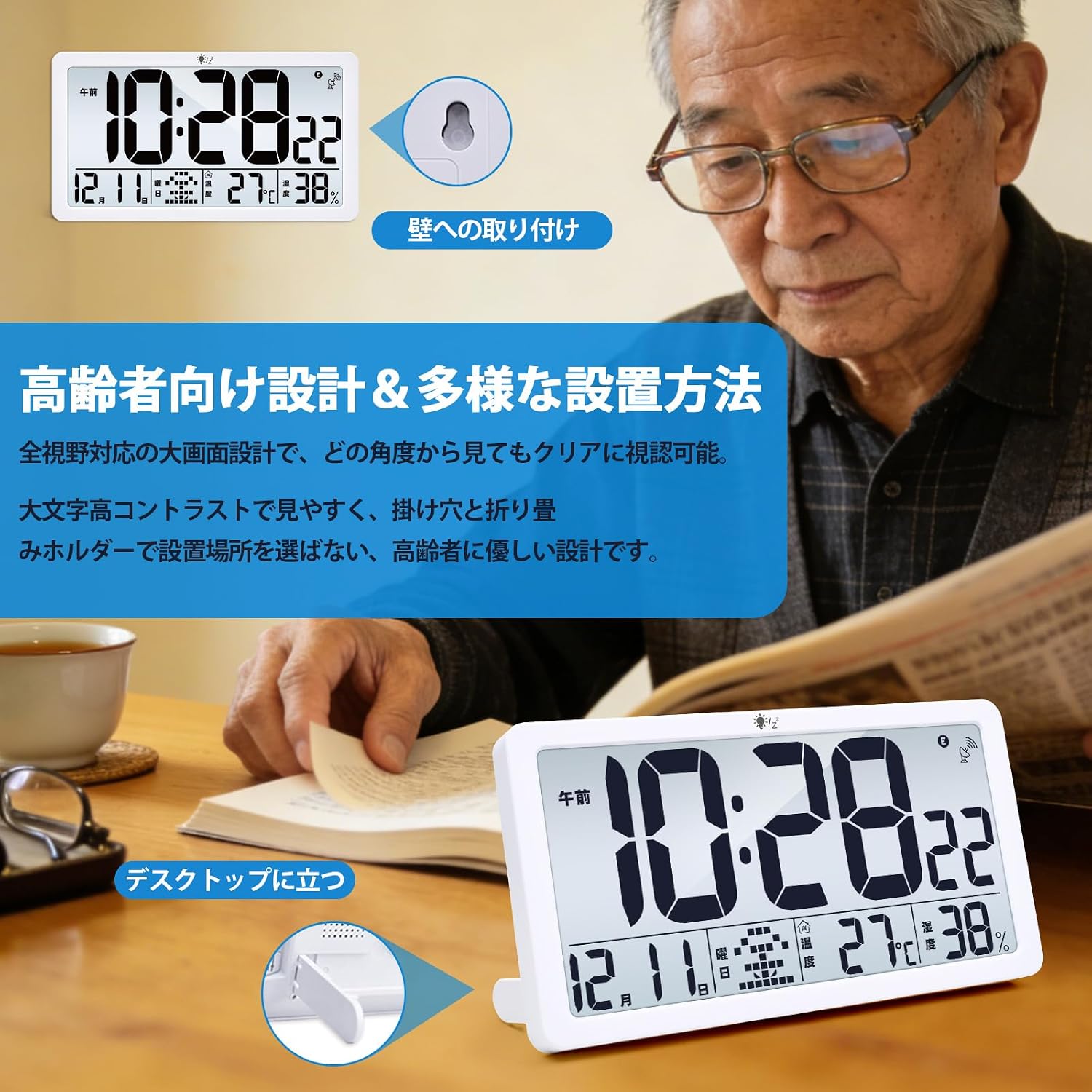
Figure 7: The clock's design emphasizes readability for elderly users, with clear display and flexible installation options including wall mounting and tabletop stand.
Multi-Scene Application
Its functional design and clear display make the WUDAUG Digital Radio Clock suitable for a wide range of settings, from personal use in bedrooms and living rooms to professional environments like offices and classrooms. It aids in time management and provides essential environmental information.

Figure 8: Examples of the clock being used in different scenarios, such as for yoga, as a bedside alarm, and in a living room, demonstrating its adaptability and utility.
Maintenance
1. Battery Replacement
When the display dims or functions become erratic, it is time to replace the batteries. Follow the battery installation steps outlined in the 'Setup' section. The memory backup batteries ensure that settings are retained during main battery replacement.
2. Cleaning
To clean the clock, gently wipe the surface with a soft, dry cloth. Do not use abrasive cleaners, solvents, or chemical sprays, as these may damage the display or casing.
Troubleshooting
- Clock does not power on or display is blank:
Ensure all batteries (4x AAA for main power, 2x AA for backup) are inserted correctly with the proper polarity. If the display briefly appears only when the reset button is pressed, it indicates a power issue. Double-check battery orientation and ensure batteries are fresh. If the issue persists, contact customer support. - Time synchronization fails or is inaccurate:
The clock relies on radio signals for automatic time correction. Ensure it is placed in an open area, away from large metal objects, electronic devices, or concrete walls that might interfere with signal reception. Try moving the clock to a different location, preferably near a window, and allow it to attempt synchronization overnight. Manual time setting is available if radio reception is consistently poor. - Display is difficult to read in dark conditions with backlight:
While the backlight improves visibility, viewing angle can affect clarity, especially when wall-mounted high up and viewed from below. For optimal readability with backlight, position the clock at eye level or on a tabletop. - Alarm does not sound:
Verify that the alarm is activated and set to the correct time and mode (daily, weekdays, weekends). Check the alarm volume setting on the back of the clock.
Specifications
| Brand | WUDAUG |
| Model Number | 095-DB |
| Color | White |
| Display Type | Digital (Numeric) |
| Style | Art Deco |
| Special Features | 57 Chimes, Calendar Display, Snooze, Temperature Display, Alarm Clock, Backlight |
| Product Dimensions (W x H) | 24.7 cm x 13.7 cm |
| Power Source | Battery Powered |
| Shape | Rectangular |
| Material | Acrylonitrile Butadiene Styrene (ABS) |
| Mounting Type | Tabletop, Wall Mount |
| Number of Batteries | 4x AAA (main, not included), 2x AA (backup, included) |
| Operation Mode | Atomic |
Warranty and Support
Warranty Information
This product comes with a 1-year warranty period from the date of purchase. In case of any product defects or malfunctions during the warranty period, please contact our customer support.
Customer Support
For any inquiries regarding your order or product, please contact us through the 'Inquiries about orders' section on the platform where you made your purchase. Our team is dedicated to providing satisfactory after-sales service.