
Introduction
This manual provides essential information for the safe assembly, operation, and maintenance of your Generic N721 Luxury Fluted TV Stand. Please read these instructions carefully before beginning assembly or use, and retain this manual for future reference.
The Generic N721 TV Stand features a faux marble-patterned veneer top and a curved silhouette with a golden base. It is designed to accommodate TVs up to 85 inches and includes four drawers for storage.
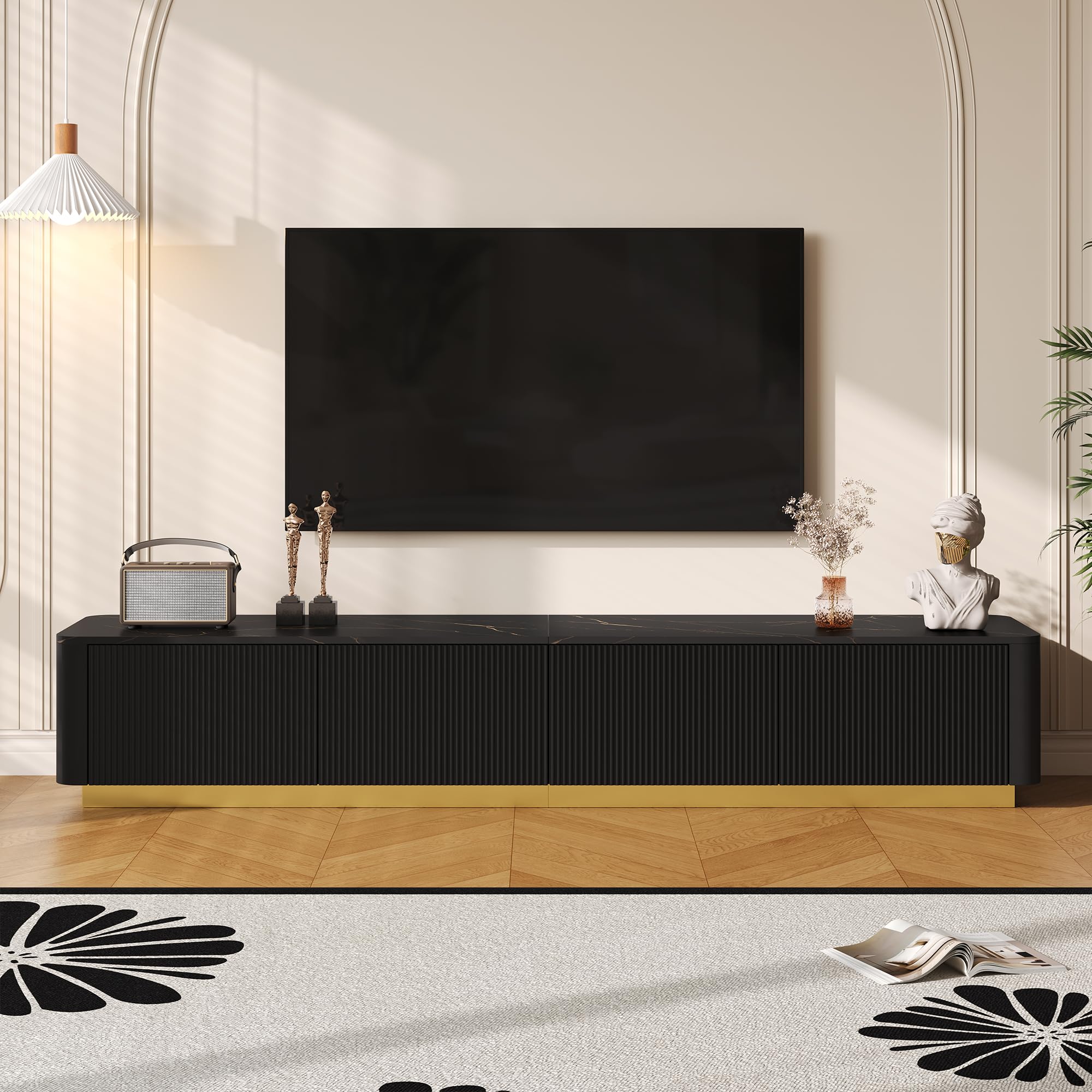
Image: Front view of the Generic N721 Luxury Fluted TV Stand, showcasing its design and faux marble top.
Safety Information
- Always follow assembly instructions carefully.
- Do not exceed the maximum weight capacity of the tabletop (220 LBS).
- Ensure the TV stand is placed on a level and stable surface.
- Keep small parts and packaging materials away from children.
- Avoid placing hot items directly on the faux marble surface without protection.
- Periodically check all connections and fasteners to ensure they remain tight.
Package Contents
Before assembly, verify that all components listed below are present and undamaged. If any parts are missing or damaged, do not proceed with assembly and contact customer support.
- TV Stand Panels (various sizes)
- Drawer Components (fronts, sides, backs, bottoms)
- Drawer Slide Hardware
- Golden Base Components
- Assembly Hardware (screws, dowels, cam locks, etc.)
- User Manual Guide
Setup and Assembly
Assembly is required for this TV stand. It is recommended to have two people for assembly. Ensure you have a clear, spacious area to work in and a soft surface to protect components from scratches.
- Unpack Components: Carefully remove all parts from the packaging and lay them out on a soft, clean surface. Identify each part using the included parts list.
- Assemble the Main Frame: Follow the detailed diagrams in the separate assembly guide (included in the package) to connect the main panels of the TV stand. Ensure all cam locks and screws are securely tightened.
- Install Drawer Slides: Attach the drawer slide hardware to the interior of the TV stand and to the drawer sides as indicated in the assembly guide. Ensure they are level and aligned for smooth operation.
- Assemble Drawers: Construct the four drawers by attaching the front, back, and side panels, then inserting the bottom panel. Secure with provided hardware.
- Insert Drawers: Carefully slide the assembled drawers onto the installed drawer slides. Test for smooth opening and closing.
- Attach Golden Base: Secure the golden base components to the bottom of the TV stand using the designated hardware. Ensure the base is evenly attached for stability.

Image: Illustration highlighting the sturdy MDF construction and premium slide hardware for the drawers.
Operating Instructions
The Generic N721 TV Stand is designed for convenient media storage and display.
- TV Placement: Place your television centrally on the faux marble tabletop. The 78.7-inch wide tabletop can accommodate TVs up to 85 inches. Ensure the TV's weight does not exceed 220 LBS.
- Drawer Use: The four drawers provide ample storage. To open, gently pull the angled handles located beneath the door panels. To close, push firmly until the drawer is fully seated.
- Cable Management: While no specific cable management features are built-in, cables can be routed behind the unit to maintain a tidy appearance.

Image: The TV stand with drawers open, demonstrating the generous storage capacity and angled pull handles.

Image: Dimensional diagram of the TV stand, indicating its width, height, depth, and compatibility with TVs up to 85 inches.
Maintenance
Proper care will ensure the longevity and appearance of your TV stand.
- Cleaning the Faux Marble Top: Wipe the faux marble-patterned veneer with a soft, damp cloth. Avoid abrasive cleaners or harsh chemicals, which can damage the finish.
- Cleaning Fluted Doors: The fluted doors are crafted with smooth painting. Clean with a soft, dry or slightly damp cloth. Avoid excessive moisture.
- General Cleaning: For other surfaces, use a soft, dry cloth to dust regularly.
- Hardware Check: Periodically inspect all screws and fasteners to ensure they are tight. Retighten if necessary.
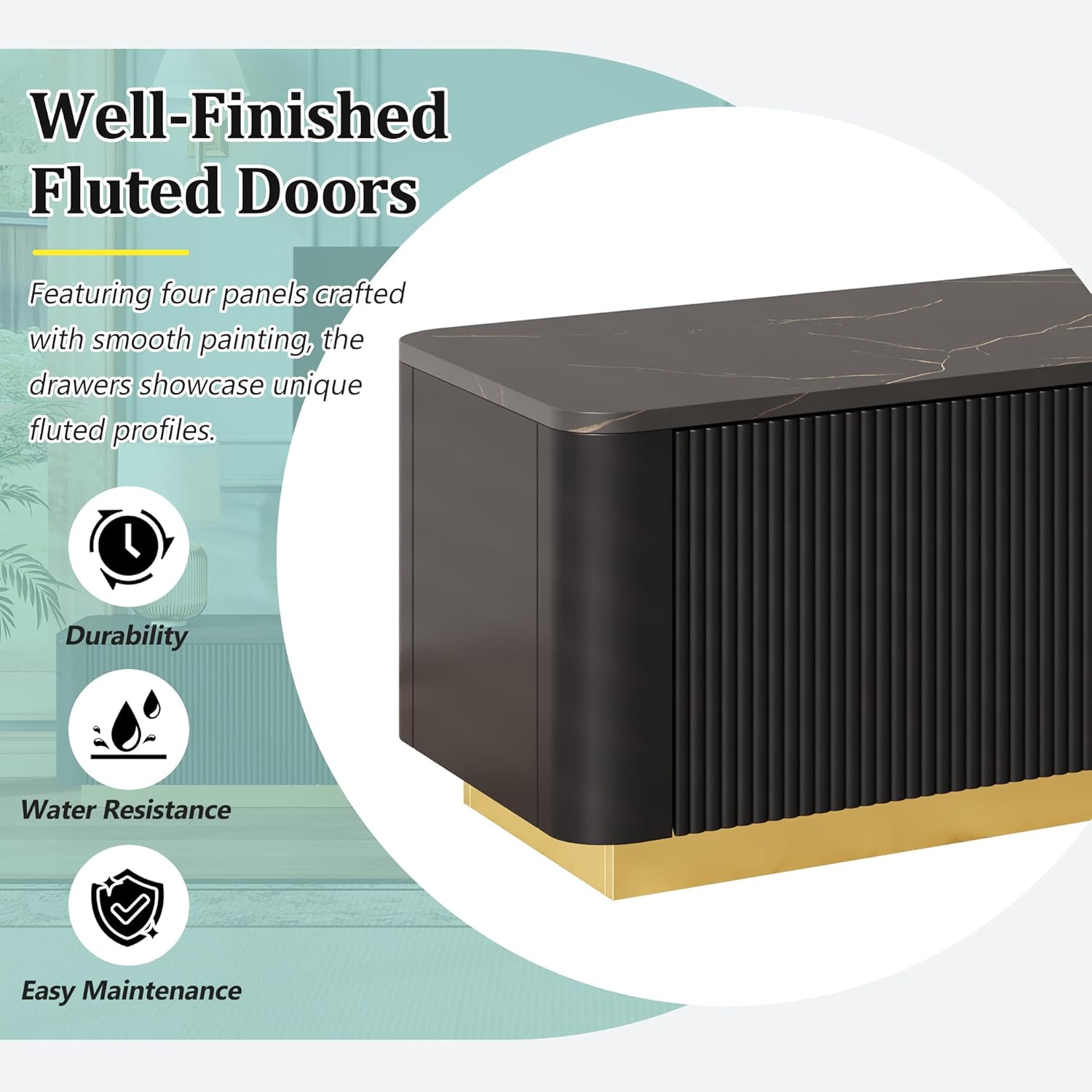
Image: Close-up of the fluted doors, emphasizing their durable, water-resistant, and easy-to-maintain finish.
Troubleshooting
If you encounter issues with your TV stand, refer to the following common solutions:
- Wobbly Stand: Ensure all assembly hardware is securely tightened. Check that the stand is on a level surface. Adjust if necessary.
- Drawers Not Sliding Smoothly: Verify that the drawer slides are correctly installed and aligned. Check for any obstructions in the tracks. Ensure drawers are not overloaded.
- Scratches on Surface: For minor scratches on the faux marble or painted surfaces, touch-up pens or furniture repair kits designed for engineered wood may be used. Always test in an inconspicuous area first.
Specifications
| Brand: | Generic |
| Model Number: | N721 |
| Model Name: | Modern TV Stand |
| Color: | Black |
| Material: | Engineered Wood |
| Item Dimensions (L x W x H): | 78.7 x 15.7 x 13.9 inches |
| Item Weight: | 89 Pounds |
| Tabletop Weight Capacity: | Up to 220 LBS |
| TV Size Compatibility: | Up to 85 inches |
| Required Assembly: | Yes |
Warranty and Support
Warranty information is typically provided with the product packaging or through the retailer at the time of purchase. Please refer to those documents for details regarding your product's warranty coverage.
For further assistance, missing parts, or specific product inquiries, please contact the retailer or manufacturer's customer support channel where the product was purchased. Have your model number (N721) and ASIN (B0GL7SZ441) ready when contacting support.


