
1. Introduction
This manual provides essential information for the safe and efficient operation of your Magnavox MAF16000 16.5 qt Air Fryer Oven with Steam Infusion. Please read all instructions carefully before first use and retain this manual for future reference. This appliance combines air frying, convection baking, and steam infusion technologies to offer versatile cooking options.

Image 1.1: The Magnavox 16.5 qt Air Fryer Oven shown with a variety of prepared dishes, illustrating its versatility.
2. Important Safety Instructions
When using electrical appliances, basic safety precautions should always be followed to reduce the risk of fire, electric shock, and injury to persons, including the following:
- Read all instructions before operating the appliance.
- Do not touch hot surfaces. Use handles or knobs.
- To protect against electric shock, do not immerse cord, plugs, or the appliance in water or other liquid.
- Close supervision is necessary when any appliance is used by or near children.
- Unplug from outlet when not in use and before cleaning. Allow to cool before putting on or taking off parts.
- Do not operate any appliance with a damaged cord or plug, or after the appliance malfunctions or has been damaged in any manner.
- The use of accessory attachments not recommended by the appliance manufacturer may cause injuries.
- Do not use outdoors.
- Do not let cord hang over edge of table or counter, or touch hot surfaces.
- Do not place on or near a hot gas or electric burner, or in a heated oven.
- Extreme caution must be used when moving an appliance containing hot oil or other hot liquids.
- Always attach plug to appliance first, then plug cord into the wall outlet. To disconnect, turn any control to "off", then remove plug from wall outlet.
- Do not use appliance for other than intended use.
- Oversized foods or metal utensils must not be inserted in a toaster oven as they may create a fire or risk of electric shock.
- A fire may occur if the oven is covered or touching flammable material, including curtains, draperies, walls, and the like, when in operation.
- Do not place any of the following materials in the oven: paper, cardboard, plastic, and the like.
- Do not store any materials, other than manufacturer's recommended accessories, in this oven when not in use.
- Do not place cooking utensils or baking dishes on the glass door.
- Do not cover the crumb tray or any part of the oven with metal foil. This will cause overheating of the oven.
3. Parts and Accessories
Your Magnavox Air Fryer Oven comes with the following components and accessories:
- Main Unit: The primary oven body with control panel and viewing window.
- Fry Basket: Used for air frying foods, allowing hot air to circulate evenly.
- Enamel Baking Tray: Suitable for baking, roasting, and collecting drips.
- Crumb Tray: Collects crumbs and food debris for easy cleaning.
- Water Tray: Used for steam infusion cooking.

Image 3.1: The Magnavox Air Fryer Oven displaying its external dimensions and the included fry basket, enamel baking tray, crumb tray, and water tray.
4. Setup and First Use
4.1 Unpacking
- Carefully remove the appliance and all accessories from the packaging.
- Remove any packaging materials, stickers, or labels.
- Ensure all parts listed in the 'Parts and Accessories' section are present.
4.2 Initial Cleaning
- Wipe the exterior of the oven with a damp cloth.
- Wash the fry basket, enamel baking tray, crumb tray, and water tray in warm, soapy water. Rinse thoroughly and dry completely.
- Do not immerse the main unit in water.
4.3 Placement
- Place the oven on a stable, heat-resistant, and level surface.
- Ensure there is adequate clearance (at least 4 inches) on all sides and above the oven for proper ventilation.
- Do not place the oven near flammable materials or under cabinets.
4.4 Power Connection
- Plug the power cord into a grounded electrical outlet.
- The oven is now ready for use.
5. Operating Instructions
5.1 Control Panel Overview
The control panel features three main dials for function selection, temperature adjustment, and timer setting.
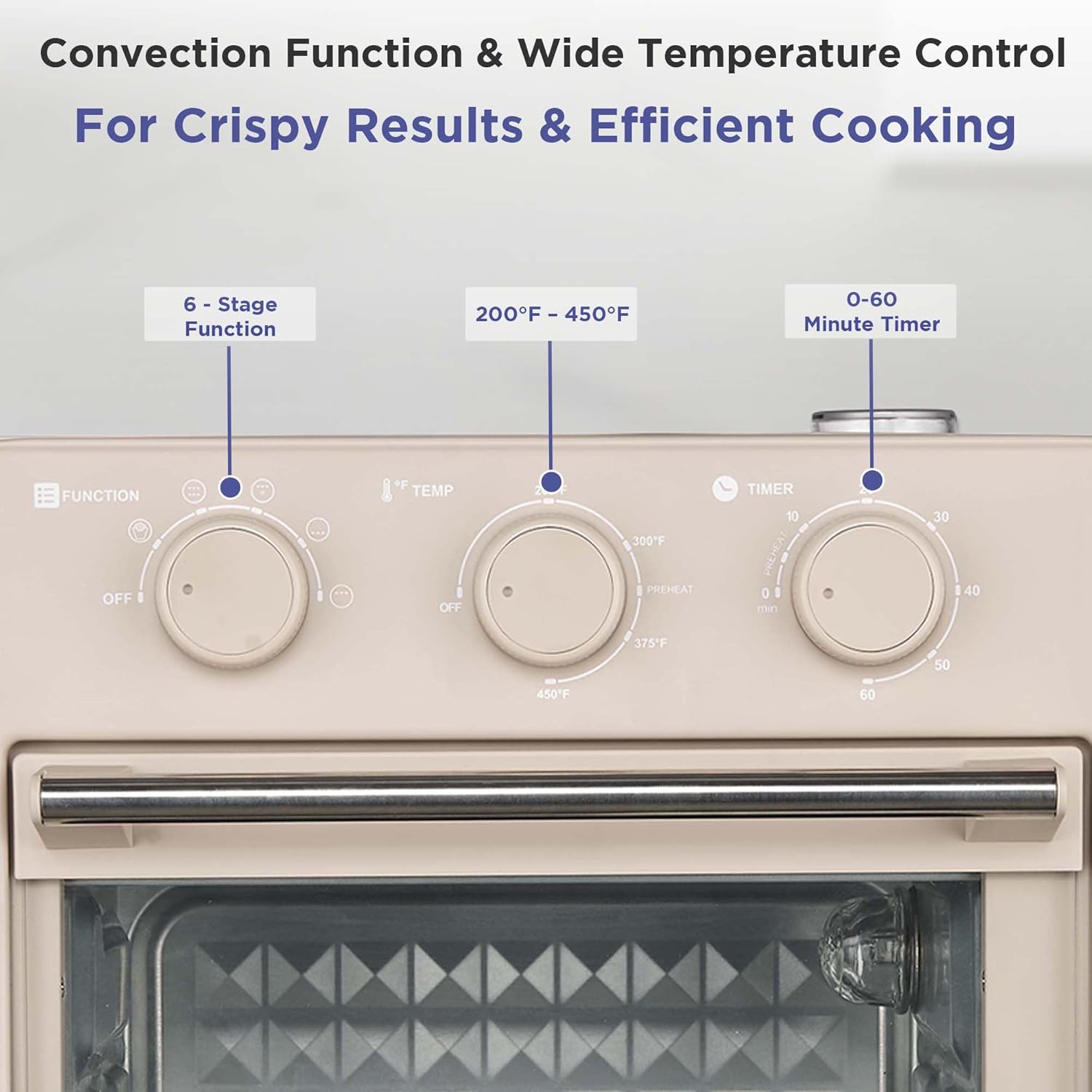
Image 5.1: A close-up view of the oven's control panel, highlighting the Function, Temperature, and Timer dials.
- Function Dial: Selects the desired cooking mode (OFF, Air Fry, Toast, Roast, Dehydrate, Broil, Bake).
- Temperature Dial: Adjusts the cooking temperature from 200°F to 450°F.
- Timer Dial: Sets the cooking time up to 60 minutes. The oven will automatically turn off and sound an alert when the timer expires.
5.2 Cooking Functions
This appliance offers 6 versatile cooking functions:

Image 5.2: Visual representation of the six cooking functions: Air Fry, Toast, Dehydrate, Roast, Bake, and Broil, each with an example food item.
- Air Fry: Uses rapid air circulation for crispy results with little to no oil. Ideal for fries, chicken wings, and other fried foods.
- Toast: For toasting bread, bagels, and similar items.
- Roast: Suitable for cooking meats and vegetables.
- Dehydrate: Low-temperature cooking for drying fruits, vegetables, and making jerky.
- Broil: High heat from the top element for grilling and browning.
- Bake: Standard oven function for cakes, cookies, and casseroles.
5.3 Steam Infusion Cooking
The steam infusion feature helps retain moisture in food, resulting in juicier and more tender dishes.
- Pull out the water tray located at the bottom front of the oven.
- Fill the water tray with clean water up to the MAX fill line.
- Carefully slide the water tray back into its position.
- Proceed with your desired cooking function and settings. The steam will be generated automatically during cooking.
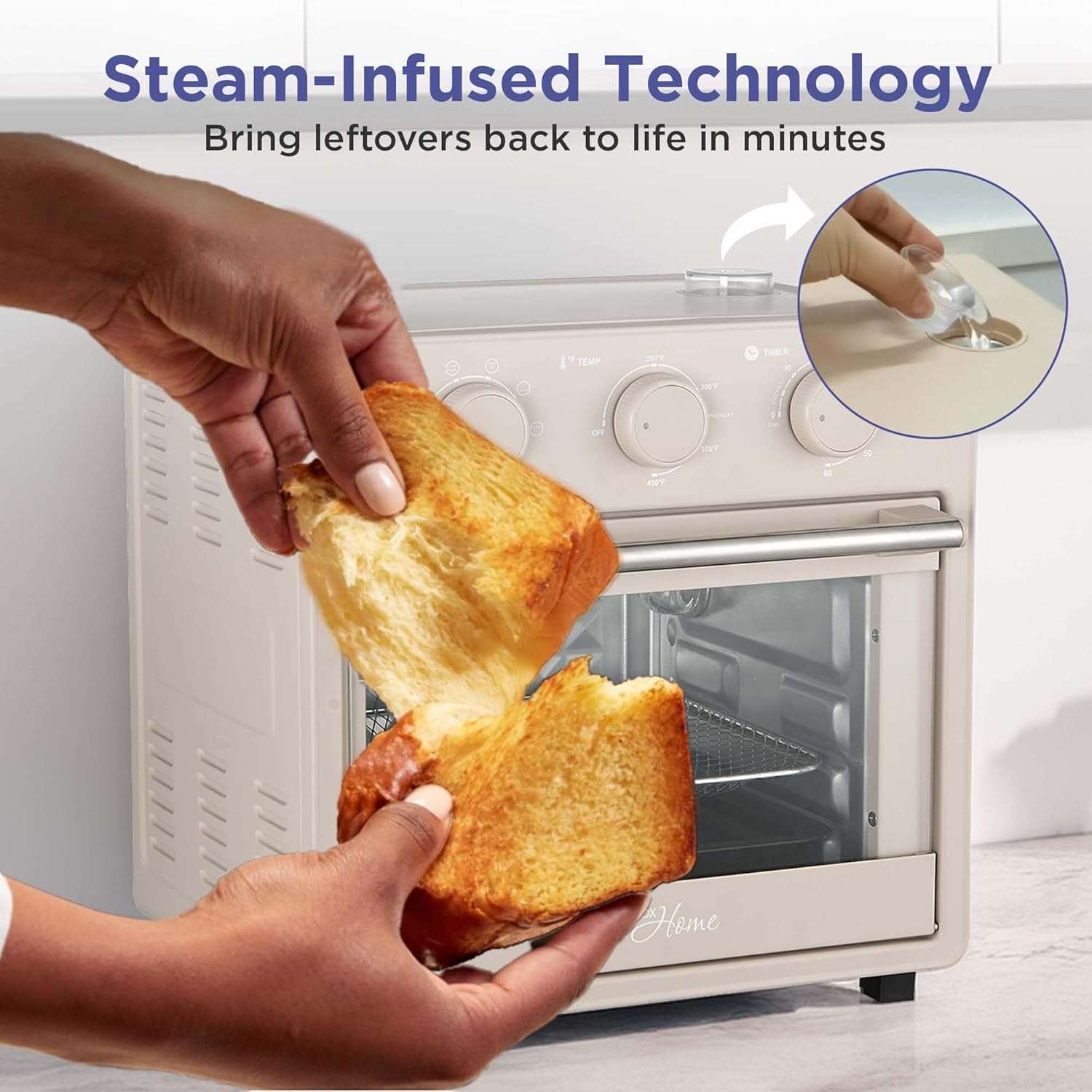
Image 5.3: A hand pouring water into the designated water tray for the steam infusion feature.
5.4 General Cooking Steps
- Place food on the appropriate accessory (fry basket, baking tray).
- Insert the accessory into the oven. Ensure the crumb tray is always in place at the bottom.
- Close the oven door securely.
- Turn the Function Dial to select your desired cooking mode.
- Turn the Temperature Dial to set the desired temperature.
- Turn the Timer Dial to set the cooking time. The oven will begin heating.
- Monitor cooking progress through the viewing window.
- When the timer rings, carefully remove the cooked food using oven mitts.
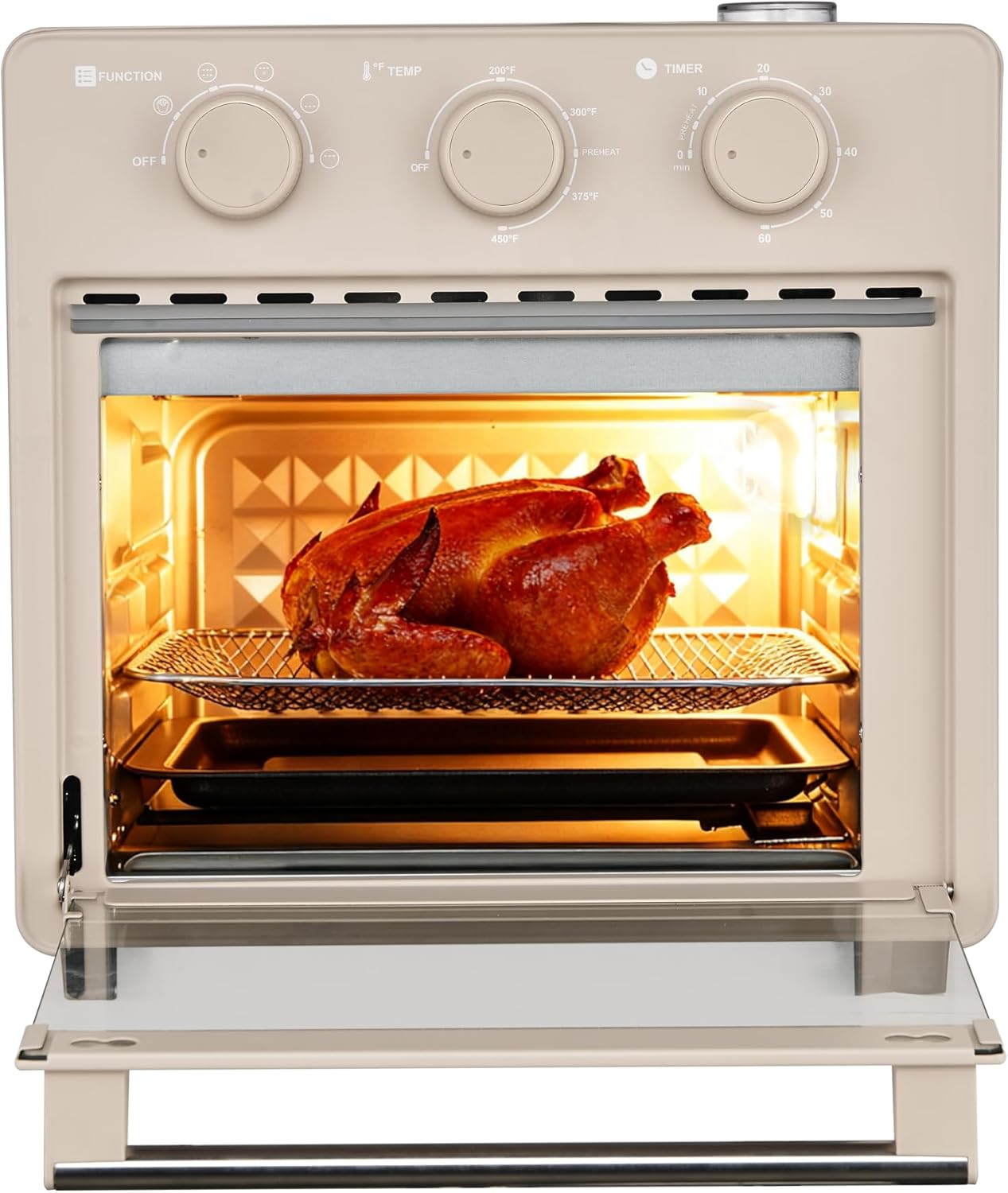
Image 5.4: The Magnavox Air Fryer Oven with a whole roasted chicken inside, demonstrating its capacity.
6. Cleaning and Maintenance
Regular cleaning ensures optimal performance and extends the life of your appliance.
6.1 Before Cleaning
- Always unplug the oven from the power outlet and allow it to cool completely before cleaning.
6.2 Cleaning the Interior
- Remove the fry basket, baking tray, crumb tray, and water tray.
- Wipe the interior walls with a damp cloth and mild detergent. For stubborn stains, use a non-abrasive sponge.
- Do not use abrasive cleaners or metal scouring pads, as they can damage the interior surface.
- Ensure the interior is dry before next use.
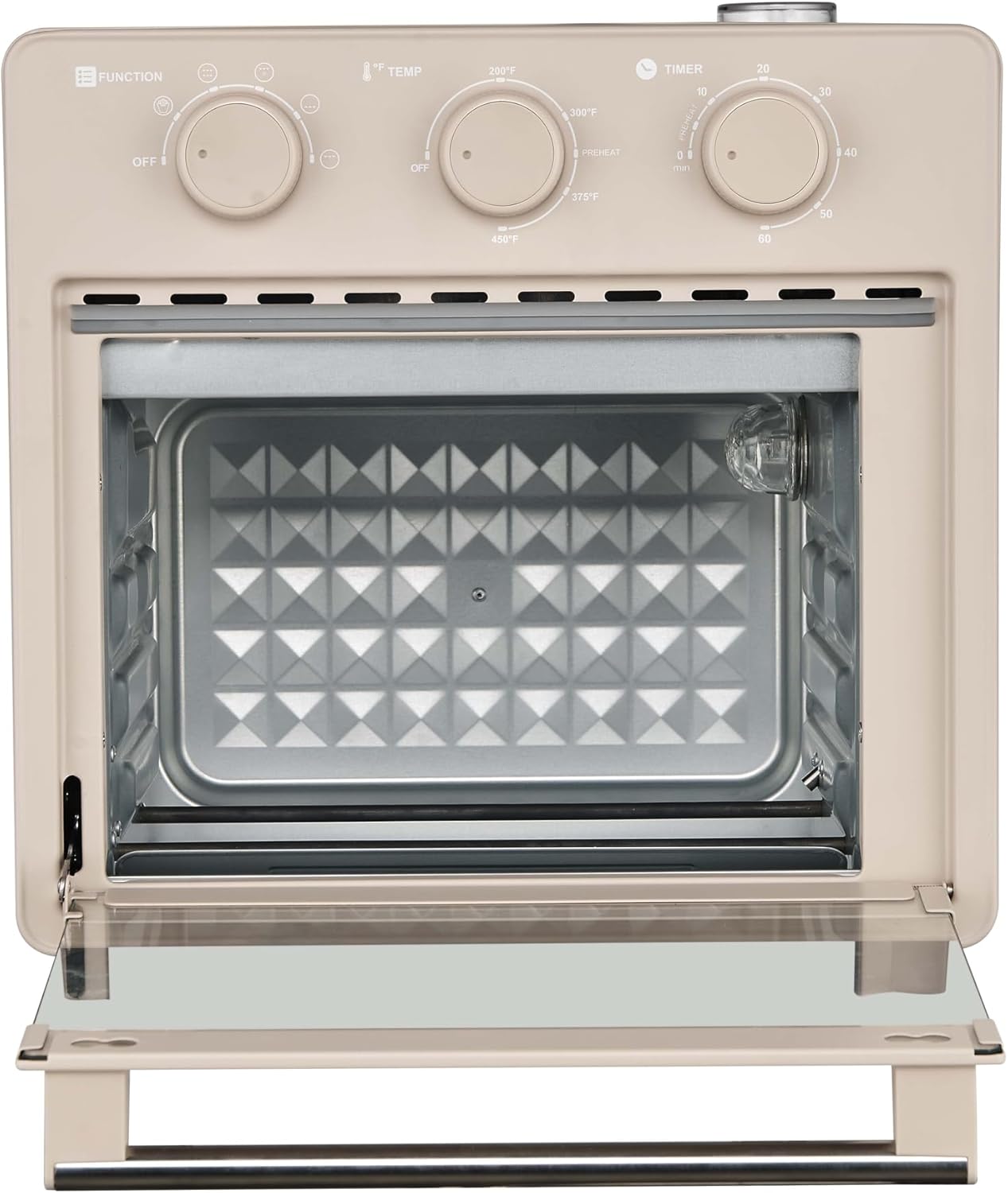
Image 6.1: An interior view of the Magnavox Air Fryer Oven, showing the heating elements and diamond-patterned back panel.
6.3 Cleaning Accessories
- Wash the fry basket, baking tray, crumb tray, and water tray in warm, soapy water.
- For baked-on food, soak the accessories in warm water before cleaning.
- Rinse thoroughly and dry completely before storing or reusing.
6.4 Cleaning the Exterior
- Wipe the exterior surface with a soft, damp cloth.
- Do not use abrasive cleaners or harsh chemicals.
7. Troubleshooting
Review the following common issues and solutions before contacting customer support.
| Problem | Possible Cause | Solution |
|---|---|---|
| Oven does not turn on. | Not plugged in; power outlet malfunction; timer not set. | Ensure the power cord is securely plugged into a working outlet. Set the timer dial to the desired cooking time. |
| Food is not cooking evenly. | Overcrowding; incorrect temperature/time; food placement. | Avoid overcrowding the oven. Adjust temperature and time as needed. Ensure food is placed appropriately on the rack/tray. |
| Smoke coming from the oven. | Food residue; excessive oil/grease; flammable materials. | Unplug the oven and let it cool. Clean the interior and accessories thoroughly. Ensure no flammable materials are near or inside the oven. Reduce oil/grease if applicable. |
| Steam infusion not working. | Water tray empty or not properly inserted. | Ensure the water tray is filled with water and correctly positioned in the oven. |
| Timer bell does not sound. | Timer dial not set correctly. | Ensure the timer dial is turned past the 10-minute mark and then back to the desired time to activate the mechanism. |
8. Product Specifications
Key technical specifications for the Magnavox MAF16000 Air Fryer Oven:
| Feature | Specification |
|---|---|
| Model Number | MAF16000 |
| Capacity | 16.5 qt (15.6 liters) |
| Product Dimensions (D x W x H) | 11"D x 11"W x 9"H |
| Temperature Control Range | 200°F to 450°F |
| Timer | 60 minutes with bell alert |
| Cooking Functions | Air Fry, Toast, Roast, Dehydrate, Broil, Bake |
| Special Feature | Steam Infusion Cooking |
| Material | Stainless Steel Interior |
| Wattage | 110 watts (Note: User reviews indicate actual wattage may be higher. Refer to product label for precise information.) |
| Voltage | 110V |
| Item Weight | 10 pounds |
9. Warranty and Customer Support
For warranty information, please refer to the warranty card included with your product packaging. This document outlines the terms and conditions of your product's warranty.
If you encounter any issues not covered in the troubleshooting section or require further assistance, please contact Magnavox customer support. Contact details are typically provided on the warranty card or on the official Magnavox website.