Introduction
The Generic LE-0273 Type-C Earphones with Microphone are engineered for users demanding superior audio quality. These earphones feature a premium transparent design and a detachable structure, providing a professional audio experience with high fidelity (HiFi). Equipped with 10mm drivers, they deliver deep bass and clear treble across a frequency range of 20-20000Hz. The reinforced 1.2m cable ensures durability and a stable connection. The ergonomic design is crafted for comfortable wear during extended use. An integrated HD microphone with 42±3dB sensitivity and convenient in-line controls allows for easy volume management and playback control. Three sizes of silicone ear tips (Small, Medium, Large) are included to ensure a personalized and secure fit. With an impedance of 16Ω and sensitivity of 98±3dB, these earphones are suitable for various activities including music listening, podcasts, phone calls, studying, and gaming. They are compatible with Android devices via a Type-C connection.

Image: User experiencing immersive audio with LE-0273 earphones.
Product Overview
Key Features
- High Fidelity Audio: 10mm drivers with 20-20000Hz frequency response for deep bass, balanced mids, and clear treble.
- Professional Detachable Design: Modern transparent structure with a reinforced 1.2m replaceable cable for easy maintenance and enhanced durability.
- Universal Type-C Connector: Ensures stable, interference-free audio connection with Android smartphones, tablets, and notebooks featuring USB Type-C input.
- Integrated HD Microphone: 42±3dB sensitivity and 100Hz-10kHz frequency for crystal-clear calls, complemented by in-line volume and play/pause controls.
- Ergonomic Comfort: Includes 3 ear tip sizes (S, M, L) for a perfect, comfortable fit, with 16Ω impedance and 98±3dB sensitivity for prolonged use without discomfort.
- Passive Noise Cancellation: Reduces ambient noise for a more focused listening experience.
- 360° Panoramic Sound: Creates an immersive audio environment.
- Durable Materials: Constructed from metal, plastic, and silicone for longevity.
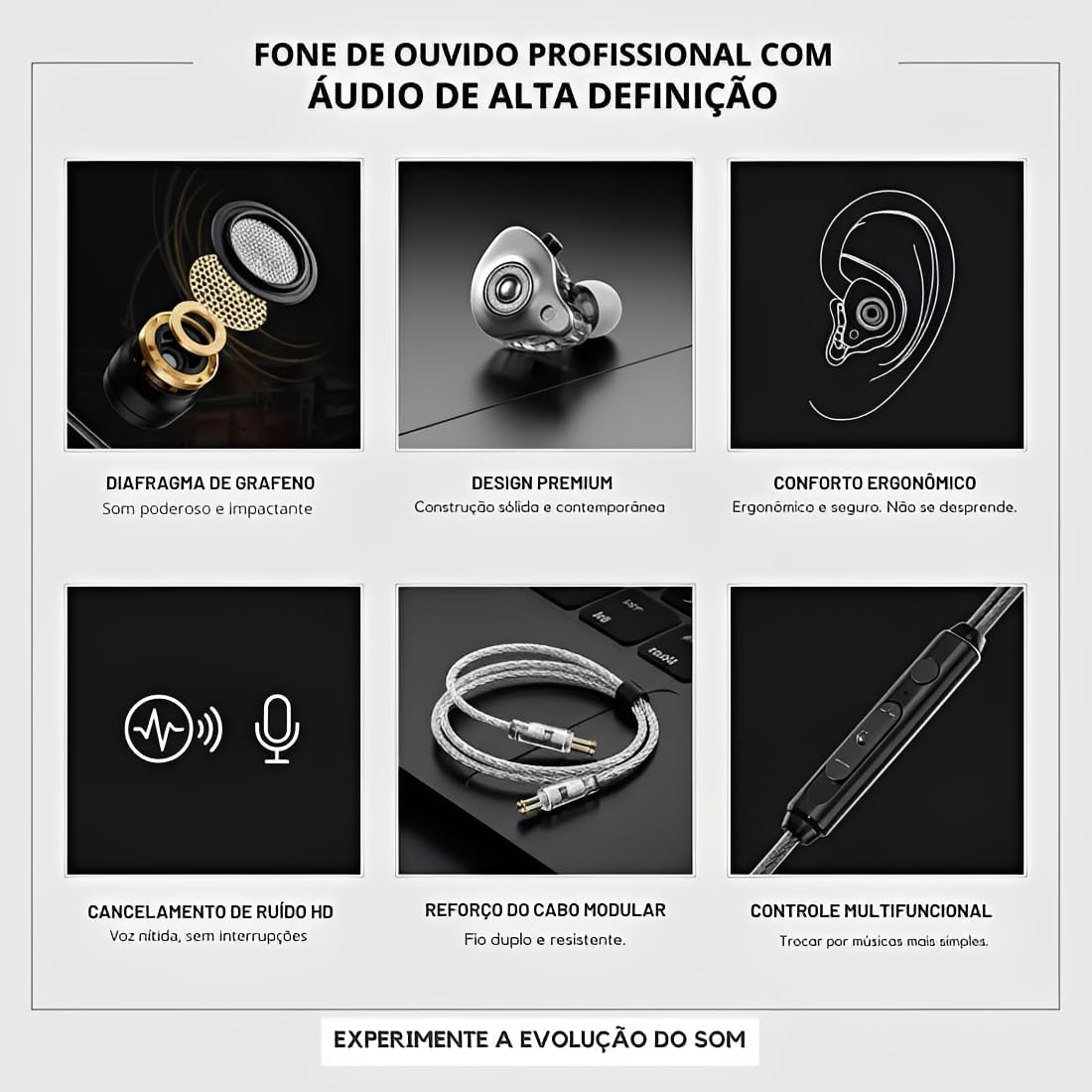
Image: Detailed features of the LE-0273 professional earphones.
Package Contents
- 1 x LE-0273 Type-C Earphones
- 1 x 1.2m Reinforced Detachable Cable
- 3 x Pairs of Silicone Ear Tips (Small, Medium, Large)
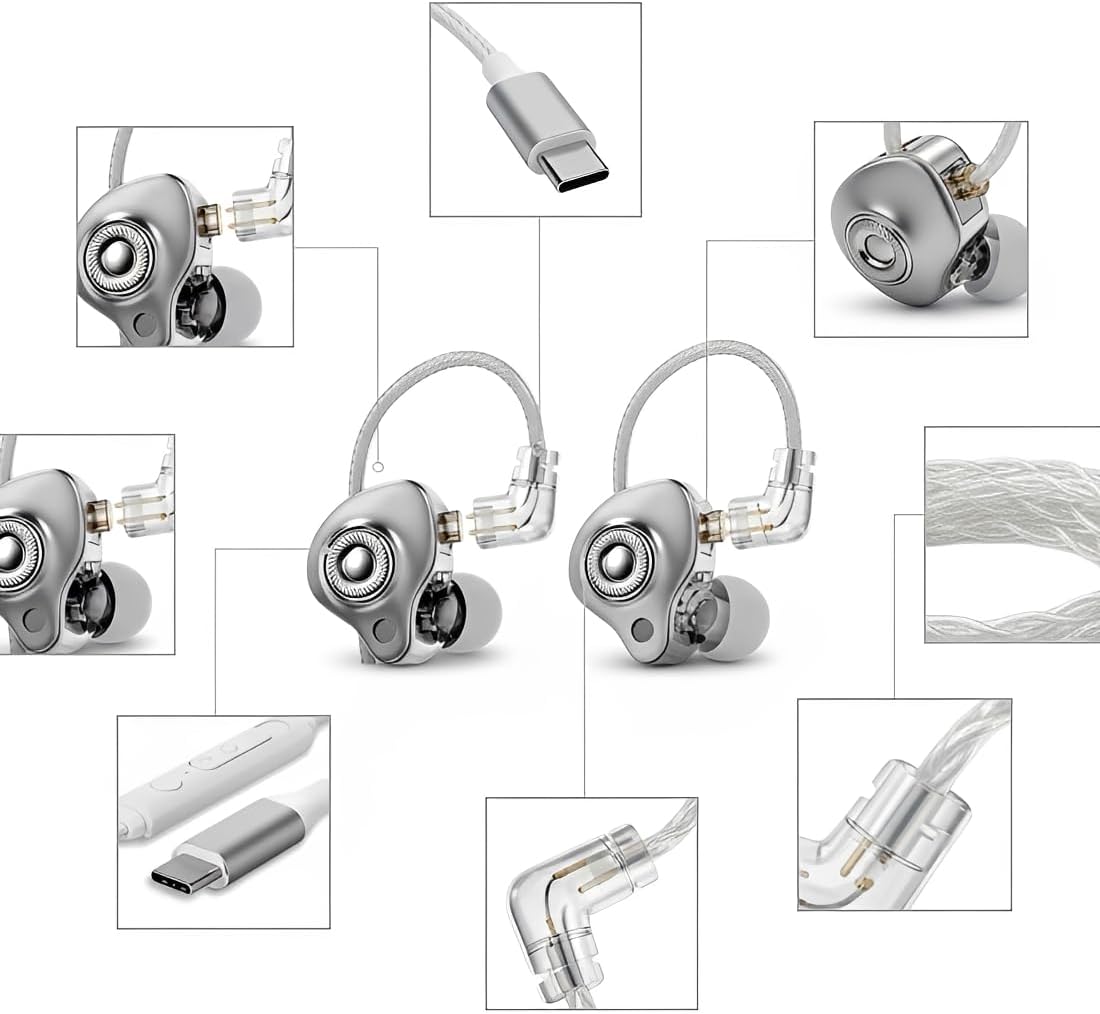
Image: Components and design elements of the LE-0273 earphones.
Setup
1. Choosing the Right Ear Tips
The earphones come with three sizes of silicone ear tips (Small, Medium, Large). Selecting the correct size is crucial for optimal sound quality and comfort. Experiment with each size to find the pair that creates a snug seal in your ear canal without causing discomfort. A good seal enhances bass response and passive noise cancellation.
2. Connecting the Cable
Align the Type-C connector of the earphone cable with the USB Type-C port on your compatible device (e.g., Android smartphone, tablet, notebook). Gently push the connector in until it is fully seated. Ensure the connection is firm to prevent audio interruptions.

Image: Detachable cable and Type-C connector for easy setup.
3. Wearing the Earphones
Insert the earphones into your ear canals. The ergonomic design is intended to fit securely. Adjust the earphones until they feel comfortable and stable. The cable is designed to loop over the top of your ear for added security and reduced microphonics (cable noise).
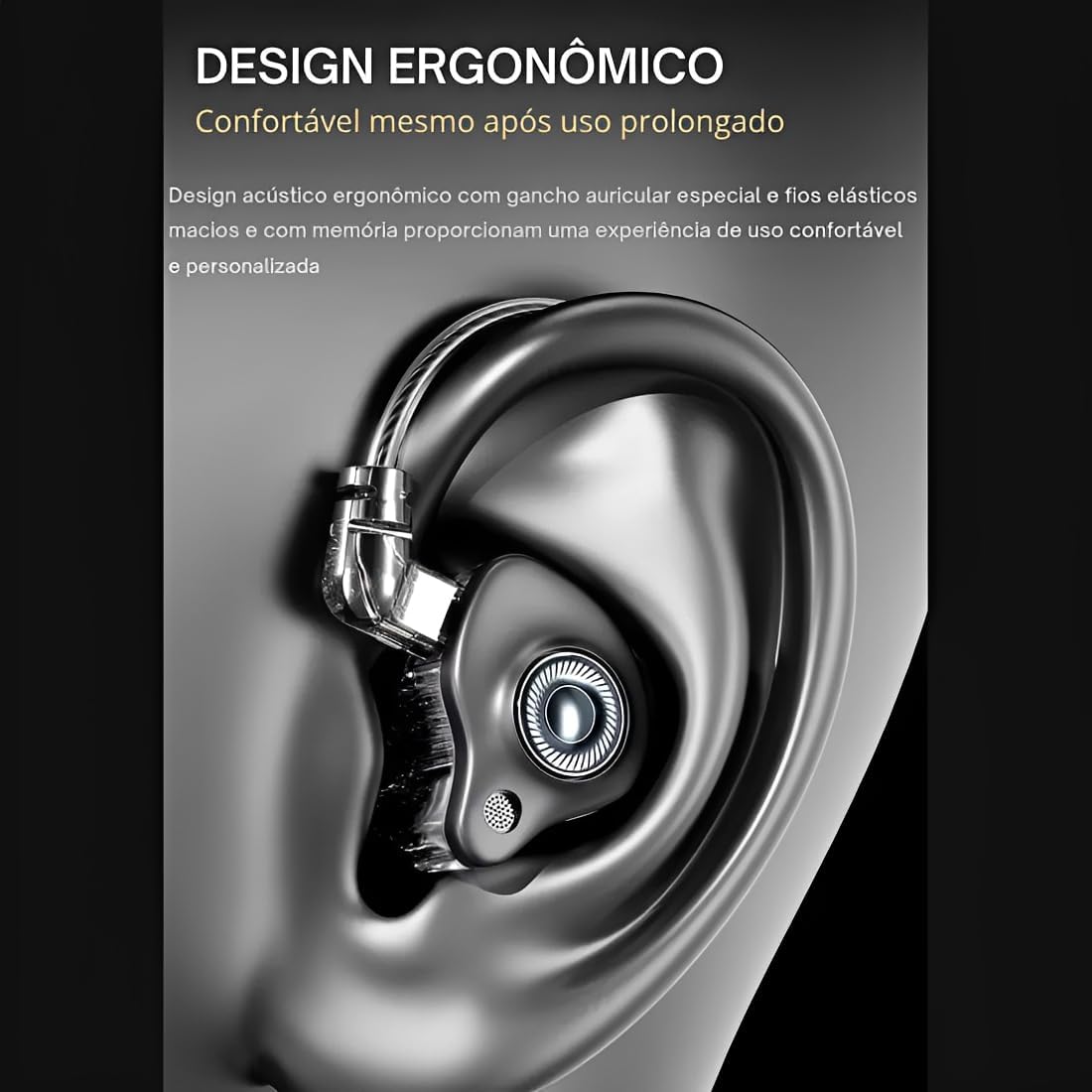
Image: Ergonomic design for comfortable and secure fit.
Operating Instructions
Audio Playback
Once connected, your device should automatically recognize the earphones. Begin playing audio from your preferred application. The earphones will reproduce sound with high fidelity.
Using In-Line Controls
The LE-0273 earphones feature an integrated in-line control unit on the cable for convenient management of audio and calls.
- Volume Up/Down: Use the '+' and '-' buttons to adjust the playback volume.
- Play/Pause: Press the central button once to play or pause audio.
- Next Track: Double-press the central button to skip to the next track.
- Previous Track: Triple-press the central button to go back to the previous track.
- Answer/End Call: Press the central button once to answer an incoming call or end an ongoing call.
- Reject Call: Press and hold the central button for approximately 2 seconds to reject an incoming call.
Microphone Usage
The integrated HD microphone allows for clear voice capture during calls or voice recordings. Ensure the microphone is positioned appropriately for optimal voice pickup. The passive noise cancellation helps to reduce background noise during calls.

Image: Earphones providing clear calls and Hi-Fi sound with noise reduction.
Maintenance
Cleaning the Earphones and Ear Tips
- Regularly clean the ear tips with a soft, dry cloth. For deeper cleaning, remove the silicone ear tips and wash them with mild soap and water. Ensure they are completely dry before reattaching.
- Gently wipe the earphone housings and cable with a soft, slightly damp cloth. Avoid using harsh chemicals or abrasive materials.
- Do not submerge the earphones or cable in water, as they are not water-resistant.
Cable Care
- Avoid sharp bends or excessive pulling on the cable, especially near the connectors.
- When storing, coil the cable loosely to prevent tangles and damage.
- The cable is detachable and replaceable, which can extend the lifespan of your earphones. If the cable becomes damaged, a replacement can be acquired.
Storage
Store your earphones in a clean, dry place away from extreme temperatures and direct sunlight. Using a small pouch or case can protect them from dust and physical damage when not in use.
Troubleshooting
No Sound or Low Volume
- Ensure the Type-C connector is fully inserted into your device.
- Check the volume level on your device and using the in-line controls.
- Verify that the audio output setting on your device is directed to the connected earphones.
- Test the earphones with another device to rule out a device-specific issue.
- Inspect the cable for any visible damage.
Poor Sound Quality
- Ensure the ear tips are correctly sized and form a good seal in your ear canal.
- Clean the ear tips and earphone nozzles to remove any debris that might be obstructing sound.
- Try playing different audio files or sources to determine if the issue is with the content.
Microphone Not Working
- Ensure the earphones are fully connected to your device.
- Check your device's privacy settings to ensure the application has permission to access the microphone.
- Test the microphone with a different application or device.
- Ensure the microphone port on the in-line control is not obstructed.
In-Line Controls Not Responding
- Ensure the earphones are securely connected.
- Some older devices or specific applications may have limited compatibility with in-line controls. Test with a different device or application.
Specifications
| Model | LE-0273 |
| Driver Size | 10mm |
| Frequency Response | 20-20000Hz |
| Impedance | 16 Ohms |
| Sensitivity | 98±3dB |
| Microphone Sensitivity | 42±3dB |
| Microphone Frequency | 100Hz-10kHz |
| Cable Length | 1.2 meters |
| Connector Type | USB Type-C |
| Noise Control | Passive Noise Cancellation |
| Material | Metal, Plastic, Silicone |
| Weight | 50 grams |
| Water Resistance | Not water resistant |
| Control Type | In-line control (Button, Remote) |
| Compatible Devices | Android phones, PCs, Notebooks, Tablets (iPhone via adapter) |
Warranty and Support
Warranty Information
This product is covered by a 30-day manufacturer's warranty from the date of purchase. This warranty covers manufacturing defects and faults under normal use. It does not cover damage caused by misuse, accidents, unauthorized modifications, or normal wear and tear. Please retain your proof of purchase for warranty claims.
Customer Support
For any questions, technical assistance, or warranty claims, please contact the seller or manufacturer through the platform where the product was purchased. Provide your order details and a clear description of the issue to facilitate a prompt resolution.