
1. Introduction
The RK ROYAL KLUDGE S104 is a full-size wireless mechanical keyboard designed for versatile use, featuring a smart TFT display, multi-mode connectivity, and customizable RGB backlighting. This manual provides detailed instructions for setup, operation, and maintenance to ensure optimal performance.
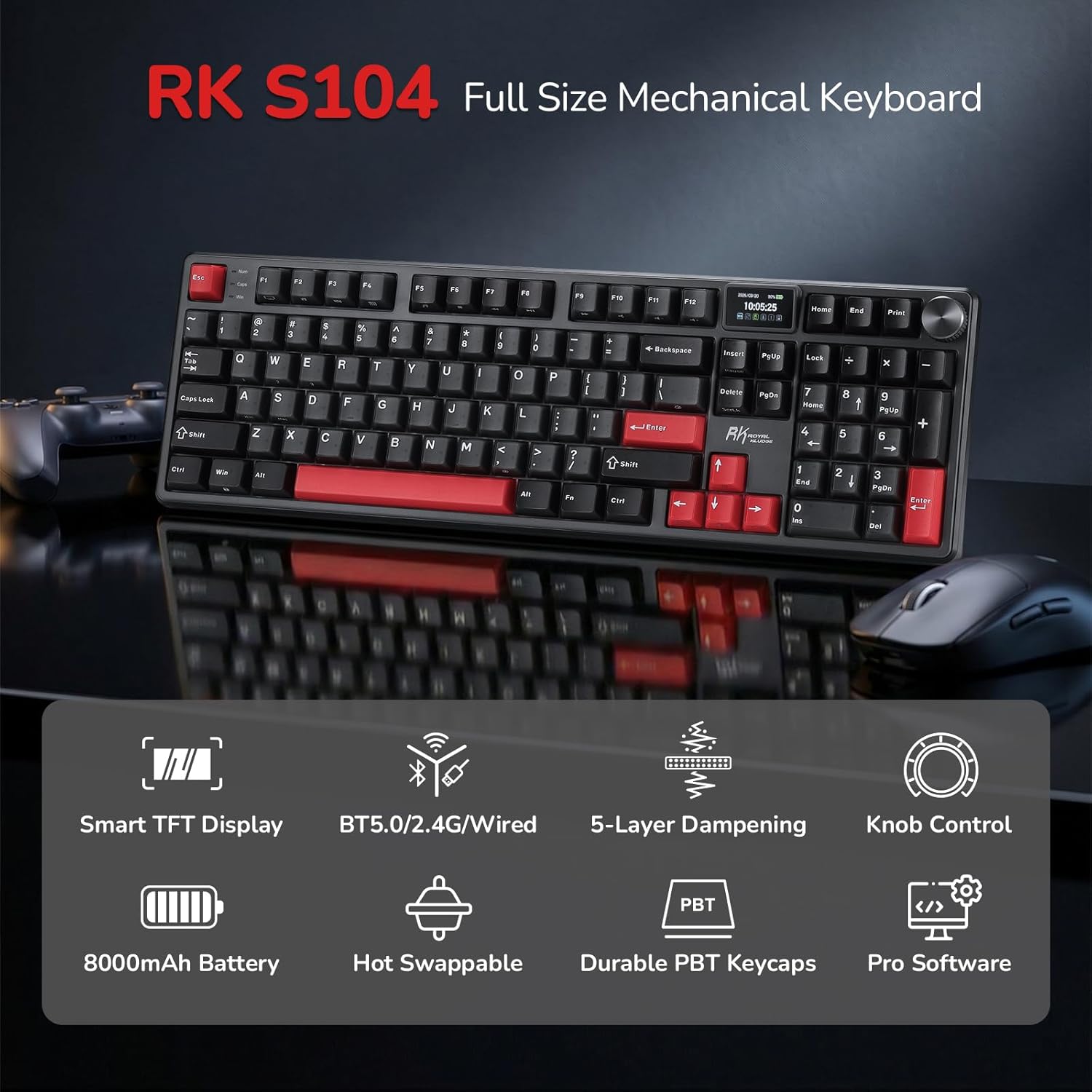
Image: Overview of the RK ROYAL KLUDGE S104 keyboard with its main features.
2. Package Contents
Please verify that all items are present in your package:
- RK S104 Keyboard
- User Manual
- 2.4GHz Receiver
- USB-C Cable
- Dust Cover
- 2-in-1 Keycap & Switch Puller
- 4 x Backup Switches

Image: All items included in the RK ROYAL KLUDGE S104 package.
3. Keyboard Layout and Features
3.1 Smart TFT Display
The dynamic TFT screen provides real-time information:
- Custom GIFs and images
- Current date and time
- Active connection mode (2.4G, BT1, BT2, BT3, USB)
- Operating system layout (WIN/MAC)
- Battery status
3.2 Multi-function Knob
The knob allows for quick adjustments:
- Volume control (twist)
- Switching connection modes (click and twist)
- Adjusting backlight brightness and speed (click and twist)
- Changing RGB modes and colors (click and twist)

Image: Interactive TFT LCD Screen functions.

Image: All-in-One Control Knob for convenient adjustments.
4. Connectivity Modes
The RK S104 supports three connection modes:
- 2.4GHz Wireless: For reliable wireless connection using the included USB dongle.
- Bluetooth 5.0: Connects to up to three devices simultaneously.
- USB-C Wired: For a stable, direct connection and charging.
4.1 Switching Modes
Use the switch located on the top edge of the keyboard to select between OFF, ON (for 2.4GHz/Bluetooth), and USB modes. The knob can then be used to select specific Bluetooth channels (BT1, BT2, BT3) or 2.4G mode.

Video: Demonstrating the tri-mode connectivity of the RK S104 keyboard.
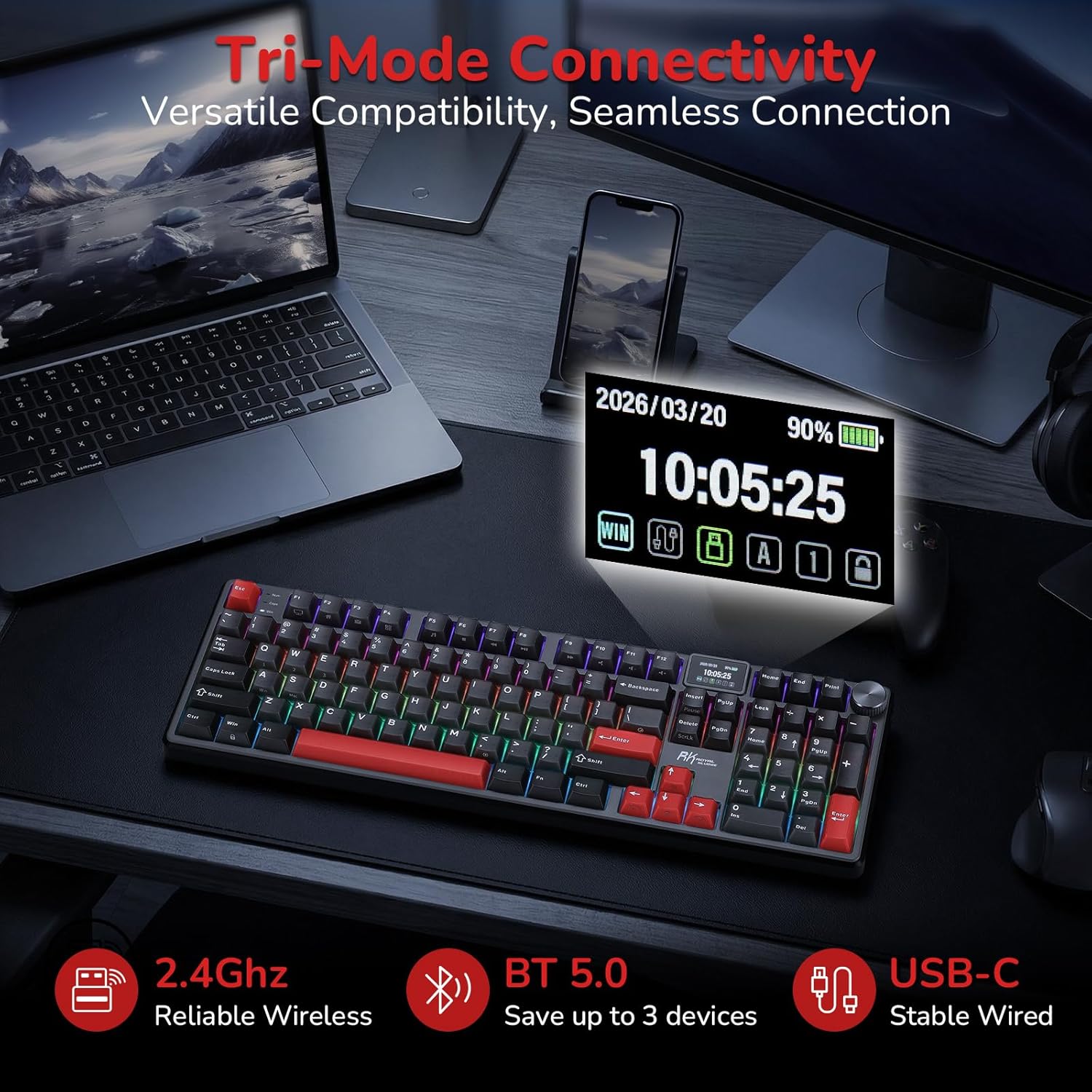
Image: Tri-Mode Connectivity options.
5. Customization and Lighting
5.1 RGB Backlighting
The keyboard features 19 dazzling RGB lighting effects. Use the knob to cycle through modes, adjust brightness, and change colors. Specific hotkeys (Fn combinations) may also be available for direct control as detailed in the user manual.
Video: An overview of the RK S104 Wireless Keyboard, showcasing its screen, knob, and RGB lighting features.
5.2 Hot-Swappable Switches
The PCB is hot-swappable, supporting both 3-pin and 5-pin switches. This allows users to easily change switches without soldering to customize their typing experience. The keyboard comes with pre-lubed RK Linear Silent Switches for a quiet operation.

Image: Hot-Swap Socket for easy switch replacement.

Image: Details of Custom Cream Linear and Silent Linear Switches.
Video: Sound test of the RK S104 keyboard, comparing creamy and thocky switch sounds.
5.3 Online Driver & Macro Support
Access RK's web-based driver directly through your browser to remap keys, create macros, and customize RGB lighting. This feature is compatible with Windows and macOS, requiring no software download for quick and user-friendly customization.

Image: Online Driver interface for customization.
6. Advanced Features
6.1 5-Layer Dampening System
The keyboard incorporates a premium 5-layer dampening system to reduce noise by 80% and eliminate 20% of hollow sounds. This includes two thick sound-absorbing foams, an IXPE switch dampener pad, a PET sounding pad, and a silicone dampener pad, providing a satisfying creamy and thocky sound profile.

Image: Exploded view of the 5-Layer Dampening Design.
6.2 Massive 8000mAh Battery
The integrated 8000mAh battery provides extended usage times: up to 200 hours with RGB backlighting off and 63 hours with RGB on. This ensures long gaming sessions and office work without frequent recharging.

Image: Battery life details for the 8000mAh battery.
6.3 Frosted Dual-Layer Keycaps
The keyboard features dual-layer keycaps with a frosted matte finish, offering a superior fingertip feel, exceptional durability, and a premium aesthetic.
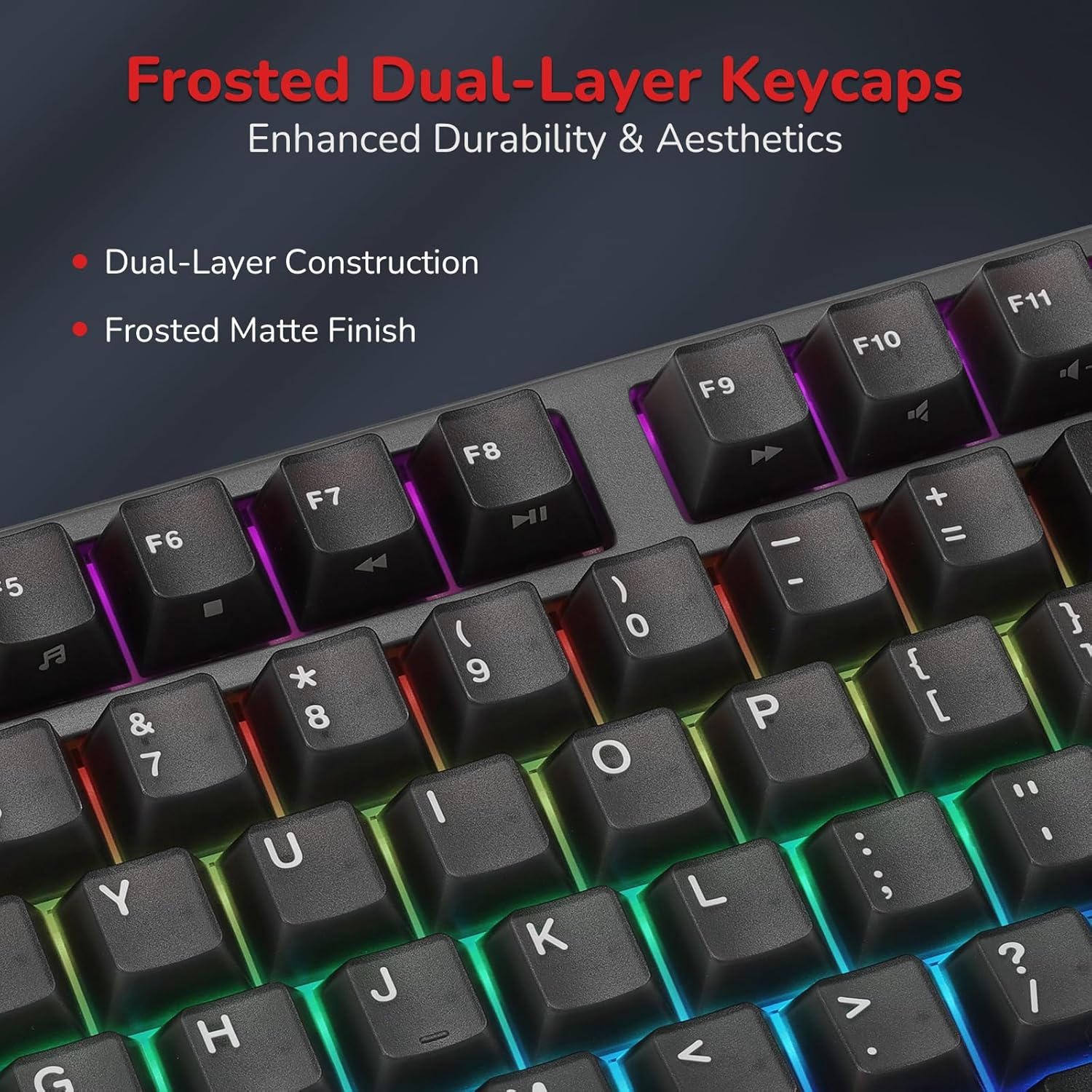
Image: Frosted Dual-Layer Keycaps.
7. Specifications
| Feature | Detail |
|---|---|
| Brand | RK ROYAL KLUDGE |
| Model Number | RK S104 |
| Connectivity Technology | BT (Bluetooth), RF (2.4GHz), USB-C |
| Keyboard Description | Full Size Mechanical Keyboard with Screen & Knob |
| Special Features | Backlit, Ergonomic, Hot-Swappable, Rechargeable, Screen & Knob |
| Color | Carbon Red |
| Keyboard Backlighting | RGB |
| Material | Aluminum |
| Power Source | Battery Powered (8000mAh) |
| Switch Type | Linear (Silent Switch) |
| Number of Keys | 101 |
| Compatible Operating Systems | Windows 10, Mac OS 10.12 Sierra, Android |
8. Maintenance
To ensure the longevity and optimal performance of your RK ROYAL KLUDGE S104 keyboard, follow these maintenance guidelines:
- Cleaning: Regularly clean the keycaps and keyboard surface with a soft, dry cloth. For deeper cleaning, use the provided keycap puller to remove keycaps and clean underneath with compressed air or a small brush.
- Battery Care: Avoid fully discharging the battery frequently. Charge the keyboard when the battery indicator on the TFT screen shows low power.
- Storage: When not in use, store the keyboard in a dry, dust-free environment. Use the included dust cover to protect it from debris.
- Switch Replacement: If replacing switches, use the provided switch puller carefully to avoid damaging the PCB or switch pins. Ensure new switches are correctly aligned before pressing them into place.
9. Troubleshooting
If you encounter issues with your RK ROYAL KLUDGE S104 keyboard, refer to the following common solutions:
- Keyboard Not Responding:
- Ensure the keyboard is charged or connected via USB-C.
- Check the connection mode switch (2.4G, BT, USB) is set correctly.
- For 2.4GHz, ensure the dongle is securely plugged into your device.
- For Bluetooth, re-pair the device if necessary.
- RGB Backlighting Not Working/Incorrect:
- Check backlight brightness settings using the knob or Fn keys.
- Ensure the keyboard is not in a low-power state.
- Use the online driver to reset or reconfigure RGB settings.
- Connectivity Issues (Bluetooth/2.4GHz):
- Ensure the keyboard is within range of your device.
- Remove any potential interference sources (other wireless devices).
- Try re-pairing the keyboard with your device.
- Keys Not Registering:
- Check if the switch is properly seated. Use the switch puller to remove and reinsert the switch.
- If a switch is faulty, replace it with one of the backup switches.
10. Warranty and Support
The RK ROYAL KLUDGE S104 Wireless Mechanical Keyboard comes with a 1 Year Manufacturer Warranty. For further assistance, technical support, or warranty claims, please refer to the contact information provided in the included user manual or visit the official RK ROYAL KLUDGE website.


