
Product Overview
The Fluest Queen Bed Frame (Model BED618) is designed for comfort and convenience, featuring a sturdy metal and engineered wood construction. This bed frame includes a headboard with integrated LED lighting, a built-in charging station, and ample under-bed storage. Its noise-free design ensures a quiet sleeping environment, and it does not require a box spring.

Image: Overall view of the Fluest Queen Bed Frame, highlighting its modern design and integrated features.
Safety Information
- Exercise caution around sharp edges during assembly and use.
- Do not exceed the maximum weight recommendation of 800 pounds.
- Regularly inspect and maintain the foam strips on the slats to prevent squeaking.
- Ensure all connections for the charging station and LED lights are secure before use.
Package Contents
Before beginning assembly, verify that all components listed below are present:
- Headboard
- Footboard
- Side Rails
- Slats (12 heavy-duty metal slats)
- Bookcase/Storage Shelf (integrated into headboard)
- Installation Manual
- Hardware Pack (bolts, screws, tools)
Setup and Assembly
Assembly of the Fluest Queen Bed Frame is designed to be straightforward. It is recommended to have at least two people for easier handling of larger components. Follow the detailed instructions provided in the included Installation Manual.
- Unpack Components: Carefully remove all parts from the packaging and lay them out on a clean, soft surface to prevent scratches. Verify all parts against the package contents list.
- Assemble Headboard: Attach the headboard components as per the manual. Ensure the LED light strip and charging station are correctly positioned and secured.
- Attach Side Rails: Connect the side rails to the headboard and footboard using the provided hardware. Ensure all bolts are tightened securely.
- Install Slats: Place the metal slats across the bed frame. Each slat is equipped with a foam strip to minimize noise; ensure these are properly seated. Secure the slats according to the manual's instructions.
- Final Checks: Double-check all connections and hardware to ensure the frame is stable and secure before placing a mattress on it.
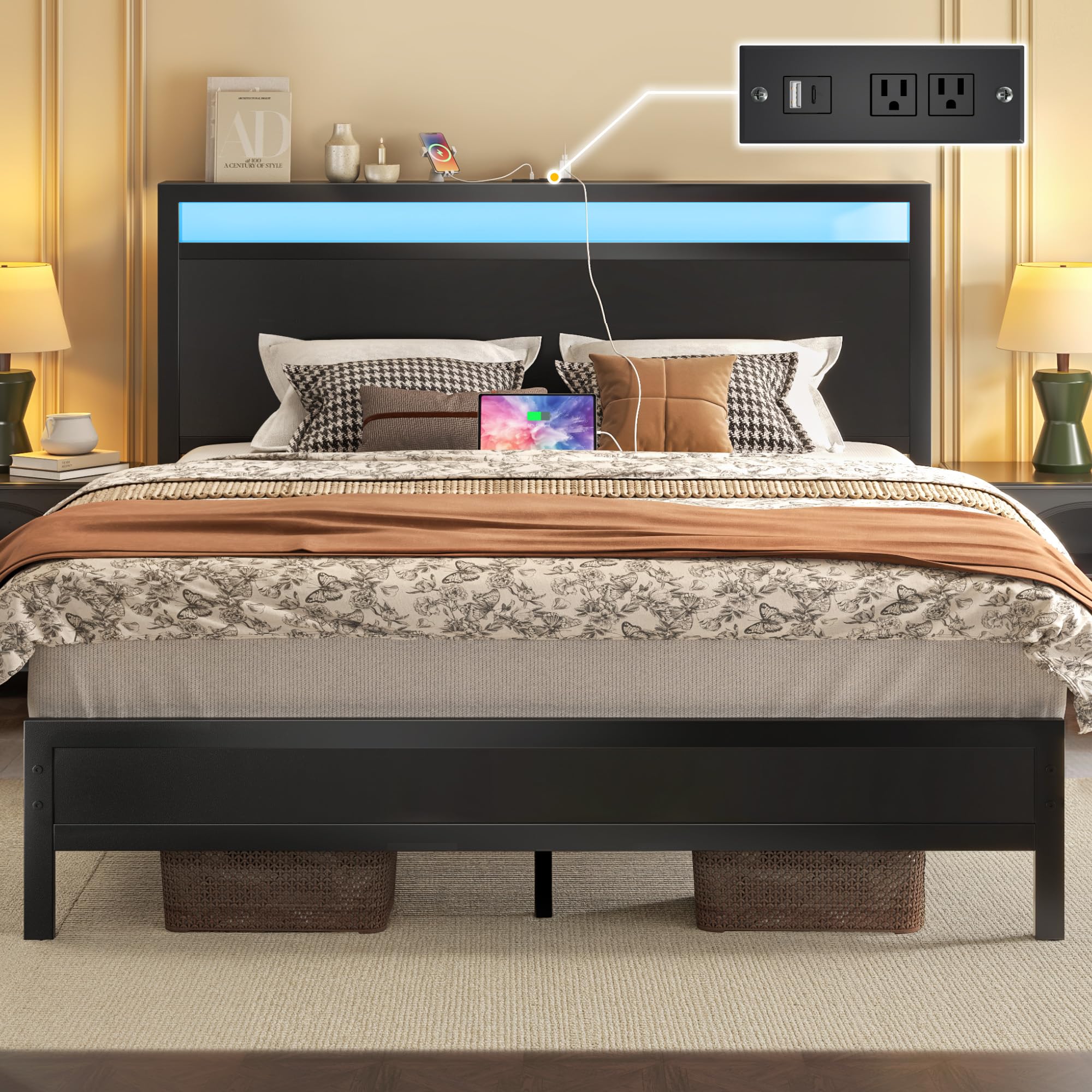
Image: Detailed dimensions of the Fluest Queen Bed Frame, including headboard height, under-bed clearance, and overall length/width.
Operating Instructions
LED Lighting System
The integrated LED lights in the headboard offer customizable illumination. Control options include a mobile application and a remote control.
- Color Adjustment: Select from a wide range of colors to match your preference or mood.
- Brightness Control: Adjust the light intensity from dim to bright.
- Mode Selection: Choose from various lighting modes, including static colors, dynamic transitions, and music synchronization.
- Timer Function: Set a timer for the lights to automatically turn off.
- Control Methods: Use the provided remote control or download the compatible mobile application for full control.

Image: The headboard with adjustable RGB LED lights, demonstrating various color options and control features.
Built-in Charging Station
The headboard features a convenient charging station to power your electronic devices.
- Power Outlets: Two standard 125V/12A AC outlets are available for larger devices.
- USB Ports: Includes one USB-A port and one USB-C port for charging smartphones, tablets, and other USB-powered devices.
- Usage: Simply plug your device's charging cable into the appropriate port. Ensure the bed frame is connected to a power source.
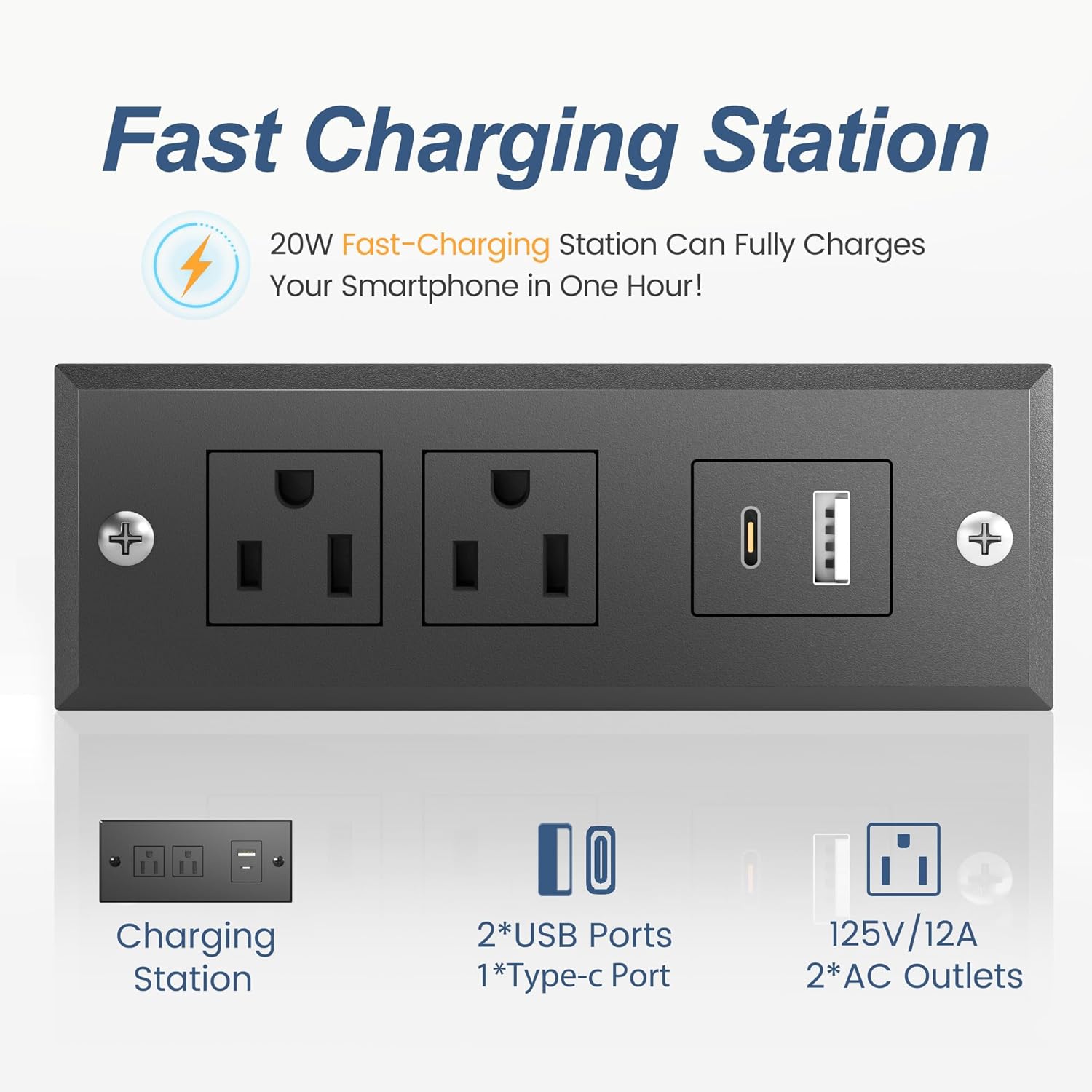
Image: A close-up view of the charging station, showing the two AC outlets, one USB-A port, and one USB-C port.
Maintenance
Proper maintenance will extend the life and performance of your bed frame.
- Cleaning: Wipe down metal and engineered wood surfaces with a soft, damp cloth. Avoid harsh chemicals that may damage the finish.
- Noise Prevention: Periodically check the foam strips on the metal slats. If they become worn or dislodged, re-secure or replace them to maintain the noise-free feature.
- Hardware Check: Every few months, inspect all bolts and screws to ensure they remain tight. Re-tighten as necessary to maintain stability.
- Under-Bed Area: Utilize the 11.6 inches of under-bed clearance for storage. This space also allows for easy cleaning with sweepers or vacuum cleaners.

Image: Illustration of the 11.6-inch under-bed storage space, suitable for bins or other items.
Troubleshooting
| Problem | Possible Cause | Solution |
|---|---|---|
| Bed frame squeaks or wobbles. | Loose hardware; worn or misplaced foam strips on slats. | Tighten all bolts and screws. Check and adjust or replace foam strips on slats. |
| LED lights not working. | Power connection issue; remote control battery low; app connection problem. | Ensure the bed frame is plugged into a working outlet. Check remote control batteries. Re-pair the app if necessary. |
| Charging station not providing power. | Bed frame not plugged in; device cable faulty; power surge protection tripped. | Verify the bed frame is connected to a live power outlet. Test with a different charging cable or device. Check household circuit breaker. |
| Mattress slides on the frame. | Mattress not properly seated; high footboard not sufficient. | Ensure the mattress is centered and fully within the frame. The high footboard is designed to prevent sliding. Consider a non-slip mat if issues persist. |
Specifications
| Feature | Detail |
|---|---|
| Model Number | BED618 |
| Size | Queen |
| Product Dimensions (L x W x H) | 82.1"L x 59.7"W x 37.2"H |
| Material | Engineered Wood, Metal |
| Headboard Material | Wood |
| Color | Classic Black |
| Maximum Weight Recommendation | 800 Pounds |
| Under-Bed Storage Clearance | 11.6 inches |
| Charging Station | 2 AC Outlets (125V/12A), 1 USB-A Port, 1 Type-C Port |
| LED Lighting | Adjustable Color, Brightness, Mode; App & Remote Control; Timer Function |
| Assembly Required | Yes |
| Box Spring Needed | No |
Warranty and Support
For warranty information or technical support, please contact Fluest customer service. Refer to your purchase documentation for specific warranty terms and contact details. The product is eligible for a 30-day easy return policy from the seller.
Manufacturer: Fluest
Customer Service: Please refer to the contact information provided with your product packaging or on the official Fluest website.