
1. Introduction
Welcome to your Bandai Sanrio Characters Life-Time Mobile, Hello Kitty Version. This interactive electronic device allows you to connect with a variety of Sanrio characters, engage in fun activities, and enjoy mini-games. This manual provides essential information for setup, operation, and care of your device.
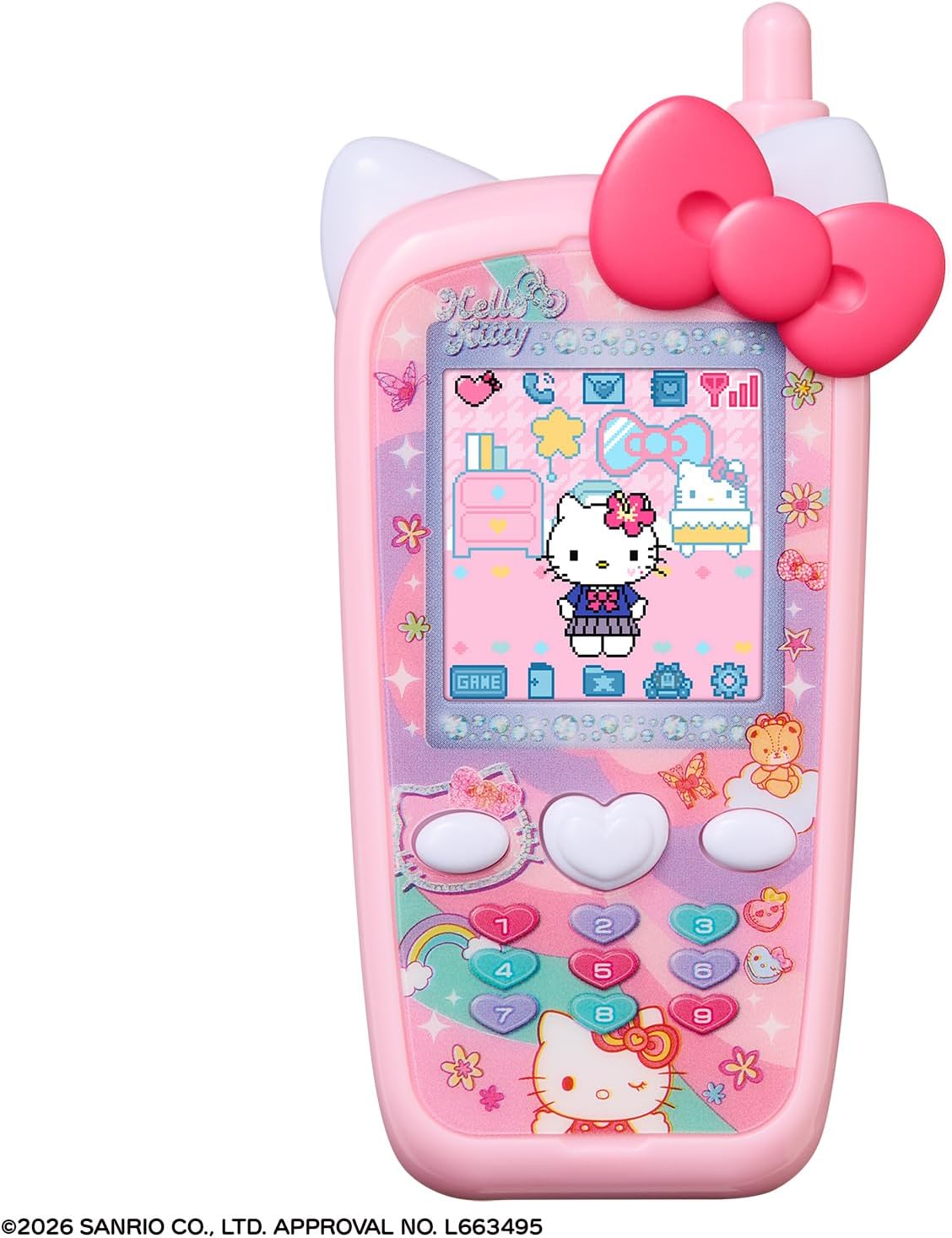
Image 1.1: The Bandai Sanrio Characters Life-Time Mobile, Hello Kitty Version device.
The device features over 70 Sanrio characters for interaction. You can communicate via phone calls and emoji emails, care for characters by feeding and bathing them, and participate in various activities including visits to Sanrio Puroland and playing mini-games.

Image 1.2: The device showcasing interaction with numerous Sanrio characters.
2. Setup
2.1 Battery Installation
The Bandai Sanrio Characters Life-Time Mobile requires three (3) AAA batteries (sold separately). Follow these steps to install the batteries:
- Locate the battery compartment on the back of the device.
- Using a small Phillips head screwdriver, unscrew the battery compartment cover.
- Insert three new AAA batteries, ensuring correct polarity (+/-) as indicated inside the compartment.
- Replace the battery compartment cover and secure it with the screw.
2.2 Powering On
After installing the batteries, press and hold the power button (usually located on the side or top of the device) until the screen illuminates. The device is recommended for ages 6 and up.
3. Operating Instructions
3.1 Main Menu Navigation
The device features 10 main menu options, accessible via the on-screen icons and physical buttons. Use the directional buttons or touch screen (if applicable) to navigate and select options.

Image 3.1: Overview of the 10 main menu icons.
3.2 Character Care and Interaction
You can care for 12 different Sanrio characters, including Hello Kitty, Usahana, and Koroko Krillin. Caring activities include feeding, bathing, and changing their outfits. The character's mood is indicated by the device's antenna, which changes appearance based on their happiness level. If a character's mood decreases significantly, they may go out of range.

Image 3.2: The 12 types of characters you can care for.

Image 3.3: Examples of care items and how the antenna reflects character mood.
3.3 Communication Features
Communicate with Sanrio characters through virtual phone calls and emoji emails. Characters may send special messages or calls on your birthday.

Image 3.4: Screenshots demonstrating phone and email interactions.
3.4 Games and Activities
The device includes 4 mini-games to play. You can also visit Sanrio Puroland virtually to enjoy attractions, parades, shopping, and meeting friends.

Image 3.5: Examples of mini-games and activities within Sanrio Puroland.
3.5 Customization
Register contacts and customize your device with various wallpapers. The main body design of the device comes in three types: Hello Kitty, Cinnamoroll, and Kuromi, though the game content is identical across all versions.

Image 3.6: Features for managing contacts, changing wallpapers, and showing the three available device designs.
4. Maintenance
To ensure the longevity and proper functioning of your Bandai Sanrio Characters Life-Time Mobile, please follow these maintenance guidelines:
- Cleaning: Wipe the device regularly with a soft, dry cloth. Do not use abrasive cleaners or solvents.
- Water Exposure: This device is not waterproof. Avoid contact with water or other liquids.
- Storage: Store the device in a cool, dry place away from direct sunlight and extreme temperatures.
- Battery Care: Remove batteries if the device will not be used for an extended period to prevent leakage.
5. Troubleshooting
If you encounter issues with your device, try the following troubleshooting steps:
- Device Not Turning On: Check if the batteries are correctly installed and have sufficient charge. Replace with new AAA batteries if necessary.
- Character Mood Decreasing: Ensure you are regularly interacting with and caring for your characters (feeding, bathing, changing clothes).
- Screen Issues: If the screen is unresponsive or displaying incorrectly, try turning the device off and on again.
If problems persist after attempting these steps, please refer to the support information provided by your retailer or the manufacturer.
6. Specifications
| Brand | BANDAI |
| Model | Sanrio Characters Life-Time Mobile - Hello Kitty Version |
| ASIN | B0GL14B3L4 |
| Dimensions (L x W x H) | 6.3" x 4.33" x 1.57" (16.0 cm x 11.0 cm x 4.0 cm) |
| Batteries Required | 3 x AAA (not included) |
| Recommended Age | 6 years and up |
| Copyright | (C) 2026 SANRIO CO., LTD. APPROVAL NO. L663495 |
7. Warranty and Support
For information regarding product warranty, returns, or technical support, please consult the retailer where the product was purchased or visit the official BANDAI website. Keep your proof of purchase for any warranty claims.