
Introduction
Welcome to the HevGlrm T300 Pro MAX Walking Pad Treadmill user manual. This guide provides essential information for the safe and effective operation, assembly, and maintenance of your new fitness equipment. Please read this manual thoroughly before first use and retain it for future reference.
Important Safety Information
To reduce the risk of serious injury, always follow basic safety precautions when using this appliance.
- Read all instructions in this manual before using the treadmill.
- Keep children and pets away from the treadmill during operation.
- Ensure the treadmill is placed on a flat, stable surface with adequate clearance around it.
- Do not exceed the maximum weight capacity of 350 lbs (158 kg).
- Always use the safety key/clip during operation. In case of emergency, the safety clip will stop the treadmill.
- Wear appropriate athletic footwear and clothing.
- If you experience pain, dizziness, or shortness of breath, stop exercising immediately.
- Unplug the treadmill from the power outlet when not in use or before cleaning/maintenance.
What's in the Box
Carefully unpack all components and ensure you have received the following items:
- Walking Pad Treadmill (Main Unit)
- Handrail (x1)
- User Manual (x1)
- Star Screws (x2)
- Phone Holder (x1)
- L-Wrench (x1)
- Hex Screws (x2)

Image: All components included in the HevGlrm T300 Pro MAX Walking Pad Treadmill package.
Setup and Assembly
Follow these steps to set up your treadmill:
- Unpack the Treadmill: Carefully remove the treadmill and all accessories from the packaging.
- Position the Treadmill: Place the main unit on a flat, stable surface.
- Install the Handrail: Lift the handrail into the upright position. Secure it using the provided hex screws and L-wrench. Ensure it is firmly locked in place.
- Adjust Handrail Height: Loosen the adjustment knobs on the handrail, raise or lower the handrail to your desired height, and then tighten the knobs securely.
- Attach Phone Holder: Slide the phone holder onto the designated slot on the handrail.
- Connect Power: Plug the power cord into the treadmill and then into a grounded electrical outlet.
Video: Demonstrates the unboxing and initial setup of the walking pad treadmill, including attaching the handrail and adjusting its height.
Folding and Storage
For compact storage, the handrail can be folded down. Loosen the adjustment knobs, lower the handrail, and secure it. The treadmill features built-in rollers for easy movement.
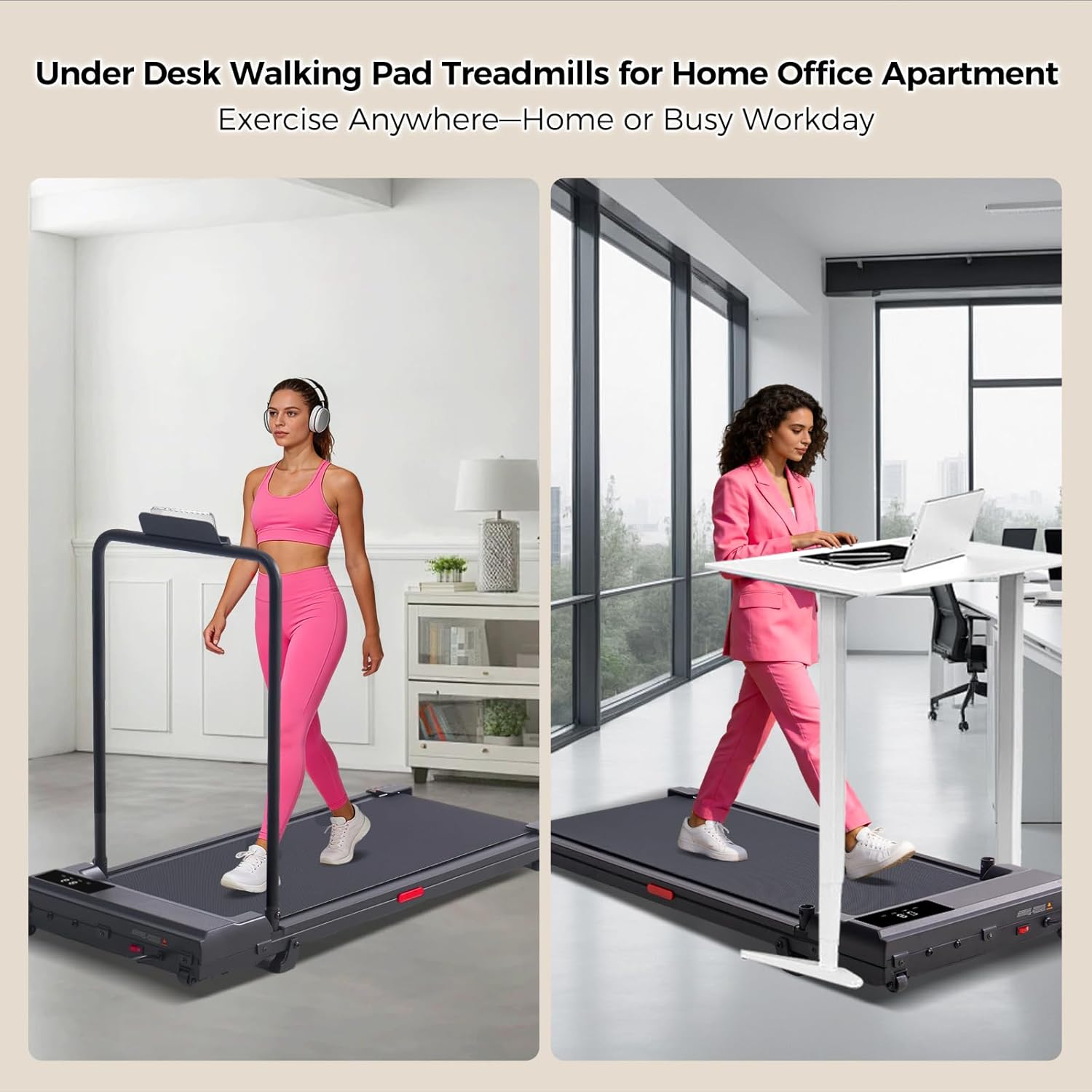
Image: The treadmill can be folded flat to a height of 3.74 inches for convenient storage under furniture or against a wall.
Operating Instructions
Powering On/Off
To power on, ensure the treadmill is plugged in and the main power switch (usually located at the front) is in the 'ON' position. The display will light up. To power off, press the 'STOP' button on the remote control and then turn off the main power switch.
Using the Remote Control
The treadmill is operated via a magnetic remote control. This remote allows you to start/stop the treadmill, adjust speed, and cycle through display modes.
Video: Illustrates the use of the magnetic remote control to start, stop, and adjust the speed of the walking pad treadmill, along with a view of the digital display.
Adjusting Speed and Modes
Use the '+' and '-' buttons on the remote to increase or decrease speed. The treadmill supports a speed range of 0.6 to 7.6 MPH, accommodating various exercise intensities from walking to light jogging.

Image: The treadmill offers three distinct modes: Working Mode (0.6-2.0 MPH), Jogging Mode (2.0-4.0 MPH), and Running Mode (4.0-7.6 MPH).
Understanding the Display
The integrated LED display provides real-time workout data, including Speed, Time, Distance, and Calories burned. Press the 'M' button on the remote to cycle through these metrics.
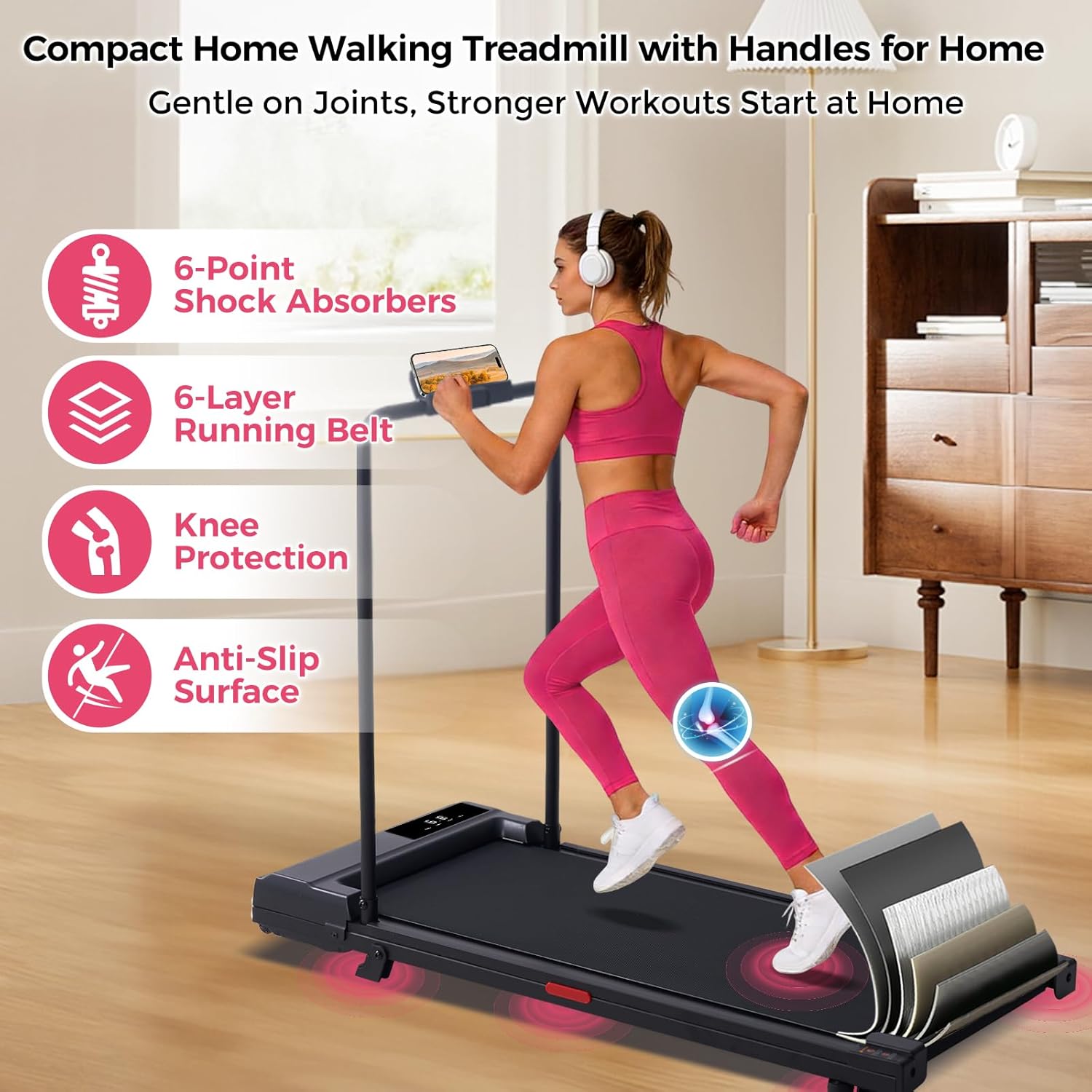
Image: The clear LED display tracks essential workout metrics, allowing you to monitor your progress effectively.
Under-Desk Use
The compact design and removable handrail allow the treadmill to be used as an under-desk walking pad, enabling you to stay active while working.

Image: The treadmill's low profile makes it suitable for use under a standing desk, promoting activity during work hours.
Key Features
- Powerful Motor: Equipped with a 3.0HP high-efficiency brushless motor for stable and quiet operation.
- High Weight Capacity: Supports users up to 350 lbs (158 kg).
- Quiet Operation: Operates at less than 45dB, ideal for home or office environments.
- Advanced Cushioning: Features a 6-layer cushioned deck with 6-point shock absorbers, providing knee protection and reducing joint stress.
- Portable Design: Compact and foldable with built-in transport wheels for easy storage and movement.

Image: Overview of the treadmill's core specifications, including motor power, speed range, and weight capacity.

Image: Detailed view of the treadmill's multi-layer running belt and shock absorption system designed for user comfort and joint protection.
Maintenance
Regular maintenance ensures the longevity and optimal performance of your treadmill.
- Cleaning: Wipe down the treadmill surface with a damp cloth after each use. Avoid using abrasive cleaners.
- Belt Lubrication: Periodically check the running belt for dryness. Lubricate the belt as instructed in the separate lubrication guide (if provided) or when the belt feels dry to the touch.
- Belt Tension and Alignment: Check the running belt tension and alignment regularly. Adjust if necessary according to the instructions in this manual or a dedicated guide.
- Storage: Store the treadmill in a dry, clean environment away from direct sunlight and extreme temperatures.
Troubleshooting
If you encounter any issues, refer to the following common problems and solutions:
- Treadmill Not Starting: Ensure the power cord is securely plugged in, the main power switch is on, and the safety key is correctly inserted.
- Belt Slipping: The running belt may require tension adjustment or lubrication. Refer to the maintenance section.
- Unusual Noise: Check for loose parts or foreign objects under the belt. If the noise persists, contact customer support.
- Display Not Working: Verify power connection and ensure no cables are loose. If the issue continues, contact customer support.
Specifications
| Brand | HevGlrm |
| Model Name | T300 Pro MAX |
| Product Dimensions | 42"D x 21"W x 36"H (106.7 cm D x 53.3 cm W x 91.4 cm H) |
| Folded Size | 40.9"x18.3"x3.7" (103.9 cm x 46.5 cm x 9.4 cm) |
| Item Weight | 36 Pounds (16.3 kg) |
| Material | Carbon Steel |
| Maximum Speed | 7.6 Miles per Hour (12.2 km/h) |
| Minimum Speed | 0.6 Miles per Hour (1.0 km/h) |
| Maximum Horsepower | 3.0 Horsepower |
| Maximum Weight Recommendation | 350 Pounds (158 kg) |
| Display Type | LED |
| Metrics Measured | Calories Burned, Distance, Speed, Time |
| Assembly Required | Yes |
Warranty and Support
The HevGlrm T300 Pro MAX Walking Pad Treadmill comes with a 12-month manufacturer's warranty covering defects in materials and workmanship from the date of purchase.
For warranty claims, technical support, or any questions regarding your product, please contact HevGlrm customer service. Refer to the contact information provided on the product packaging or the official HevGlrm website for assistance.


