
1. Introduction
Thank you for choosing the Generic M156A Automatic Smart Pill Dispenser. This device is designed to simplify daily medication management by providing timely reminders and dispensing pills automatically. It helps ensure consistent medication intake, which is crucial for health and well-being. Please read this manual thoroughly before using the dispenser to ensure proper operation and to maximize its benefits.
This manual provides detailed instructions on setting up, operating, maintaining, and troubleshooting your M156A dispenser.
2. Product Overview
2.1. Key Features
- Automatic Release Function: Simplifies daily dosing with auto-release, ensuring timely medication intake without manual sorting.
- Adjustable Reminders: Prevents missed doses, ideal for elderly or busy users managing multiple medications.
- Durable ABS Plastic Construction: Offers reliable protection for pills while resisting wear and impact.
- Compact and Portable Design: Space-saving box organizes pills neatly, suitable for home, travel, or daily use with secure closure.
- User-Friendly Interface: Enables simple setup and adjustment, no complex steps for convenient daily use.
2.2. Components
The M156A Automatic Smart Pill Dispenser consists of the main unit, a transparent lid, and a pill tray with multiple compartments.
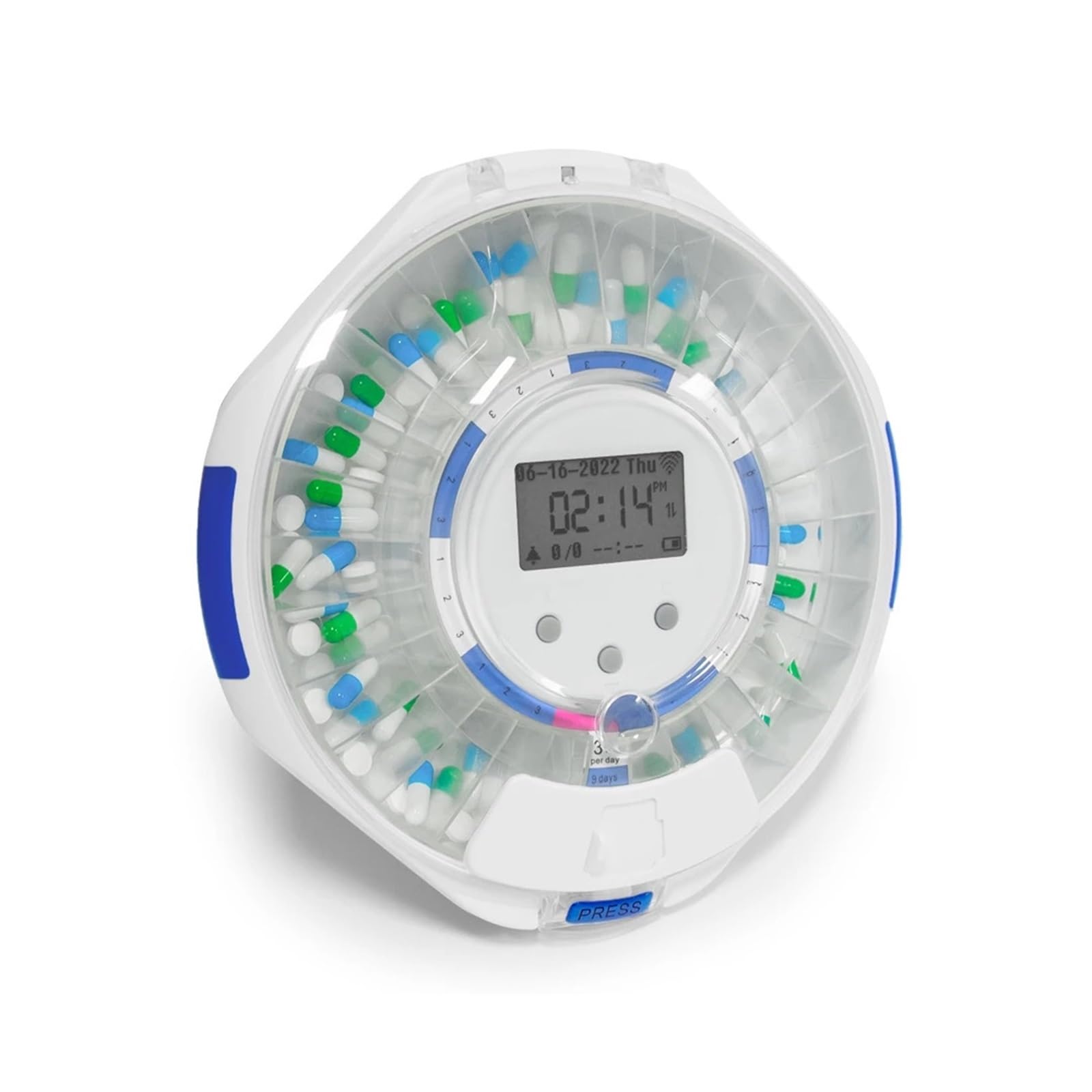
Figure 2.2.1: The M156A Automatic Smart Pill Dispenser, showing its circular design, digital display, and a smartphone screen illustrating the companion application for control and monitoring.

Figure 2.2.2: A top-down view of the M156A dispenser, showcasing its internal compartments filled with different medications and the central digital display.
3. Setup
3.1. Unboxing and Initial Inspection
- Carefully remove all components from the packaging.
- Inspect the dispenser for any signs of damage. If damaged, do not use and contact customer support.
- Ensure all parts are present: main dispenser unit, transparent lid, and pill tray.
3.2. Battery Installation
The M156A dispenser requires batteries for operation. Locate the battery compartment on the underside of the unit.
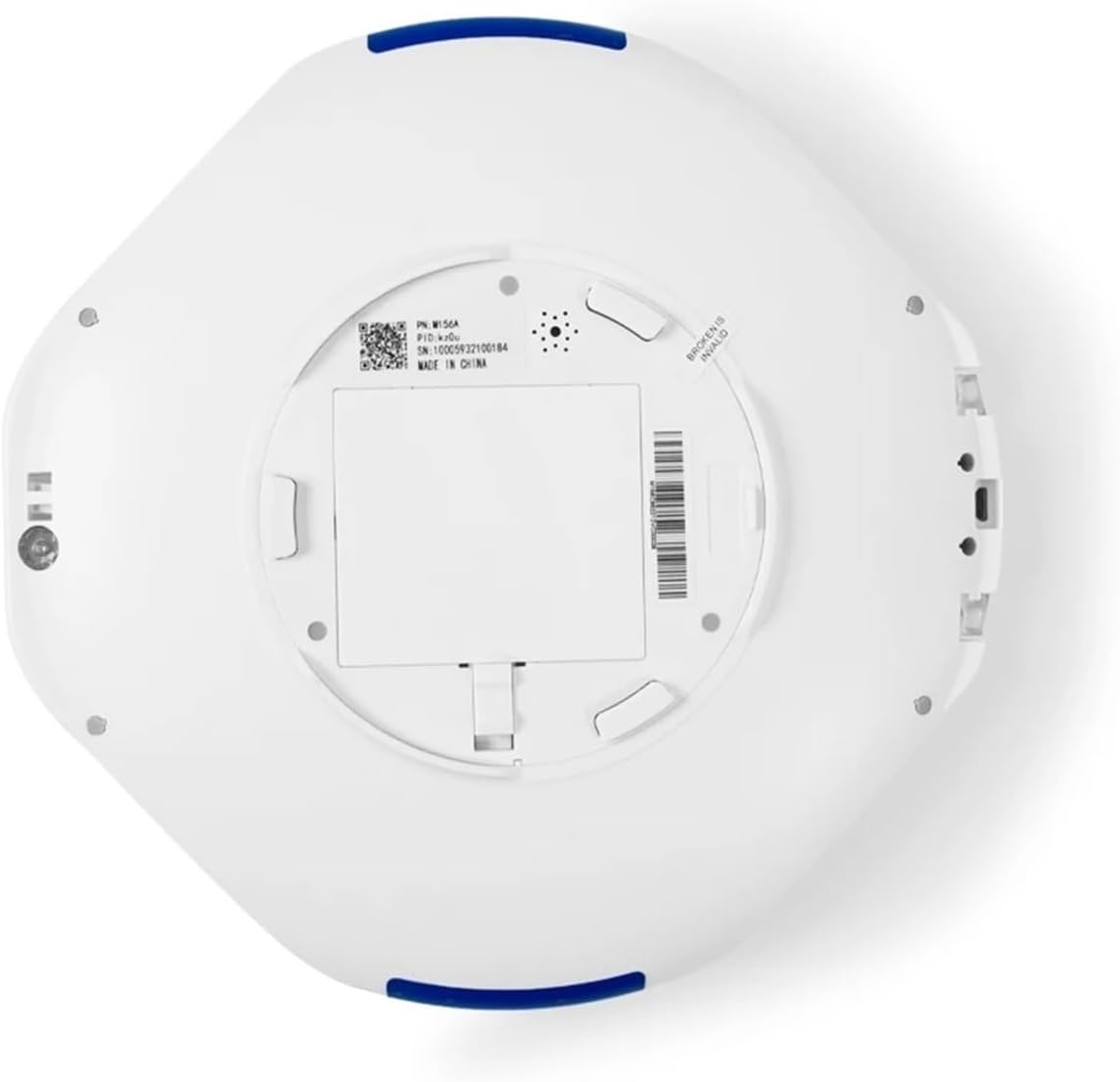
Figure 3.2.1: The bottom of the M156A dispenser, indicating the battery compartment cover and product information label.
- Open the battery compartment cover.
- Insert the required batteries (e.g., AA batteries, type not specified in data, assume standard) according to the polarity markings (+/-).
- Close the battery compartment cover securely.
3.3. Loading Pills
Properly loading pills into the dispenser is crucial for accurate dispensing.
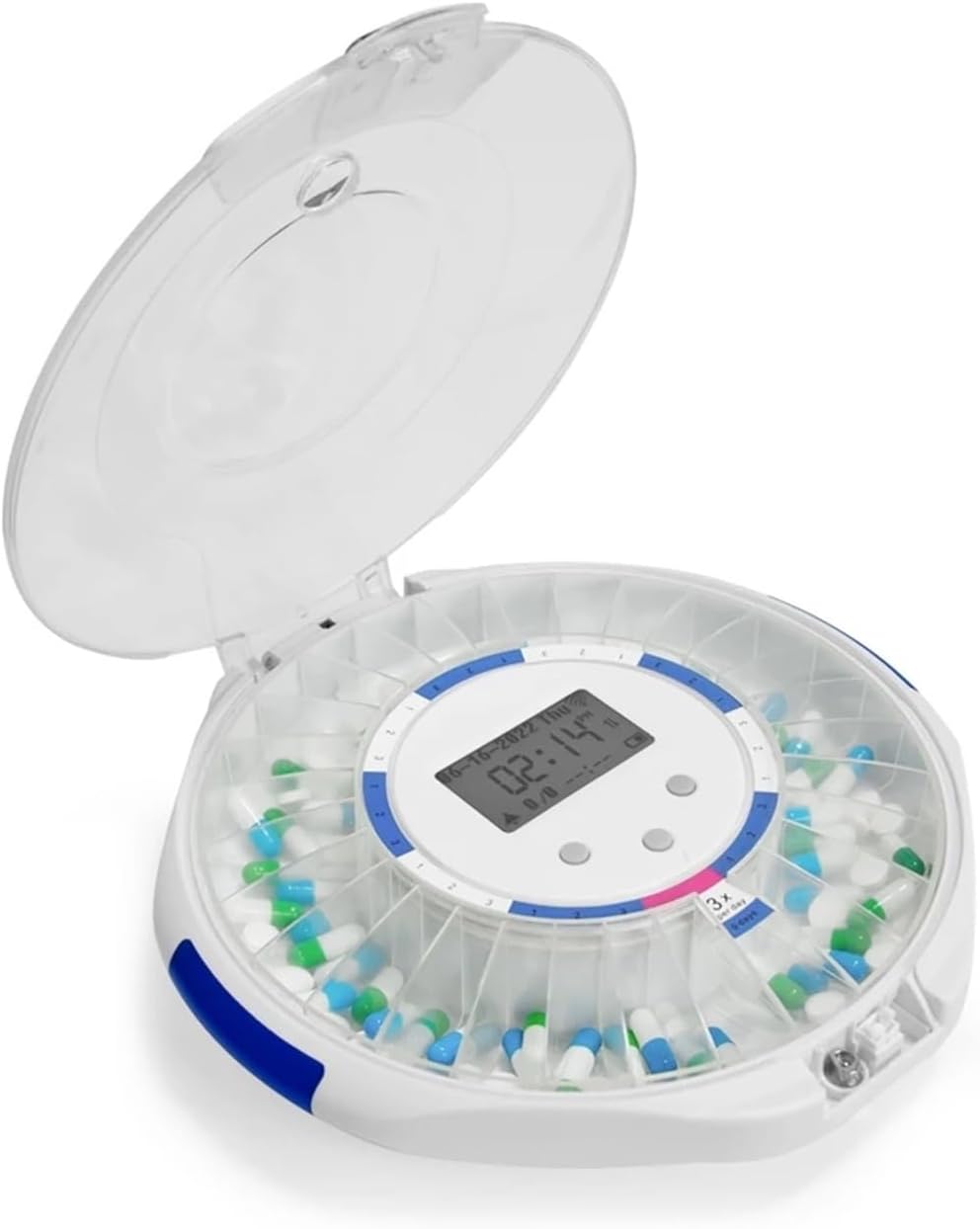
Figure 3.3.1: The M156A dispenser with its lid open, showing the individual compartments ready for pill loading.
- Open the transparent lid of the dispenser.
- Rotate the internal tray to align the empty compartments with the loading opening.
- Place the prescribed pills into the designated compartments. Ensure not to overfill.
- Close the transparent lid securely.
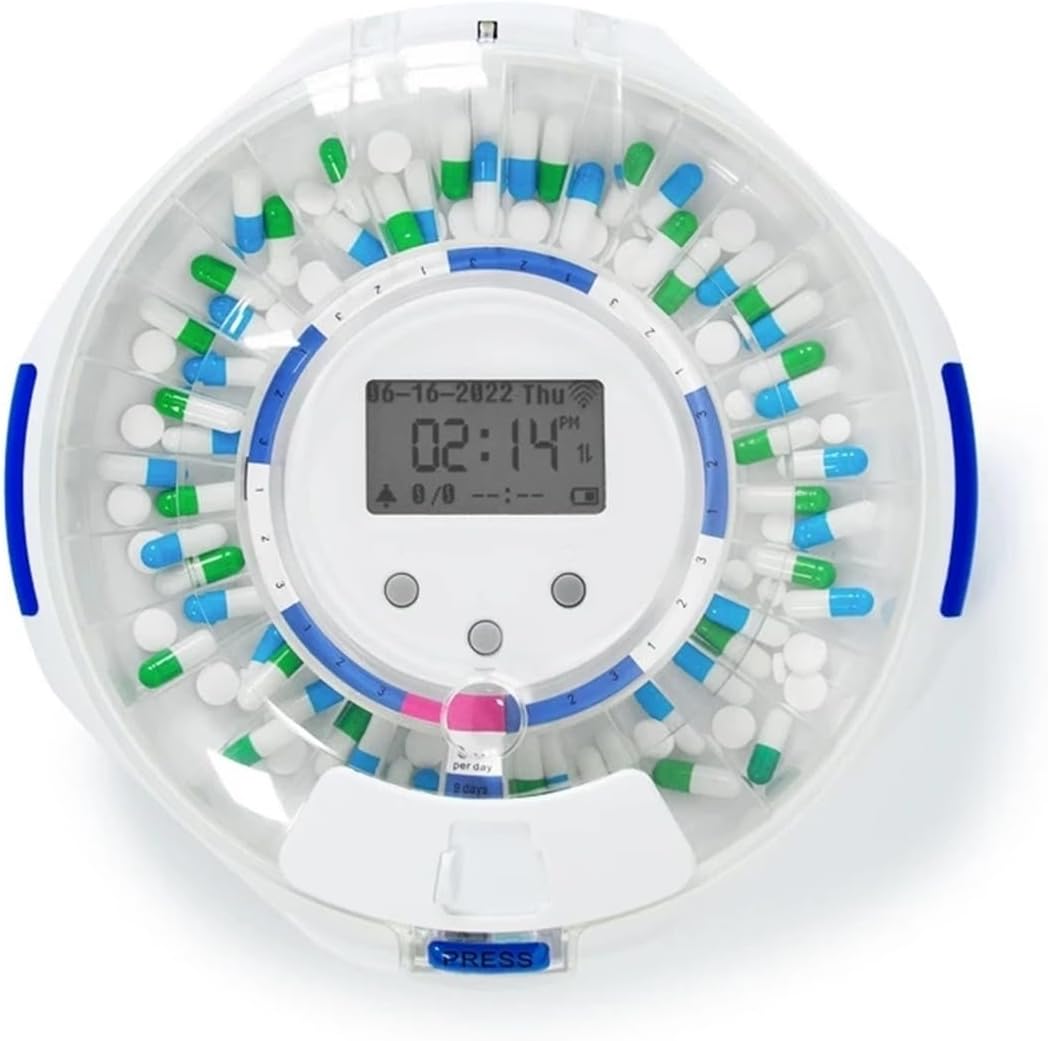
Figure 3.3.2: A close-up top view of the M156A dispenser with pills correctly loaded into its circular compartments.
3.4. Wi-Fi and App Connection
The M156A dispenser features Wi-Fi connectivity for smart control via a mobile application.
- Download the companion application (e.g., Tuya Smart app, as indicated by the logo in images) from your smartphone's app store.
- Create an account or log in.
- Follow the in-app instructions to add a new device. This typically involves putting the dispenser into pairing mode (refer to the dispenser's display or buttons for specific instructions, usually a long press on a button).
- Connect the dispenser to your home Wi-Fi network through the app.
4. Operating Instructions
4.1. Setting Medication Schedules
Once connected to the app, you can set up your medication schedule.
- Open the companion app and select your M156A dispenser.
- Navigate to the "Schedule" or "Alarm" section.
- Add new medication times, specifying the exact time and the number of doses to be dispensed.
- Save your settings. The dispenser will synchronize with the app.

Figure 4.1.1: Display of the M156A dispenser highlighting features such as volume control, alarm tone selection, and schedule reminders, with options for adjustable alert durations.
4.2. Dispensing Medication
At the scheduled time, the dispenser will alert you and rotate to present the correct dose.
- When an alarm sounds and/or flashes, approach the dispenser.
- The dispenser will rotate, making the correct compartment accessible through the dispensing opening.
- Press the "PRESS" button or mechanism to release the pills into your hand or a container.
- The alarm will cease once the pills are dispensed.
4.3. Adjusting Alerts
You can adjust the volume, alarm tone, and duration of alerts via the app or directly on the device if buttons are available for these functions.
- Volume Control: Adjust the loudness of the alarm.
- Alarm Tone Selection: Choose from various alert sounds.
- Adjustable Alert Time: Alerts can be set to last from 5 minutes to 2 hours, or until the device is inverted (indicating pill retrieval).
5. Maintenance
5.1. Cleaning the Dispenser
Regular cleaning ensures hygiene and proper functioning.
- Ensure the dispenser is empty of all medication and powered off (remove batteries).
- Wipe the exterior with a soft, damp cloth. Do not use abrasive cleaners or immerse the unit in water.
- For the pill tray and lid, these can be gently wiped with a damp cloth and mild soap, then thoroughly dried before reassembly.
- Ensure all parts are completely dry before reinserting batteries and loading new medication.
5.2. Battery Replacement
Replace batteries when the low battery indicator appears on the display or in the app, or if the dispenser's performance degrades.
- Refer to Section 3.2 for battery installation instructions.
- Always replace all batteries at once with new ones of the same type.
- Dispose of old batteries according to local regulations.
6. Troubleshooting
| Problem | Possible Cause | Solution |
|---|---|---|
| Dispenser not powering on. | Dead or incorrectly installed batteries. | Check battery polarity. Replace with fresh batteries. |
| Pills not dispensing. | Compartment empty, jam, or incorrect schedule. | Ensure compartments are loaded. Check for obstructions. Verify schedule in the app. |
| No alarm sound. | Volume too low, alarm disabled, or speaker issue. | Increase volume via app or device controls. Ensure alarm is enabled. |
| Wi-Fi connectivity issues. | Incorrect Wi-Fi password, out of range, or router issue. | Re-enter Wi-Fi password. Move dispenser closer to router. Restart router. |
| Incorrect time displayed. | Time not synchronized or set incorrectly. | Ensure dispenser is connected to Wi-Fi and synchronized with the app. Manually adjust time if necessary. |
If you encounter issues not listed here, or if the problem persists, please contact customer support.
7. Specifications
- Model Number: M156A (Internal model: YOYSMMEOO)
- Material: ABS Plastic (Housing), Acrylic (Lid)
- Dimensions: Approximately 7.87 x 3.94 x 3.94 inches
- Weight: Approximately 1.76 ounces
- Number of Compartments: 1 (referring to the dispensing slot, internal tray has multiple)
- Connectivity: Wi-Fi enabled
- Features: Automatic dispensing, adjustable reminders, volume control, alarm tone selection, adjustable alert time.
8. Warranty and Support
This Generic M156A Automatic Smart Pill Dispenser comes with a standard manufacturer's warranty. Please refer to the product packaging or the seller's website for specific warranty terms and conditions.
For technical support, troubleshooting assistance, or warranty claims, please contact the retailer or manufacturer directly. Keep your purchase receipt as proof of purchase.