
1. Introduction
The Generic S1 Ultra-Thin Bluetooth Pillow Speaker is designed to provide a comfortable and private audio experience for sleeping. Its slim profile allows it to be placed under a pillow, delivering clear sound directly to the user without disturbing others. This manual provides detailed instructions for setup, operation, and maintenance to ensure optimal performance and longevity of your device.

Image: The S1 Bluetooth Pillow Speaker positioned under a pillow, demonstrating its intended use for private listening during sleep. The image highlights the speaker's ultra-thin design and the concept of soft volume for auditory health.
2. Safety Information
- Do not expose the device to extreme temperatures or humidity.
- Keep the device away from water and other liquids. It is not water-resistant.
- Do not attempt to disassemble or repair the device yourself. Refer to qualified service personnel.
- Use only the provided USB charging cable for charging.
- Avoid placing heavy objects directly on the speaker.
- Ensure the speaker is placed securely under the pillow to prevent accidental displacement during sleep.
- Listen at appropriate volume levels to prevent hearing damage.
3. What's in the Box
Please check the package contents upon unboxing:
- S1 Bluetooth Pillow Speaker
- USB Charging Cable
- User Manual
4. Product Overview
The S1 Pillow Speaker features an ultra-thin design with intuitive controls for easy operation. It includes a power button, volume controls, and a timer function.

Image: A detailed view of the S1 Bluetooth Pillow Speaker's control panel, showing the Power Button/White Noise, Next Track/Volume +, and Volume-/Timer buttons, along with LED indicators for the three-stage timer (30/60/90 minutes).
Controls and Indicators:
- Power Button / White Noise: Press and hold to power on/off. Short press to cycle through white noise modes.
- Next Track / Volume +: Short press for next track. Long press to increase volume.
- Volume - / Timer: Short press to decrease volume. Long press to cycle through timer settings (30/60/90 minutes).
- LED Indicators: Display power status, charging status, and active timer setting.
5. Setup
5.1 Charging the Speaker
Before first use, fully charge the speaker. Connect the provided USB charging cable to the Type-C port on the speaker and to a USB power adapter (not included) or a computer USB port. The LED indicator will show charging status and turn off when fully charged. A full charge takes approximately 2 hours and provides up to 10 hours of playback.

Image: A close-up view of the S1 Bluetooth Pillow Speaker, highlighting its Type-C charging port and indicating a built-in 300mAh battery for long-lasting listening.
5.2 Bluetooth Pairing
- Power On: Press and hold the Power button until the LED indicator flashes, indicating it's in pairing mode.
- Enable Bluetooth: On your smartphone, tablet, or other Bluetooth-enabled device, go to the Bluetooth settings and ensure Bluetooth is turned on.
- Select Device: Look for "S1 Pillow Speaker" (or similar name) in the list of available devices and select it to pair.
- Confirmation: Once paired, the LED indicator on the speaker will stop flashing and remain solid, and you will hear an audible confirmation.
The speaker will automatically reconnect to the last paired device when powered on, if the device is within range and Bluetooth is enabled.

Image: A visual representation of the S1 Bluetooth Pillow Speaker connecting to a smartphone, emphasizing its Bluetooth 5.4 technology for fast and stable connections, enabling diverse usage scenarios.
6. Operating Instructions
6.1 Placing the Speaker
For optimal sound and privacy, place the S1 Pillow Speaker directly under your pillow. The ultra-thin design ensures comfort and allows the sound to be transmitted effectively through the pillow, creating a personal audio zone.

Image: The S1 Bluetooth Pillow Speaker placed under a pillow next to a sleeping person, illustrating how it creates a private sleep oasis by transmitting sound without disturbing others.
Video: A demonstration of the S1 Bluetooth Pillow Speaker's unique sound conduction. The video shows the speaker playing music with no audible sound when held in the hand, but becoming clear when placed under a pillow, highlighting its private listening capability.
6.2 Audio Playback
- Play/Pause: Control playback directly from your connected device.
- Volume Adjustment: Long press the "Volume +" button to increase volume. Long press the "Volume -" button to decrease volume.
- Track Navigation: Short press the "Next Track" button to skip to the next audio track.
6.3 White Noise Function
The speaker includes built-in white noise sounds to aid in relaxation and sleep. Short press the Power button to cycle through available white noise options (e.g., ocean waves, babbling brooks, forest birdsong).
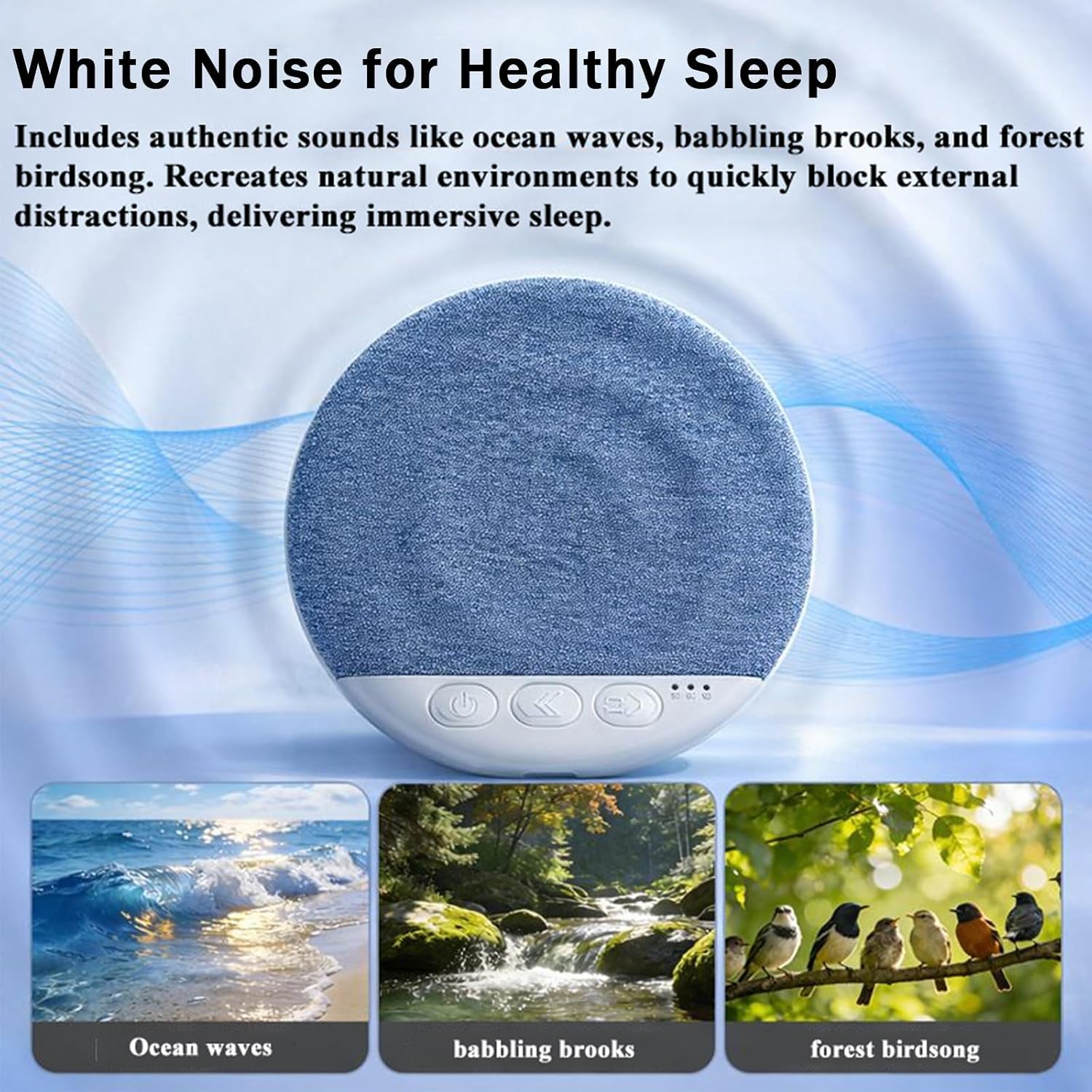
Image: The S1 Bluetooth Pillow Speaker showcasing its white noise feature, with visual representations of natural sounds such as ocean waves, babbling brooks, and forest birdsong, designed to block distractions and promote healthy sleep.
6.4 Sleep Timer
To conserve battery and ensure uninterrupted sleep, the speaker features a three-stage timer. Long press the "Volume -" button to activate and cycle through the timer settings: 30 minutes, 60 minutes, and 90 minutes. The corresponding LED indicator will light up to show the active timer. The speaker will automatically power off once the set time has elapsed.
7. Maintenance
- Cleaning: Wipe the speaker with a soft, dry cloth. Do not use liquid cleaners or abrasive materials.
- Storage: Store the speaker in a cool, dry place when not in use.
- Battery Care: To prolong battery life, avoid fully discharging the battery frequently. Charge the device regularly, even if not in constant use.
8. Troubleshooting
| Problem | Possible Cause | Solution |
|---|---|---|
| No sound from speaker. | Speaker is off, not paired, or volume is too low. | Ensure speaker is powered on and paired. Increase volume on both speaker and connected device. Place speaker under pillow for optimal sound. |
| Cannot pair with device. | Bluetooth is off, speaker is out of range, or already paired to another device. | Ensure Bluetooth is enabled on your device. Bring speaker closer to your device. Disconnect from other devices or restart speaker and try pairing again. |
| Speaker not charging. | Faulty cable, power source, or charging port. | Check the USB cable and power adapter. Try a different USB port or power source. Ensure the cable is securely connected. |
| Sound quality is poor or static. | Interference, low battery, or improper placement. | Move away from other electronic devices. Charge the speaker fully. Adjust speaker position under the pillow. |
9. Specifications
| Feature | Detail |
|---|---|
| Brand | Generic |
| Model | S1 Bluetooth Pillow Speaker |
| Bluetooth Version | Bluetooth 6 (Note: Product description states Bluetooth 6, while an image indicates Bluetooth 5.4. We defer to the product description.) |
| Connectivity Technology | Bluetooth, Wireless |
| Speaker Type | Ultra-thin, Pillow Speaker |
| Battery Type | Rechargeable Lithium Battery (300mAh) |
| Battery Life | Up to 10 hours (continuous playback) |
| Charging Time | Approximately 2 hours |
| Charging Port | Type-C |
| Maximum Output Power | 5 Watts |
| Frequency Response | 20 Hz |
| Audio Output Mode | Stereo, 360-degree Stereo |
| Water Resistance | Not Water Resistant |
| Item Weight | 12 Ounces |
| Item Dimensions (D x W x H) | 4"D x 4.5"W x 5"H (Note: These dimensions may refer to packaging or overall product family, as the speaker itself is ultra-thin.) |
| Control Method | Touch |
| Built-In Media | White Noise Timer |
10. Warranty Information
This product comes with a Limited Manufacturer Warranty. For specific details regarding warranty coverage, duration, and claims process, please refer to the documentation provided with your purchase or contact the seller directly. The product data indicates "no" for a detailed warranty description, suggesting general manufacturer terms apply. Please retain your proof of purchase for any warranty claims.
11. Customer Support
For any questions, technical assistance, or support regarding your Generic S1 Bluetooth Pillow Speaker, please contact the seller or retailer from whom you purchased the product. They will be able to provide the most accurate and up-to-date support information.
Seller: ChunjiangYuanjiu